Subscription metrics from Stripe, Paddle, Lemon Squeezy, Chargebee and Polar
Connect Stripe, Paddle, Lemon Squeezy, Chargebee or Polar with a read-only API key to see MRR, churn, retention and cohorts next to your traffic.
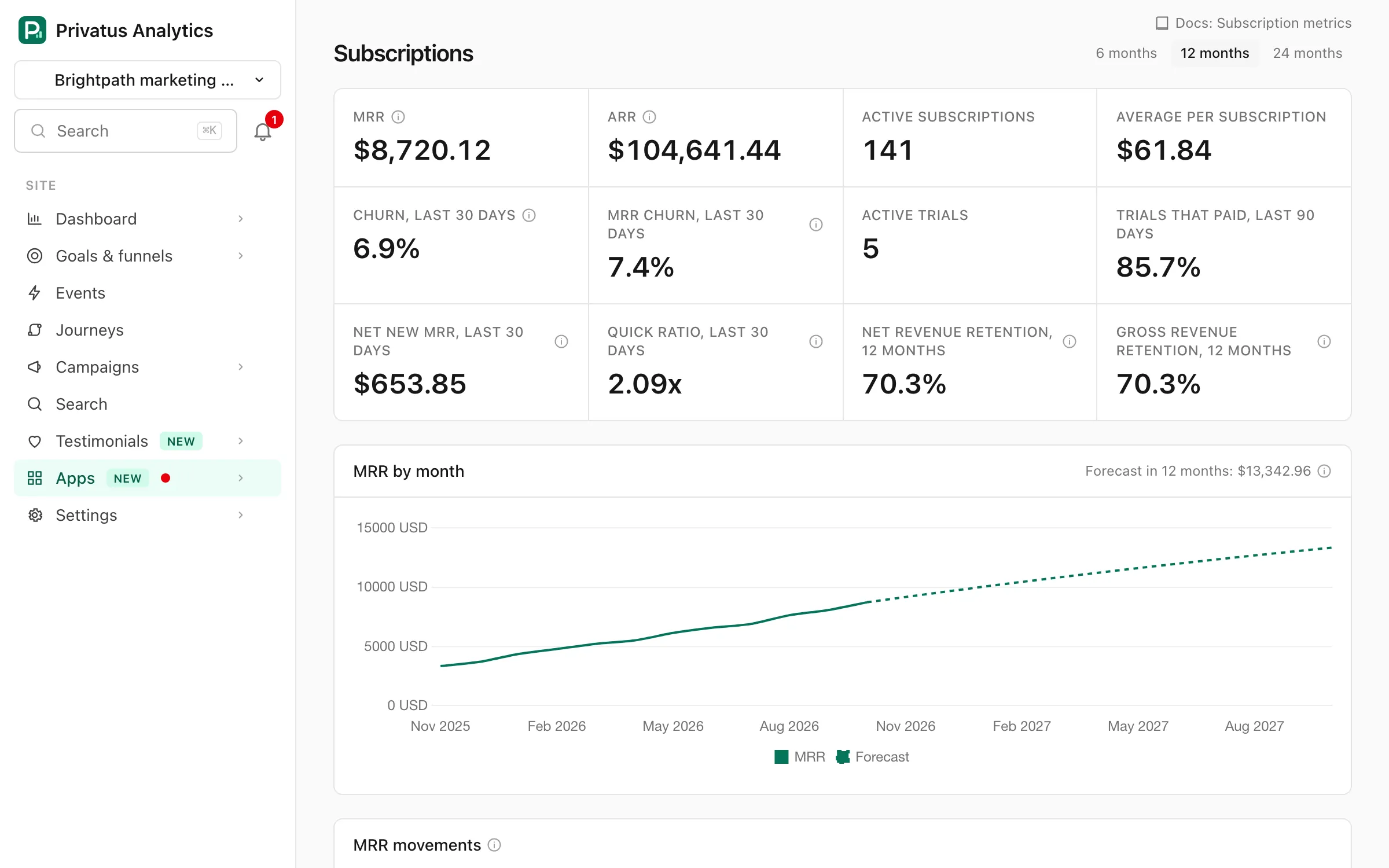
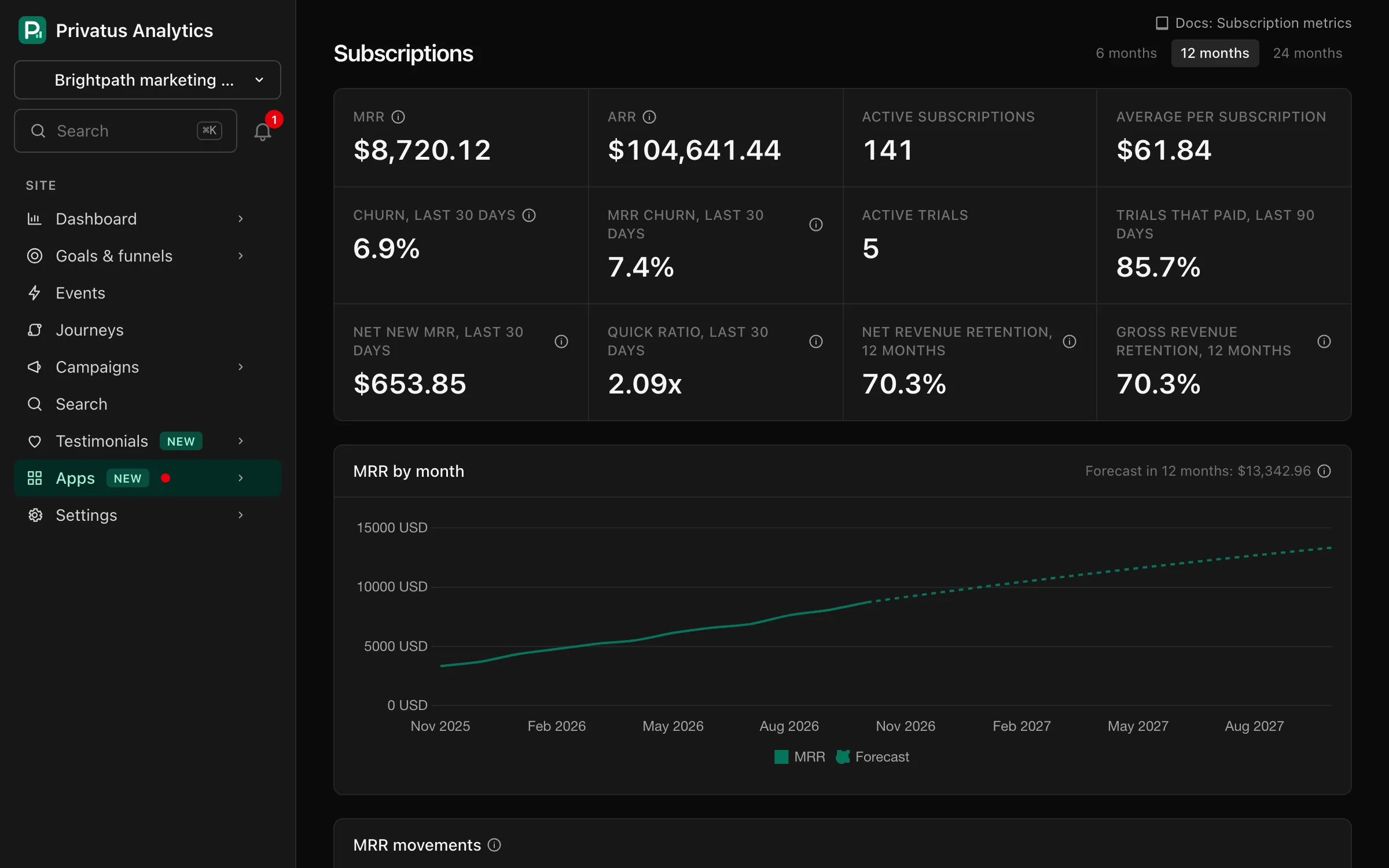
The Subscriptions page shows recurring revenue for a site: MRR, ARR, active subscriptions, churn, trials, MRR movements, revenue retention, MRR by plan, a forecast and a churn cohort grid. The numbers come from your own payment provider, read with a read-only API key. It is available on every plan.
Connect#
Open the site's Subscriptions page (also linked from Site settings →
Integrations) and pick the provider the site bills through. You can
connect more than one, and their numbers are added together. Connecting,
syncing and disconnecting need the sites.manage permission.
Stripe#
- In Stripe, open Developers > API keys and click Create restricted key.
- Give it Read access to Subscriptions and nothing else.
- Paste the key (it starts with
rk_live_, orrk_test_in test mode) and click Connect.
A full secret key (sk_live_) is refused. A restricted key can only read
what you allow, so it is the safe choice.
Paddle#
- In Paddle, open Developer tools > Authentication and create an API key with the Read permission for Subscriptions.
- Paste the key and click Connect. A sandbox key is detected and uses Paddle's sandbox.
Paddle keys expire (after 90 days by default, a year at most). When a key expires the page shows Sync failed and asks for a new one.
Lemon Squeezy#
- In Lemon Squeezy, open Settings > API and create an API key.
- Paste the key and click Connect. If the key can see more than one store, enter the Store ID of the one to connect. The error message lists the stores and their IDs.
Chargebee#
- In Chargebee, open Settings > Configure Chargebee > API Keys and Webhooks and create a Read-only key: All, or Restricted with read access to transactional data.
- Enter your site name, the part before
.chargebee.comin the address you sign in at (acmeforacme.chargebee.com), paste the key and click Connect.
A test site is a separate site with its own name and key (such as
acme-test). A site whose name ends in -test is marked as test mode.
Polar#
- In Polar, open your organization's settings, then Developers, and
create an organization access token with the
subscriptions:readscope. It starts withpolar_oat_. - Paste the token and click Connect.
A sandbox token works too: we try production first, then the sandbox, and mark a sandbox connection as test mode.
What is stored#
For each subscription we store the provider's subscription ID, its status, its start, trial, cancellation and end dates, its monthly amount and currency, and the name of its plan as your provider names it. When a sync sees a subscription's amount change, we keep the amount it had before and when the change was seen. We do not store customer names, emails, IDs, addresses or countries, and nothing links a subscription to a visitor.
Your API key is stored encrypted and is only used to read subscriptions. It is never shown again or returned by the API. You can revoke it at the provider at any time. Disconnecting deletes the key and every subscription row read with it.
Syncing#
Subscriptions are read again every 6 hours, and Sync now reads them straight away. Each sync reads all subscriptions, so new subscriptions, cancellations and price changes at the provider show up after the next sync. A badge marks a connection that uses a test or sandbox key.
If a sync fails, the connection shows Sync failed with the reason. The last numbers stay in place until a sync succeeds or you paste a new key.
The numbers#
- MRR: the monthly value of every subscription that has paid and has not ended. Yearly, weekly and multi-month prices are converted to a month and quantities are multiplied in. Stripe, Chargebee and Polar MRR is net of recurring discounts, and Paddle and Lemon Squeezy MRR uses the list price. One-off Chargebee charges are left out. ARR is MRR times 12.
- Active subscriptions: subscriptions that have paid at least once and have not ended. A subscription that is past due still counts. A paused one does not.
- Average per subscription: MRR divided by active subscriptions.
- Churn, last 30 days: subscriptions that ended in the last 30 days, as a share of those active 30 days ago. MRR churn is the same with their MRR.
- Active trials and Trials that paid, last 90 days: of the trials that ended in the last 90 days, the share that went on to pay.
- By month: MRR and active subscriptions at the end of each month, with the subscriptions that first paid and that ended in it. The churn rate is the month's ended subscriptions as a share of those active when the month began.
Amounts in other currencies are converted to the site's currency at the latest European Central Bank rate. Months follow the site's time zone, and the current month is measured up to now.
MRR movements#
Each month's MRR change is split four ways, in the MRR movements chart and table:
- New: subscriptions that first paid in the month.
- Expansion: paying subscriptions whose amount went up (an upgrade, more seats, a discount that ended).
- Contraction: paying subscriptions whose amount went down, without ending.
- Churned: subscriptions that ended, at the amount they paid.
Net new MRR is new plus expansion, minus contraction and churned. Quick ratio is the MRR gained (new and expansion) for each unit lost (churned and contraction). Above 1, MRR grew.
No payment provider returns old prices, so upgrades and downgrades are counted from the first sync after you connect. Before that, past months use the price each subscription had when it was first read. A change is dated when the sync sees it, which is at most 6 hours late.
Revenue retention#
- Net revenue retention: what the subscriptions paying 12 months ago pay now, upgrades included, as a share of what they paid then. Above 100%, they pay more than they did.
- Gross revenue retention: the same without upgrades, so never above 100%. It shows what churn and downgrades cost.
Both are empty until a subscription has been paying for 12 months.
Plans#
MRR by plan lists each plan with its MRR, its share of the total, active subscriptions and churn over the last 30 days. A plan is named as your provider names it: the price's nickname in Stripe (or its product, when the key may also read products), the product in Paddle and Polar, the product and variant in Lemon Squeezy and the plan's item price in Chargebee. Click a plan to see the whole page, cohorts included, for that plan only.
Forecast#
The forecast is a dashed line after the MRR chart, and the MRR it reaches in 12 months is next to the chart's title. It starts from today's MRR and, for each month ahead, keeps MRR minus the share lost to churn and contraction in the last three full months, then adds their average new and expansion MRR. It is a projection of recent months, not a promise, and it needs three full months that started with MRR.
Churn cohorts#
The grid groups subscriptions by the month of their first payment. Each row is one month's cohort, Size is how many subscriptions it has, and each cell is a month since: M0 is the cohort's first month, M1 the next, and so on.
- Churn (the default) shows the share of the cohort that had ended by the end of that month. Read across a row to see how fast a cohort leaves, and down a column to compare cohorts at the same age.
- Retention shows the share still running.
- MRR measures the cohort's monthly revenue instead of counting subscriptions, so losing a large plan weighs more than a small one.
Trials that never paid are not in any cohort. Choose 6, 12 or 24 months at the top of the page.
API and MCP#
Everything on the page except connecting is available over the API and MCP. Connecting takes your provider's API key, so it is in the app only:
| Endpoint | MCP tool | What it does |
|---|---|---|
GET /sites/{site}/subscriptions |
subscriptions_report |
Totals, the monthly series with MRR movements, the forecast and the plans (months: 6, 12 or 24, plan) |
GET /sites/{site}/subscriptions/cohorts |
subscriptions_cohorts |
The cohort grid (months, metric, view, plan) |
POST /sites/{site}/subscriptions/sync |
subscriptions_sync |
Read subscriptions now (provider) |
DELETE /sites/{site}/subscriptions/connections/{provider} |
subscriptions_disconnect |
Disconnect and delete the key and data. Over MCP it only returns a link to this page, see Actions for a person |
Money is in minor units (cents) of the site's currency.
Alerts, email reports and dashboards#
- An alert of the Subscriptions type tells you when MRR falls by more than a percent over the last 30 days, or when churn or MRR churn passes one.
- Email reports have a Subscriptions block: MRR at the end of the period and what moved it.
- A custom dashboard can hold a Subscriptions card with MRR, its change over 30 days and churn.