Public pages and removal requests
Give a testimonial a public page of its own, see what the page shows, and decide the requests of people who ask for their testimonial to come down.
A testimonial can have a public page of its own, at
https://privatus.page/t/<id>. It is one link you can cite in a proposal,
an email or a post, and it shows a reader that the testimonial is real.
The same page gives the person who wrote the testimonial a way to ask
for it to come down. Those requests come to you, and you decide.
The switch is on the testimonial's own page: open Testimonials in the site's sidebar, open a testimonial from the Inbox, and find the Public page section. Public pages are on every plan.
Switch a public page on#
A public page is off until you switch it on.
| Where | How |
|---|---|
| One testimonial | On its page, press Turn on its public page in the Public page section. The same button reads Turn off its public page afterwards |
| Many at once | Select them in the Inbox, open the More menu of the bar that appears and choose Turn on public pages or Turn off public pages. Like every bulk action, it can be undone |
Under Where it is used on the testimonial's page, the Public page line then shows one of three things.
| It reads | Meaning |
|---|---|
| The address | The page is there. The link opens it, and so does Open the public page in the testimonial's menu in the Inbox |
| "On, and not shown while the testimonial is not approved" | The switch is on and the page is not there yet |
| "Off" | The switch is off |
Switching it on is not enough by itself. The page is there only while all of these are true:
- The testimonial is Approved.
- It is not in the trash, and not waiting for the monthly limit.
- Its consent record allows it to be shown.
- Its public page is switched on.
A public page counts as one place the testimonial is used.
What the page shows#
| Part | Detail |
|---|---|
| Your site | Your logo from the brand kit, or the site's name, linked to your domain, and a Visit button with the site's name |
| The words | In full, set large, with the highlight marked |
| The person | The name, job title, company and photo, each only as far as the consent record allows. Someone whose name may not be shown reads "A customer". The email is never shown |
| Rating, date and source | The rating as stars or hearts, the date it was received, and the review platform it came from with a link to the original |
| Verified | The mark, with its reason in a sentence under the testimonial, for example "Verified. It was sent through a request link emailed to this person." |
| Video or audio | A video shows its poster with a play button, and loads only when pressed. Audio uses the browser's own player. Nothing plays by itself |
| "This is mine, remove it" | A link under the testimonial. See Removal requests |
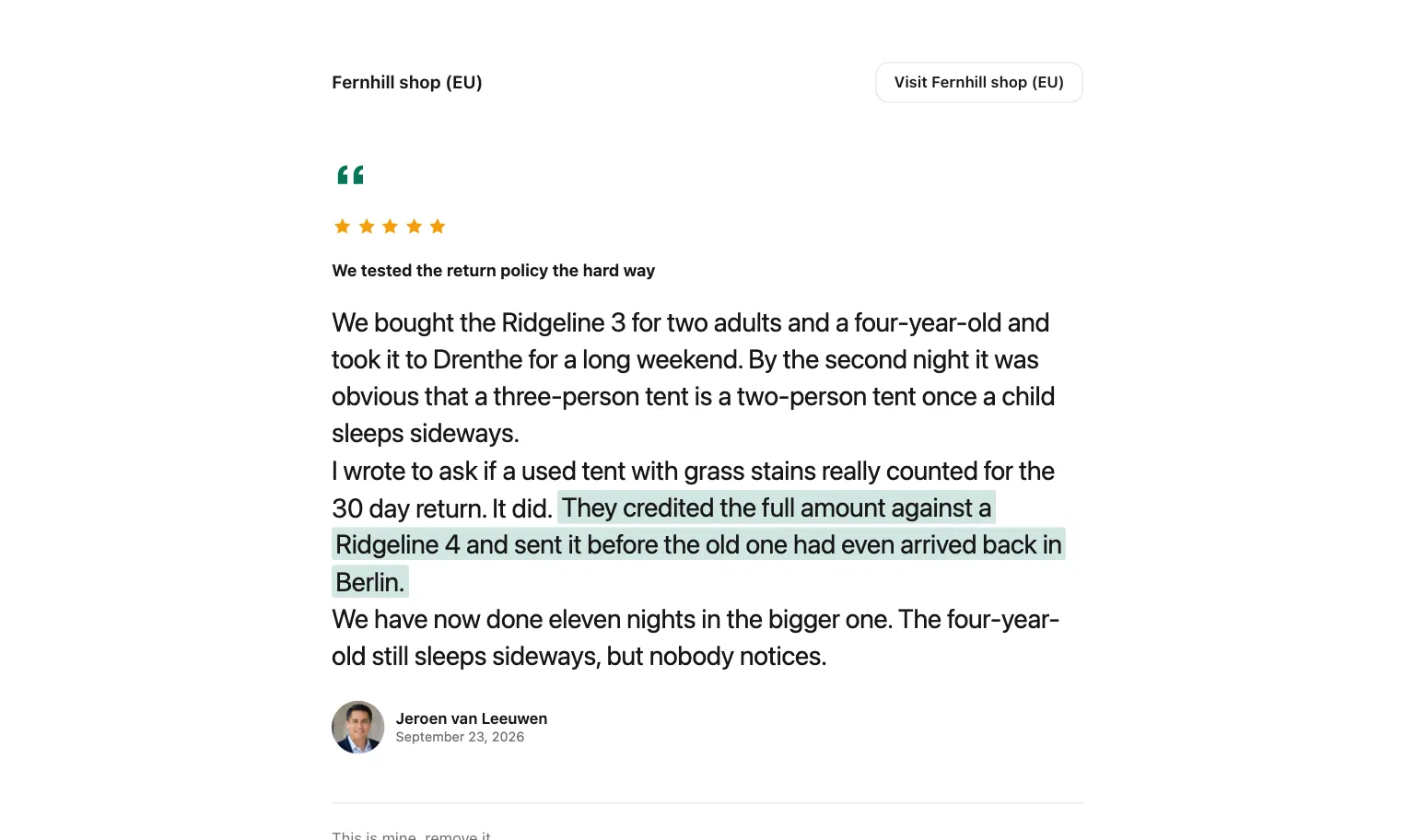
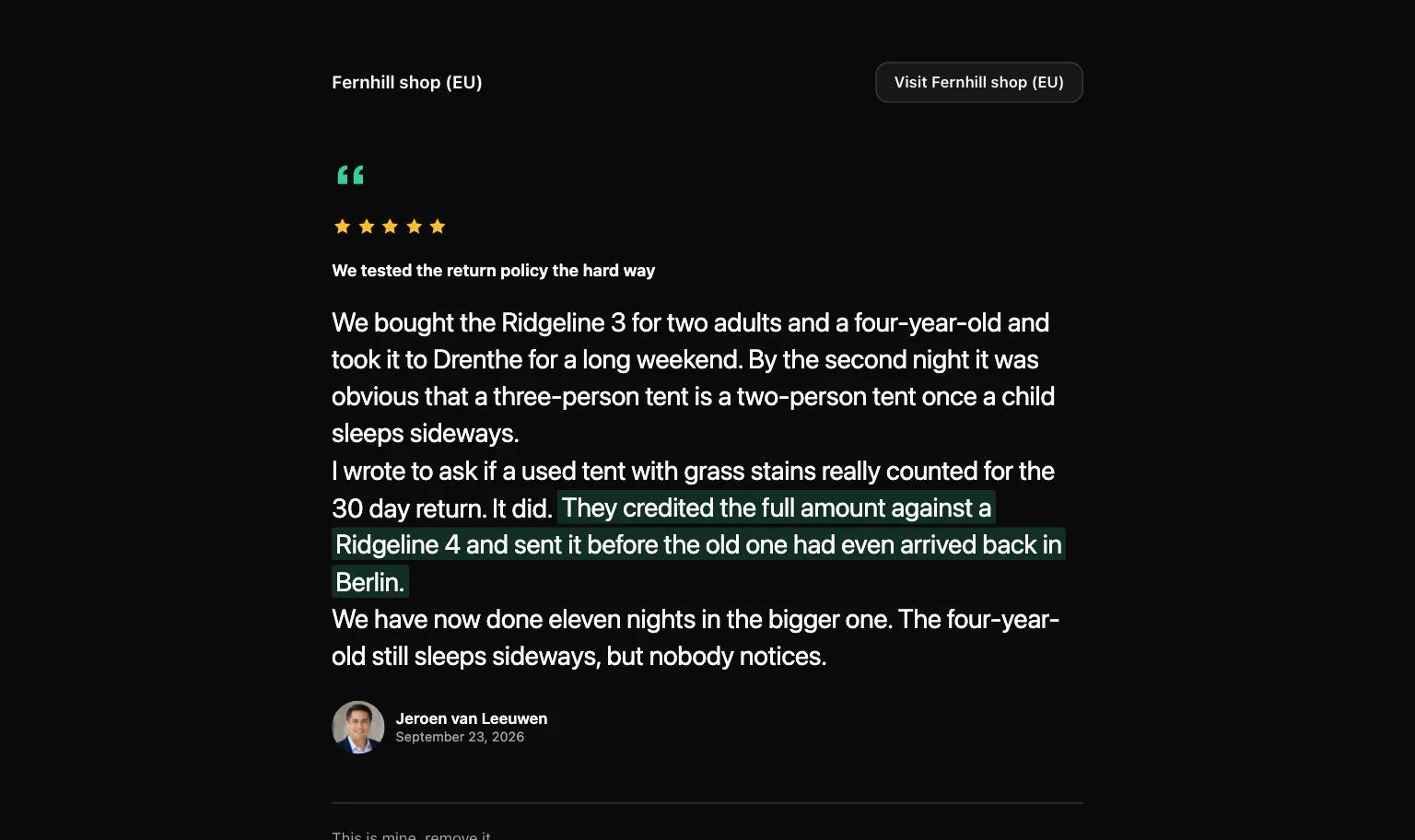
The page uses the site's brand kit and
follows the visitor's device for light or dark. On Free and Pro it
carries the "Collected with Privatus Analytics" badge, and on Business
the badge follows the brand kit. The page is served with noindex and
is not in the Privatus Analytics sitemap, like every page we host for
you: search engines index your customers' words on your own site (the
pasted HTML embed, and review markup), never on ours.
When the link is shared, the picture is your logo, if the brand kit has
one.
Privacy: Like a widget and a wall, the page sets no cookie on the visitor's browser, reads none, stores nothing in the browser and loads nothing from any other company.
A view of the page and a play of its video are counted as daily totals,
with the page and the country. No IP address, no User-Agent and no
identifier is stored. A photo, video or audio file is linked from
media.privatusanalytics.com, and only while the page is there.
Translations#
A testimonial with stored translations offers them as links
under the words ("Read it in:"). A translated page says so: "This is a
translation. The original is in" followed by the language. Each
translation has its own address, /t/<id>?lang=<code>.
Link to it from a widget or a wall#
Switch Link to its public page on in a widget or a wall, and each card whose public page is on gets a "View testimonial" link. With Play video in place off, a video card links to the page with "Watch" instead.
When the page is not there#
| What happened | What a visitor sees |
|---|---|
| The page was public once and is not now: it was switched off, or the testimonial left the Approved state, went to the trash or lost its consent record | "This testimonial is no longer shown." (status 410) |
| The id is unknown, or the page was never public (never switched on, or switched on for a testimonial that was never approved) | "Nothing here." (status 404) |
Approve the testimonial again, restore it or switch the page back on, and the same address works again.
The page is kept on Cloudflare's servers and cleared when the testimonial, its person, its files or the brand kit change. So a page you switch off, or a testimonial you unapprove, is gone within about ten seconds. Browsers do not keep the page. A widget is different: a browser that already loaded one keeps what it showed for up to 5 minutes.
Removal requests#
The words belong to the person who gave them. So every public page, and every card on a Wall of Love, carries a link that says This is mine, remove it. On a wall it is behind a small More on the card.
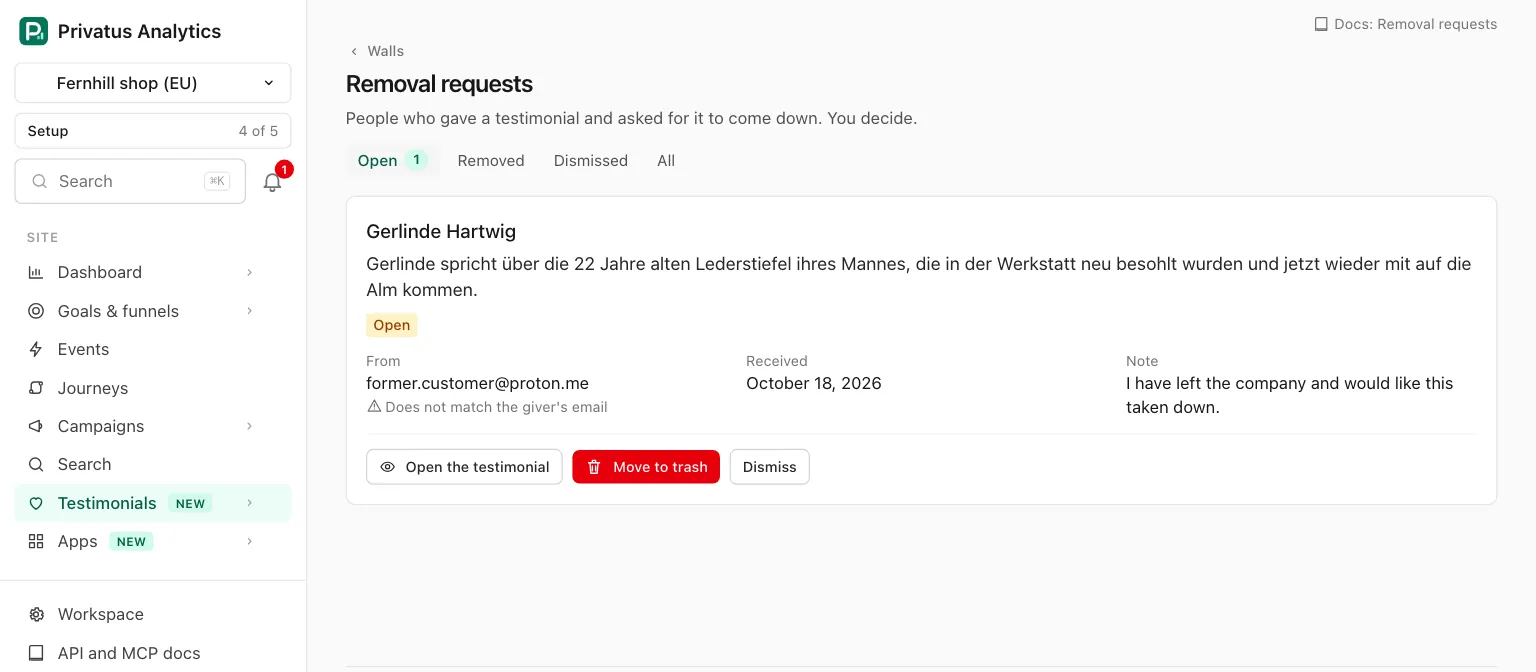
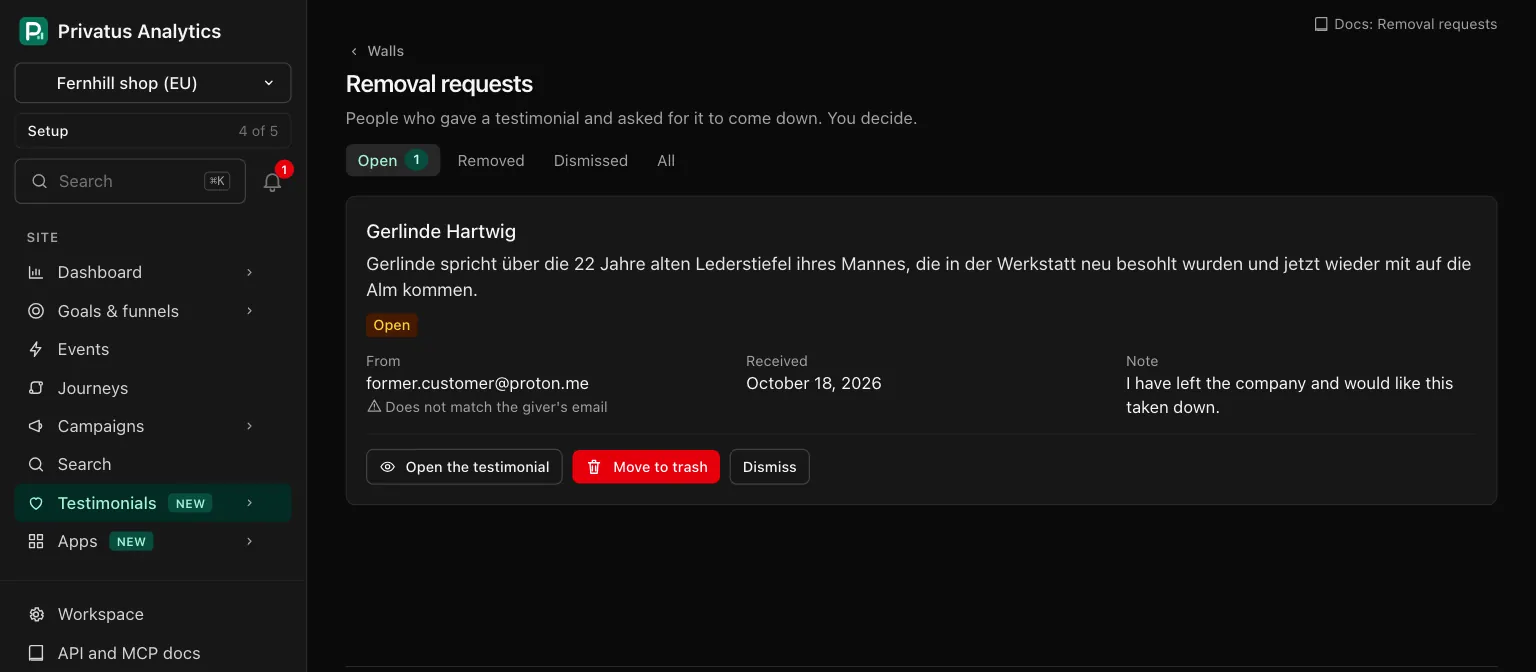
A request removes nothing by itself. It goes to your team, and you decide.
The removal form#
The link opens /t/<id>/remove. The page is headed "Is this yours?",
shows the testimonial and asks for:
| Field | Detail |
|---|---|
| Your email | Required. The email the person used when they gave the testimonial. The form says it is never shown publicly |
| Anything you want to add (optional) | Up to 1,000 characters |
| A check that the sender is a person | Cloudflare Turnstile. It is on this form only, not on the wall or the public page |
After Send the request, the person sees one confirmation. It is the same whether or not the email matches the one on the testimonial, so the form never tells a stranger whose email belongs to whom.
- We do not send the person an email.
- A second request from the same address for the same testimonial is added to the open one. Its count goes up, and a new note takes the place of the old one.
- The form takes 5 requests an hour for one testimonial from one connection, then asks to try again later.
- The form responds for a testimonial that is shown on a wall or has a public page. For anything else the address leads nowhere.
Decide a request#
Requests are on the Removal requests page. Open Testimonials, the Walls tab, and press Removal requests in the header of the walls list, which shows the number that are open. The More menu of a wall's builder has the same link.
The page opens on the Open requests, with tabs for Removed, Dismissed and All, newest first. Each request is a card:
| On the card | Detail |
|---|---|
| The person's name and the start of the testimonial | The name opens the request on a page of its own |
| Status | Open, Removed or Dismissed |
| From | The email the sender typed, for members who can edit testimonials. Others read "Shown to members who can edit testimonials". Under it: The typed address matches the one stored. It was not confirmed. or Does not match the giver's email. A match proves nothing about who sent the request, because anyone can type any address |
| Received | The date, and "asked 3 times" when that address asked more than once |
| Note | What the sender added, or "No note" |
| Open the testimonial | The testimonial's page in the Inbox |
An open request has two decisions, for members with content.write.
| Decision | What happens |
|---|---|
| Move to trash | After a confirmation, the testimonial comes off every widget, wall and public page: it is gone from new visits within about ten seconds, and from a browser that already loaded the widget within 5 minutes. It can be restored for 30 days. Every other open request for the same testimonial is closed with it |
| Dismiss | The testimonial keeps showing. You must write Why it stays (up to 500 characters). The note is kept with the request for your team and is sent to nobody |
A decided request shows who decided, when and the note. It cannot be decided again.
API and MCP#
| Action | MCP tool | Permission |
|---|---|---|
| Switch one public page on or off | testimonials_update with permalink |
content.write |
| Switch many on or off | The JSON API bulk route with the action permalink_on or permalink_off (over MCP, testimonials_update one at a time) |
content.write |
| List removal requests, read one | testimonial_removal_requests_list, testimonial_removal_requests_get |
analytics.read |
| Decide a request (move to trash or dismiss) | testimonial_removal_requests_resolve |
content.write |
| Dismiss a request | testimonial_removal_requests_dismiss |
content.write |
An AI assistant cannot move anything to the trash.
Resolving can take a person's words off every public page, so the MCP
tool testimonial_removal_requests_resolve runs nothing and responds
with human_only and the address of the Removal requests page, where a
person decides. Over the API it runs.
testimonial_removal_requests_dismiss does run over MCP, because a
dismissal deletes nothing. The note is required there too.
The list returns open requests unless you ask for another status. The
sender's email is null unless the caller has content.write. The
removal form itself is for people: a call with an API token is refused.
Inputs and response fields are in the API reference and the
MCP reference.
Good to know#
- A request never removes anything. Only Move to trash takes the testimonial down.
- The trash is not erasure. It keeps a testimonial for 30 days. When the person's data has to be erased for good, use Delete permanently on the testimonial. See Trash.
- The email and the note a person typed are kept with the request and deleted with the testimonial or the site. A dismissal is written to the audit log without the email and without the note.
- "Does not match" is not proof of anything. People change addresses. The match is there to help you decide, and the sender is never told the result.
- The public pages take 120 requests a minute from one connection. Requests are counted under a salted digest that changes daily. The address itself is not stored.
- The badge on a public page can be hidden only on Business, in the brand kit.