Share analytics dashboards
Share a read-only analytics dashboard with a public or password-protected link, embed it in an iframe, show it on a TV wallboard or add a visitor counter badge.
Site settings → Sharing shares a read-only dashboard with people who
have no account. It needs the sites.manage permission. There are two
ways: the site's one public dashboard, and any number of share
links with their own settings.
Shared dashboards and wallboards open only for a verified site. Before that the link responds with 404.
Public dashboard#
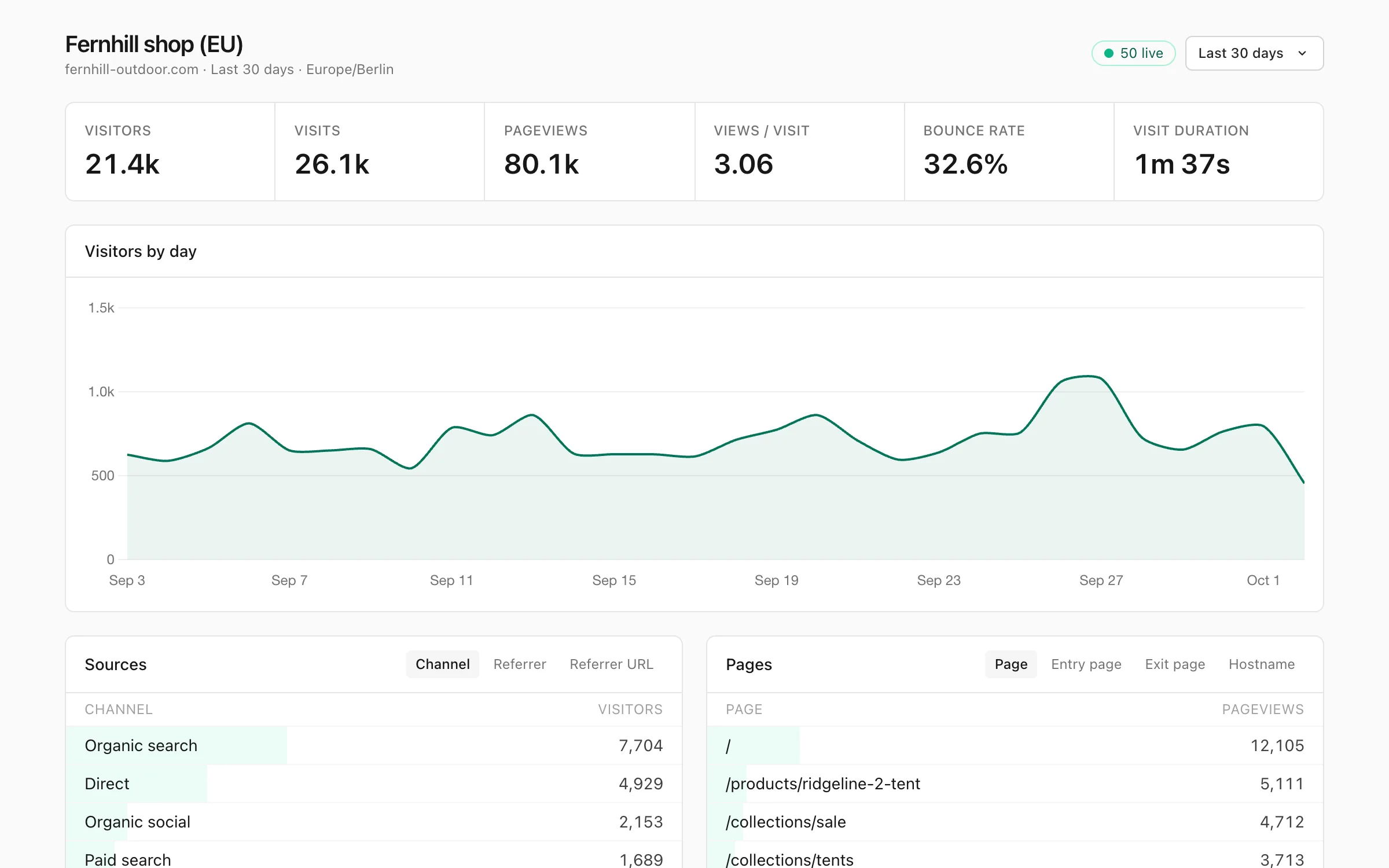
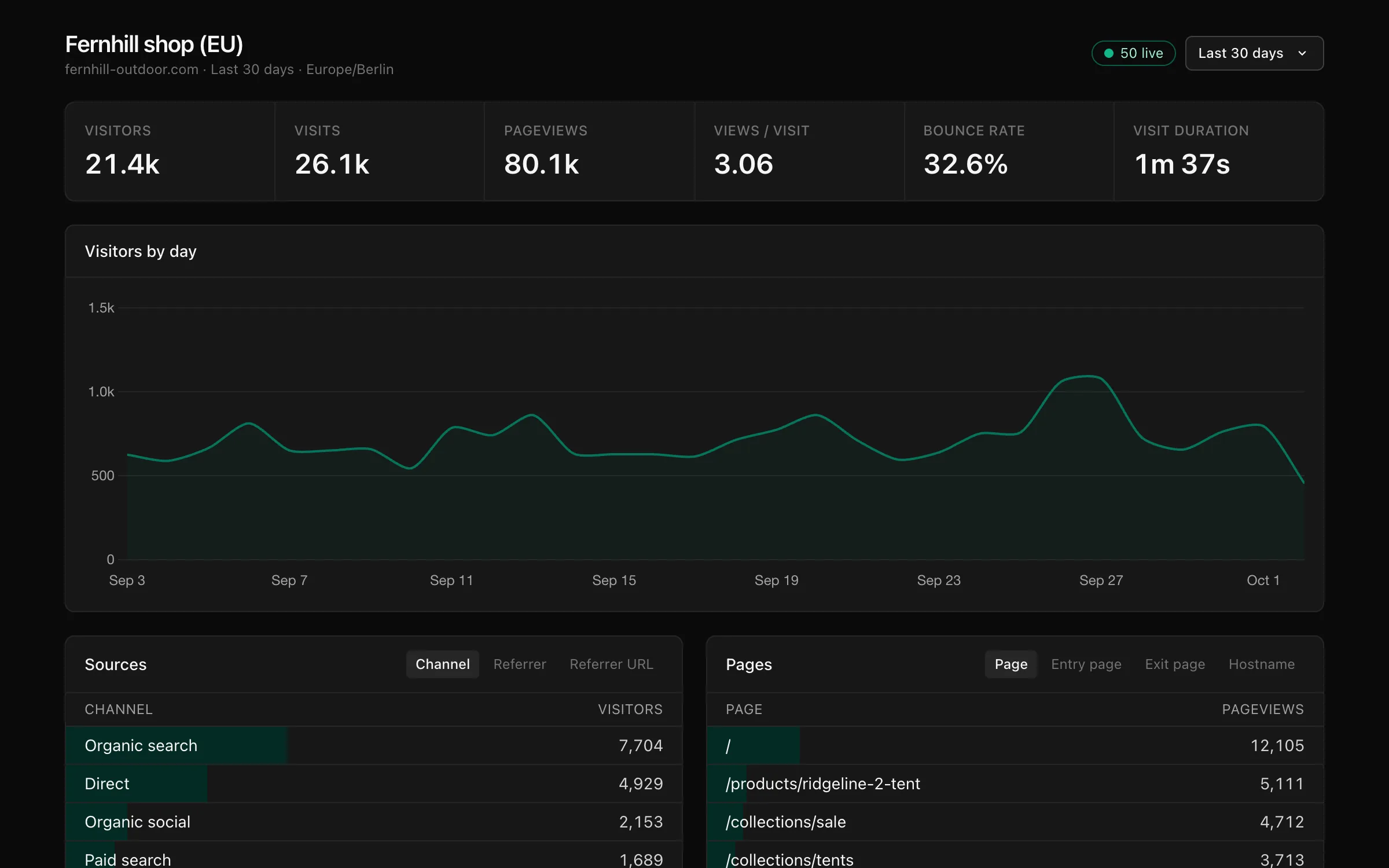
| Setting | What it does |
|---|---|
| Make the dashboard public | Anyone can open https://privatus.page/share/<site id> and see every section. Off by default. Also puts the visitor count on the badge |
| Let search engines index the public page | Removes noindex from the public dashboard. Off by default |
Link types#
| Access | Who can open it | Plan |
|---|---|---|
| Anyone with the link | Anyone with the link | All |
| Password | Anyone with the link and the password (at least 8 characters) | All |
| Workspace members only (SSO) | Signed-in members of the site's workspace who have access to the site, whatever their role. Anyone who isn't signed in is sent to the sign-in page | Business |
| Embed | Anyone with the link, like a public link. Site settings shows its <iframe> code instead of its URL |
All |
A TV wallboard has its own links, created from Live → Wallboard → TV links (linked from Site settings → Sharing). See Wallboard.
Links look like https://privatus.page/share/<token>, and the token is long
and random. Revoke turns a link off for good.
Link settings#
| Setting | What it does |
|---|---|
| Name | A label for your own list, such as "Client report" |
| Access | One of the link types above. It can't be changed later |
| Password | For password links. On an existing link, a new password replaces the old one and signs out everyone who used the old one |
| Expires | The date and time the link stops working. Pro and up. Remove the expiry when editing makes it permanent again |
| Date range | Viewer chooses lets viewers pick (30 days to start with). Any other choice locks the link to that range: today, yesterday, the last 24 hours, 7, 14, 28, 30 or 90 days, month, quarter or year to date, last month, quarter or year, 12 months, or all time |
| Theme | Match the viewer follows the viewer's device, or force Light or Dark |
| Sections | What is shown below the Overview, which is always shown: Pages, Sources, Campaigns, Locations, Technology, Conversions, Events and Live visitors. A new link starts with Pages and Sources |
| Locked filters (JSON) | Filters that always apply and that viewers can't remove, such as [["country","is","US"]] |
| Let viewers add their own filters | On by default. Untick so viewers see only what you set |
Shared dashboards show your brand instead of ours with white label.
Password links#
The password is entered on a form and never travels in the URL. After a
correct password we set a signed cookie on our domain for that link only,
which lasts 12 hours and is strictly necessary for the password protection
to work. Wrong guesses are rate limited. API clients send the password in
the X-Share-Password header instead.
Embeds#
Site settings → Sharing → Embeds and badge gives the code once the site has a public link, an embed link or a public dashboard. The iframe shows the key metrics and the chart:
<iframe src="https://privatus.page/share/<token>/embed?theme=light"
        width="100%" height="900" style="border:0" loading="lazy"
        title="Website statistics"></iframe>
| URL option | What it does |
|---|---|
theme=light or theme=dark |
Forces the theme. Without it the link's theme is used |
metric=pageviews |
The metric the chart shows (default visitors) |
period=7d |
The date range, unless the link locks it |
chart=0 |
Hides the chart |
header=0 |
Hides the site name and date range |
transparent=1 |
Transparent background |
Embeds are read-only, are never indexed and follow the link's locked filters and date range.
The chart widget is a small chart drawn by a script, without an iframe:
<div data-privatus-chart data-share="<token>" data-metric="visitors" data-period="30d"></div>
<script async src="https://privatus.page/js/embed.js"></script>
| Attribute | What it does |
|---|---|
data-share |
The token of a public or embed link, or the site id of a public dashboard |
data-metric |
visitors, visits or pageviews |
data-period |
The date range (default 30d) |
data-height |
Chart height in pixels (default 80) |
data-theme |
light or dark. Without it the visitor's device setting is used |
data-color |
The line color |
Visitor counter badge#
A small SVG badge for a README or a footer. Copy the code from Site settings → Sharing → Embeds and badge:
<img src="https://privatus.page/badge/pa_YOURSITEID.svg" alt="Visitors" height="20">
It shows the site's visitors in the last 30 days when the site's public dashboard is on. Otherwise it shows no numbers. The badge is cached for 10 minutes. (The Free plan's badge bonus uses a different badge.)
Search engines#
Share links and embeds are always noindex. Only the public dashboard can
be indexed, and only when you turn on Let search engines index the
public page.