Testimonial analytics
The Analytics tab shows form views, starts and submissions, request results, and widget and wall views and clicks, with the definition of every metric.
The Analytics tab shows whether asking works and whether your
testimonials are being seen. Open Testimonials in the site's sidebar,
then the Analytics tab. It needs the analytics.read permission.
It is about the Testimonials feature only. The visitors and pageviews of your site are on the site's dashboard.
The controls#
| Control | What it does |
|---|---|
| The period menu | Today, Yesterday, Last 7 days, Last 30 days (the default), Last 90 days, Last 12 months, Month to date, Year to date and All time. Under them, two date fields and Apply range for a period of your own |
| Compare | Compares with the same number of days just before. The button then reads Comparing. Press it again to stop |
| A year earlier | Shown while comparing. Compares with the same days one year before |
| A chip such as "Form: Website feedback" | Shown when the page is narrowed to one form, request, widget or wall. Its cross removes the narrowing |
| The dates on the right | The days the page covers, and the days it is compared with |
| Export | A menu of the sections that can be exported. See Export. It needs the analytics.export permission |
A day is a day in the site's time zone. The foot of the page names the zone.
What is on the page#
A site that has never counted anything and has no testimonials shows Nothing to chart yet with a link to Forms. Otherwise, from top to bottom:
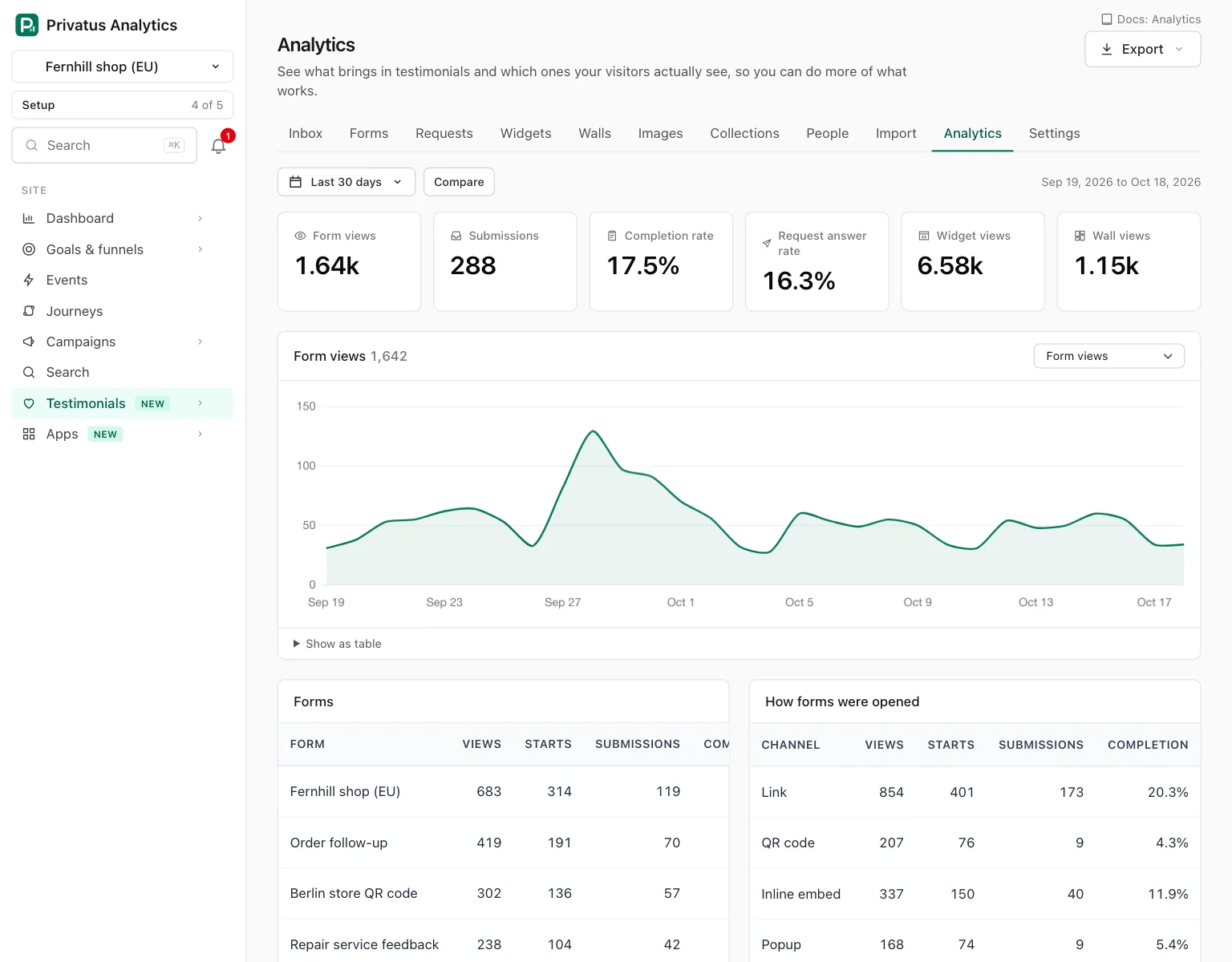
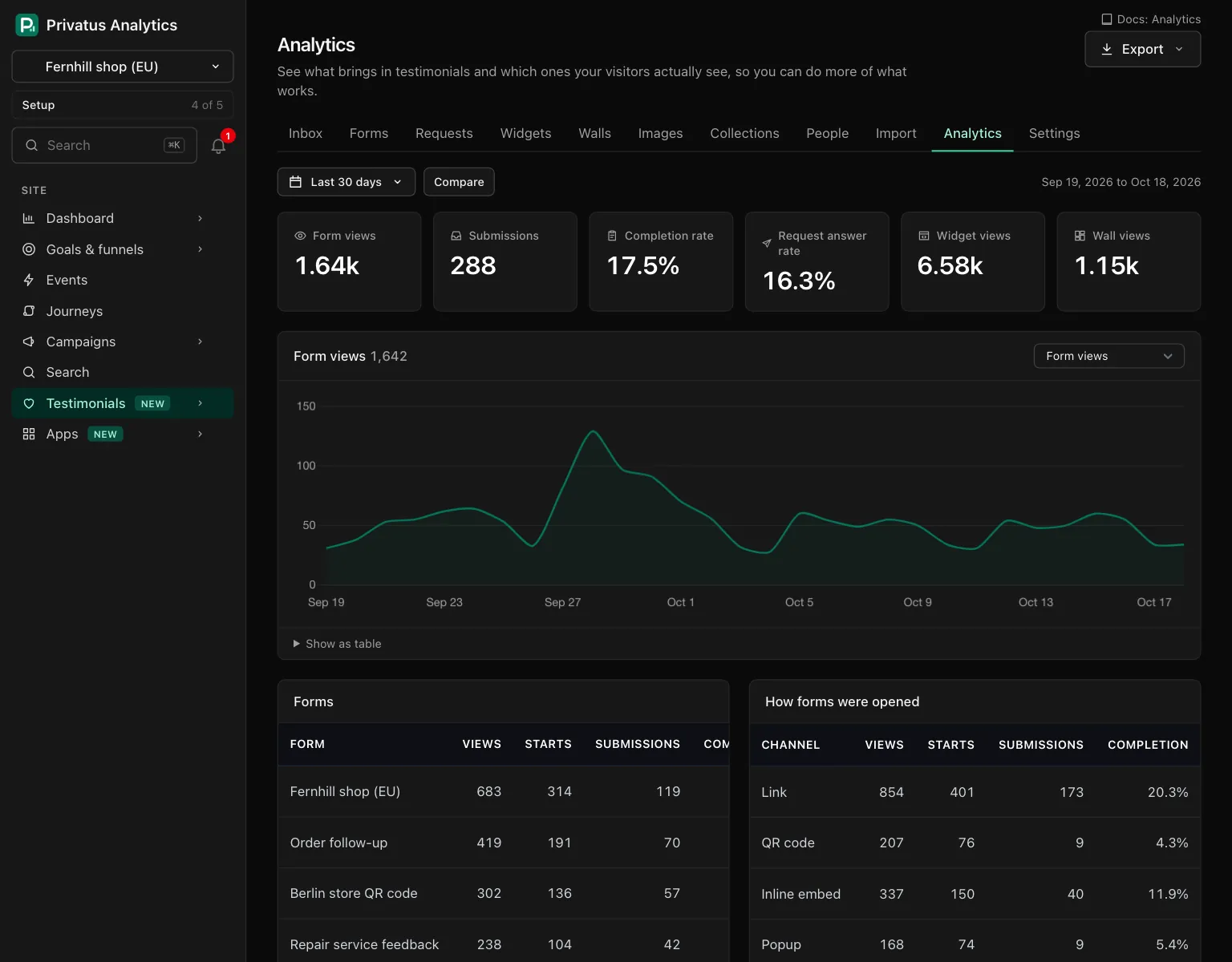
| Panel | What it shows |
|---|---|
| Headline numbers | Form views, Submissions, Completion rate, Request answer rate, Widget views and Wall views. While comparing, each says how it changed: a percent for a count, points for a rate |
| Chart | One metric over time, chosen in the menu above the chart, with the comparison as a dashed line. Show as table gives the same numbers. The menu holds thirteen of the metrics below: the request opens and clicks, the answer rate and the two click rates are not in it |
| Forms | A row per form: views, starts, submissions and completion. Click a form's name to narrow the page to it |
| How forms were opened | The same numbers by channel: Link, QR code, Inline embed, Popup and Request link |
| Requests | Sent, opened, clicked, answered and the answer rate, for All requests and per request. Click a name to narrow |
| Widgets and Walls | A row each: views, clicks, click rate and video plays. Click a name to narrow |
| Pages they were seen on | The ten pages of your site where widgets and walls were seen most, by views |
| Countries | Views of widgets, walls and testimonial pages by country, with the flag, the full name and the share. Up to 50 |
| Most viewed testimonials | The ten testimonials whose own page was opened most, with their video plays and the widgets and walls each is used in. Approved and used nowhere opens the Inbox on the approved testimonials no widget or wall shows |
| New testimonials | A bar per day, week or month by source, and a second chart of how many of them are approved, pending and rejected now |
The four tables of records show up to 25 rows, largest first. A record in the trash has no row, and its numbers stay in the totals.
A panel with no numbers in the period says Nothing in this period. A panel whose numbers were never counted for the site says so instead, with a link to the tab where they start.
Metric definitions#
Metric (metric) |
Definition |
|---|---|
form_views |
A form was opened and its page reported the view. A program that does not run the page's script is not counted |
form_starts |
The first answer was entered in a form |
submissions |
A form was completed and sent |
completion_rate |
Submissions divided by form views, as a percent |
request_sent |
A request went out to a person. It is counted once per person: a follow-up email is not counted again |
request_opened |
A person opened a request email. Counted once per person |
request_clicked |
A person followed the link in a request email. Counted once per person |
request_submitted |
A person answered: a form was completed from their request link |
answer_rate |
Requests answered divided by requests sent, as a percent |
widget_views |
A widget was drawn on a page and came into view. A popup widget is counted when its first card shows |
widget_clicks |
A press on a link in a widget: a testimonial's link, a source link or a call to action. The arrows, Read more and a play button are not clicks |
widget_click_rate |
Widget clicks divided by widget views, as a percent |
wall_views |
A Wall of Love was opened and came into view |
wall_clicks |
A press on a link on a wall, counted the same way as in a widget |
wall_click_rate |
Wall clicks divided by wall views, as a percent |
testimonial_views |
The public page of one testimonial was opened |
video_plays |
A video was started in a widget, on a wall or on a testimonial's page |
new_testimonials |
A testimonial was stored for the first time, by any route, counted on the day it was added. Testimonials in the trash are not counted |
A rate is always two totals of the same period divided, never an average
of daily rates. With nothing to divide by there is no rate, and the page
shows a dash (null in the API). A rate is never shown above 100.
A widget with Count views and clicks switched off reports nothing, so it has no views, clicks or plays here.
The sources of a new testimonial are: Form, Request (a form opened from a request link), Import (a link or the website find), Sync (a scheduled re-sync of an import source), Spreadsheet, Added by hand, Captured from a page, Migration and API.
The Approved, pending and rejected chart shows the status each new testimonial has now, on the day it arrived. A testimonial that is waiting for the monthly limit is pending.
How it is counted, and privacy#
Privacy: Every number is a daily total. There is no row per visit and none per visitor, so there is nothing to look a person up by.
- A total is kept for a site, a day, a metric, the form, request, widget, wall or testimonial it is about, and optionally one channel, page or country.
- No cookie, no fingerprint, no IP address and no User-Agent is stored for the person who gives a testimonial or for the person who sees one.
- A page is a host and a path, never a query string, and it goes through the site's own path masks first. A country comes from Cloudflare's country header only.
- A view of a form or a widget is never an event or a visit of your site's analytics and never counts toward the events allowance.
- Counts are added up every 5 minutes. The page includes what has not been added up yet, and a reading can be up to a minute old.
History#
The page shows as much history as your plan keeps for every report: 3 months on Free and everything on the paid plans. A period that starts before the plan's history is cut to it, and the page says "Your plan shows history from" and the date, with a link to the plans.
Daily totals older than the plan's history are deleted once a day, 30 days after they pass the limit, so an upgrade inside that time loses nothing. New testimonials are counted from the testimonials themselves, so those numbers are not deleted with the totals.
Export#
Export queues a file of one section for the period on screen: By day, Forms, Form channels, Requests, Widgets, Walls, Pages, Most viewed testimonials, New testimonials by source or Countries. The page makes a CSV file. The API and MCP also make JSON and Excel.
The file is built in the background, listed on the workspace's Exports page and kept for 7 days. A workspace can have 5 exports in progress at a time. Nothing about a visitor is in a file, because nothing about one is stored.
API and MCP#
| Action | MCP tool | Permission |
|---|---|---|
| The whole page as data | testimonial_stats_overview |
analytics.read |
| One metric over time | testimonial_stats_timeseries |
analytics.read |
| One metric split by a dimension | testimonial_stats_breakdown |
analytics.read |
| Export a section | testimonial_stats_export |
analytics.export |
All four take the same period inputs.
| Input | Values |
|---|---|
period |
today, yesterday, 7d, 30d (the default), 90d, 12mo, mtd, ytd, all, or custom with from and to |
compare |
none, previous_period (the same number of days just before) or previous_year |
interval |
day, week or month. Left blank, it is a day up to 92 days, a week up to 366 days, then a month |
form_id, request_id, widget_id, wall_id |
Narrow the metrics counted on that kind of record to one record. testimonial_views and video_plays are never narrowed, and new testimonials are not counted while narrowing |
testimonial_stats_breakdown splits one metric by one dimension.
| Dimension | Metrics it takes |
|---|---|
form, channel |
form_views, form_starts, submissions, completion_rate |
request |
request_sent, request_opened, request_clicked, request_submitted, answer_rate |
widget |
widget_views, widget_clicks, widget_click_rate, video_plays |
wall |
wall_views, wall_clicks, wall_click_rate, video_plays |
testimonial |
testimonial_views, video_plays |
page, country |
widget_views, widget_clicks, wall_views, wall_clicks, testimonial_views, video_plays |
source |
new_testimonials |
A pair that does not fit responds with 422 and names the metrics the
dimension takes. A reading covers up to 3,660 days and draws up to 750
points: a longer or finer one responds with 422. The rest of the inputs
and the response fields are in the API reference and the
MCP reference.
When an AI assistant queues an export, the member it acts for is emailed.
Good to know#
- Narrowing to a form does not change the widget numbers, and the other way round. Each narrowing applies to its own kind of metric only.
- While the page is narrowed, New testimonials is empty and says so. Remove the chip to see it.
- All time starts on the first day the site counted anything, or the day the site was added, cut to your plan's history.
- A count can reach the page a moment before the count it is divided by, which is why a rate is held at 100.
- Views here will not match your site's visitor numbers. A view is a total, not a person, and one person can add several.