Custom domain for walls and forms
Ask for your own address for a Wall of Love or your testimonial forms. Custom domains are set up by our team, by hand, and are part of Business.
A custom domain serves a Wall of Love or your testimonial forms from your
own address, such as reviews.example.com, instead of ours. Open
Testimonials in the site's sidebar, then the Settings tab, then
Custom domain.
Custom domains for testimonials are on Business and up. On Free and Pro the page is the upgrade page, unless the site still has requests from an earlier plan.
This is separate from the custom domain of a status page, which you set up yourself.
It is set up by hand#
Custom domains for testimonials are set up by our team, not automatically. You send the hostname you want, we email you the DNS record to add, and we finish the setup once it is in place. Your pages keep working at our address the whole time.
Nothing on this page sets a hostname up by itself. A hostname works only once our team has marked its request Live.
Request a custom domain#
Sending a request needs the sites.manage permission.
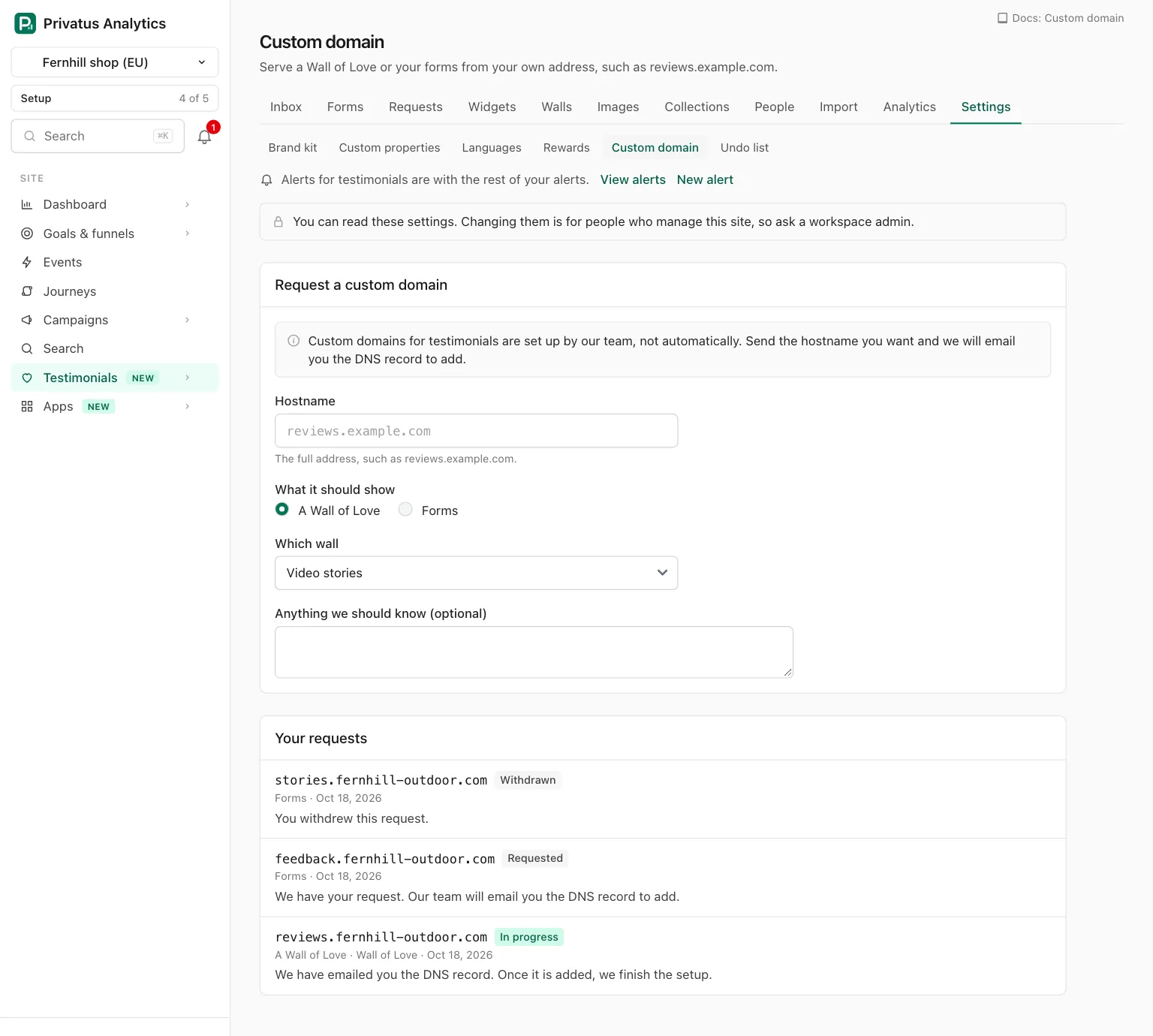
| Field | What to enter |
|---|---|
| Hostname | The full address, such as reviews.example.com. A pasted https:// or path is cut off. It must be a domain name, so an IP address is refused, and so is our own domain or anything under it |
| What it should show | A Wall of Love or Forms |
| Which wall | Shown when the site has more than one wall and a wall is chosen above. With one wall, that wall is used |
| Anything we should know (optional) | A note for our team, up to 500 characters |
| Send request | Stores the request and tells our team |
After Send request the page thanks you and names the email address the next step will be sent to: the address you are signed in with.
Your requests#
Every request of the site is listed under the form, newest first, with its hostname, what it shows, the day it was sent and where it stands.
| Status | What the page says |
|---|---|
| Requested | We have your request. Our team will email you the DNS record to add |
| In progress | We have emailed you the DNS record. Once it is added, we finish the setup |
| Live | This hostname shows your page |
| Declined | We could not set this one up. The reason is shown on the request |
| Withdrawn | You withdrew this request |
Withdraw is on a request while it is still Requested. Once our team has started, write to us at [email protected] instead.
API and MCP#
| Action | MCP tool | Permission |
|---|---|---|
| List the requests of a site | testimonial_custom_domain_requests_list |
analytics.read |
| Ask for a custom domain | testimonial_custom_domain_requests_create |
sites.manage |
| Withdraw a request, by its hostname | testimonial_custom_domain_requests_delete |
sites.manage |
The inputs and response fields are in the API reference and the MCP reference.
Withdrawing a request deletes it from the open requests, so it is done
by a person: the MCP tool testimonial_custom_domain_requests_delete
runs nothing and responds with human_only and the address of this
page. The API call runs as usual.
| Status | Code | Meaning |
|---|---|---|
| 402 | plan_limit |
Asking for a custom domain below Business |
| 422 | hostname_taken |
An open request already holds that hostname |
| 422 | too_many_open |
The site already holds 5 open requests |
| 422 | unknown_ids |
The wall is not in the site, the site has several walls and none was named, or there is no open request for the hostname to withdraw |
| 422 | wrong_state |
Withdrawing a request our team has already started on |
Good to know#
- A request is open while it is Requested, In progress or Live. A site can hold 5 open requests, and a hostname can be in one open request at a time, across all of Privatus Analytics.
- A declined or withdrawn request frees its hostname, so you can ask for it again.
- After a downgrade, earlier requests are still listed and one that is still Requested can still be withdrawn. The form is shown locked, and a new request needs Business.
- The API lists a site's requests on any plan.