Saved views
A saved view keeps the Inbox's filters, search, sort, layout and columns under a name. Personal or shared, and pinned above the Inbox with its count.
A saved view is a slice of the Inbox you can come back to in one click: its filters, its search text, its sort, its layout and its columns, kept under a name. "Five stars, used nowhere" and "Needs a decision" are typical ones. A view stores the filter, never the testimonials, so it always shows what matches right now.
Views are made and opened from the Inbox toolbar: Testimonials in the site's sidebar, then Views and Save view. Saved views are on every plan.
Saving a view#
Set the filters, the search, the sort and the layout you want in the Inbox, then press Save view in the toolbar.
| Field | What it does |
|---|---|
| Name | Required, up to 60 characters. You cannot own two views of the same name in one site, whatever the capitals |
| Pin to the Inbox | Shows the view in the row above the Inbox list, with its count |
| Share with the workspace | Shows the view to every member who can open the site. Offered to members who hold content.write |
The small line under the fields says in words what the view will match.
Save view stores it and opens the Inbox on the new view, at
/sites/<site id>/testimonials?view_id=<view id>.
Opening a view#
The Views button in the toolbar lists My views and Shared views. A pin marks the pinned ones. Manage views opens the views page. While a view is open the button carries its name, and the Inbox takes the view's layout and columns.
A pinned view is also in the row above the Inbox list, with a count of what it matches. Up to 8 pinned views are shown. A pinned shared view is in that row for every member who can open the site.
Update view, Save as new, Reset#
Open a view and change a filter, the search, the sort or the layout. The toolbar then offers three things.
| Button | What it does |
|---|---|
| Update view | Stores what the Inbox shows now in the open view: filters, search, sort, layout and columns. Offered when you may change that view |
| Save as new | Saves what the Inbox shows now as another view and leaves the open one as it was. Offered whenever a view is open |
| Reset | Goes back to the view as it is stored |
Personal and shared#
| A personal view | A shared view | |
|---|---|---|
| Who sees it | Only the member who made it | Every member who can open the site |
| Who can make one | Any member, read-only members included | A member who holds content.write |
| Who can rename, update, pin or delete it | Its owner | Any member who holds content.write |
| Who can share it or stop sharing it | Its owner, with content.write |
Any member who holds content.write |
A personal view changes nothing anyone else sees, which is why a member with read-only access may keep their own.
The views page#
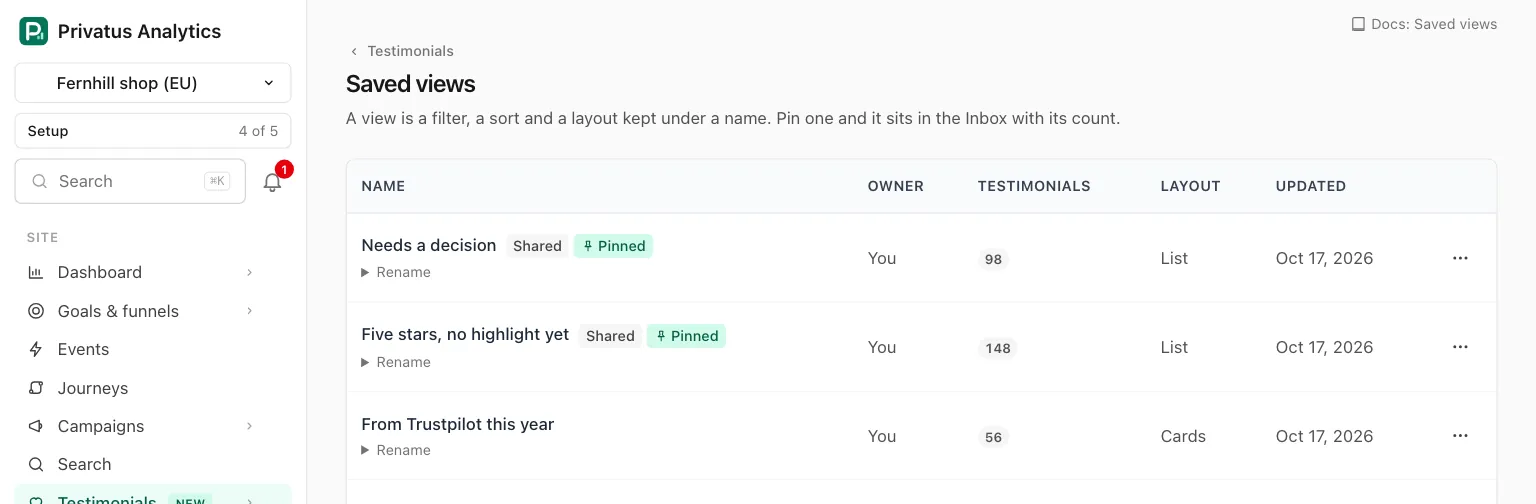
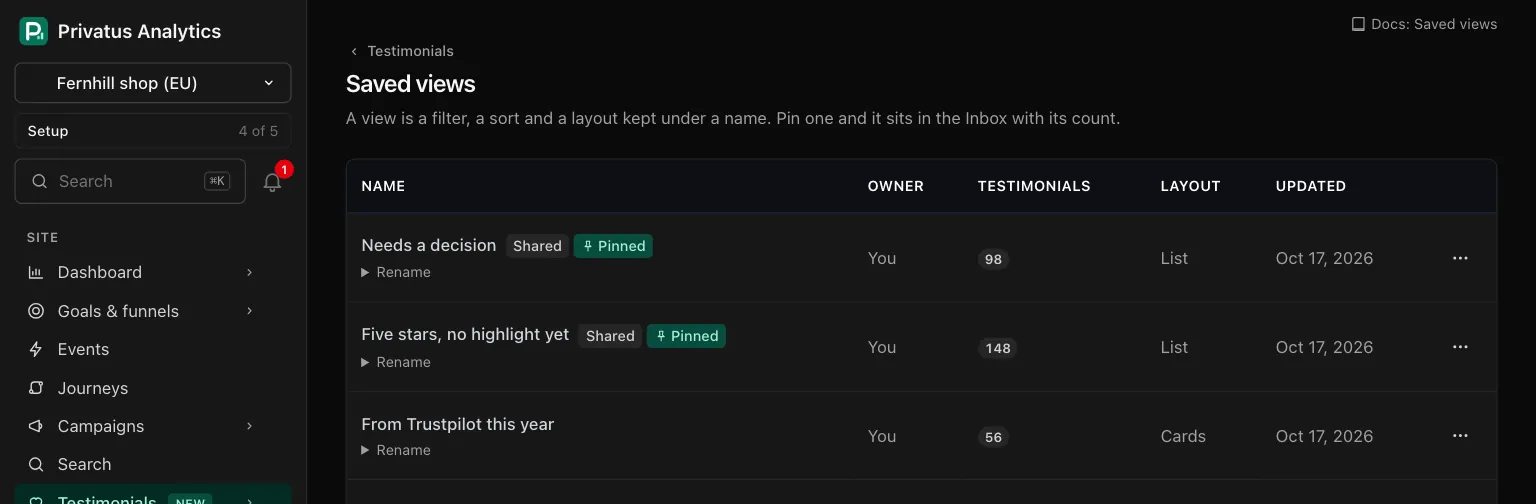
Manage views opens /sites/<site id>/testimonials/views: every view
you can open, pinned ones first.
| Column | What it shows |
|---|---|
| Name | The name, a Shared badge and a Pinned badge. The name opens the view. Rename under it opens a field, when you may change the view |
| Owner | "You", the member who made it, or "Nobody" when that member's account is gone |
| Testimonials | How many it matches now. "Needs a look" when the view can no longer be read, for example because it names a form that is gone |
| Layout | List, Cards, Board or Highlights |
| Updated | When it was last changed |
The menu of a row has Open, Pin to the Inbox or Unpin, Share with the workspace or Stop sharing, and Delete. Delete asks once and deletes no testimonial: a view is only a stored filter.
With no views yet the page says "No saved views yet" and offers Open the inbox.
When a tag or collection went to the trash#
A view that filters on a tag or a collection that has since gone to the
trash still opens. That one filter is dropped, and a line above the list
names what is missing: '"Onboarding" is in the trash, so this view opened
without that filter.' Restore the tag or collection from
the trash and the view filters on it
again. Through the API the names are in meta.dropped.
API and MCP#
| Action | MCP tool | Permission |
|---|---|---|
| List the views you can open | testimonial_saved_views_list |
analytics.read |
| Save a view | testimonial_saved_views_create |
analytics.read for a personal view, content.write to share it |
| Change a view | testimonial_saved_views_update |
analytics.read for your own personal view, content.write for a shared one |
| Delete a view | testimonial_saved_views_destroy |
The same as changing it |
| Open a view | testimonials_list with view_id |
analytics.read |
The inputs are in the API reference and the MCP reference. What is worth knowing beside them:
filtersholds the filter inputs oftestimonials_list, for example{"status": ["approved"], "rating": ["5"]}. The search text goes inq, not infilters.- A view is checked when it is saved. Filters, search text or a sort the Inbox would refuse are refused here too, with 422 and the same sentence.
- On update, only the inputs you send change, and
filtersreplaces what was stored. - Sharing a view, or changing a shared one, without
content.writeis refused with the codenot_allowed. view_idontestimonials_list,testimonials_facetsandtestimonials_triageapplies the view's filters, search text and sort. Any other input you send beside it replaces the view's value for that input. A view you cannot see responds with 422.- An AI assistant cannot delete anything. The MCP tool
testimonial_saved_views_destroyruns nothing: it responds withhuman_onlyand the address of the Views page, and the assistant hands you that link. The API call runs as usual.
Ask your assistant:
- "Save what I am looking at as 'Video for the homepage' and pin it."
- "How many are in 'Needs a decision' right now, and who are the oldest three from?"
- "Share my 'From Trustpilot this year' view with the team."
Good to know#
- The count of a view is cached for 60 seconds, so it can be up to a minute behind the Inbox.
- A view keeps its own layout and columns. The layout and columns you choose in the Inbox without a view are remembered separately, for you alone.
- Changing only the columns of an open view does not bring up Update view. Change a filter, the search, the sort or the layout as well, or use Save as new.
- Deleting a view deletes no testimonial. A widget or a wall that was fed by the view keeps its settings and is no longer fed by it.
- A link to a view you cannot open, such as another member's personal view, brings you to the Inbox with "There is no saved view with that id that you can open."