The Import tab
Bring in reviews from a review platform, a page, a spreadsheet or another tool, look at each before it is kept, and see what counts toward the month.
The Import tab brings in the praise you already have somewhere else: on a review platform, on your own website, in a spreadsheet or in another testimonial tool. Open Testimonials in the site's sidebar, then the Import tab.
Reading the tab needs the analytics.read permission. Starting an import
and keeping what it found need content.write.
What is on the tab#
From top to bottom:
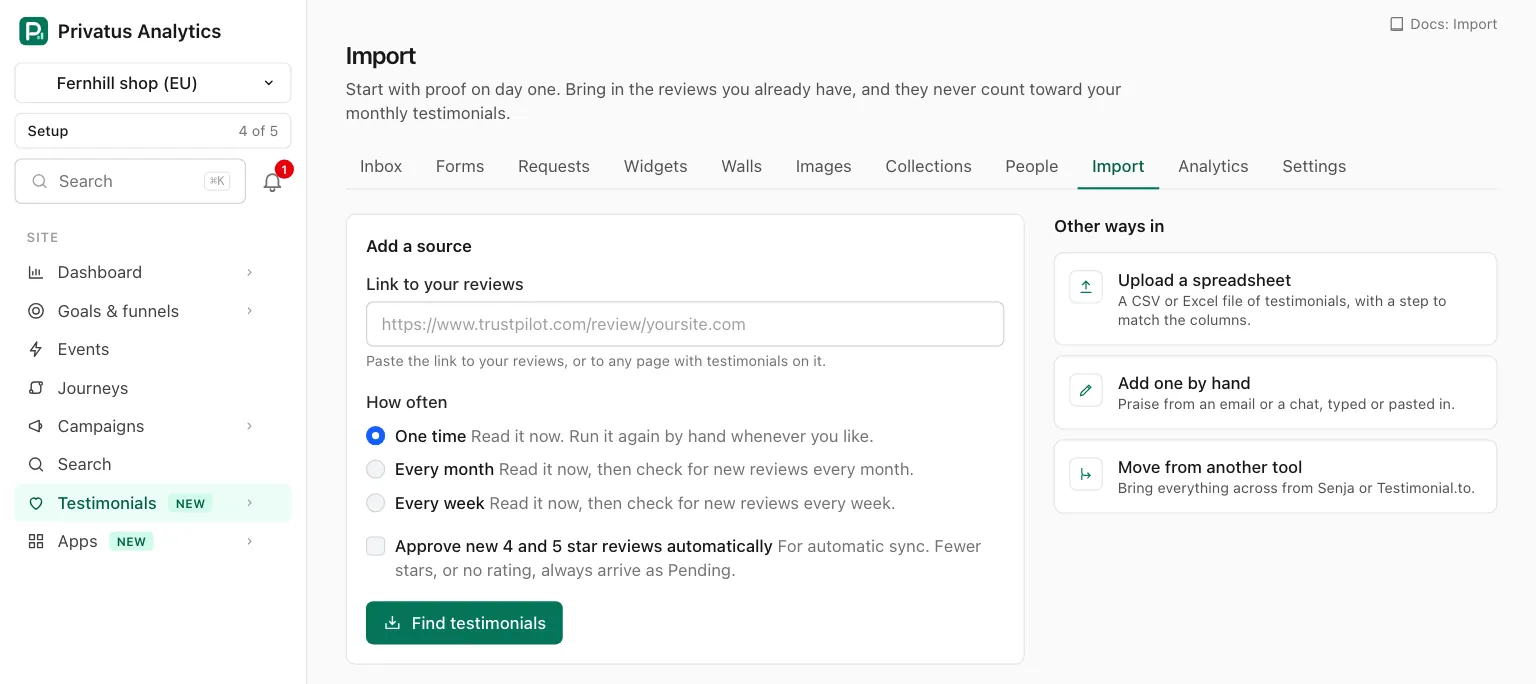
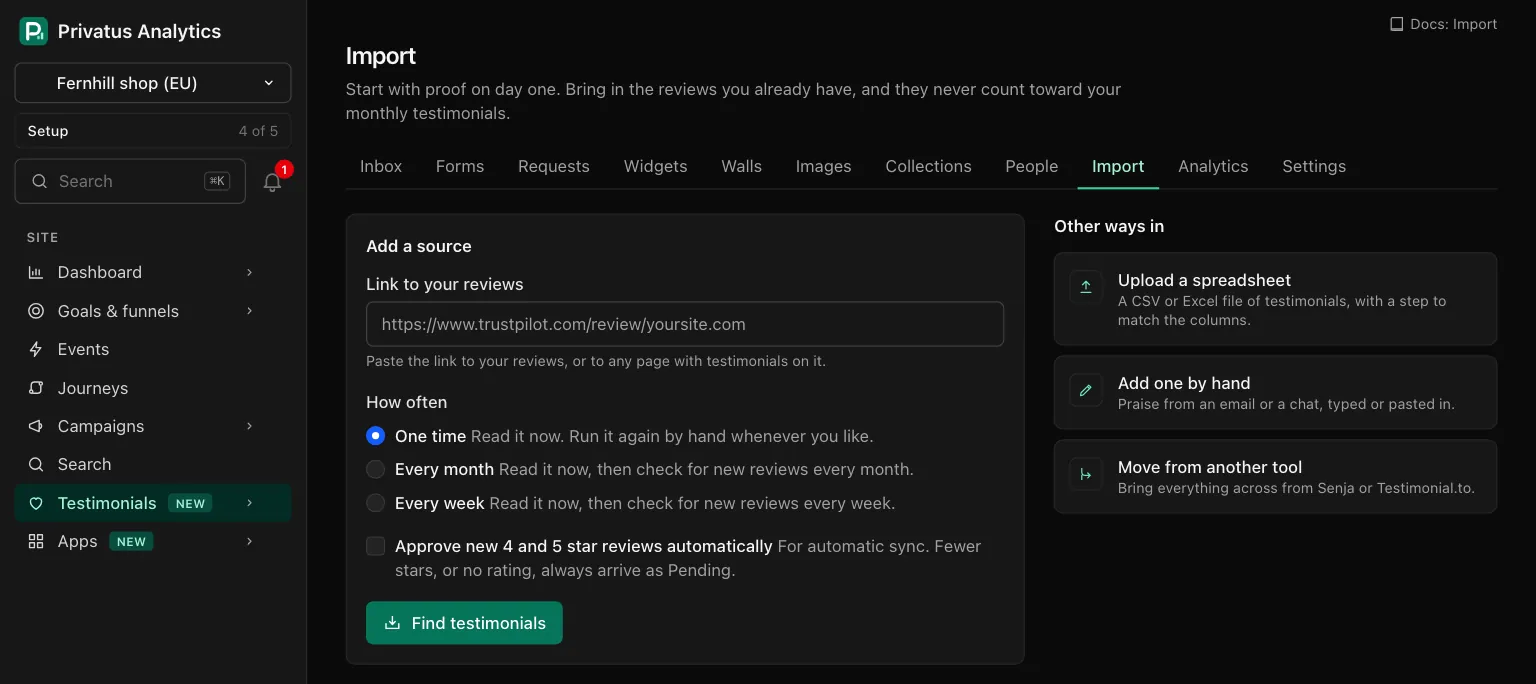
| Part | What it is |
|---|---|
| Find testimonials on my website | A card with one button. It is there until the site has used it. See below |
| Add a source | The form that takes a link to your reviews. See Import sources |
| Other ways in | Three links: Upload a spreadsheet, Add one by hand and Move from another tool |
| Sources | A table of every source of the site, with its state, its last run and what waits for review. See The sources table |
| The platforms we read | The list of review platforms a link can come from. See Platforms we read |
The ways to import#
| Way in | What it is for | Limited on Free | Page |
|---|---|---|---|
| A link | Your reviews on a platform we read, or any page with testimonials on it. Read once, or again on a schedule | One a month | Import sources |
| Find testimonials on my website | The testimonials already on the site's own domain | No, once per site | Below |
| Upload a spreadsheet | A CSV, TSV or XLSX file of testimonials | No | Import a spreadsheet |
| Move from another tool | Everything you have in Senja or Testimonial.to | No | Move from another tool |
| Add one by hand | Praise from an email or a chat, typed or pasted in. This is not an import, and it counts toward the month | No | Add a testimonial by hand |
Find testimonials on my website#
The card names the site's domain. Find testimonials reads the home page of that domain and up to five pages of the same site that it links to and that look like they hold testimonials (the link or its text mentions testimonials, reviews, customers, stories, case studies and the like). You then land in the review step with what was found.
- It can be used once per site. After that the card is gone and the source it made stays in the Sources table.
- It is free. It is not the Free plan's fetched import.
- Running that source again later with Run now is a fetched import like any other. The one exception is trying again after a first run that failed, which is still free.
- The first time, it also makes a starter form, a starter widget and a starter Wall of Love when the site has none.
Whatever is read from a page that is not one of the platforms we read is checked against the text of the page before you see it: every sentence of the words and the person's name must appear on the page, or the item is dropped. A job title or a company that is not on the page is left off the item.
Where reading a website is not set up, the button is disabled and the card says "Reading a website is not set up here yet. Nothing is wrong on your side."
The review step#
Every import ends here: a link, the website find, a spreadsheet and a move from another tool. You see everything that was found, and nothing becomes a testimonial until you keep it. The one exception is an automatic sync after a source's first run, which adds new reviews by itself.
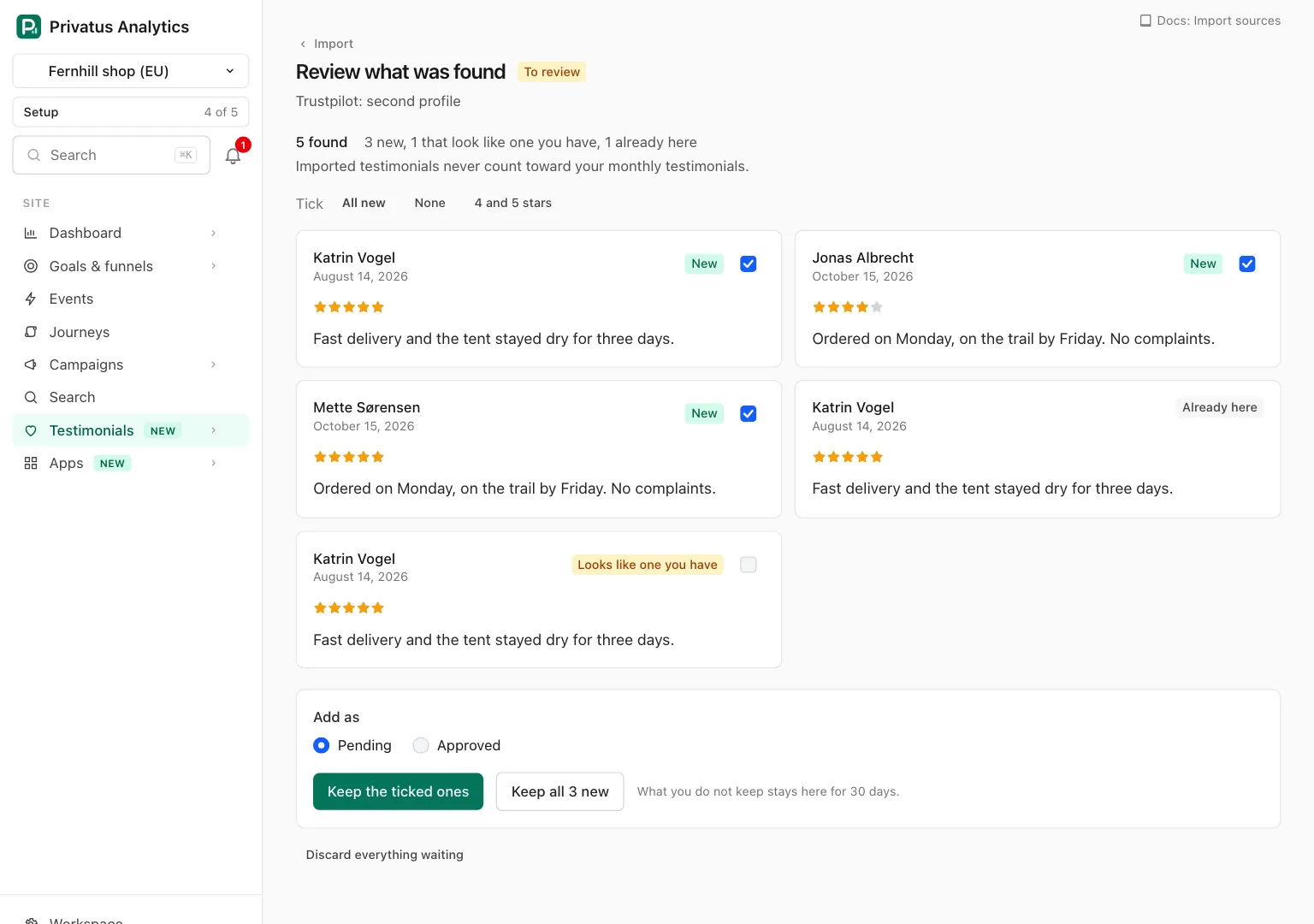
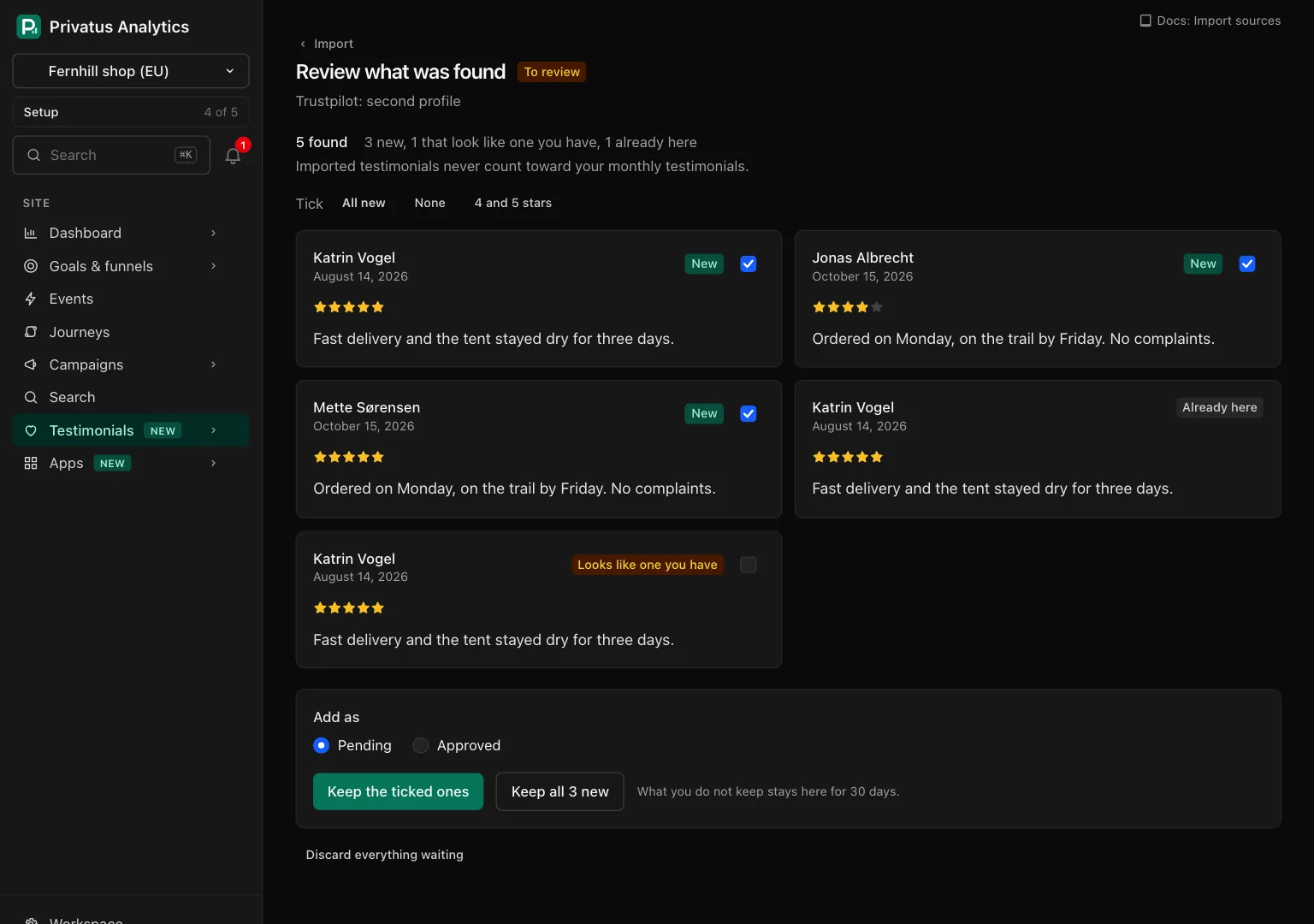
While a source is being read the page says Reading, shows how many pages were read so far and refreshes itself every few seconds. You can leave: what it finds waits on the Import tab.
The top of the step counts what waits, for example "24 found" and "20 new, 1 that look like one you have, 3 already here". Each item is a card with the person, the date, the rating, the words and one of three badges.
| Badge | Meaning |
|---|---|
| New | Not in the site. Ticked to begin with |
| Already here | The same review id from the same platform, or the same person saying the same words. It has no tick box and is never stored twice |
| Looks like one you have | The same person with nearly the same words, or the same words under another person. Not ticked to begin with |
The controls, in order:
| Control | What it does |
|---|---|
| Tick: All new, None, 4 and 5 stars | Sets the tick boxes of the page. 4 and 5 stars also ticks a Looks like one you have item with that rating |
| The tick box on a card | Keeps or leaves that one item |
| Add as | Pending or Approved: the status the kept items arrive with |
| Keep approval as it was there | Only after a move from another tool. See Move from another tool |
| Keep the ticked ones | Keeps what is ticked on the page in front of you |
| Keep all N new | Keeps every New item on every page of the list, and no Looks like one you have item |
| Discard everything waiting | Throws away all that still waits, after a confirmation. What was read about the people goes with it |
A kept item becomes a testimonial the same way any other does, so your auto-tag rules run on it. An item that turns out to be stored already is skipped and marked Already here. Afterward the page says how many were kept.
What you do not keep stays in the review step for 30 days and is then deleted, along with what was read about the person.
A member who cannot edit testimonials sees how many new items wait and cannot keep them.
What counts and what does not#
Nothing you import counts toward your monthly testimonials, on any plan, and no import is refused or held because the month is used. This is true of a link, the website find, a spreadsheet and a move from another tool, on the Free plan too. An import brings in everything it finds.
What does count:
- What an automatic sync brings in after a source's first run, on Pro and up.
- A testimonial you add by hand.
One fetched import a month on Free#
Reading a review platform or a page costs us a paid fetch, so the Free plan runs one fetched import a month for the whole workspace. A fetched import is the first run of a source added from a link, or a Run now. Pro, Business and Enterprise have no limit.
Not counted, on any plan: a spreadsheet upload, a move from Senja or Testimonial.to, and the one "find testimonials on my website" run.
On the Free plan the tab shows the count under the form and above the Sources table, as "Imports from a review site or a page this month: 0 of 1. It renews on" and the date. When the month's import is used:
- The Find testimonials button of the form is disabled, and so is Run now on a source's page.
- The tab says so, with the date it renews (the 1st of next month) and a link to the plans.
- The API and MCP respond with
402and the codeplan_limit.
A run that failed on our side gives its import back. Deleting a source does not.
API and MCP#
Each way in has its own tools, listed on its page. The website find is the one that belongs here.
| Action | MCP tool | Permission |
|---|---|---|
| Find testimonials on the site's own domain | testimonial_import_sources_find |
content.write |
It responds with the source it made, or 422 with the code already_found
(the site had its find) or not_available (reading a website is not set
up). The inputs and response fields are in the
API reference and the MCP reference.
Good to know#
- A site can hold 25 sources added from a link. Spreadsheets are not part of that number.
- Run now works 3 times in 24 hours on one source.
- A testimonial from one of the platforms we read carries the verified mark, because it came from that public page. One read from any other page, from a spreadsheet or from another tool does not.
- A platform's logo is never shown.
- Deleting a source leaves the testimonials it brought in where they are.