Widgets
Build a widget: choose a layout, what feeds it and how it looks, then put it on your site and see where it is live. Every option of the builder.
A widget shows approved testimonials on your own site. You choose a layout and what feeds it, paste one snippet, and from then on your site follows every change without anyone touching the code again. Open Testimonials in the site's sidebar, then the Widgets tab.
Every layout is on every plan, and there is no limit on the number of widgets or on how often they are viewed.
The list#
The Widgets tab lists the site's widgets. New widget (key N)
opens the builder.
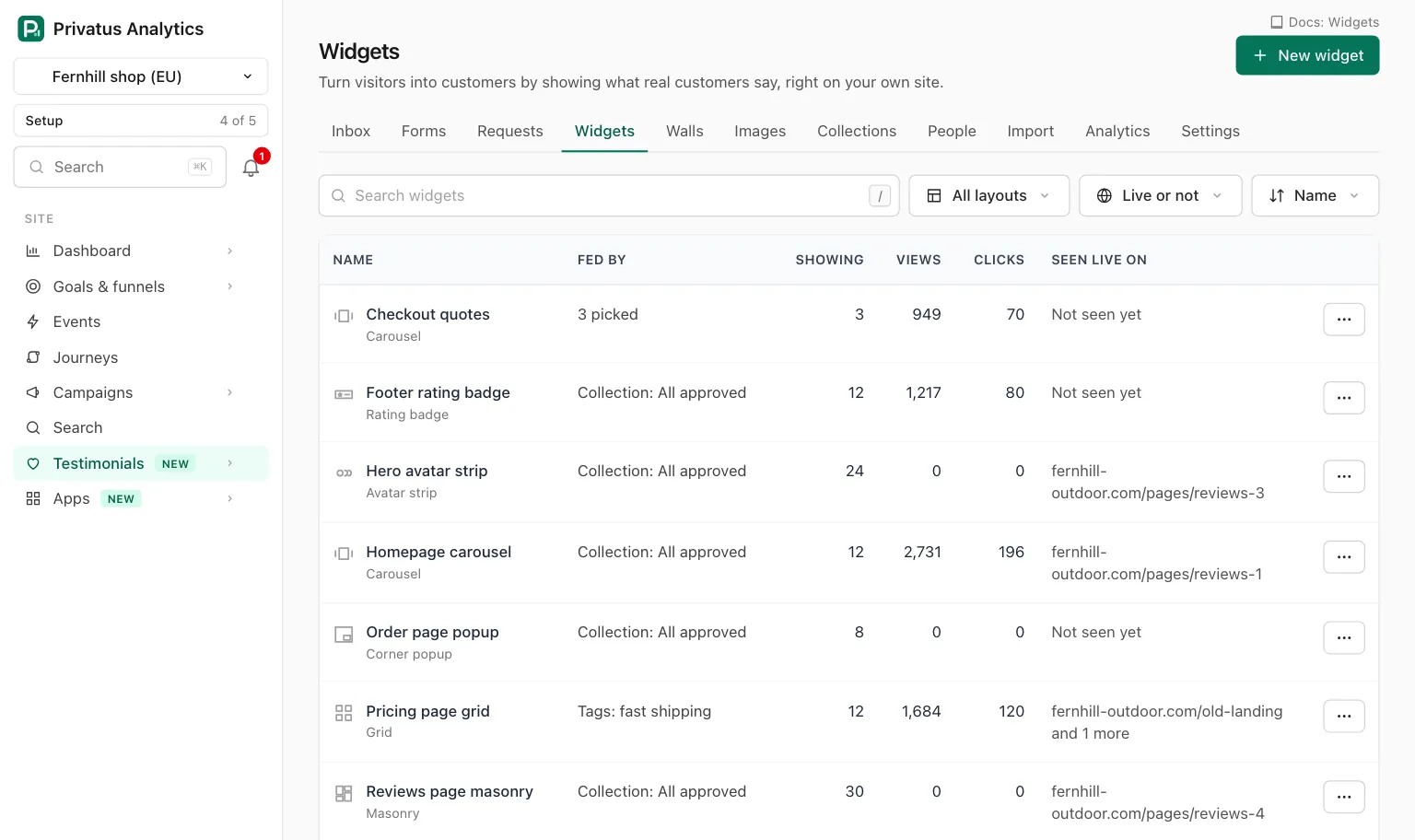
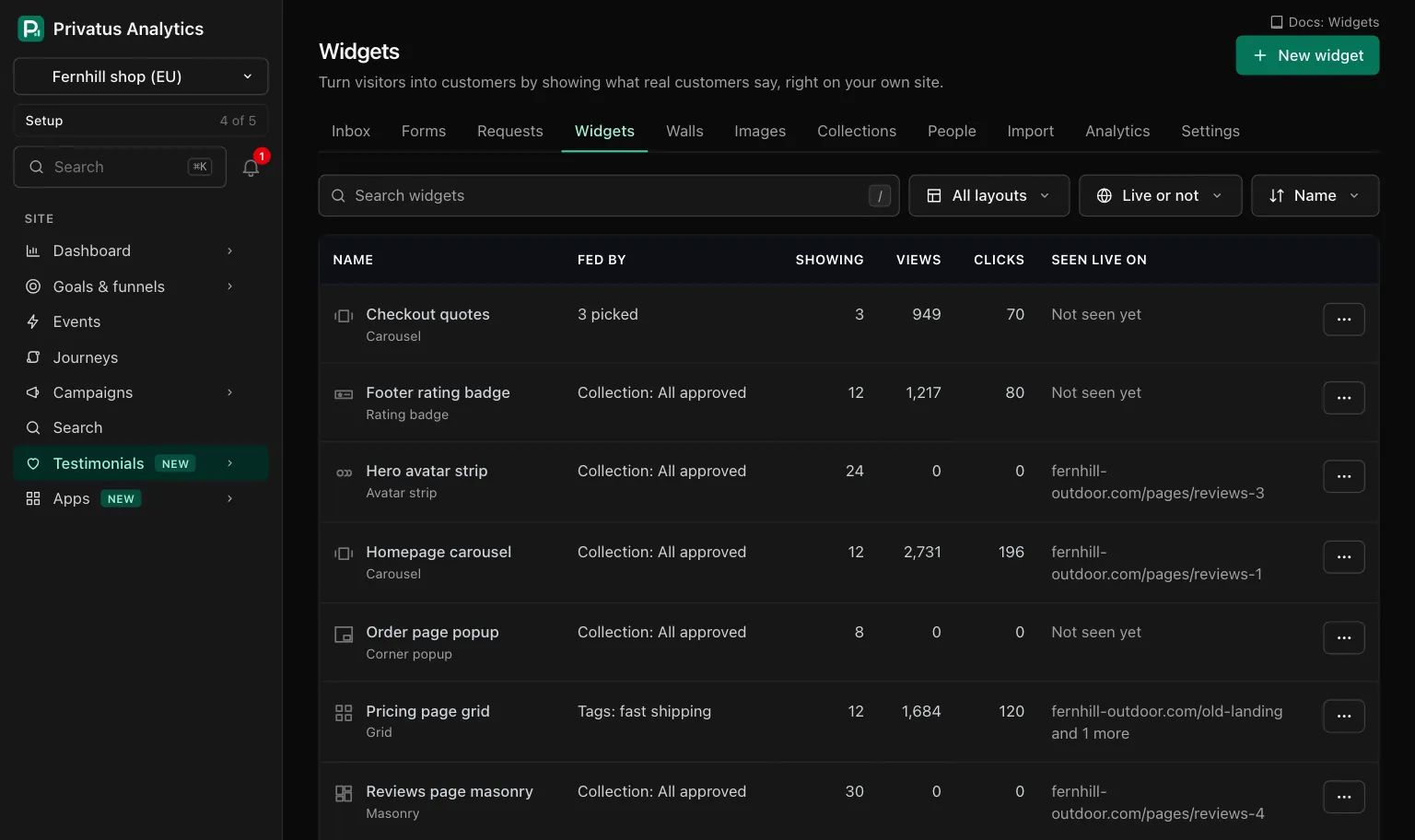
| Column | What it shows |
|---|---|
| Name | The widget's name and layout. The name opens the builder |
| Fed by | The collection, shared view, tags or number of hand-picked testimonials behind it, or "Not fed yet" |
| Showing | How many testimonials it shows right now |
| Views, Clicks | Totals for the last 30 days |
| Seen live on | The first page it was seen on, with "and 2 more" when there are others, or "Not seen yet" |
| Control | Choices |
|---|---|
| Search | Matches the name |
| Layout | All layouts or one of the nine |
| Seen live | Live or not, Seen live or Not seen yet |
| Sort | Name, Newest or Last seen live |
The menu at the end of a row has Edit, Embed, Duplicate and Move to trash. A widget in the trash is not listed. It is on the Trash page of Testimonials.
When you start Testimonials with "find testimonials on my website" in the Inbox, the site gets a widget named Starter widget: a carousel fed by a shared saved view named All approved. It fills as you approve testimonials, on every plan. A site that already has a widget, in the trash or not, gets none.
The builder#
The builder has five tabs, Layout, Content, Style, Advanced and Embed, beside a live preview. The Embed tab appears once the widget is saved. Nothing is live until you press Save, and leaving with unsaved changes asks first. A new widget opens its own page with the code to paste after the first save.
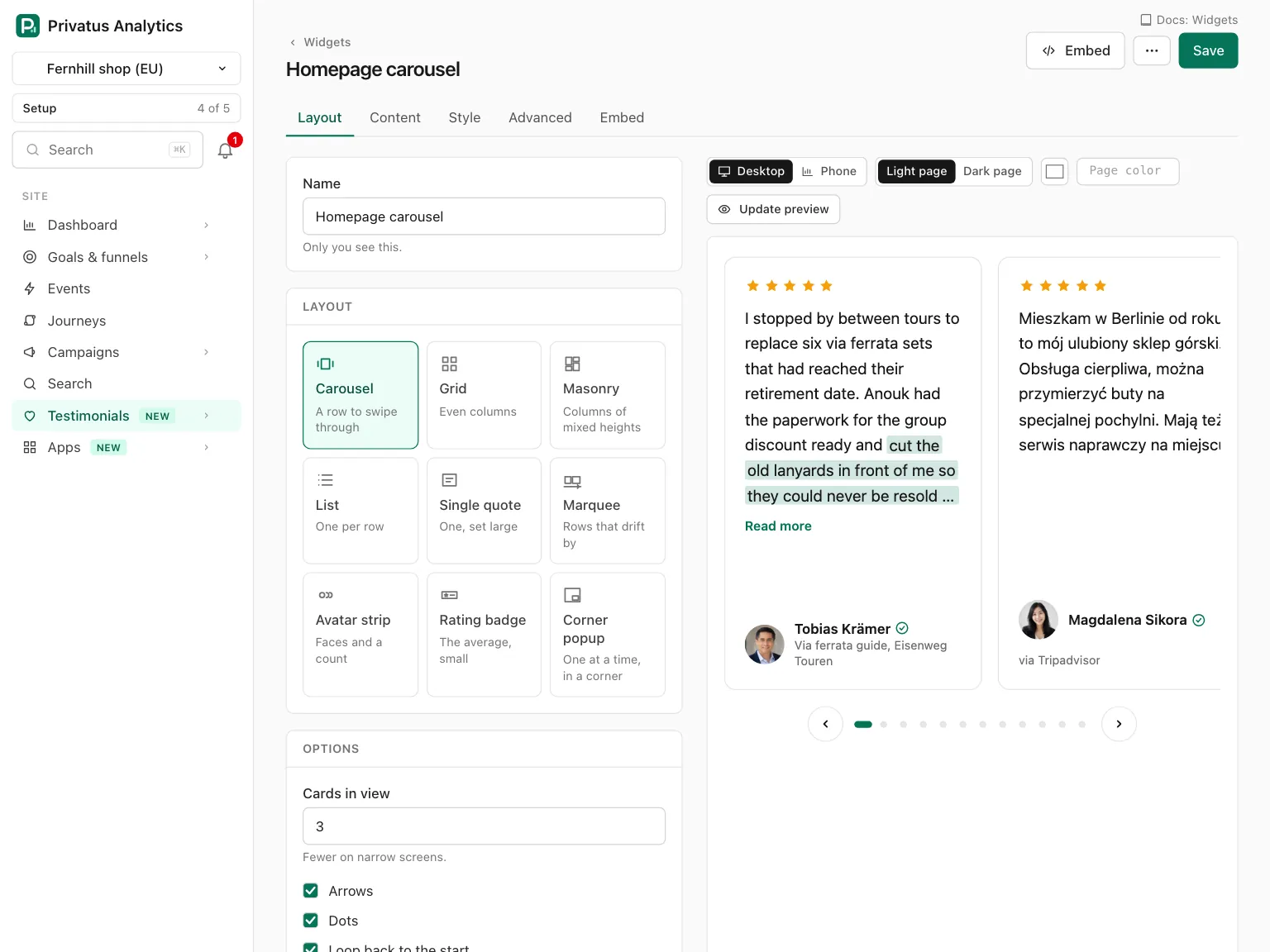
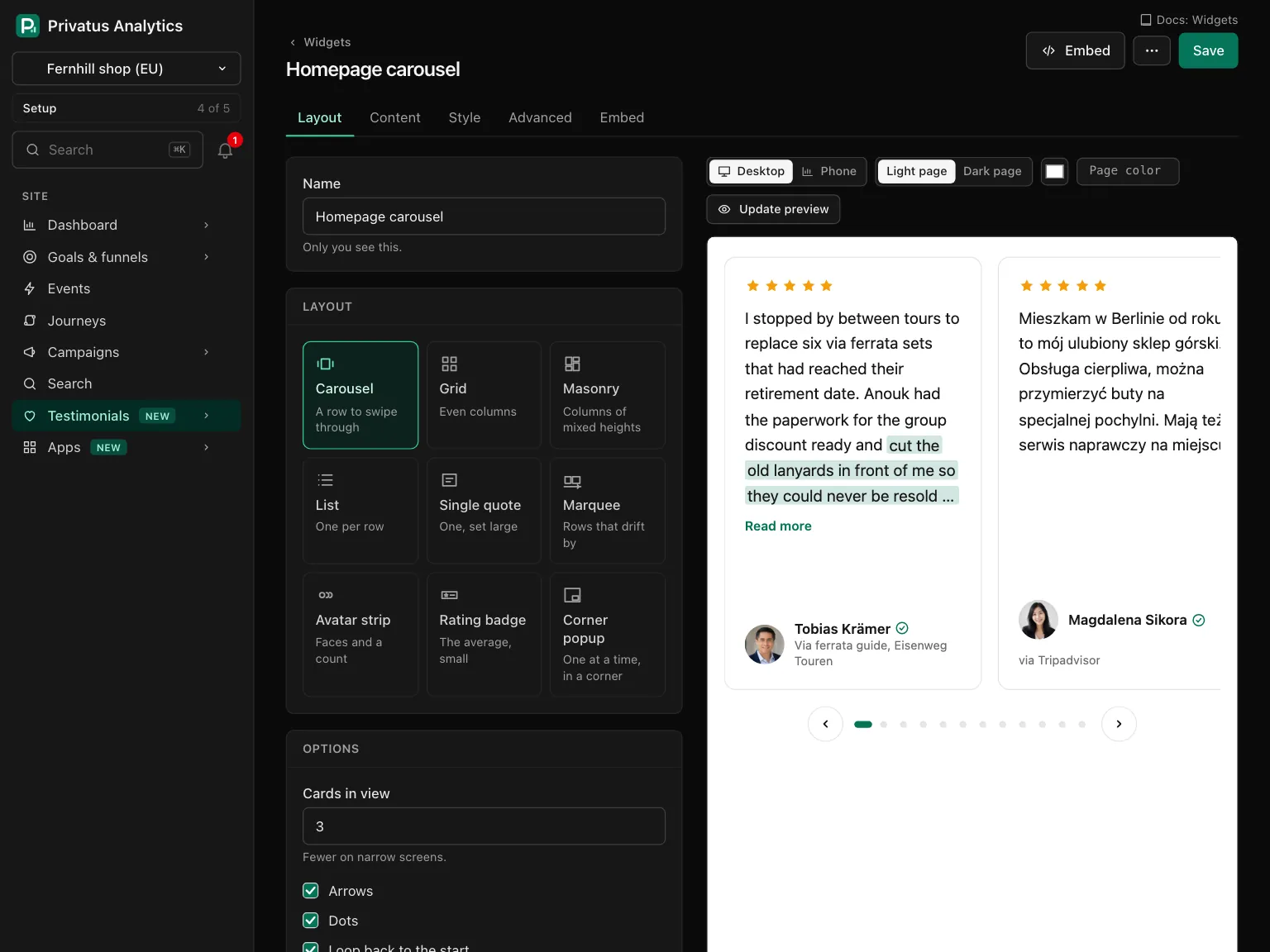
The header of a saved widget has Embed (key E), which opens the
widget's page, and a More menu with Duplicate and Move to
trash.
Layouts#
The Layout tab has the widget's Name (up to 100 characters, only you see it), the nine layouts and the options of the one you chose.
| Layout | What it is | Options |
|---|---|---|
| Carousel | A row to swipe through | Cards in view (1 to 4, default 3). Arrows, Dots and Loop back to the start, each on by default. Move by itself (off by default) with Seconds per step (3 to 15, default 6) |
| Grid | Even columns | Columns (1 to 5, default 3). Space between cards (small, medium or large). Same height in each row. "Load more" button (on by default) with Cards before "Load more" (3 to 30, default 9) |
| Masonry | Columns of mixed heights | Columns (2 to 5, default 3), the space between cards and "Load more" as for the grid |
| List | One per row | Person: left of the words (the default) or above them. Lines between, no boxes (on by default). "Load more" as for the grid |
| Single quote | One testimonial, set large | Size (medium, large or extra large, default large). Alignment (left or centered, default centered). Step through up to 5 with Seconds per step (3 to 15, default 6) |
| Marquee | Rows that drift by | Rows (1 to 3). Speed (slow, medium or fast). Moves to the left or right. With more than one row, every second row moves the other way |
| Avatar strip | Faces and a count | Faces shown (1 to 8, default 5). Text. Links to |
| Rating badge | The average rating, small | Shape (compact or wide). Text. Links to |
| Corner popup | One testimonial at a time, in a corner of the window | Corner (bottom left or bottom right). Seconds before the first one (0 to 60, default 5). Seconds each one stays (4 to 30, default 8). Hide on phones |
- Columns and cards in view are the most you get. The widget shows fewer in a narrow place.
- Dots are shown for 2 to 12 cards. A longer carousel has arrows only.
- Anything that moves can be stopped. A carousel or single quote that moves by itself, and every marquee, has a pause button, and stops while the pointer is over it or the keyboard is inside it. A carousel, a single quote and a corner popup also stay where they are while a quote is open after Read more, so nothing moves or hides under someone who is reading. For a visitor whose device asks for less motion, a carousel or single quote does not step by itself and a marquee becomes a row to scroll by hand.
- Text of an avatar strip or rating badge is up to 80 characters.
Write
{count}and{average}where the numbers go. They are worked out from everything that feeds the widget, never typed. Left empty, the strip reads "Loved by 12 customers" and the badge "from 12 reviews". Links to must start withhttps://. - An avatar strip also shows the average rating while the Rating switch on the Content tab is on.
- A rating badge counts only testimonials that have a rating, and shows nothing while none do.
- A corner popup always has a close button. Once closed it stays closed until the visitor leaves the page. It shows its testimonials one after another and starts again from the first after the last. With one testimonial, that one stays on screen. Hide on phones hides it on screens up to 640 pixels wide.
- Small layouts keep quotes short. A marquee and a corner popup show at most four lines before "Read more". An avatar strip and a rating badge show no quote.
What feeds it#
The Content tab starts with What feeds it. Nothing is chosen for you on a new widget, and a widget shows nothing until you choose.
| Source | What the widget shows |
|---|---|
| A collection | Everything in one collection. A manual collection keeps its order. A smart collection is marked "(smart)" in the list |
| A saved view | Whatever a shared view of your testimonials matches. A personal view cannot feed a widget |
| Tags | Every testimonial with Any of these tags or All of these tags |
| Hand-picked | Exactly the testimonials you tick, up to 100. Search covers approved testimonials, and the arrows on each row put them in order |
Filters and order#
A widget has no filters of its own. To filter, feed it a shared saved view or a smart collection, which carry the filters.
| Setting | Choices |
|---|---|
| Order | The source's own order (the default), Newest first, Oldest first or Highest rating first. In the last three, pinned testimonials come first. Tags have no order of their own, so they show newest first |
| Show at most | 1 to 100 testimonials. The default is 12 |
Under the choices the builder says how many testimonials qualify right now, or warns that nothing matches yet.
Smart collections are part of Business. After a downgrade a smart collection is locked: it holds what it had and takes in nothing new, and a widget fed by it keeps showing that.
What is shown, and what never is#
Whatever feeds it, a widget shows a testimonial only when it is approved, not in the trash, not waiting for the monthly limit, and has a consent record. The address of a photo, video or audio file of any other testimonial is never given to a widget. That holds for every embed method.
| Where the testimonial came from | What is shown |
|---|---|
| An import, a migration, added by hand, or the API | Everything. You vouch for it |
| A form | The words. The name (with the job title and company), the photo and the recording are each shown only if the person granted that permission |
A person whose name may not be shown reads A customer, with initials in place of the photo. A video or audio testimonial with no words is shown only while its recording may be shown and is ready to play. The person's email is never part of a widget.
What each card shows#
The second half of the Content tab.
| Switch | Default | What it does |
|---|---|---|
| Rating | On | The rating, as stars or hearts |
| Photo | On | The person's photo, or their initials when there is none |
| Title and company | On | The person's job title and company |
| Date | Off | The date the testimonial was received |
| Where it came from | On | Names the review platform it came from ("via Trustpilot"), linked to the original when it has an address. A form of yours is not named |
| Only the highlight | Off | Shows the highlight in place of the whole text, where one is marked |
| Verified mark | On | The mark, with its reason on hover and on keyboard focus |
| Play video in place | On | A poster with a play button. No video loads until someone presses it. Switched off, the card shows a "Watch" link to the testimonial's public page, when that page is on |
| Link to its public page | Off | Adds "View testimonial" to each card whose public page is on |
Long testimonials are cut after 3 to 20 lines, with "Read more" to open them in place, or not cut at all (No limit). The default is 8.
Style#
Everything on the Style tab starts from the site's brand kit. Leave a setting empty to keep following it.
| Setting | Choices |
|---|---|
| Light or dark | Match the page (the default), Always light or Always dark |
| Accent, Stars or hearts, Card, Text, Lines, Background | A hex color each. A color you set here is used on light and dark pages alike. The background is transparent unless you set one, so your page shows through |
| Corner radius | 0 to 24 pixels |
| Text size | Small, medium (the default) or large |
| Line around each card | On by default |
| Rating drawn as | Follow the brand kit, Stars or Hearts |
| Font and Font for customers' words | Match my site (loads nothing), which is the default, The brand kit's font, or a system sans-serif, serif or monospace font. No choice loads a font file |
| "Collected with Privatus Analytics" | On Business: Follow the brand kit, Show the badge or Hide the badge. The badge is a plain link to the Privatus Analytics site |
| Custom CSS | Business and Enterprise, up to 20,000 characters. See the styling reference |
Match the page#
With the script embed, the widget reads the text color of your page in the place where it sits. Light text means a dark page, so it draws its dark colors, and the other way around. When your page switches theme, the widget follows.
To decide for it, add data-theme="light" or data-theme="dark" to the
widget's element. In a frame, and as pasted HTML, the widget follows the
visitor's device setting instead. In a frame there is also no site to
match, so "Match my site" means the brand kit's fonts there.
Behavior#
The Advanced tab has three groups: review markup, language and numbers.
Review markup#
Review markup for search engines is part of Business. Add review markup adds schema.org markup with the average rating and the reviews shown. It makes your page eligible for rich results. Search engines decide whether to show stars, and their rules exclude some kinds of pages.
Choose what The reviews are about (a product, a software application, a course, a book, an event, a recipe, a local business or an organization) and Its name, which is the site's name unless you type one. Only testimonials with a rating are counted.
With the script the markup is added to your page, and pasted HTML carries it inside. In a frame it stays inside the frame and does nothing for your page.
Language#
A widget's own words ("Read more", "Verified", dates) are in one of the
site's languages. With more than one, Language of the widget's own
words is Always the language below, with a Language to pick,
or The language of the page it is on: the script reads your page's
lang attribute and uses that language when the site offers it.
Show stored translations of testimonials shows each testimonial's stored translation in the widget's language, marked "Translated". The switch is on every plan. Translations are made on Business, and the ones you hold keep being shown after a downgrade.
Numbers#
Count views and clicks is on by default. Switched off, the widget sends nothing from your visitor's browser, and its numbers and "seen live on" stop.
The live preview#
The preview beside the tabs is the real widget, drawn from what you have typed by the same code that serves your site. It follows your changes.
| Control | What it does |
|---|---|
| Desktop and Phone | The width of the preview (key P switches) |
| Light page and Dark page | The page behind the widget, which is what "Match the page" reads (key D switches) |
| Page color | Type the background color of your own site as a hex value |
| Update preview | Draws it again. It is the way to refresh without JavaScript |
When nothing matches yet, the preview shows made-up testimonials, each marked Sample. Samples are never shown on your site. On a narrow screen, Edit and Preview are two panes you switch between.
Put it on your site#
The code is on the widget's page (Embed in the list or the builder) and on the builder's Embed tab. Each method has a copy button.
| Method | Use it when | Updates by itself | Seen live |
|---|---|---|---|
| Script (recommended) | Your site lets you add a script | Yes | Yes |
| Pasted HTML | No scripts are allowed, or the words must be in your page's source | No | No |
| Frame | Your site builder allows nothing else | Yes | Yes |
| Data | You build your own display | Yes | No |
The frame, and every page we host for you (a wall, a testimonial's
public page, a form), is served with noindex and is not in our
sitemap. Search engines index your customers' words on your own site,
through Pasted HTML and review markup, never on ours.
The corner popup belongs to the window, not to a place on the page, so it is offered as the script and the data only.
Install on your site explains each method, with steps for common site builders and the notes for developers: adding a widget after the page has loaded, the data address and a content security policy.
What the script does on your site#
Privacy: The script is one static file with no dependencies. It
sets no cookie and reads none. It stores nothing in the visitor's
browser: no localStorage, no sessionStorage, no IndexedDB. It
loads nothing from any other company and no font at all.
The widget comes from Privatus Analytics, and its photos, videos and
audio come from media.privatusanalytics.com, which is ours too. The
corner popup keeps its place in a variable of the page, which
is gone when the page is left. The same holds for the frame, a Wall of
Love and a testimonial's public page.
With Count views and clicks on, the script sends one small POST to
/embed/e when a widget scrolls into view, when a link in it is pressed
and when a video is started. The message holds the widget's id, which of
the three it was, and the host and path of the page, never the query
string.
We keep daily totals only: for the widget, for the page and for the
country. The path goes through the site's own path masks first. The
country is the two letters Cloudflare adds to the request. No IP
address, no User-Agent and no identifier is stored, and bots are not
counted. The server always responds with 204.
Where it is live#
The widget's page has a Where it is live panel. Once the widget is seen on a real page it says Seen live on with the page, and lists each page with when it was first and last seen. While nothing was seen yet, the panel checks again every few seconds, so you can paste the snippet, load your page and watch it appear.
- A page is its host and path only. It comes from the same message as the view count, so it needs Count views and clicks.
- Up to 50 pages are kept per widget. A page not seen for 30 days is marked Not seen lately.
- A page on Privatus Analytics itself, or on a local address such as
localhost, does not count. - Only the script and the frame can be detected.
Beside it, What it weighs shows the measured, compressed size of the script and of this widget, and how many images a visitor loads before scrolling. A widget over our 20 kB guide gets a line saying by how much, and that a lower Show at most makes it lighter.
When your changes show#
Your site gets the widget from Cloudflare's servers close to your visitor, which keep a copy. The copy is cleared when you save, trash or restore the widget, and when anything it shows changes: a testimonial, its person, files, translation or consent record, a tag, collection or shared view that feeds it, the brand kit, the site's languages or name, or the workspace's plan.
A change shows on your site within about ten seconds. A browser also keeps the widget for five minutes, so someone who loaded your page a moment ago can see the earlier version for that long. That holds for a testimonial you reject, return to pending or move to the trash, and for a removal request you honor: it is gone from new visits within about ten seconds, and from a browser that already loaded the widget within 5 minutes. Pasted HTML is the exception: copy it again.
Duplicate copies every setting into "Name (copy)", with no record of where the original was seen. Move to trash keeps a widget for 30 days. While it is there, its embeds show nothing and take no room, and restoring it from the Trash page brings it back wherever it was pasted.
API and MCP#
| Action | MCP tool | Permission |
|---|---|---|
| List, read one | testimonial_widgets_list, testimonial_widgets_get |
analytics.read |
| Create, change | testimonial_widgets_create, testimonial_widgets_update |
content.write |
| Duplicate | testimonial_widgets_duplicate |
content.write |
| Move to trash, restore | testimonial_widgets_trash, testimonial_widgets_restore |
content.write |
| The code to paste and what it weighs | testimonial_widgets_embed |
analytics.read |
| The pages it was seen live on | testimonial_widgets_installs |
analytics.read |
| Note that the pasted HTML was copied | testimonial_widgets_mark_copied |
content.write |
One create call carries a whole widget, with the layout options sent
flat by name. Options of another layout are ignored. A change the plan
does not include responds with 402 and the code plan_limit, more
than 100 hand-picked testimonials with 422 and too_many, and
anything else that is wrong with 422 and validation_failed, naming
the input. Inputs and response fields are in the
API reference and the MCP reference.
An AI assistant cannot delete anything or move anything to the trash.
The MCP tool testimonial_widgets_trash runs nothing: it responds with
human_only and the address of the widget's page, and the assistant
hands you that link. The API call runs as usual, and
testimonial_widgets_restore runs over both.
Good to know#
- Locked options say why. On Free and Pro the badge menu is fixed on "Show the badge", Add review markup cannot be ticked and the custom CSS field cannot be typed in. Each has a line naming the plan with a See plans link, or "Ask a workspace owner to upgrade." for a member who cannot manage billing.
- After a downgrade nothing is deleted. The settings stay as you saved them and the embed stops using them within about ten seconds: the badge comes back, custom CSS is not applied and the review markup is left out. Stored translations keep being shown. The builder says that review markup is switched on and not in use. Everything works again when the plan includes it.
- An empty widget takes no room. A widget with nothing feeding it, or with nothing approved that matches, draws nothing. Its page says so.
- Views are counted once per page load, when the widget first
scrolls into view. A corner popup counts when its first testimonial
appears. A view, click or play on a local address such as
localhost, a.testor.localname or a private network address is not counted, so building your site does not add to the numbers.