Testimonials overview
How Testimonials is laid out inside a site: what each tab is for, the setup checklist on a new site and what is stored about the people who write to you.
A testimonial is what a customer says about you: a few sentences, a rating, or a video or audio recording. Testimonials belong to a site. Open a site and choose Testimonials in the sidebar. This page says what each tab is for and what the top of the Inbox shows on a new site.
The tabs#
Everything is behind that one sidebar item, in tabs.
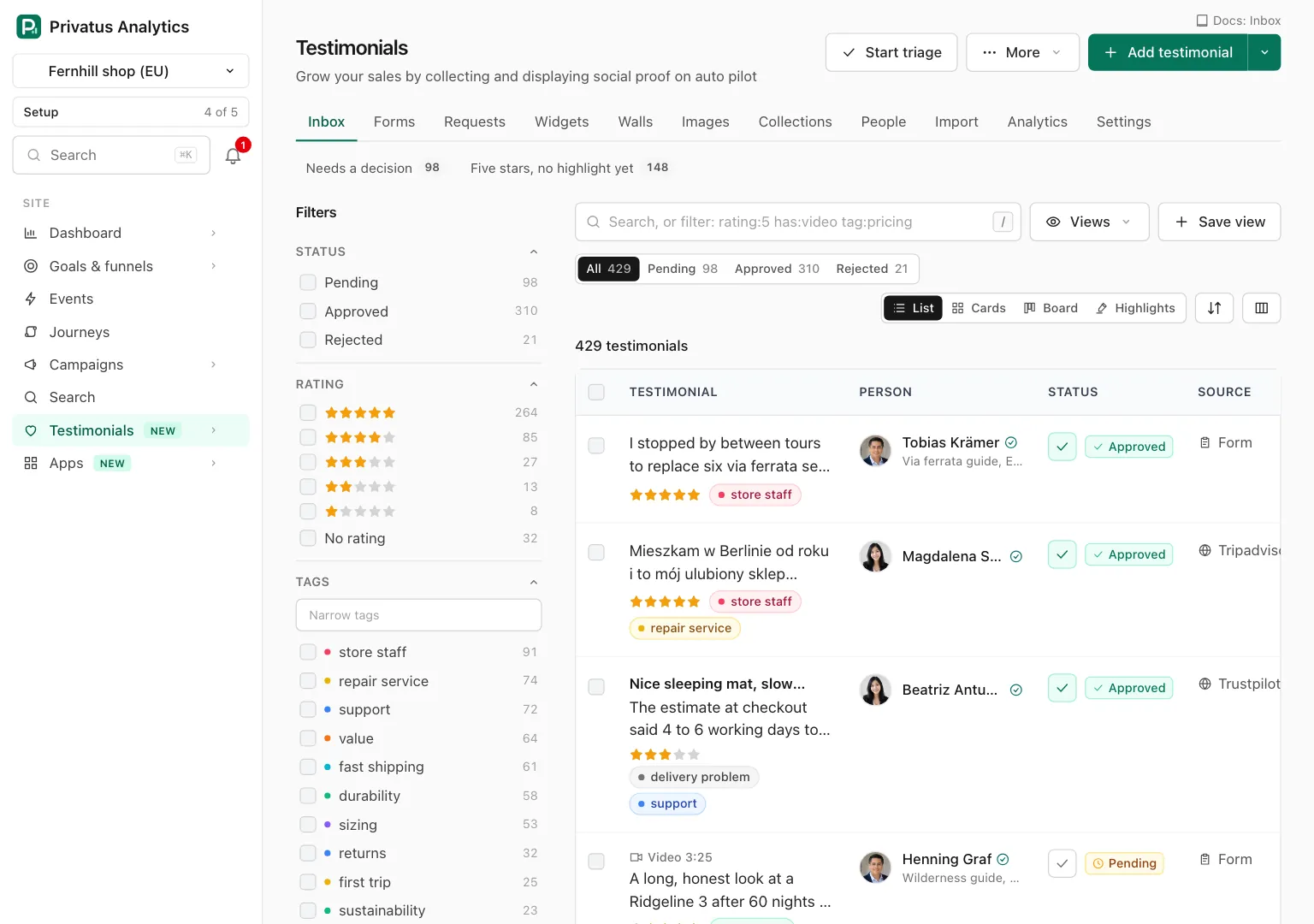
| Tab | What it is for |
|---|---|
| Inbox | Every testimonial of the site. Read, approve, reject, tag and search them here |
| Forms | Pages where a customer writes or records a testimonial |
| Requests | Emails that ask customers for a testimonial, sent through your own email provider (Business) |
| Widgets | Testimonials shown on your own site |
| Walls | A Wall of Love, a public page of your approved testimonials |
| Images | A testimonial as a picture to share |
| Collections | Groups of testimonials to show together |
| People | The customers who wrote to you |
| Import | Testimonials from review sites, a spreadsheet or another tool |
| Analytics | How many testimonials arrive and how often they are seen |
| Settings | The brand kit, custom properties, languages, rewards and more |
Only an approved testimonial is ever shown to the outside world. A new one arrives as pending.
Plans#
Each plan includes a number of new testimonials a month and a set of features. The table of every plan, what counts toward the month and what happens at the limit are on Limits and plans. A feature your plan does not include is switched off and says so. What you made with it before is kept, never deleted.
The numbers above the Inbox#
While a site has fewer than 25 testimonials, the Inbox shows five numbers
above the list: approved, pending, new this month, the average rating and
how many approved testimonials are in use. Each number opens the Inbox
filtered to what it counts. The same numbers come from the
testimonials_overview operation, with what needs attention and the
latest activity.
The setup checklist#
Above the numbers is a short checklist: bring in testimonials you already
have, get your first testimonial, approve one, ask for testimonials, put a
widget on your site and invite a teammate. An item is ticked from what the
site holds, never by a click. Dismiss hides one item and Dismiss
all hides the checklist and the numbers. Dismissing needs the
content.write permission. testimonials_setup_get reads the checklist
and testimonials_setup_update dismisses an item.
Privacy#
A widget or a Wall of Love on your site sets no cookie, stores nothing on the visitor's device and loads nothing from a third party. A form sets no cookie and stores nothing on the device either. A form whose Check that the giver is a person setting is on loads Cloudflare Turnstile for that check, and so does the form a giver uses to ask for a testimonial to be removed. See Forms and Removal requests.
No IP address and no User-Agent is stored for the person who writes a testimonial or for the people who see it. Views of forms, widgets and walls are counted as daily totals only, never as events or visits. See Analytics.
What is stored about a person who gives a testimonial is listed in the data inventory.
Where to go next#
- Get started: from nothing to a widget on your site, in five steps.
- Inbox: every control of the list and of a testimonial's page.
- The Import tab: bring in the reviews you already have.