Analytics alerts and notifications
Set alerts for traffic thresholds, anomalies, goals, missing data, downtime, SSL expiry, Web Vitals and usage, delivered by email, Slack, Teams or webhooks.
An alert is a rule that is checked every 5 minutes. When its condition becomes true the alert is Triggered and its channels are notified once. When the condition stops being true it goes back to OK and the channels get a "Back to normal" message.
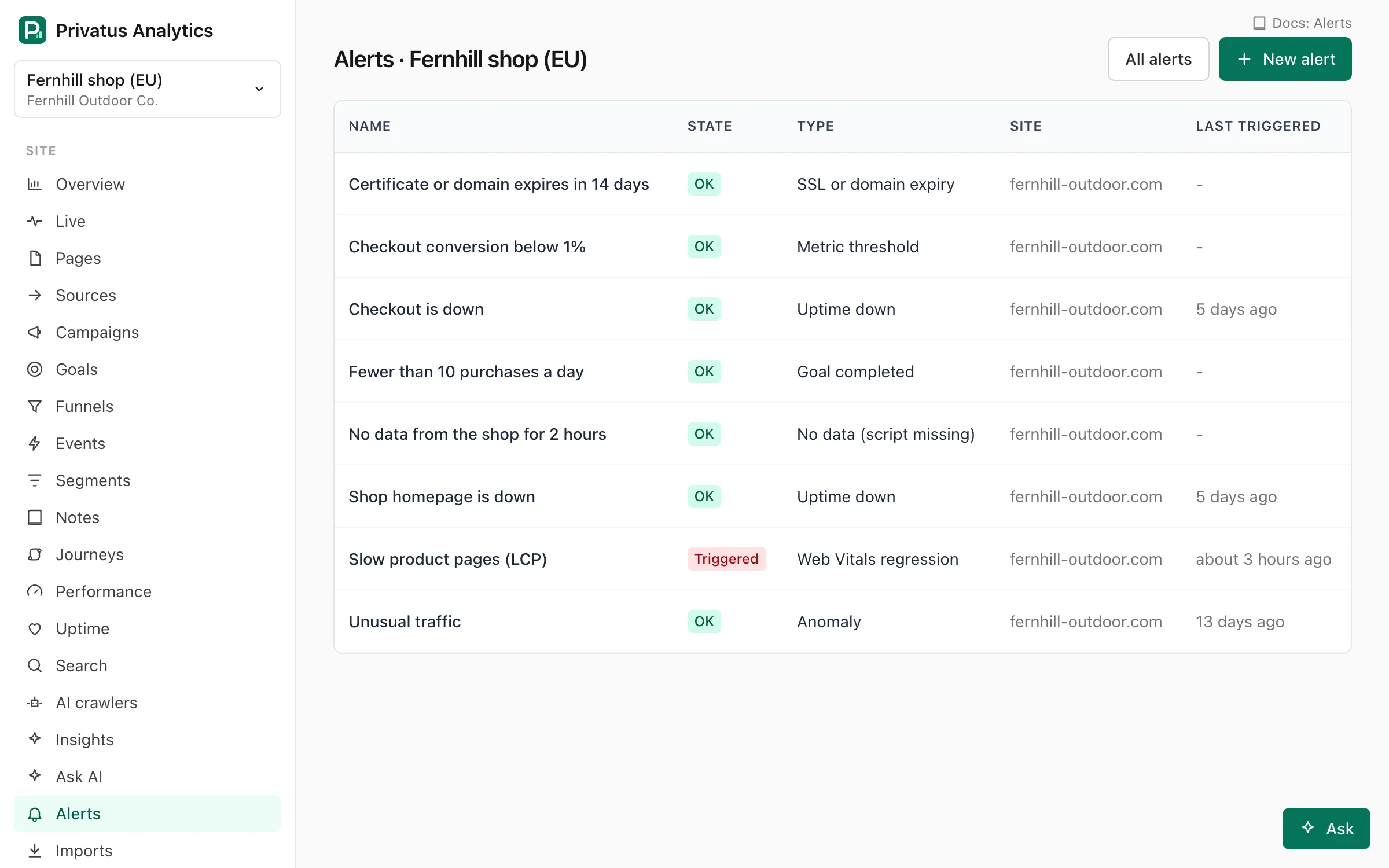
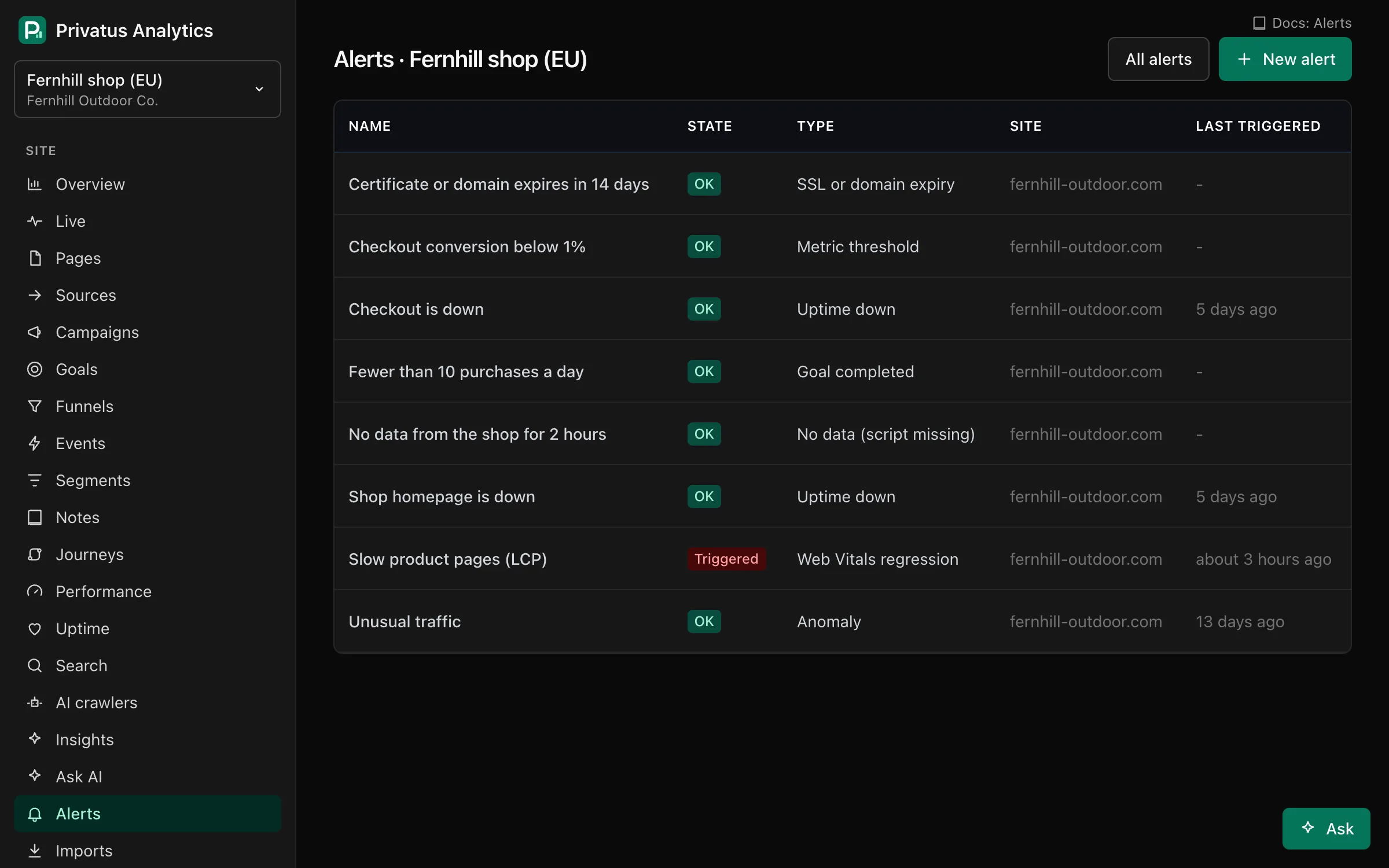
All alerts of a workspace are on its Alerts page (workspace menu), which
also has the Channels tab. A site's own alerts are listed under
Alerts in the site menu and in Site settings → Alerts. Creating and
editing alerts needs the content.write permission.
Rule types#
| Type | Triggers when | Threshold means |
|---|---|---|
| Metric threshold | A metric over the window is above, at least, below or at most a value. Metrics: visitors, visits, pageviews, bounce rate, conversion rate (needs a goal) | The value to compare with |
| Anomaly | Visitors, visits or pageviews in the window are far from the average of the same window in each of the previous 4 weeks | Not used. Set the sensitivity instead |
| Goal completed | The chosen goal is completed at least N times in the window | Completions (default 1) |
| No data (script missing) | The site has received no hits for N hours | Hours (default 24) |
| Usage of plan | This month's events reach N% of the workspace allowance. It has no site | Percent (default 80) |
| Uptime down | An enabled uptime check of the site is down. It resolves when all are up | Not used |
| SSL or domain expiry | A certificate or domain seen by the site's uptime checks expires within N days. The site needs at least one uptime check | Days (default 14) |
| Web Vitals regression | The 75th percentile of LCP, INP, CLS, FCP or TTFB over the window is past a limit. Needs at least 5 samples in the window | Milliseconds (a score for CLS) |
Rule settings#
| Setting | What it does |
|---|---|
| Name | Shown in the list and in every notification. Up to 120 characters |
| Type | One of the rule types above |
| Site | The site the rule watches. Every type except usage needs one |
| Metric | The metric for threshold, anomaly and Web Vitals rules |
| Condition | is above, is at least, is below or is at most. For an anomaly, above or at least means only spikes, below or at most means only drops, and Either direction means both. A Web Vitals rule with no condition uses is above |
| Threshold | See the table above |
| Window | How far back the rule looks: 15 or 30 minutes, 1, 3, 6 or 12 hours, 1 day or 7 days. Used by threshold, anomaly, goal and Web Vitals rules. The API accepts any window_minutes from 5 to 10,080 |
| Sensitivity | Anomaly only. Low triggers on big changes only, High triggers more often, Medium is in between. A quiet window (under 5 for both the value and the average) never triggers |
| Goal | The goal for a goal rule or a conversion rate threshold |
| Uptime check | Optional check id (upc_…) for uptime and SSL rules. Leave it empty to watch all of the site's checks |
| Notify | The channels that get the notifications |
| Enabled | Untick to pause the rule. A paused rule isn't checked |
Channels#
Alerts are delivered through notification channels, set up once per workspace under Alerts → Channels and reused by any rule:
| Channel | Plan | Settings |
|---|---|---|
| All | Up to 20 addresses | |
| Slack | Pro and up | An incoming webhook URL on hooks.slack.com |
| Microsoft Teams | Pro and up | A Workflows webhook URL |
| Discord | Pro and up | A channel webhook URL |
| Webhook | Pro and up | Any public HTTPS URL that accepts JSON, and an optional signing secret. With a secret, requests carry X-Privatus-Signature: t=<unix time>,v1=<HMAC-SHA256 of "t.body"> |
| Browser push | Pro and up | No settings. Sends to every member who turned on browser notifications on the Channels page |
| PagerDuty | Business | The Events API v2 integration key of a service |
| Opsgenie | Business | An API key and the region (US or EU) |
A channel's type can't be changed after it is created. Each channel has a Send test button (up to 10 tests an hour per member, together with email report tests).
Every triggered or resolved alert is also sent to the workspace's
webhooks as alert.triggered and alert.resolved.
Goal and usage alerts add goal.completed_threshold and usage.threshold.
Email is limited so a flapping rule can't flood an inbox: one "triggered" email per alert and address every 30 minutes, 6 emails an hour per alert and address, and 200 alert emails an hour per workspace. The next email says how many were held back.
Noise control#
- Mute an alert for 1 hour, 1 day or 1 week (for example during a
planned migration). The API takes any number of
minutesup to 30 days, and0unmutes. A muted alert is still checked and still records history, and workspace webhooks still get its events. Only its channels stay silent. - History: every time the alert triggered, what happened, and when it resolved. Acknowledge marks the latest incident with your name to show the team someone's on it.