Brand kit
Set the colors, fonts, corner radius, rating shape, logo, badge and custom CSS of a site's testimonials once. Every form, widget and wall follows.
The brand kit sets the look of a site's testimonials once. Every form, widget, wall, image and public testimonial page of the site uses it. Open Testimonials in the site's sidebar, then the Settings tab, then Brand kit.
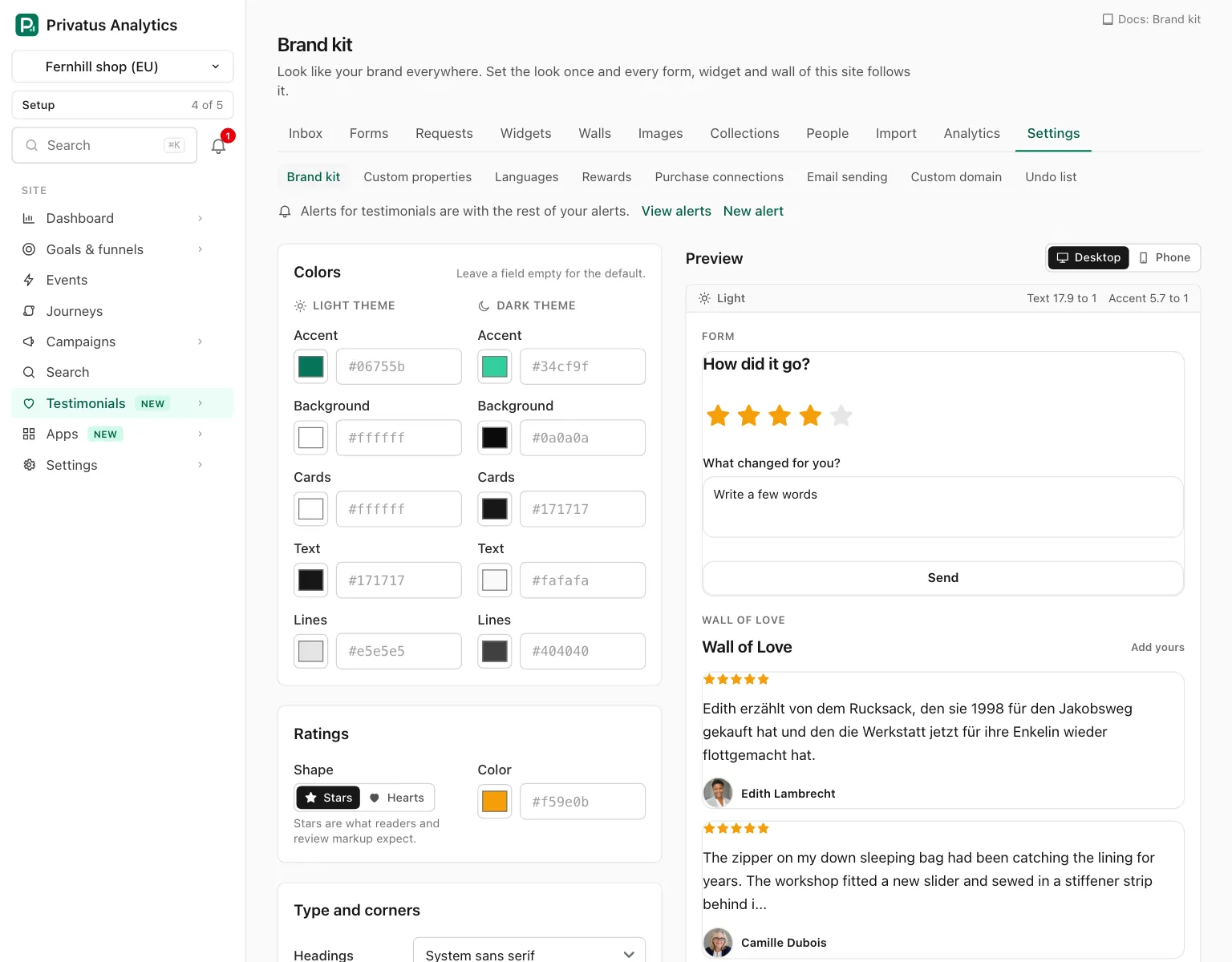
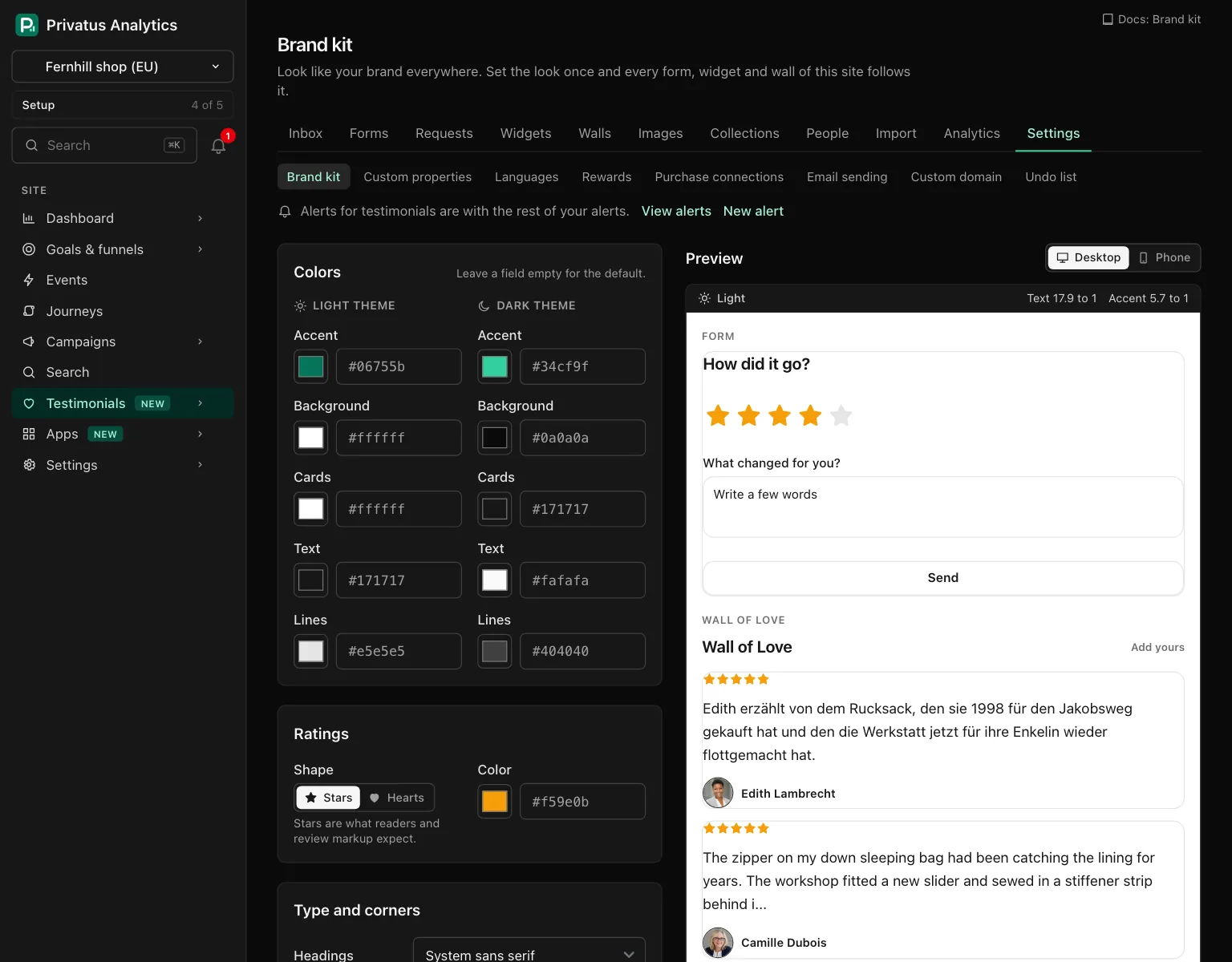
The fields are on the left and a live preview is beside them. Reading the
page needs the analytics.read permission. Changing the kit needs
sites.manage.
Colors#
There are two columns, Light theme and Dark theme, with five colors
each. A color is a six-digit hex value such as #06755b, typed or chosen
with the picker beside the field.
| Color | Used for |
|---|---|
| Accent | Buttons and links, and heart ratings when no rating color is set |
| Background | The page behind the cards |
| Cards | The background of a testimonial |
| Text | Names and words |
| Lines | Borders of cards and fields |
Leave a field empty for the Privatus Analytics default. The empty field shows that default as its placeholder.
- An empty dark Accent is worked out from the light one: it is lightened until it is easy to read on the dark cards.
- The other empty dark colors are our dark defaults. When your light background is itself a dark color, your light colors are used in the dark theme too.
Ratings#
| Setting | Options |
|---|---|
| Shape | Stars (the default) or Hearts |
| Color | Empty gives amber stars, and hearts in the accent color |
Type and corners#
| Setting | What it does |
|---|---|
| Headings | The font of titles |
| Body text | The font of everything else |
| Quotes | The font of your customers' words |
| Corner radius | A slider from 0 to 24 pixels, for cards, buttons and fields. The default is 12 |
Each font menu has the same four choices: The page's own font, System sans serif (the default), System serif and System monospace. Every one is a font the visitor already has. No font is loaded from anywhere, so a widget on your site never calls a font service.
Logo#
| Field | What it does |
|---|---|
| On light backgrounds | Your logo |
| On dark backgrounds | Another version for the dark theme. Without one, the light one is used on both |
PNG, JPG, WebP, GIF or SVG, up to 2 MB. An SVG is cleaned of scripts before it is kept. See Video, audio and images.
The logo works on every plan. A form, a wall, a request email and an image each have their own switch for showing it, and a testimonial's public page shows it in place of the site's name.
Badge#
Show "Collected with Privatus Analytics" by default is the default for the site's forms, widgets, walls and images. A form, a widget and a wall can each override it with their own setting.
- On Free and Pro the badge is always shown. The box is ticked and locked, with a link to the plans.
- On Business and up the box is yours. It starts ticked, like on every plan, so the badge shows until you untick it here or switch it off for one form, widget or wall.
- After a downgrade from Business the badge comes back everywhere, whatever is stored.
Custom CSS#
On Business and up you can write your own CSS, up to 20,000 characters. It is applied to every form, widget and wall of the site. On Free and Pro the field is shown locked, with a link to the plans.
Custom CSS is kept inside the embed, so it cannot change the page around it:
- Every selector is limited to the wrapper of the form, widget or wall:
.tt-widgeton a widget and on a wall,.pfon a form. So.tt-card { ... }reaches the cards of your widgets and walls and nothing on a form, and.pf-btn { ... }reaches the buttons of your forms and nothing on a widget. The class names of widgets and walls are listed in the styling reference. A form's start withpf-.:root,html,bodyand:hostat the start of a selector mean that wrapper, so:root { ... }styles all three. Writing.tt-widgetor.pfyourself matches nothing, because it is prefixed like any other selector. A selector that starts by reaching for a sibling (+or~) is not allowed. @importis not allowed.- A
url()may only point at Privatus Analytics over https, never at another address. @media,@supports,@container,@layerand@keyframesare allowed.@font-faceis allowed only with a source at Privatus Analytics or a font that is already on the visitor's device (local()). Every other rule that starts with@is not allowed.- Functions and properties that load or run something, such as
expression(),image-set()andbehavior, are not allowed, and a backslash is only allowed inside quotes.
The CSS is checked when you save. If part of it is not allowed, nothing is saved and the message names the line. The preview runs the same check while you type and lists what it left out.
After a downgrade your CSS is kept and switched off. It is used again as soon as the plan includes it.
CSS variables#
The kit sets these custom properties on the wrapper of every form, widget and wall, and your CSS can read them.
| Variable | Value |
|---|---|
--tt-accent |
The accent color |
--tt-accent-text |
White or near black, whichever reads better on the accent |
--tt-background |
The page background |
--tt-card |
The card background |
--tt-text |
The text color |
--tt-muted |
A quieter text color, mixed from text and background |
--tt-border |
The line color |
--tt-rating |
The color of stars or hearts |
--tt-radius |
The corner radius |
--tt-font-heading, --tt-font-body, --tt-font-quote |
The three fonts |
How a widget and a wall use them, with examples, is on Styling.
Preview#
The preview shows a form, a wall and a widget, once in the light and once in the dark theme, drawn from what is in the fields before you save. It redraws a moment after you change a field.
| Part | What it shows |
|---|---|
| Desktop and Phone | The width the samples are drawn at |
| Text and Accent, above each theme | The measured contrast of text on cards and of the accent on cards, such as "Text 16.1 to 1". Text needs at least 4.5 to 1 and the accent 3 to 1 to be easy to read. A lower value is marked with a warning. It warns and never blocks |
| The samples | The site's own approved testimonials that have words and a rating. With fewer than three of those, three of ours marked Sample |
Saving and resetting#
| Button | What it does |
|---|---|
| Save | Applies the kit. The page then says what it touched, for example "Saved. This updates 4 forms, 6 widgets and 1 wall." The same numbers are shown beside the button before you save |
| Reset to defaults | Under the preview, once the kit differs from the defaults. After a confirmation it returns every color, the fonts, the radius, the rating shape, the logos, the badge switch and the custom CSS to the Privatus Analytics defaults. The logo files stay in the site's media |
API and MCP#
| Action | MCP tool | Permission |
|---|---|---|
| Read the kit | testimonial_brand_kit_get |
analytics.read |
| Change the kit | testimonial_brand_kit_update |
sites.manage |
| Reset the kit | testimonial_brand_kit_reset |
sites.manage |
testimonial_brand_kit_update changes only what you send, and an empty
string returns one setting to its default. The inputs and response fields
are in the API reference and the MCP reference.
A reset cannot be undone, so the MCP tool testimonial_brand_kit_reset
runs nothing: it responds with human_only and the address of this page
in the app. The API call runs as usual.
| Status | Code | Meaning |
|---|---|---|
| 402 | plan_limit |
Custom CSS on a plan without it, or hiding the badge below Business |
| 422 | css_not_allowed |
Part of the custom CSS is not allowed. The message names the line |
| 422 | unknown_logo |
There is no logo with that id in the site |
Good to know#
- A saved kit applies to the forms, widgets and walls that already exist. Nothing has to be installed again.
- A form, a widget and a wall each have style settings and custom CSS of their own, which go on top of the kit. The kit is what they start from.
- Hearts or stars is a choice of shape for ratings. A form can keep its own shape.
- Low contrast is your call: the page warns, and saves anyway.