Import sources
Add a review page as a source, see what was found, keep what you want and read the run history. With the list of platforms we read.
A source is a link reviews are read from: your page on a review platform, or any page with testimonials on it. You add one with the Add a source form on the Import tab of Testimonials, and each source then has a row in the Sources table and a page of its own.
What every import shares (the review step, what counts toward the month and the Free plan's limit) is on The Import tab.
Platforms we read#
We read 12 platforms. A platform is on this list only once we have tested reading it on a real page. The list is made from the same registry the app uses, so it is never out of date.
| Platform | The link to paste | What it looks like | Automatic sync |
|---|---|---|---|
| Trustpilot | Your company's page on Trustpilot | https://www.trustpilot.com/review/yoursite.com |
Yes |
| G2 | Your product's reviews page on G2 | https://www.g2.com/products/your-product/reviews |
Yes |
| Capterra | Your product's reviews page on Capterra | https://www.capterra.com/p/123456/Your-Product/reviews/ |
Yes |
| Product Hunt | Your product's reviews page on Product Hunt | https://www.producthunt.com/products/your-product/reviews |
Yes |
| X | The link to one post on X | https://x.com/someone/status/1234567890 |
No |
| AppSumo | Your product's page on AppSumo | https://appsumo.com/products/your-product/ |
Yes |
| Tripadvisor | Your place's page on Tripadvisor | https://www.tripadvisor.com/Restaurant_Review-g60713-d1234567-Reviews-Your_Place.html |
Yes |
| Chrome Web Store | Your extension's page in the Chrome Web Store | https://chromewebstore.google.com/detail/your-extension/abcdefghijklmnopabcdefghijklmnop |
Yes |
| Shopify App Store | Your app's page in the Shopify App Store | https://apps.shopify.com/your-app/reviews |
Yes |
| WordPress plugin directory | Your plugin's page in the WordPress plugin directory | https://wordpress.org/plugins/your-plugin/ |
Yes |
| Apple App Store | Your app's page in the Apple App Store | https://apps.apple.com/us/app/your-app/id123456789 |
Yes |
| Google Play | Your app's page on Google Play | https://play.google.com/store/apps/details?id=com.yourcompany.app |
Yes |
The same list is at the bottom of the Import tab, with the link to paste under each name.
A link from one of these platforms that is of the wrong kind (a search page instead of your own page, a profile instead of a post) is refused with a sentence saying which link to paste.
A link from anywhere else is read as Any page: one page, read for the testimonials on it. Every item found that way is checked against the text of the page, as described under Find testimonials on my website. Reading any page is switched on separately from reading the platforms. Where it is not set up, a link that is not from a platform is refused and the hint under the field asks for a platform link only.
Adding a source#
| Field | What it does |
|---|---|
| Link to your reviews | The page to read. https:// is added when you leave it out. While you type, a chip beside the field names the platform the link belongs to, or says Any page. A private or malformed address is refused |
| How often: One time | Read it now. You can run it again by hand |
| How often: Every month | Read it now, then check for new reviews every month. Pro and up. See Automatic sync |
| How often: Every week | Read it now, then check for new reviews every week. Business and up |
| Approve new 4 and 5 star reviews automatically | Only for automatic sync. Fewer stars, or no rating, always arrive as Pending |
| Find testimonials | Adds the source and starts its first run |
A pace your plan does not have cannot be chosen, and a line under the choices says which plan has it, with a link to the plans. A platform whose link can never have anything new (the Automatic sync column above says No) is always read one time, whatever you choose.
The source is named after the platform, or after the host name for any page. Once the first run knows what the page calls itself, the name becomes the platform and that name. You can rename it on its page.
The first run reads up to 5 pages of reviews on a platform, newest first where the platform can sort, and takes up to 200 items from each page. It ends in the review step. Nothing is stored until you keep it. On the Free plan this first run is the month's fetched import.
The sources table#
| Column | Meaning |
|---|---|
| Source | Its name and its link. A spreadsheet shows File instead of a link. Opens the source's page |
| Sync | Its state, see below. Under it, Monthly on your plan or Stopped by your plan when the plan holds the source back |
| Auto-approve | On or Off |
| Last run | The day, and what it found: a number of new items, Nothing new, Failed, Reading or Not read yet |
| Next run | The day a synced source is read next, or None |
| Kept | Testimonials it brought in that are still here |
| Waiting | Found items you have not decided on, as Review and a number. Opens the review step |
| State | Meaning |
|---|---|
| Reading | A run is in progress |
| To review | Found items are waiting in the review step |
| One time | A one-time source that is finished, or a synced one the plan has stopped |
| Every week | Read every week |
| Every month | Read every month: it is set to monthly, the plan syncs monthly, or it is a weekly source that found nothing new eight runs in a row |
| Paused | Paused by a member |
| Paused at the monthly limit | What a sync brings in counts toward your monthly testimonials, and they are used. It starts again on the 1st, or when the plan has room |
| Check the link | Three runs in a row could not read the page. It is not read again until you act |
The menu at the end of a row has Review, Open, Run now, and Pause or Resume for a source that syncs. A spreadsheet has Review and Open only.
A source's page#
Click a source's name. The header has Run now (it reads Try again on a source that shows Check the link) and, when items wait, Review with their number.
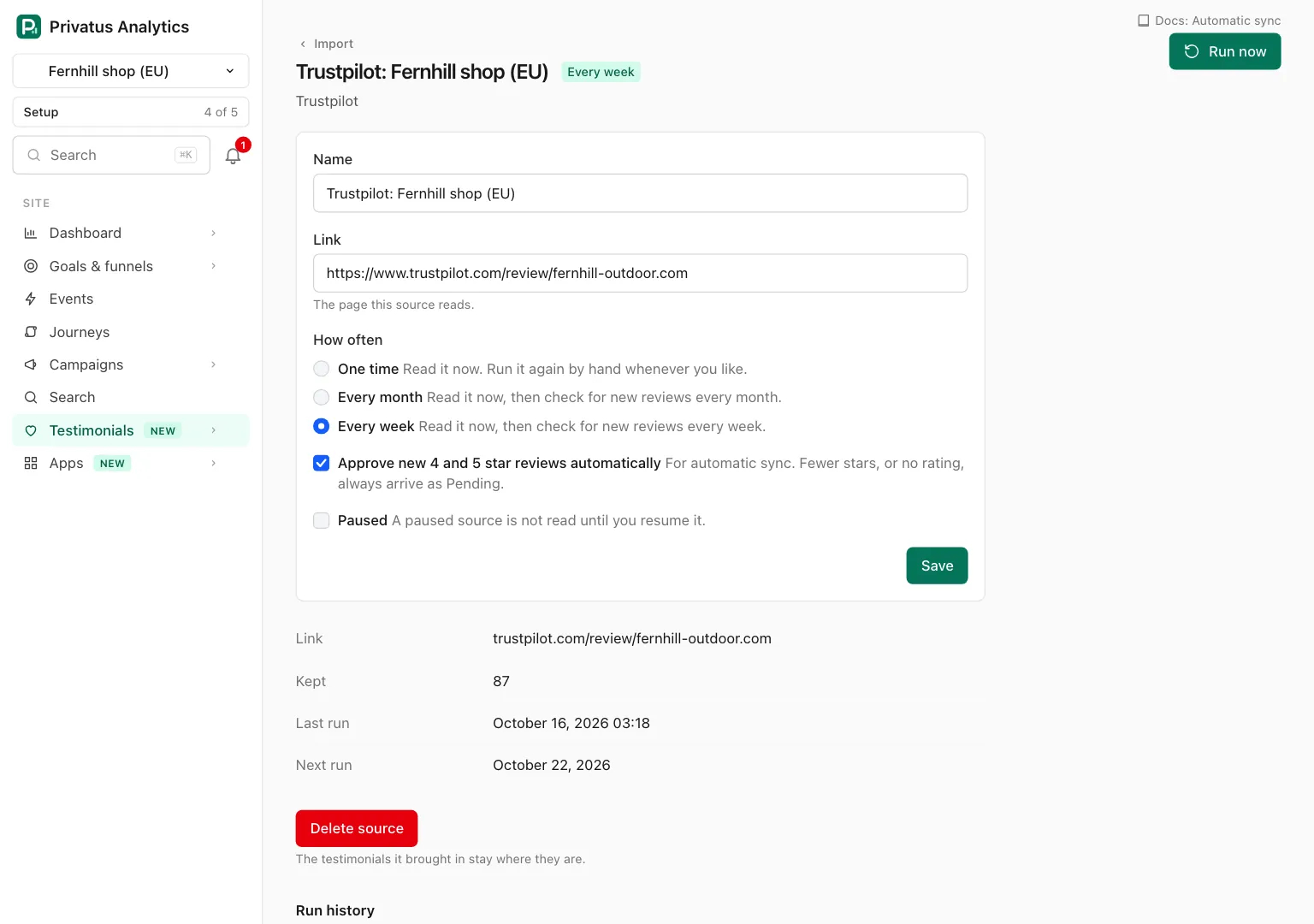
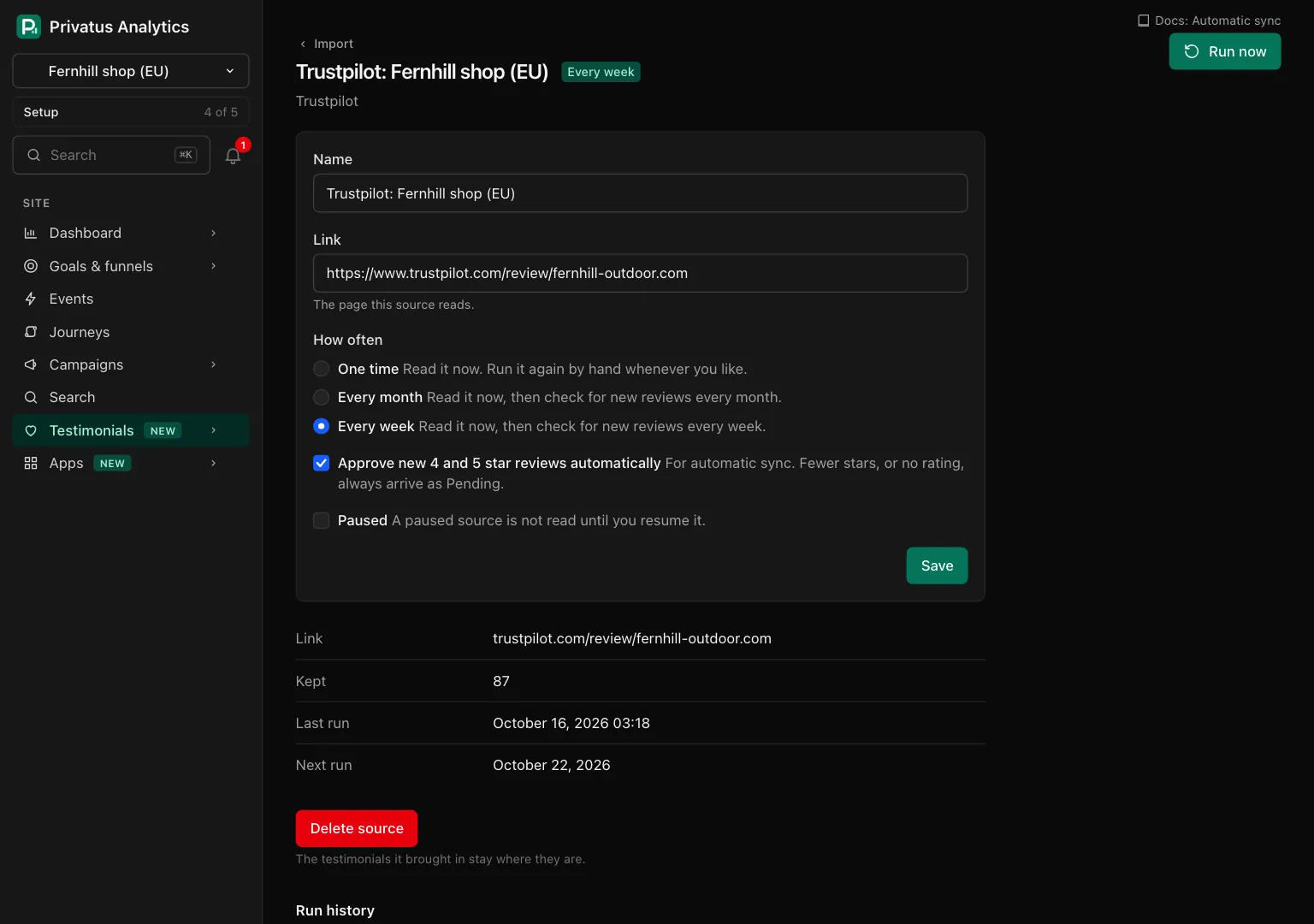
| Field | What it does |
|---|---|
| Name | Up to 120 characters |
| Link | The page this source reads. A link of another platform, or of the wrong kind, is refused |
| How often | The same three choices as when adding |
| Approve new 4 and 5 star reviews automatically | As when adding |
| Paused | Shown for a source that syncs. A paused source is not read until you resume it |
| Save | Saves the fields above |
Under the form are the facts of the source (Link, Kept, Last run, Next run) and Delete source. Deleting takes the run history and what waits in the review step with it. The testimonials it brought in stay where they are.
Run now reads the source again and puts what it finds in the review step. It is a fetched import, it cannot start while a run is in progress, and it works 3 times in 24 hours on one source.
Run history#
The source's page lists its latest 25 runs, newest first, and See every run opens the full list.
| Column | Meaning |
|---|---|
| Run | Its number |
| Started | When it began |
| Took | How long, in seconds |
| Started by | First run, Run now, Automatic sync or Website find |
| Found | Items read from the pages |
| New | Of those, the ones not in the site |
| Duplicate | Already here and Looks like one you have together |
| Failed | Rows of a spreadsheet that could not be used |
| Kept | Items of this run that became testimonials |
| Result | Reading, Done, Nothing new, Waiting for review, Paused at the monthly limit, or Failed with the reason |
A run can fail for two different reasons, and the page says which.
- This run could not read the page. The page was not found, did not respond, or its address cannot be fetched. After three in a row the source shows Check the link and is not read again by itself. Fix the link if needed and press Try again.
- This run failed on our side. Our reading service was unavailable. A passing failure is retried for about ten minutes first. Nothing is wrong with your link, it does not count toward the three, we are told automatically, and the fetched import the run used is given back.
What is read#
For each review: the person's name, their job title and company where the platform shows them, the words, a title, the rating, the date, and the review's own link and id when the platform has them. From G2 the words kept are the answer to "What do you like best".
A rating is stored as 1 to 5 or not at all. Markup becomes plain text.
API and MCP#
| Action | MCP tool | Permission |
|---|---|---|
| List the sources | testimonial_import_sources_list |
analytics.read |
| List the platforms we read | testimonial_import_platforms_list |
analytics.read |
| Add a source and start its first run | testimonial_import_sources_create |
content.write |
| Read one source | testimonial_import_sources_get |
analytics.read |
| Change a source, pause or resume it | testimonial_import_sources_update |
content.write |
| Run a source now | testimonial_import_sources_run |
content.write |
| List what waits in the review step | testimonial_import_sources_review |
analytics.read |
| Keep items | testimonial_import_sources_keep |
content.write |
| Discard items | testimonial_import_sources_discard |
content.write |
| Delete a source | testimonial_import_sources_delete |
content.write |
| List the runs of a source | testimonial_import_runs_list |
analytics.read |
The inputs and response fields are in the API reference and the MCP reference.
Deleting a source is for a person: the MCP tool
testimonial_import_sources_delete runs nothing and responds with the
source's page in the app. The API deletes as usual.
| Status | Code | Meaning |
|---|---|---|
| 402 | plan_limit |
The Free plan's fetched import of the month is used, or the sync asked for is above the plan |
| 422 | too_many_sources |
The site holds 25 sources added from a link. This holds on every plan |
| 422 | too_many_runs |
The source was run by hand 3 times in the last 24 hours. This holds on every plan |
| 422 | unfetchable |
A private or malformed address |
| 422 | wrong_link |
The platform's link of the wrong kind, or a link that is not the named platform's |
| 422 | not_available |
Imports, or reading any page, are not set up |
| 422 | in_progress |
A run is active |
| 422 | selection, too_many, unknown_ids |
Keeping or discarding: give item ids or all and not both, at most 100 ids a call, and only ids that wait in this review step |
Good to know#
- The first run of a source and every Run now end in the review step. Only an automatic sync adds reviews without it.
- Changing a source's link does not read it. Press Run now afterward.
- A source that reads any page reads that one page. The website find is the only run that follows links.
- A source the plan has stopped keeps its setting. It starts again by itself when the plan allows it.