Search and filters
How the Inbox search box reads words and operators such as rating:5 has:video tag:pricing, how they become filters in the rail, and how to sort.
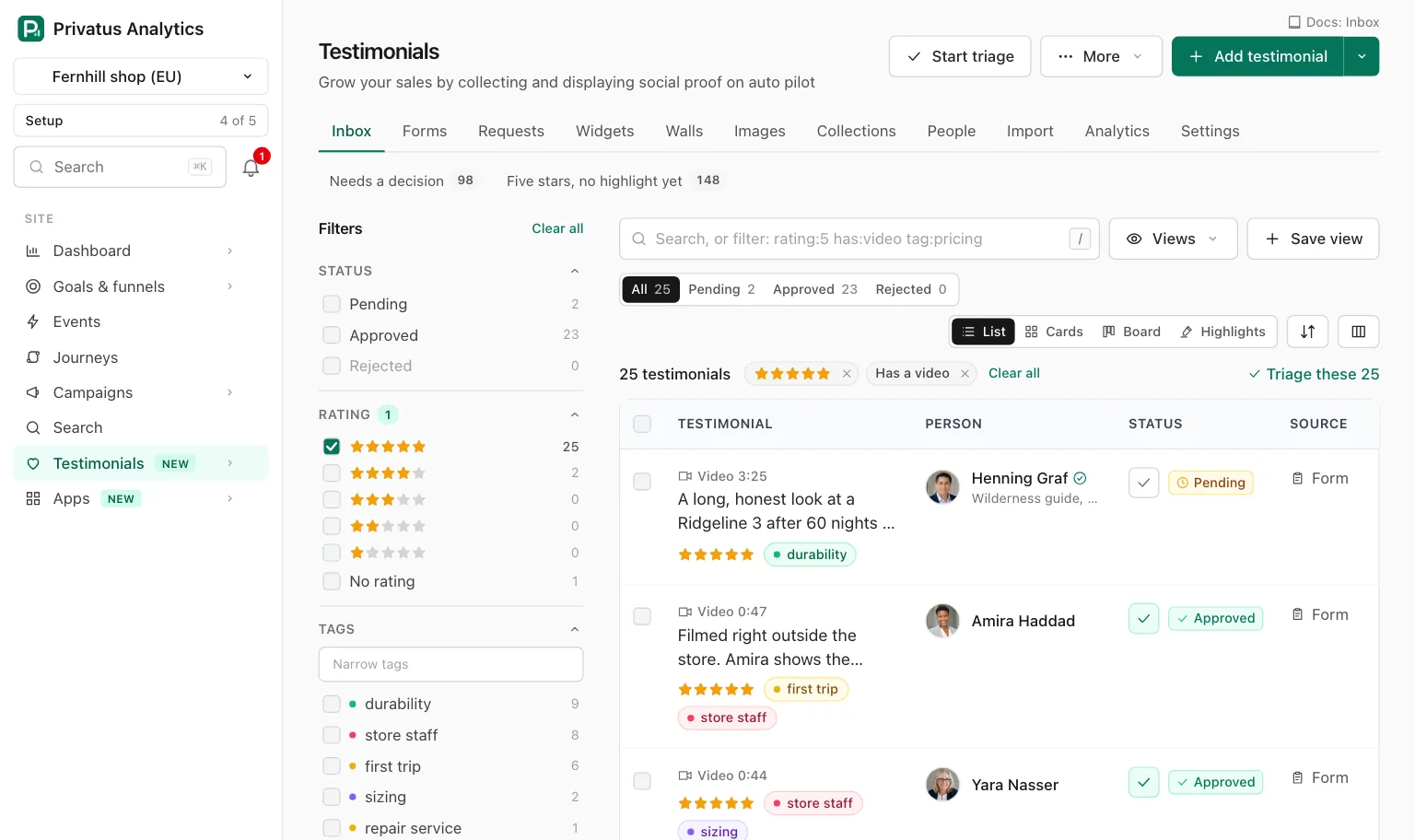
The search box finds testimonials by what they say and by what they are. It is at the top of the Inbox, under Testimonials in the site's sidebar, and it takes words and filters together in one line:
rating:5 has:video tag:onboarding,pricing -is:pinned "saved us"
The / key puts the cursor in the box. Press Enter to search.
How the box reads what you type#
| You type | It means | Example |
|---|---|---|
| A word | The word is searched in the words and the title of the testimonial, and in the person's name, company and job title | onboarding |
"..." |
The exact phrase | "saved us" |
key:value |
An operator from the table below | rating:5 |
| A comma inside a value | Any of these | tag:onboarding,pricing |
| A minus in front | Leave these out | -tag:internal, -refund |
Terms are joined with "and": a testimonial has to match every one. There is no "or" and there are no parentheses. The comma covers "any of".
Words are matched by their stem in the language of each testimonial, so "ship" also finds "shipping" in an English one. The box reads the first 500 characters.
Operators#
| Operator | What it keeps | Examples |
|---|---|---|
status: |
pending, approved or rejected |
status:pending |
kind: |
text, video or audio |
kind:video |
source: |
The route it arrived by: form, import, manual, api, migration, or extension, which the app shows as "Captured from a page" |
source:import |
rating: |
A rating from 1 to 5, a list, none, or a comparison with >, >=, < or <= |
rating:5, rating:4,5, rating:none, rating:>=4 |
from: |
The platform or the name of the place it came from | from:trustpilot |
form: |
The form it was sent through, by name or id | form:"Order follow-up" |
tag: |
A tag by name or id. none keeps the untagged ones |
tag:pricing, tag:none |
collection: |
A collection by name or id. none keeps those in no collection |
collection:"Homepage picks", collection:none |
lang: |
A language code, or the name of the language | lang:de, lang:German |
has: |
It has that thing: photo, video, audio, image, rating, title, highlight, consent, email, translation |
has:video, -has:photo |
is: |
verified, pinned, edited, waiting, duplicate, fresh (received in the last two years), old (received over two years ago), used, unused |
is:unused, is:waiting |
consent: |
The giver granted that permission: name, photo, video, marketing |
consent:marketing |
received: |
A day, a month, a year, a range with .., a comparison, or a number of days back from today |
received:2026-03-31, received:2026-03, received:2026, received:2026-01-01..2026-03-31, received:>2026-06-01, received:30d |
person: |
Words from the person's name, company or job title | person:maya |
company: |
The company, by its name or its website host | company:acme |
email: |
The person's full email address. Needs content.write |
email:[email protected] |
used: |
How many places show it: a count or a comparison. Or the id of one widget or wall that shows it | used:0, used:>=3 |
mentions: |
The words hold this term | mentions:support |
prop.<key>: |
A custom property by its key. A number property takes a comparison or a range with .., a yes or no property takes yes or no, and none means not filled |
prop.plan:team, prop.seats:10..50, prop.plan:none |
A value with a space goes in quotes: form:"Order follow-up". Tag,
collection, form and company names are matched without regard to
capitals.
An operator that is not in this table is searched as plain text. A value
an operator does not take, such as rating:9, has:shoes or a tag that
does not exist, is refused with a sentence that names it. The page comes
back with that sentence, the box as you typed it and nothing listed.
From the box to the filter rail#
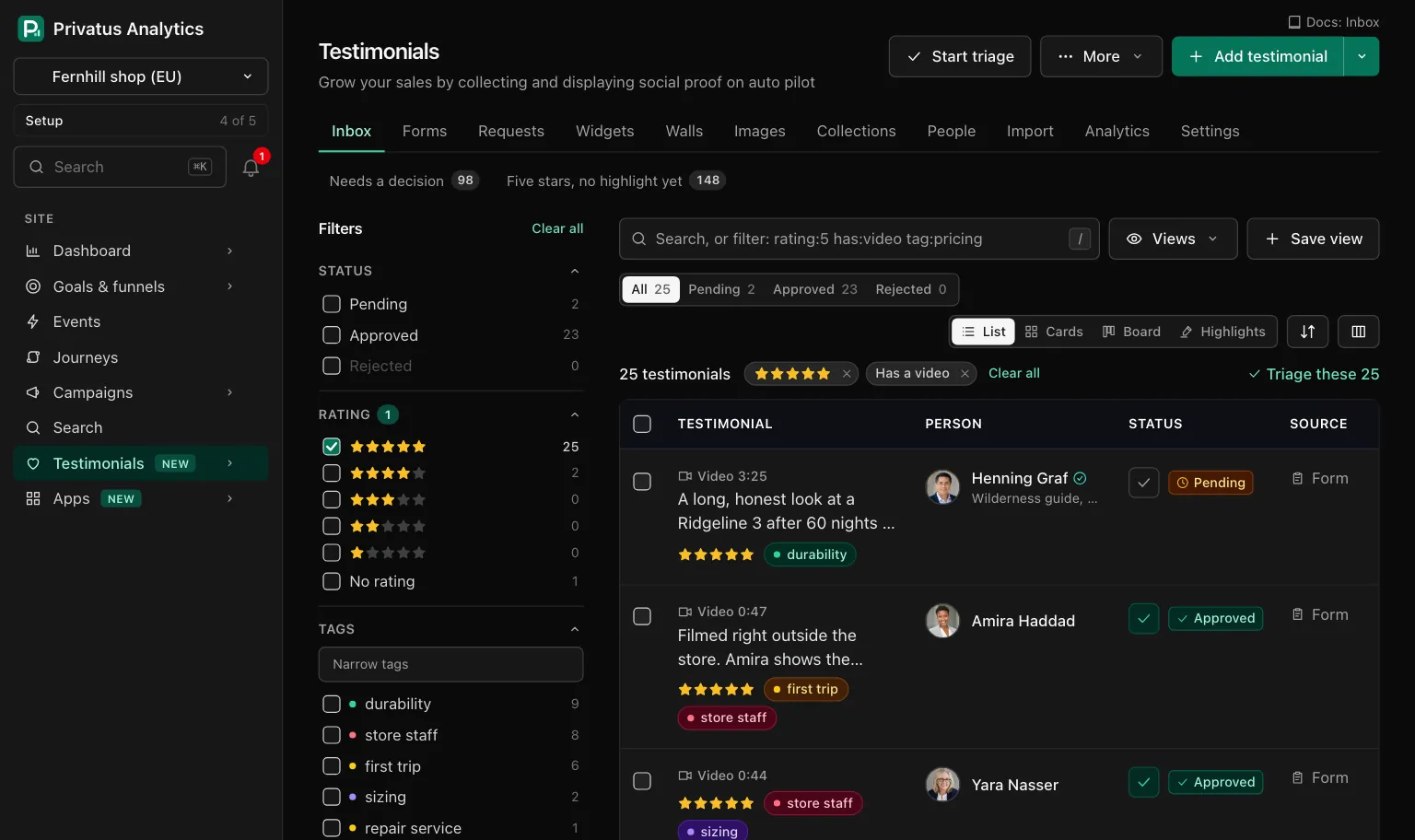
When you search, the operators the
filter rail has a control for
are lifted out of the box: the matching filter is ticked, a chip appears
above the list, and only what the rail cannot say stays in the box. So
rating:5 has:video onboarding leaves "onboarding" in the box, with 5
stars and Has video ticked on the left. The box and the rail are always
one state.
| Lifted into the rail | Stays in the box |
|---|---|
status:, kind:, source:, lang:, from:, form:, company:, mentions: |
Words and quoted phrases |
rating: with a rating, a list or none |
rating: with a comparison, such as rating:>=4 |
tag: and collection:, with names, ids or none |
person: and email: |
has:photo, has:video, has:image, has:highlight |
has:audio, has:rating, has:title, has:consent, has:email, has:translation |
is:verified, is:pinned, is:edited, is:waiting, is:duplicate, is:used, is:unused |
is:fresh, is:old |
consent: with one permission |
consent: with several |
received:7d, received:30d, received:90d, and a day, month, year or range |
received: with a comparison or another number of days |
prop.<key>: for a text or choice property that is shown as a filter |
prop.<key>: for a number or a yes or no property, and none |
used: with a count, a comparison or an id |
A minus in front keeps an operator in the box, with one exception: a
minus on one of the lifted has: and is: operators becomes the other
side of that filter. -has:video turns into the chip "No video" and
-is:used into "Used nowhere".
An operator also stays in the box when its filter already has a choice (lifting it would turn "and" into "or"), and when its value is one the Inbox will refuse, so the message can name it.
Sorting#
The sort button in the toolbar lists the orders in words. The API takes
the value in sort.
| In the app | sort |
Order |
|---|---|---|
| Newest received | received_desc |
Newest received first. The default |
| Oldest received | received_asc |
Oldest received first |
| Newest added, Oldest added | added_desc, added_asc |
By when it entered Privatus Analytics |
| Highest rating, Lowest rating | rating_desc, rating_asc |
By rating. Testimonials with no rating come last either way |
| Person, A to Z | person_asc |
By the person's name |
| Longest, Shortest | length_desc, length_asc |
By the length of the words |
| Most used, Least used | used_desc, used_asc |
By how many places show it |
| Best match | relevance |
The default when the search has words. Offered only then, and refused without words |
API and MCP#
The same text works in the q input of these tools, and inside the
filters of the JSON API bulk route.
| Action | MCP tool | Permission |
|---|---|---|
| List what a filter matches | testimonials_list |
analytics.read |
| Count the values of every filter | testimonials_facets |
analytics.read |
| Walk what a filter matches one by one | testimonials_triage |
analytics.read |
The inputs are in the API reference and the MCP reference. A filter can be said three ways, and they add up:
- The filter inputs of the rail, such as
status,tag_idandhas_video. They are listed beside each group on the Inbox page. q, the search box with its operators.conditionswithmatch: rows offield,operatorandvalue, the same shape a smart collection and an auto-tag rule store.
{
  "match": "all",
  "conditions": [
    { "field": "status", "operator": "is", "value": "approved" },
    { "field": "rating", "operator": "is_at_least", "value": 4 },
    { "field": "tag", "operator": "has_any_of", "value": ["onboarding", "pricing"] }
  ]
}
match is all (the default) or any, and it joins the rows of
conditions only. The filter inputs and q always apply on top. A list
takes up to 50 rows, a row takes up to 100 values, and a phrase up to 200
characters. In a query string, send conditions as JSON text.
| Field | Operators | Value |
|---|---|---|
status, kind, source, age |
is, is_any_of |
One of the field's values. age takes 0_6m, 6_12m, 1_2y, over_2y |
rating |
is, is_any_of, is_at_least, is_at_most, has_none |
1 to 5. is_any_of also takes none |
language, source_name, company, email, person_name, mention |
is_any_of |
A list of texts |
form, person, used_by |
is_any_of |
A list of ids. A form also by name |
tag |
has_any_of, has_all_of, has_no_tags |
Tag names or ids |
collection |
is_in_any_of, is_in_none |
Collection names or ids |
words |
contain, contain_any_of |
Phrases searched in the words and the title |
search |
contain, contain_any_of |
Phrases searched the way the search box does, the person included |
has_photo, has_video, has_audio, has_image, has_rating, has_title, has_highlight, has_consent, has_email, has_translation, verified, pinned, edited, waiting, duplicate, fresh, used |
is_yes, is_no |
None |
consent |
is_on_record, is_source_only, includes |
For includes: show_name, show_photo, show_video, marketing |
received |
in_the_last (days), before, after, on_or_before, on_or_after, between |
Dates as 2026-03-31. between takes two |
usage |
is_used_nowhere, is_used_somewhere, is_used_in, is_used_in_at_least, is_used_in_at_most |
A count where the operator needs one |
property.<key> |
By the kind of the property. Text: is_any_of, contains, is_filled. Choice: is_any_of, is_filled. Number: is, is_at_least, is_at_most, between, is_filled. Yes or no: is_yes, is_filled |
The property's values |
url_param.<name> |
is, is_any_of, is_present |
The value a form link carried in that URL parameter |
Every operator has an opposite. The named ones are is_not,
is_none_of, has_none_of, is_in_none_of, do_not_contain,
does_not_contain, does_not_include, is_no, is_empty and
is_absent. For the rest, put not_ in front, as in not_between.
A field, an operator or a value the filter does not know is refused with
422 and a sentence that names it. Nothing is guessed or dropped.
meta.summary says the whole filter in words, for example "Testimonials
where status is approved and rating is at least 4." meta.query says how
q was read: text (the words), filters (each operator as a
condition) and unknown (the operators it did not know and searched as
text).
Ask your assistant:
- "Find the five-star video testimonials nobody has used yet."
- "What do people say about support, and how many of those are approved?"
- "List everything from Acme received this year, best rated first."
Good to know#
- The trash is never searched here. The Trash page has its own search box.
email:and theemailcondition needcontent.write, because filtering by an address would tell a read-only member whether it is in the site. Without it the server responds with 403.- Dates are read as
2026-03-31. A range that runs backwards is refused. is:freshandis:oldgo by the date received, with two years as the line.- Every date is a day on the site's own clock.
received:30dstarts at the beginning of the day 30 days ago. - A saved view keeps the search text with its operators, so a search you repeat can be one click.