Page analytics detail view
Everything about one page in one view: visitors, entry and exit rates, time on page, scroll depth, previous and next pages, sources and Web Vitals by device.
Everything about one page. Open it with the icon next to a page in the Pages panel or the Pages drill-down table, or by clicking a page on Live or on an event's detail. The toolbar's date range, filters and segment apply.
The header has Visit page (the live URL on the site's domain), Explore journeys from here (opens Journeys starting at this page) and JSON.
Metrics#
| Metric | Meaning |
|---|---|
| Visitors, Pageviews | Of this page |
| Entrances | Visits that started on this page |
| Entry rate | Entrances ÷ visits that viewed the page |
| Exit rate | Visits that ended on this page ÷ its pageviews |
| Bounce rate (as entry) | Bounced visits ÷ entrances |
| Time on page | The median visible time per visit |
| Median scroll | The median of the deepest scroll per visit |
Cards#
| Card | What it shows |
|---|---|
| Previous pages, Next pages | The top 10 pages viewed just before and after this one, including "(entrance)" and "(exit)", with their shares. Click a page to open its detail |
| Sources of entrances | The top 8 channels and referrers of visits that entered on this page |
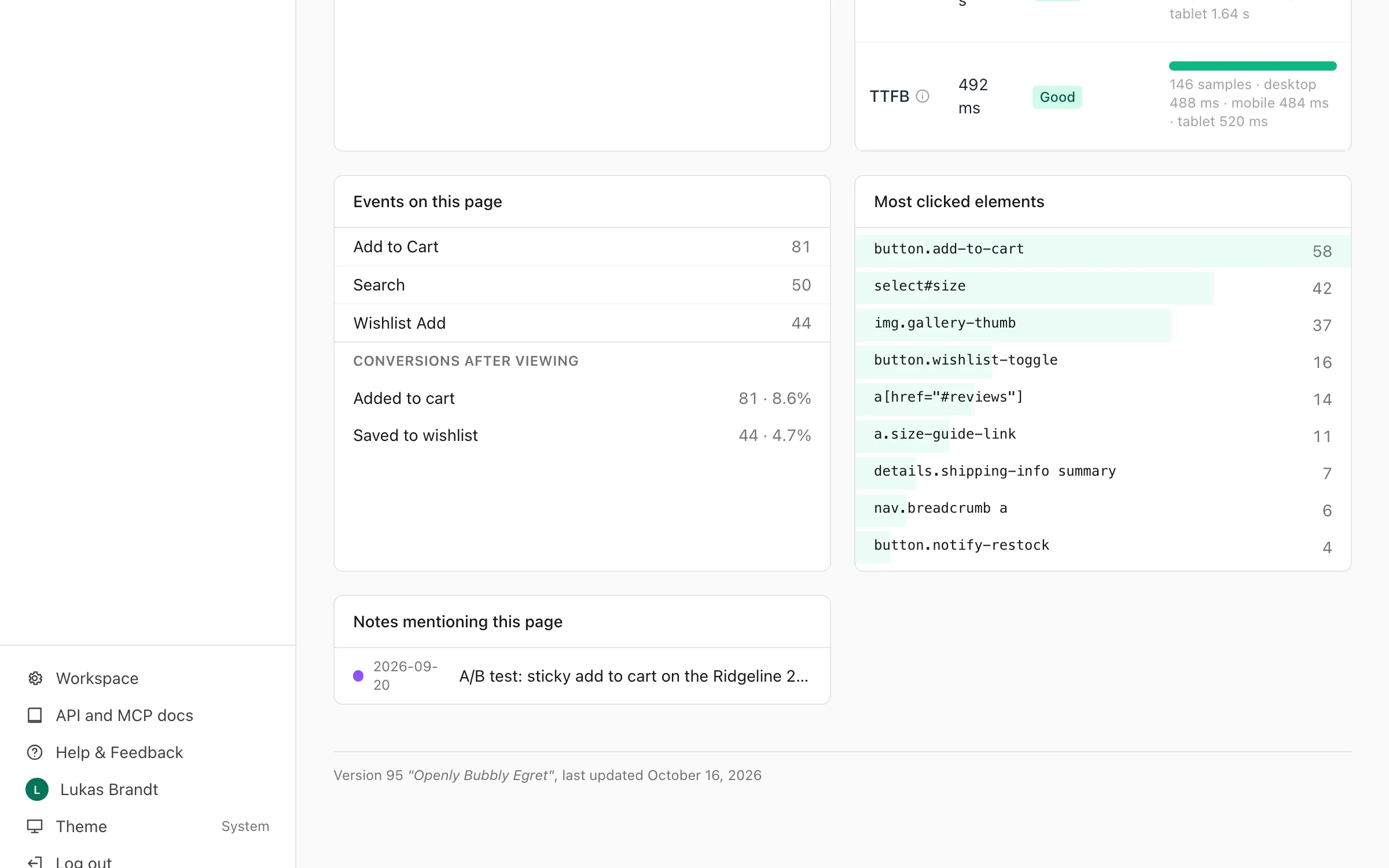
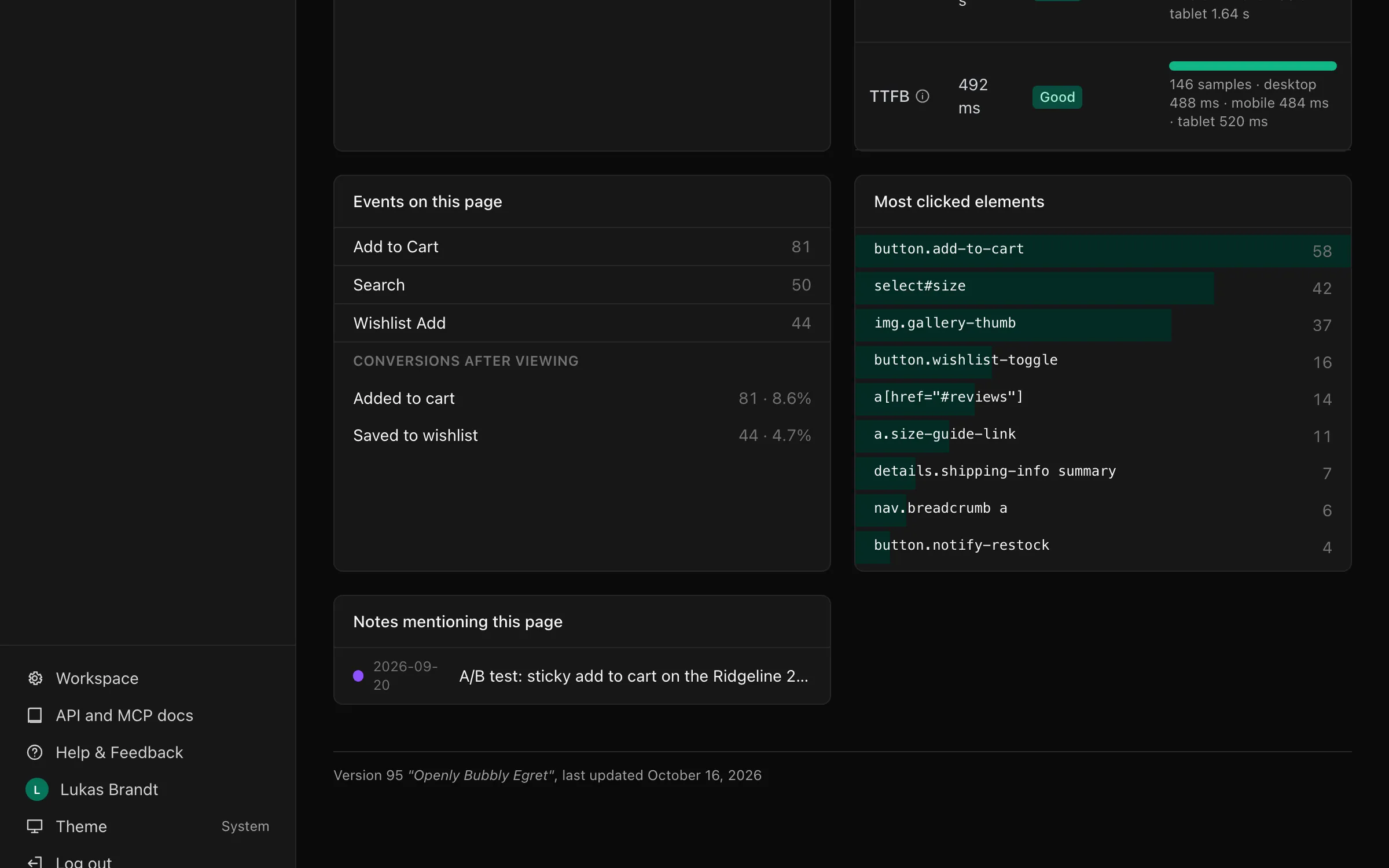
| Web Vitals (p75) | The p75 value, rating, the good / needs improvement / poor split and the p75 by device. Needs the vitals module |
| Events on this page | The top 10 custom events fired here |
| Conversions after viewing | Goals completed in visits that viewed the page, with the conversion rate |
| Most clicked elements | The top 20 elements by clicks. Needs the clicks module. Click map opens every element of the page with the share of visits that clicked it, and Show on the page draws them on the page itself (click maps) |
| Notes mentioning this page | Notes in the range whose title, details or link contains the path |
Time on page and scroll depth come from the tracker's engage module,
which is on by default.
In the API this is GET /sites/<site id>/pages/detail.json?path=/pricing
(MCP: pages_detail).