Click maps without session recording
Privacy-friendly click maps count clicks per element, draw them on your own page and show the buttons nobody clicks, with no mouse tracking or session replay.
The snippet from Site settings → Tracking loads the
clicks module. If you wrote the
tag yourself, check that data-modules includes clicks:
<script defer src="https://privatusstats.com/js/pa.js" data-site="pa_YOURSITEID" data-modules="engage,auto,vitals,clicks,ask"></script>
What a click sends#
For each click, the module sends one short name for the clicked link, button or control, and nothing else about it. The name is one of two things:
- A name you gave the element, when it or an element around it has
data-privatus-click="..."(see Name your elements). It is sent as[data-privatus-click="buy-pro"]. - Otherwise a short CSS selector, for example
nav.main > ul > li > a.pricing. A selector has at most four levels and stops at the first element with anid.
Clicks less than 300 ms apart are sent once. The hit also has the page address, like every hit (see What the tracker sends).
What it never collects: mouse movement, scrolling paths, where on the screen you clicked, the text of the element, form input or screenshots. There's no session replay.
The reports#
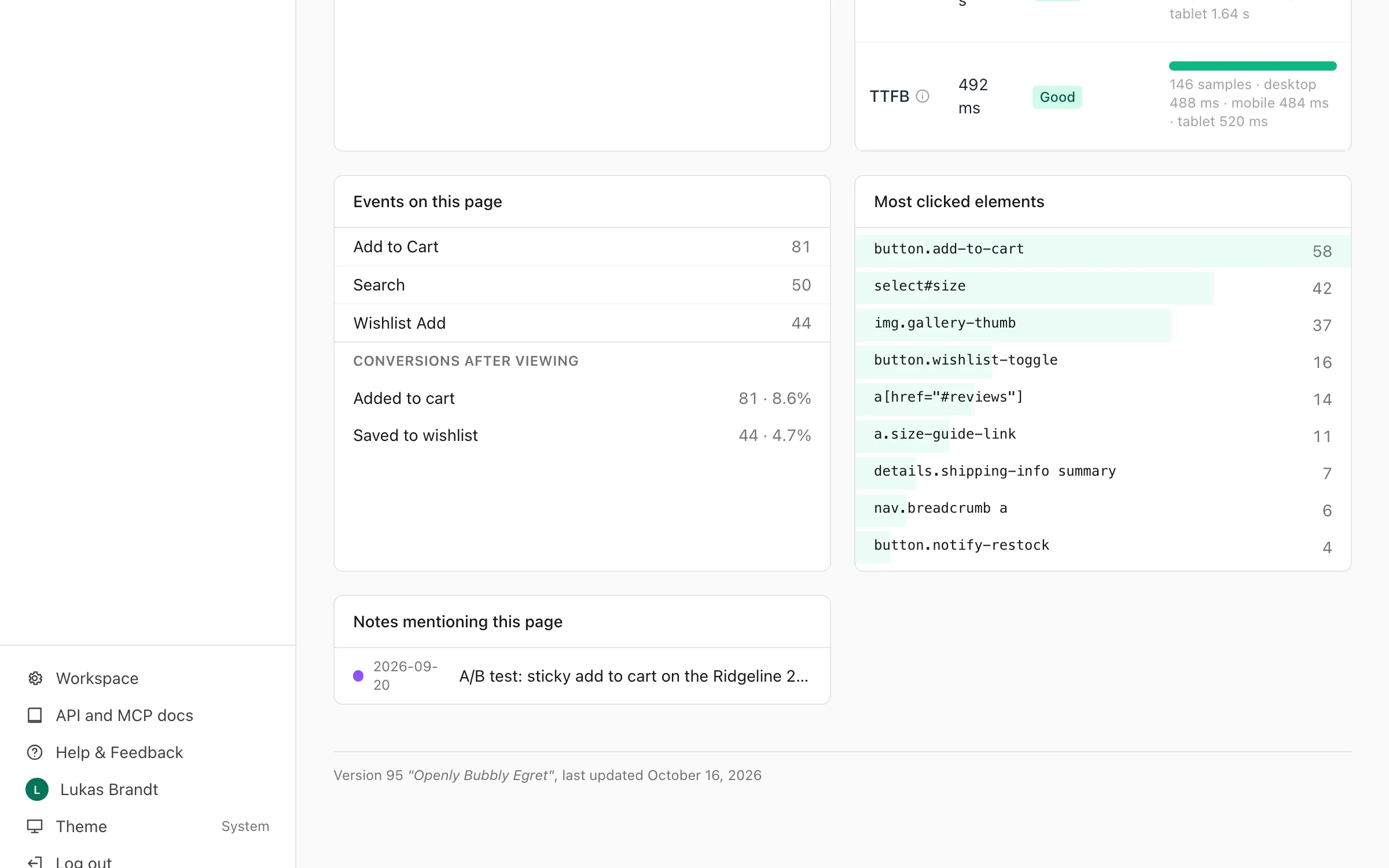
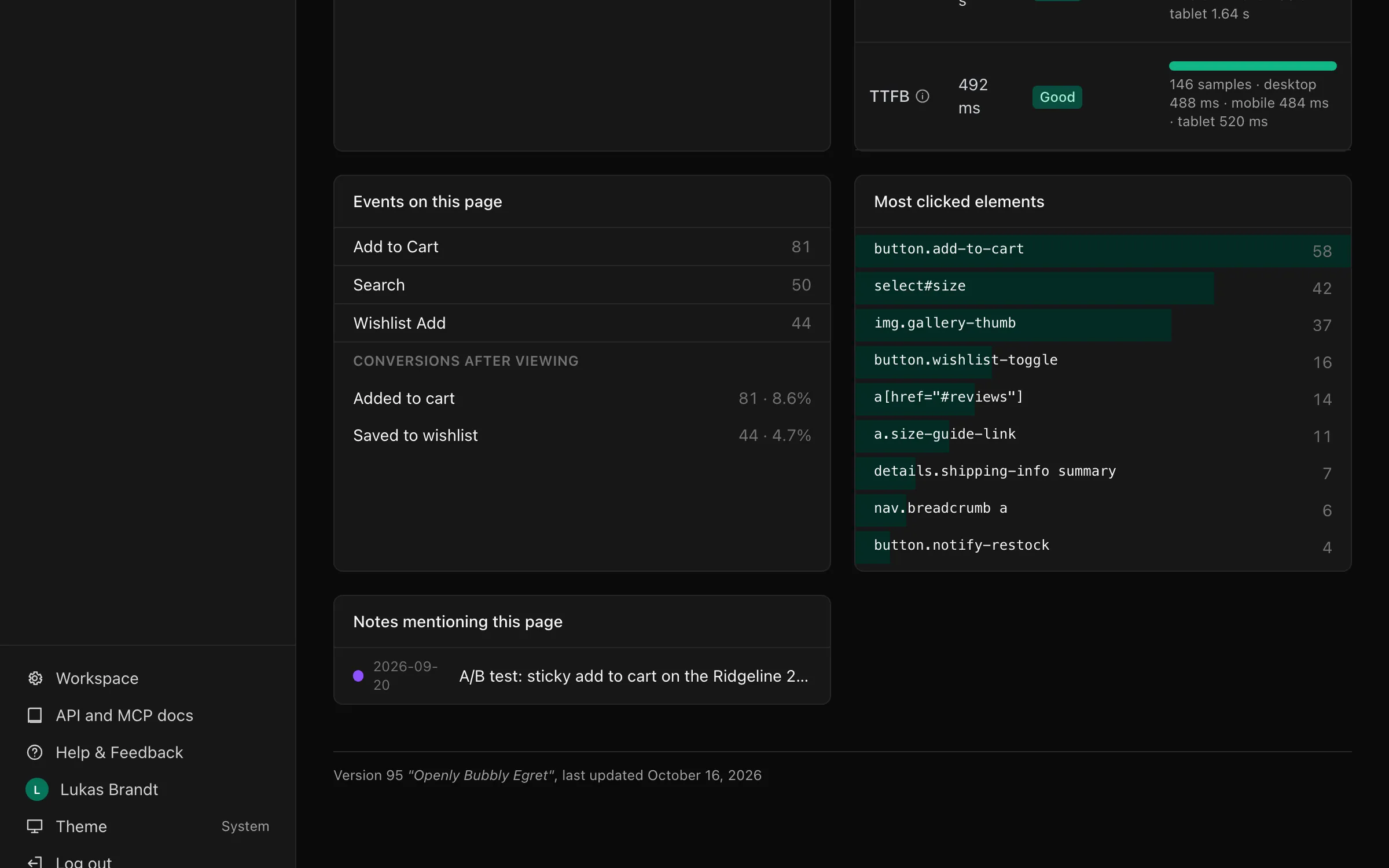
- Page detail. A page's page detail view lists its 20 most clicked elements under Most clicked elements.
- Click map. Click map, in the menu under Dashboard (and under
Pages if you pinned it), lists the most clicked elements of
the whole site, with their page, for the date range and filters you
pick. Type a page (for example
/pricing) to see only that page: then each element also shows the share of the page's visits that clicked it. It is also in the API and MCP asclicks_list. - Show on the page. From a page's click map or page detail, Show on the page opens that page on your own site with the click map drawn on it (below).
Click hits are also in the raw export (Pro and
above) when you ask for the selector field.
The click map on your page#
Show on the page opens your page in a new tab with a panel and a badge on each link and button:
- A green badge shows the share of the page's visits that clicked the element. Hover over it for the number of clicks.
- An orange badge with 0 marks a link or button on the screen that nobody clicked in the time you picked. The panel lists them under Not clicked, so you can see what to move or remove. Untick it to hide them.
- Pick the time (7, 30 or 90 days) and the kind of device (computers, phones or tablets) in the panel.
- If your site changes pages without reloading, the click map follows you to the next page. Press Escape or × to close it.
How it stays private:
- The tab opens with a pass at the end of the address, after
#. The part after#is never sent to any server, and the tracker takes it out of the address straight away. - The pass works for one hour, for you and this site only. Each time it is used, Privatus Analytics checks that you can still see the site's reports.
- The panel reads only the numbers of the page you are on, and only your own site's addresses may read them.
- While the click map is open, the tracker sends nothing, so your own look at the page is not counted. This holds for a page opened with a pass that no longer works too, until the page is reloaded. Nothing is saved in your browser.
The click map needs the tracker on the page. It loads its extra script
(pa.overlay.js) only when you open it, never for your visitors.
Name your elements#
A click counts for the nearest link, button, form control, label,
summary or role="button" element. Add data-privatus-click to any
other element to make it a click target too.
Give it a value to name it. The name is sent in place of a selector, so the element keeps its name when your design changes:
<button class="btn btn-lg" data-privatus-click="buy-pro">Buy Pro</button>
<div class="plan-picker" data-privatus-click="plan-picker">…</div>
- A click inside a named element (a button inside the plan picker above) counts for the nearest named element around it.
- A name may have letters, digits,
.,_,:and-, up to 100 characters. Any other value is not sent, and the element gets a selector instead. data-privatus-clickwith no value makes an element a click target without naming it.
Don't put personal data in a name. It is stored like a page address.
Stable selectors#
Ids and classes that look generated are left out of selectors: those
with three or more digits in a row (row-1234), and those with eight or
more capital letters or digits in a row, the shape of a record id or a
token (user_K7QWZP2M). So are classes that contain a colon. A selector
goes up past an element whose id was left out. Give important elements a
name, or a plain id or class, so they keep the same name between deploys.
Click-map hits don't count toward usage. Click maps are on every plan.