Custom properties
Add your own fields to testimonials, such as product, plan or persona, then filter by them, show them as columns and fill them from a form's link.
A custom property is a field of your own that a site keeps on every testimonial: product, plan, persona, industry. Once it exists you can filter the inbox by it, build smart collections and auto-tag rules on it, show it as a column and fill it from a form link.
Open Testimonials in the site's sidebar, then the Settings tab
and Custom properties. The page is at
/sites/<site id>/testimonials/settings/properties. Custom properties
are on every plan. Reading the list needs analytics.read, and adding
or changing a property needs sites.manage.
The list#
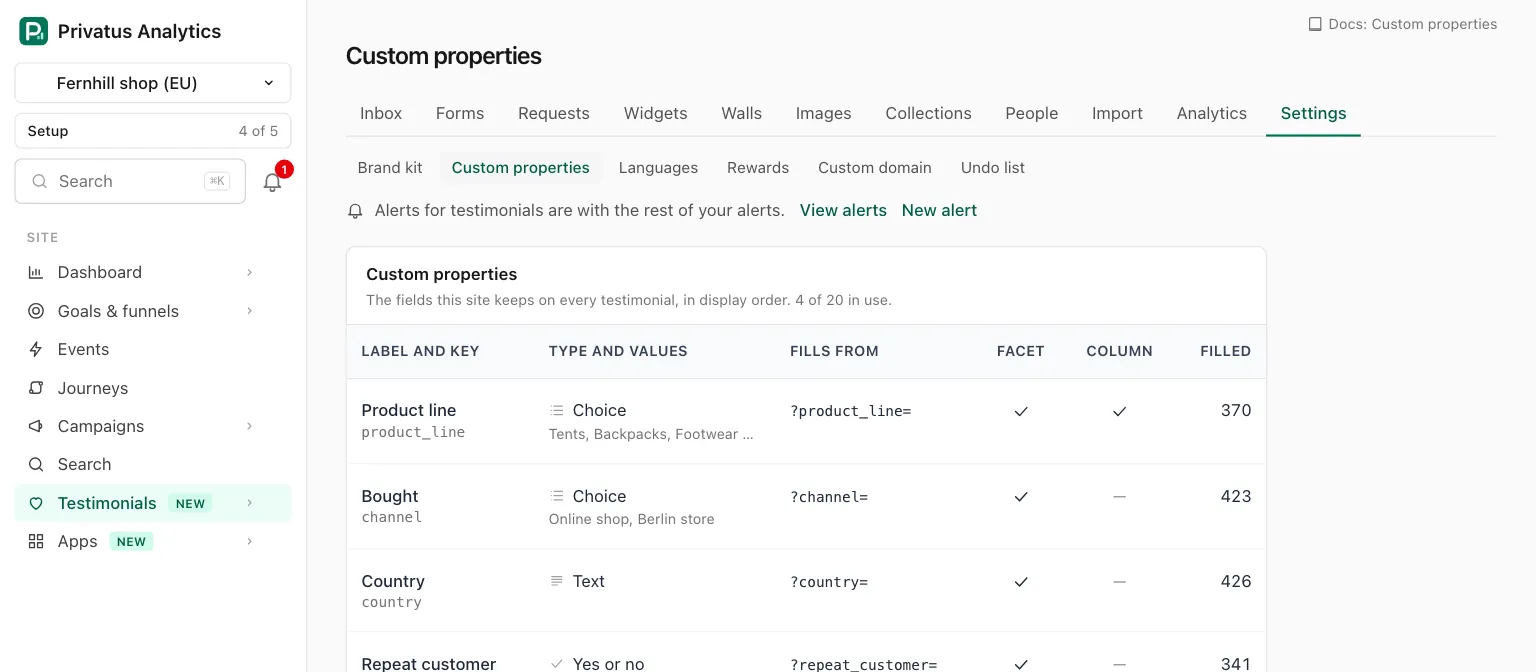
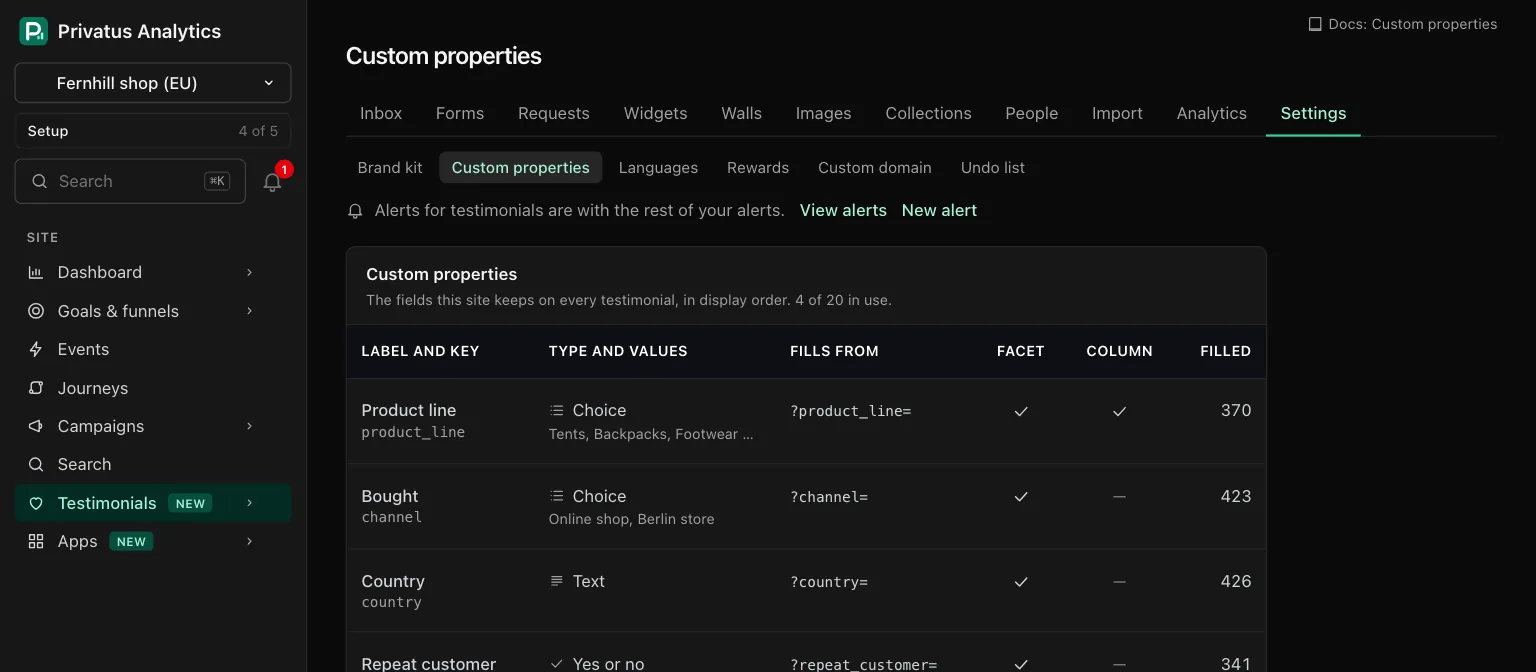
The card says how many properties are in use ("3 of 20 in use."). A site holds up to 20 active properties. Archived ones do not count, and at 20 the New property button gives way to the line "A site holds up to 20 active properties. Archive one to add another."
| Column | What it shows |
|---|---|
| Label and key | The label, with the key under it. A property that a rule uses also says "Used by" and names each collection and tag |
| Type and values | The type, and for a choice property its choices |
| Fills from | The property's form URL parameter, written ?plan= |
| Facet | A check when it has a filter in the rail beside the inbox |
| Column | A check when it is offered in the inbox's Columns menu |
| Filled | How many testimonials hold a value, the trash left out |
| Control | What it does |
|---|---|
| New property | Opens the form. The N key does the same |
| Row menu, Edit | Opens the property's page |
| Row menu, Move up, Move down | Changes its place in the display order |
| Row menu, Archive | Retires it and keeps every value. Not offered while a rule uses it |
Archived properties are listed in a card of their own under the table, each with Bring back and Edit. Bring back is not offered while the site already has 20 active properties.
What a property has#
| Field | What it does |
|---|---|
| Label | What people see, such as Product or Plan. Required, up to 40 characters |
| Key | The name the values are stored under: lowercase letters, digits and underscores, starting with a letter, up to 30 characters, unique on the site. Leave it empty and it follows the label ("Product line" gives product_line, and a second one product_line_2). It cannot change later, because form links, rules and the API use it |
| Type | Text, Choice, Number or Yes or no. It can change only until a testimonial holds a value, the trash included |
| Choices | For Choice only: the list, one per row, in order. At least 1 and up to 50. Add a choice adds a row |
| Form URL parameter | The parameter name you plan to use for this property on form links, as in ?plan=team. Lowercase letters, digits and underscores, up to 40 characters. Empty, it is the key. It is shown in the Fills from column. Every form of the site fills the property from that parameter, see Where values come from |
| Show in the filter rail | A filter for it sits beside the inbox. On by default |
| Offer as a column | It can be turned on in the Columns menu of the inbox. Off by default |
The types take these values:
| Type | A value is |
|---|---|
| Text | Any words, up to 500 characters |
| Choice | One of the list you wrote. Capitals do not matter when a value is set |
| Number | A whole or decimal number |
| Yes or no | Yes or no |
Where values come from#
- A form link. A giver who opens any form of the site with the
property's parameter in the address, as in
/f/<slug>?plan=team, has the property filled when they submit. The parameter is the property's Form URL parameter, or its key when that is empty, and it is shown in the Fills from column. Nothing has to be set on the form. A form can also map a parameter of another name to a property, in its settings under URL parameters, up to 20 per form. When both give a value, the form's own mapping wins, and an answer to a question saved to the property wins over both. A value that does not fit the type is left out, and the testimonial is still stored. An archived property is not filled. - A form question. A question of a form can save its answer to a property. See Forms.
- By hand. Edit a testimonial in the inbox.
- In bulk. The set property bulk action sets it on many at once, with undo.
- The API.
testimonials_createandtestimonials_updatetakeproperties, an object of key and value. A value that does not fit the type is refused with a422that names it.
An empty value clears the property on that testimonial.
Renaming and removing choices#
On a property's page, retype a choice to rename it. The new name replaces the old one on every testimonial that has it, the trash included, and in the smart collections and auto-tag rules that filter on it.
Empty a row to stop offering a choice. Testimonials that already have it keep it.
Archive and bring back#
Archive is the everyday way to retire a property. It hides the property from forms, facets, rules and columns and keeps every value. Bring back shows it again, as long as the site has room for it.
Delete permanently#
Delete permanently is in the danger zone of the property's page. The page says how many testimonials hold a value, and how many of those are in the trash. You type the property's key to confirm.
It removes the property and its value from every testimonial, the trash included. It cannot be undone. One entry is written to the audit log with the label, the key, the type and the number of testimonials that lost a value, never the values.
A property that a smart collection or an auto-tag rule uses cannot be archived or deleted while they use it. The property's page lists each one under In use. Change or remove those first. Collections in the trash and the rules of a tag in the trash do not count.
API and MCP#
Inputs and response fields are in the generated reference at /docs/api and /docs/mcp. A property's id in a path is its key.
| Action | MCP tool | Permission |
|---|---|---|
| List the properties | testimonial_properties_list |
analytics.read |
| Add a property | testimonial_properties_create |
sites.manage |
| Change, reorder, archive or bring back | testimonial_properties_update |
sites.manage |
| Delete permanently | testimonial_properties_destroy |
sites.manage |
testimonial_properties_destroyruns nothing as an MCP tool. It responds withhuman_onlyand the address of the property's page, because the delete cannot be undone. The API operation deletes, withconfirmset to the key.testimonial_properties_listtakesarchived:yesfor the archived ones only,nofor the active ones only.positionmoves a property to that place, counted from 1.archivedset totruearchives it andfalsebrings it back.- Archiving or deleting a property that a rule uses responds with
422and the codein_use. The sentence names each collection and tag.
To rename a choice through the API, send the whole list as choices
and the earlier names beside it as choices_were, in the same order,
with an empty string for a new choice:
{ "choices": ["Starter", "Teams"], "choices_were": ["Starter", "Team"] }
Ask your assistant:
- "Add a property called Plan with the choices Starter, Team and Scale."
- "Which custom properties does this site have, and how many testimonials fill each?"
- "Rename the choice Team to Teams on the plan property."
Good to know#
- The key and, once a value exists, the type are fixed. To change either, add a new property and archive the old one.
- The limit of 20 counts active properties only. Archive one to make room, and nothing is lost.
- A property is filled from its Form URL parameter on every form of the site, with no setting on the form. Anyone who has the link can change the value in the address, so treat it as what the link said, not as proof.
- A Text property filled from a form link takes whatever the link says. Use a Choice property when only a few values should be accepted.