Public status pages
Create a public, branded status page for your uptime checks with a custom domain, incident updates and email subscribers.
A status page shows the current state and history of the checks you choose, on a public page.
How many you can have depends on the plan:
| Plan | Status pages | Email subscribers and custom domain |
|---|---|---|
| Free | None | No |
| Pro | 1 | No |
| Business | 10 | Yes |
| Enterprise | Unlimited | Yes |
Nothing is deleted when a workspace moves to a smaller plan. The oldest pages stay online, up to the plan's count, and the rest go offline (their public address responds "not found") until you upgrade or delete another page. Without the Business plan, subscribers are kept and not emailed, and a custom domain stops serving the page.
Create one#
Status pages → New status page in the workspace menu. Creating and
editing status pages needs the uptime.manage permission.
A status page is public once a site of the workspace is
verified,
and a custom domain works only on that site's own domain or a subdomain of
it (status.example.com for example.com).
| Field | What it does |
|---|---|
| Name | Required, up to 100 characters. The page's heading |
| URL slug | Lowercase letters, digits and dashes, up to 63 characters. The page lives at https://privatus.page/status/<slug>. Left blank, it is made from the name |
| Description | Optional text under the heading, up to 2,000 characters |
| Logo URL | Optional. An https:// address of your logo |
| Brand color | Optional. A hex color such as #06755b |
| Custom domain | Optional, such as status.example.com. Point a CNAME record for it at privatusanalytics.com |
| Checks shown | The uptime checks on the page. Only checks marked Can be shown on status pages are listed. Each shows under its check name |
| Published | On by default. An unpublished page is a draft: it isn't public and its subscribers get no email |
What visitors see#
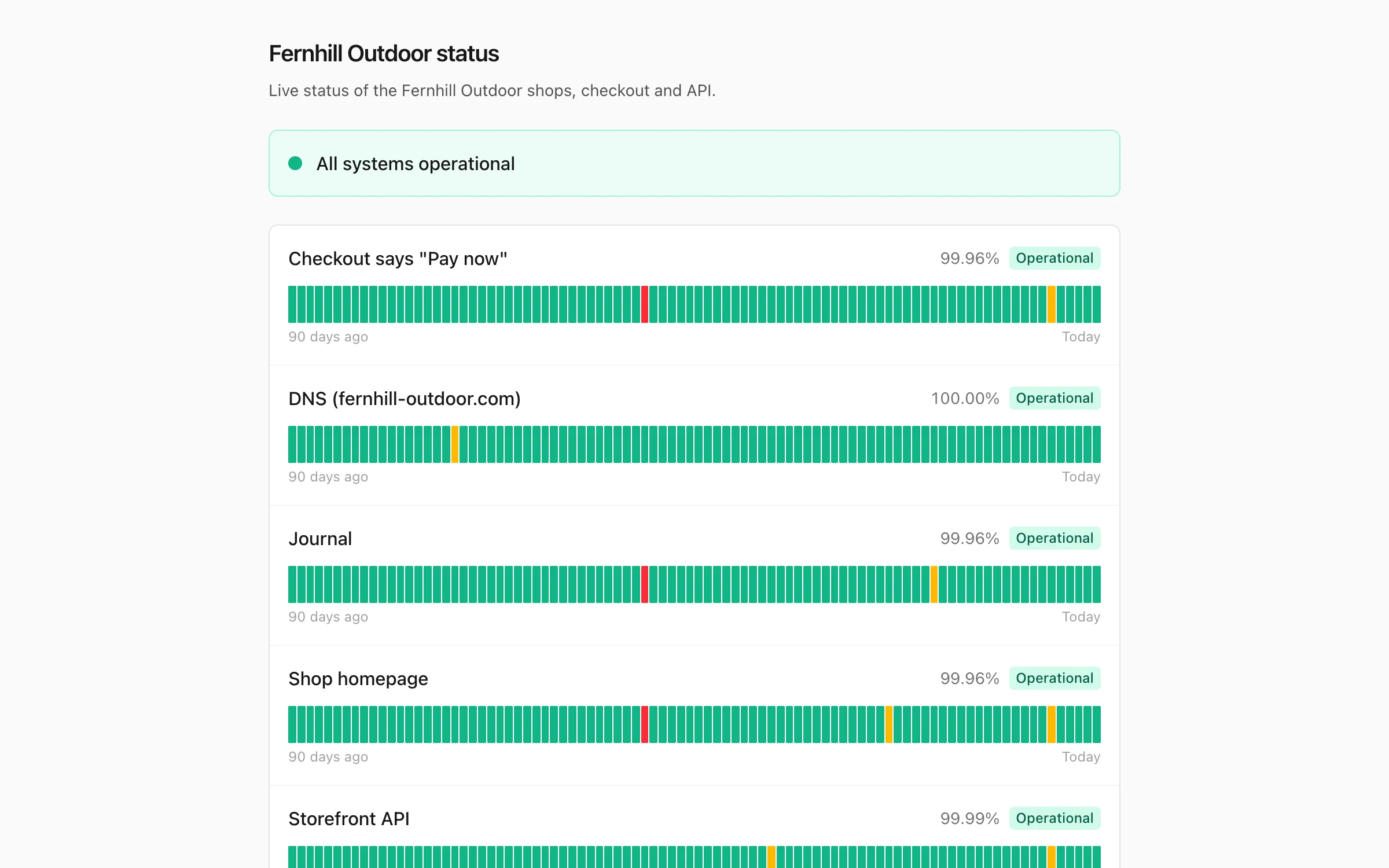
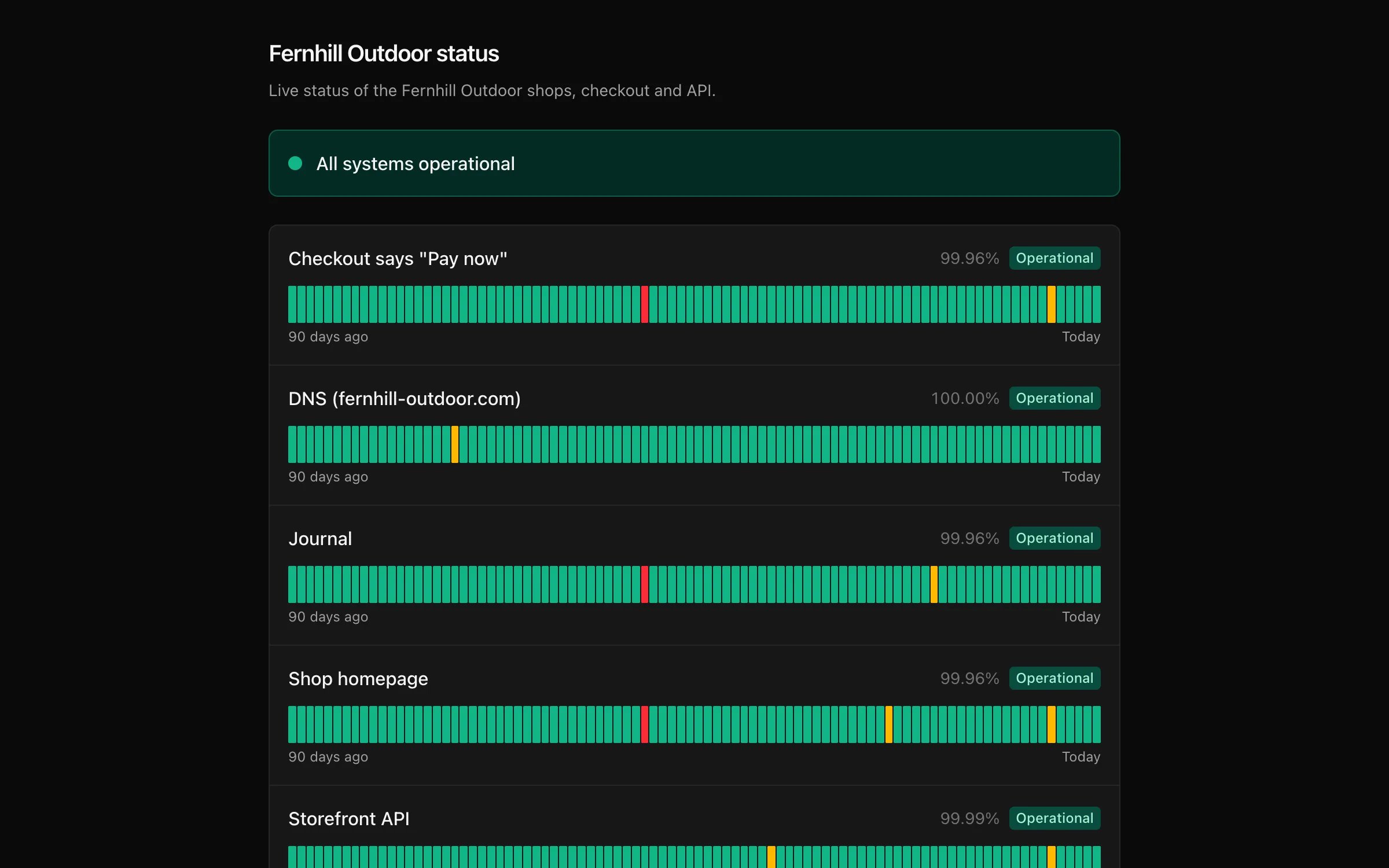
- An overall status: All systems operational, Some systems are having problems (some checks down) or Major outage (every check down).
- Each check's current state, its uptime over the last 90 days and a bar per day.
- Your incident updates from the last 90 days.
- Past incidents: the latest 30 downtimes in the last 90 days, with their start and duration.
- A form to subscribe by email.
Incident posts#
Post an update on the status page's own page in the app. An update has:
| Field | What it does |
|---|---|
| Title | Required, up to 200 characters |
| Status | Investigating, Identified, Monitoring or Resolved |
| Details | Optional message, up to 10,000 characters |
| Email subscribers | On by default. Sends the update to confirmed subscribers |
Posts appear on the page in a timeline and can be edited or deleted.
Subscribers#
Visitors can subscribe by email. They confirm with a link (double opt-in) and can unsubscribe from any email. Subscribers get your incident posts, and an email when a check on the page goes down or recovers. You can see and remove subscribers on the status page's Subscribers list. Their addresses are used only for these notifications.
Privacy#
Status pages carry no analytics or advertising scripts. The subscribe form uses Cloudflare Turnstile to keep bots out.
API#
Status pages are REST resources and the MCP tools status_pages_list,
status_pages_get, status_pages_create, status_pages_update and
status_pages_delete, with status_page_posts_* for updates and
status_page_subscribers_list and status_page_subscribers_delete for
subscribers. The API reference lists every input.