Wall of Love
Build a Wall of Love, a hosted page of your testimonials with a header and a button: its address, layout, search settings, and how to link or embed it.
A Wall of Love is a page of your testimonials that we host for you. It has a header, your testimonials as cards, and a button that takes visitors where you want them. You link to it from your site, your emails and your profiles, with nothing to paste. Open Testimonials in the site's sidebar, then the Walls tab.
Walls are on every plan, and a site can have as many as it needs. When a site has exactly one wall, the tab opens that wall's builder directly. Press Walls above the builder's title for the list.
The list#
New wall (key N) opens the builder. Removal requests opens the
requests people made for a testimonial to come down, with the number
that are open. See
Removal requests.
| Column | What it shows |
|---|---|
| Name | The wall's name and its address, which opens the page |
| Fed by | The collection, shared view, tags or number of hand-picked testimonials behind it, or "Not fed yet" |
| Showing | How many testimonials it shows right now |
| Views | The total for the last 30 days |
Search covers the name and the address. Sort by Name or Newest. The menu at the end of a row has Edit, Open the page, Link and embed, Duplicate and Move to trash. A wall in the trash is not listed. It is on the Trash page of Testimonials.
When you start Testimonials with "find testimonials on my website" in the Inbox, the site gets a wall named Wall of Love, titled "What people say about" your site, with an address made from the site's name and a Visit our website button to your domain. It is fed by a shared saved view named All approved, so it fills as you approve testimonials, on every plan.
The builder#
The builder has five tabs, Page, Content, Style, Search and Embed, beside a live preview. The Embed tab appears once the wall is saved, and the first save opens it. The preview works the same way as the widget's: see The live preview. Nothing is live until you press Save.
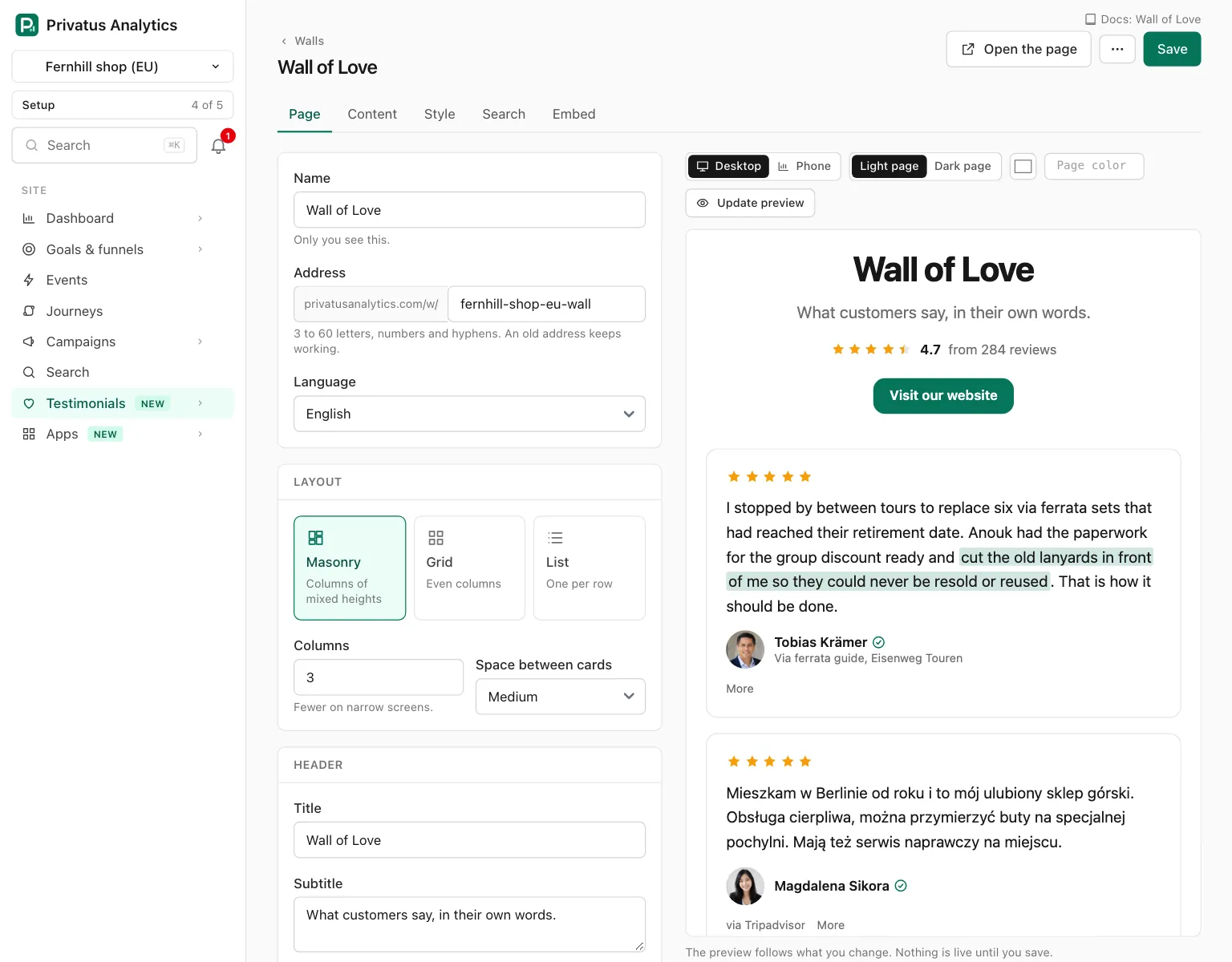

The header of a saved wall has Open the page and a More menu with Duplicate, Removal requests and Move to trash.
Page#
| Setting | What it does |
|---|---|
| Name | Up to 100 characters. Only your team sees it. A new wall starts as "Wall of Love" |
| Address | The last part of /w/<slug>. 3 to 60 lowercase letters, numbers and hyphens, unique across Privatus Analytics. Left empty on a new wall, it is made from the name. When you change it, the old address keeps working and sends visitors to the new one |
| Language | The language of the page's own words. Shown when the site has more than one language |
| Layout | Masonry (the default), Grid or List |
| Layout options | Masonry: Columns (2 to 5, default 3) and Space between cards. Grid: Columns (1 to 5, default 3), Space between cards and Same height in each row. List: Person left of the words or above them, and Lines between, no boxes |
| Title | The heading, up to 120 characters. "Wall of Love" unless you change it |
| Subtitle | The line under the heading, up to 300 characters |
| Logo | On by default. Shows the brand kit's logo above the title, when the brand kit has one |
| Average rating and count | On by default. Worked out from everything that feeds the wall, never typed. Shown once at least one testimonial has a rating |
| Button text and Button link | Your call to action, shown in the header and again at the foot of the page. The text is up to 40 characters and the link must start with https://. The button needs both |
| "Add yours" opens | Adds a second button, "Add yours", that opens one of your forms. No "Add yours" button leaves it out |
Content#
The Content tab is the same as a widget's. Choose what feeds the wall (a collection, a shared saved view, tags or a hand-picked list of up to 100), the Order, and what each card shows. A wall has no "Show at most": it shows 24 testimonials a page.
The rule for what is shown, and what never is is the same too.
Style#
The same settings as a widget's Style tab, with two differences. The page background is the brand kit's background unless you set another. And on a page we host there is no site to match, so the font choice "Match my site" means the brand kit's fonts. No font file is loaded.
Custom CSS is part of Business and Enterprise, and hiding the "Collected with Privatus Analytics" badge is part of Business. See the styling reference.
Search#
A hosted wall always asks search engines not to list it, and there is no switch for that. The tab says so: "This page asks search engines not to list it. To have the words found in search, show the wall or a widget on your own site."
| Setting | What it does |
|---|---|
| Title in search results | Up to 70 characters. The wall's title unless you write one |
| Description in search results | Up to 160 characters. The subtitle unless you write one, and without a subtitle "What customers say about" your site, "in their own words." |
| Picture when the page is shared | An image you upload, about 1200 by 630 pixels. Without one, your logo is used |
| Add review markup | The same switch as on a widget. It is part of Business. See Review markup |
Embed#
The link and the code. See Link to it or embed it.
The public page#
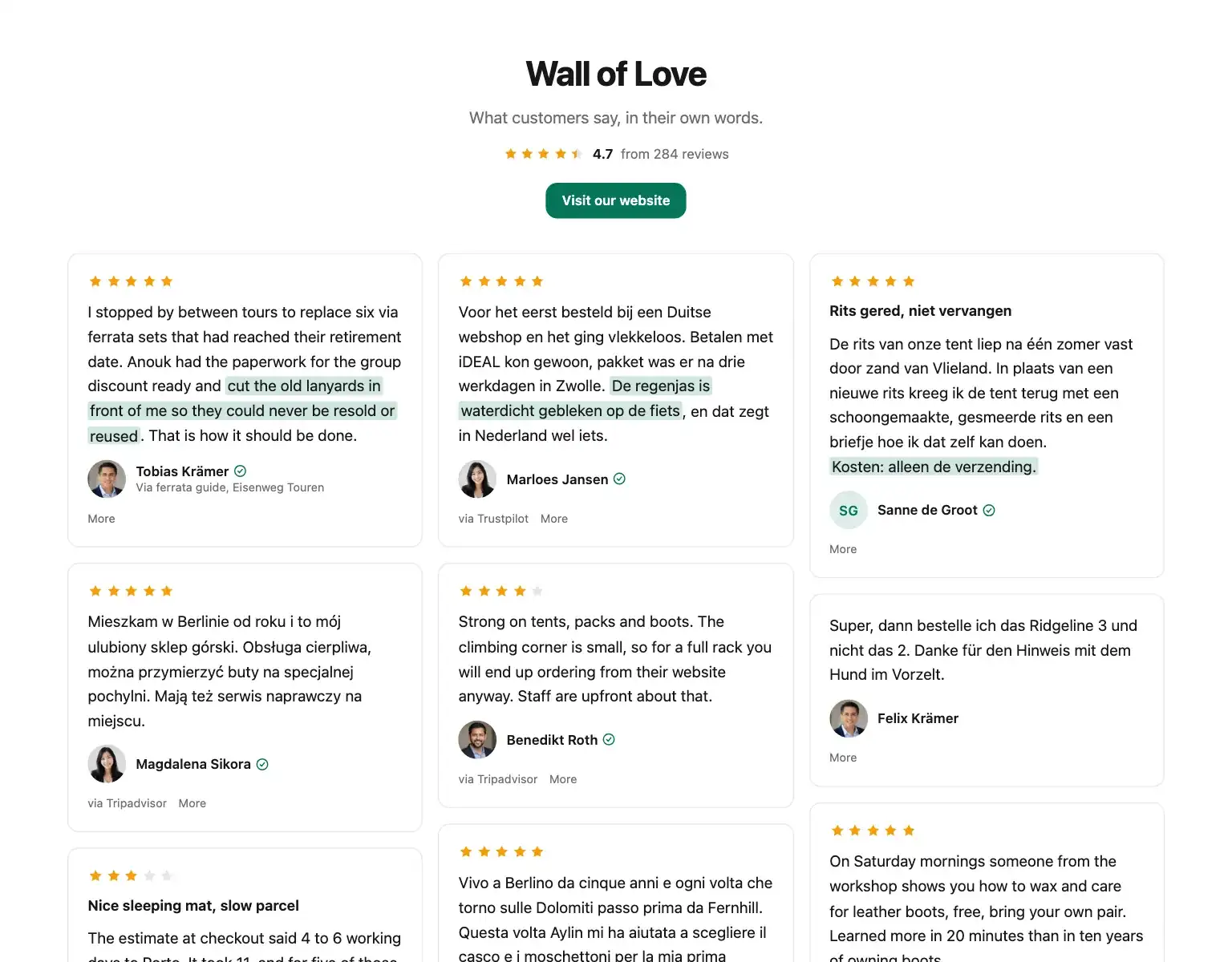
The wall is at https://privatus.page/w/<slug>. It, and every public page,
form and widget of the site, is shown only once the site is
verified.
| Part | Detail |
|---|---|
| The words | Written into the page itself, so visitors without JavaScript read them |
| More testimonials | "Load more" adds the next 24 cards under the ones already shown, and disappears after the last page. It is a real link to the next page (?page=2), so without JavaScript, or if the cards cannot be fetched, it opens that page instead. Later pages show the cards without the header |
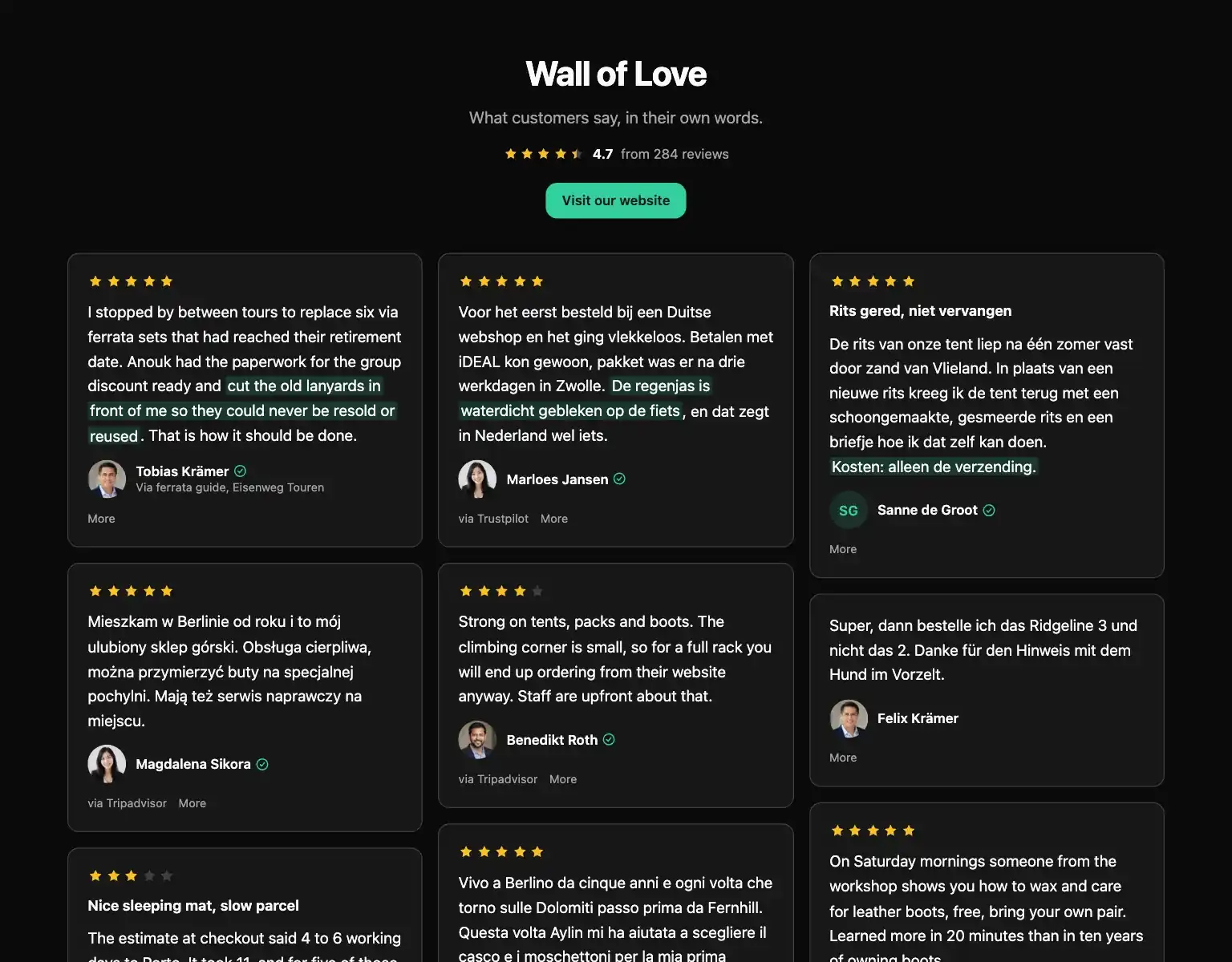
| Light or dark | Follows the visitor's device, unless the wall is set to always light or always dark |
| An empty wall | Shows its header and "Nothing here yet." |
| "This is mine, remove it" | Every card has a small More that opens this link. It leads to the removal form for that testimonial |
| Search engines | The wall's page, its embed frame and every other page we host for you are served with noindex and are not in the Privatus Analytics sitemap. Search engines index your customers' words on your own site (the pasted HTML embed, and review markup), never on ours |
| Framing | The page itself cannot be shown in a frame. Use the frame code below. The frame and the embedded wall ask search engines not to list them |
Privacy: The page sets no cookie, reads none, stores nothing in
the browser and loads nothing from any other company. Photos, videos
and audio come from media.privatusanalytics.com, which is ours.
A view is counted when the wall is seen, a click when a link on it is pressed and a play when a video is started, as totals per day with the page and the country. No IP address, no User-Agent and no identifier is stored. See What the script does on your site.
Other languages#
On Business, a wall has an address for each of the site's other
languages: /w/<slug>/<code>, for example /w/<slug>/de. On Free and
Pro it has one for each of those languages the site holds stored
translations in, so the addresses keep working after a downgrade. There the
page's own words are in that language, and each testimonial shows its
stored translation when it has one, marked "Translated". Each page tells
search engines about the others.
The language always comes from the address, never from a cookie or the visitor's browser. An address with a language the wall does not offer sends the visitor to the wall's main address.
Link to it or embed it#
The Embed tab of the builder has three ways, each with a copy button. Link and embed in the list opens the same tab.
| Way | Use it when |
|---|---|
| Link | You want a page of its own. This is the usual way |
| Inside your own page | Your site lets you add a script, and you want the wall as part of one of your pages |
| Frame | Your site builder allows nothing else |
<div data-pa-testimonial-wall="wal_..." style="min-height:480px"></div>
<script src="https://privatus.page/embed/widget.js" async></script>
Inside your own page shows the wall with its header and buttons. For
the cards alone, add data-header="off" to the first line. The tab
gives you both versions ready to copy. The script is the same one
widgets use, so a page with a wall and several widgets loads it once.
<iframe src="https://privatus.page/embed/walls/wal_..." title="Wall of Love" loading="lazy" width="100%" height="900" style="border:0"></iframe>
A Frame shows the cards without the header, at a fixed height.
Change the height to fit your page.
An embedded wall, by script or by frame, shows 24 testimonials and a "Load more" button that shows 24 more each time, up to 72. A wall with more than that ends with a "See all" link to the wall's own page.
For the steps in common site builders, see Install on your site.
When your changes show#
The wall page and its embeds are kept on Cloudflare's servers close to your visitors. They are cleared for the same changes as a widget: the wall, a testimonial on it, a person shown on it, a tag, collection or shared view that feeds it, the brand kit, the site's languages or name, and the workspace's plan. A change shows within about ten seconds. An embedded wall is kept by a visitor's browser for five minutes like a widget, so a testimonial you unapprove or trash is gone from new visits within about ten seconds, and from a browser that already loaded the embed within 5 minutes. The wall's own page is not kept by browsers. See When your changes show.
A browser keeps an embedded wall (the script or the frame) for five minutes. The wall's own page is never kept by browsers.
Duplicate copies every setting under the name "Name (copy)" and a free address. Move to trash keeps a wall for 30 days. While it is there, its page says "This page has been taken down." and its embeds show nothing. Restoring the wall from the Trash page brings the page and the embeds back at the same address.
API and MCP#
| Action | MCP tool | Permission |
|---|---|---|
| List, read one | testimonial_walls_list, testimonial_walls_get |
analytics.read |
| Create, change | testimonial_walls_create, testimonial_walls_update |
content.write |
| Duplicate | testimonial_walls_duplicate |
content.write |
| Move to trash, restore | testimonial_walls_trash, testimonial_walls_restore |
content.write |
| The link and the code to embed it | testimonial_walls_embed |
analytics.read |
A create call with only a name makes a working wall: the title "Wall of
Love", the masonry layout and an address made from the name. It shows
testimonials once you choose what feeds it. A change that is not allowed
responds with 422 and names the input: an address that is malformed or
in use (the message suggests a free one), a button link that does not
start with https://, a language the site does not have, or a form or
image that is not the site's. A change the plan does not include
responds with 402 and the code plan_limit. Inputs and response
fields are in the API reference and the
MCP reference.
An AI assistant cannot delete anything or move anything to the trash.
The MCP tool testimonial_walls_trash runs nothing: it responds with
human_only and the address of the wall's page, and the assistant hands
you that link. The API call runs as usual, and
testimonial_walls_restore runs over both.
Good to know#
- Locked options say why. On Free and Pro the badge menu is fixed on "Show the badge", Add review markup cannot be ticked and the custom CSS field cannot be typed in. Each has a line naming the plan and a link to the plans.
- After a downgrade nothing is deleted. The badge comes back, custom CSS is not applied and review markup is left out, all within about ten seconds. Stored translations keep being shown, and a language address the site holds no translation in sends visitors to the main address. The settings stay as you saved them and work again when the plan includes them.
- An address stays yours. An address a wall used to have keeps redirecting to it and cannot be taken by another wall.
- A wall always counts views. Unlike a widget, it has no switch for it.
- The public page takes 120 requests a minute from one connection, then responds "One moment." for the rest of that minute.
- A custom domain for a wall is part of Business and is set up on request. See Custom domain.