People and companies
Everyone who has said something, what each said and what was asked of them. Merge two records of one person, ask again, and correct company names.
The People page lists everyone who has said something on a site, or was asked to. Each person has a page with everything they said and everything that was asked of them. Companies groups the same people by where they work.
Open Testimonials in the site's sidebar, then the People tab.
The page is at /sites/<site id>/testimonials/people, and it has two
sub-tabs, People and Companies. Both are on every plan.
How people form#
You rarely add a person yourself. A person is made when a testimonial arrives:
- A testimonial with an email address joins the person who has that address on the site.
- When nobody has that address, it joins a person of the same name who has no address on record. Two different addresses are always two people.
- A testimonial with no address joins the oldest person of the same name, with or without an address.
- In both cases, when the testimonial names a company, the person must be at that company or have no company on record.
- Otherwise it makes a new person.
A name is compared without capitals, accents, punctuation or extra spaces. A blank detail of the person who is found (job title, company, photo and so on) is filled from the new testimonial. Someone who submits with an address and no name is stored as "A customer" until a name arrives.
Privacy: The email address is never shown publicly. Members who
may edit content see it on these pages. A member who may only read
sees "On file" instead, and the API returns email: null to a caller
without content.write, with has_email still saying whether one is
on record.
The People list#
| Column | What it shows |
|---|---|
| Person | Photo and name, with a Possible duplicate badge when another person has the same name and company. The badge opens the merge page |
| Job title, Company | As on record. The company opens its company page |
| The address, or "On file" for a member who may only read | |
| Testimonials | How many they gave, and how many are approved |
| Rating | The average rating of their testimonials outside the trash |
| Last received | When their newest testimonial was received |
| Last asked | When they were last asked, with the outcome, or "Never asked" |
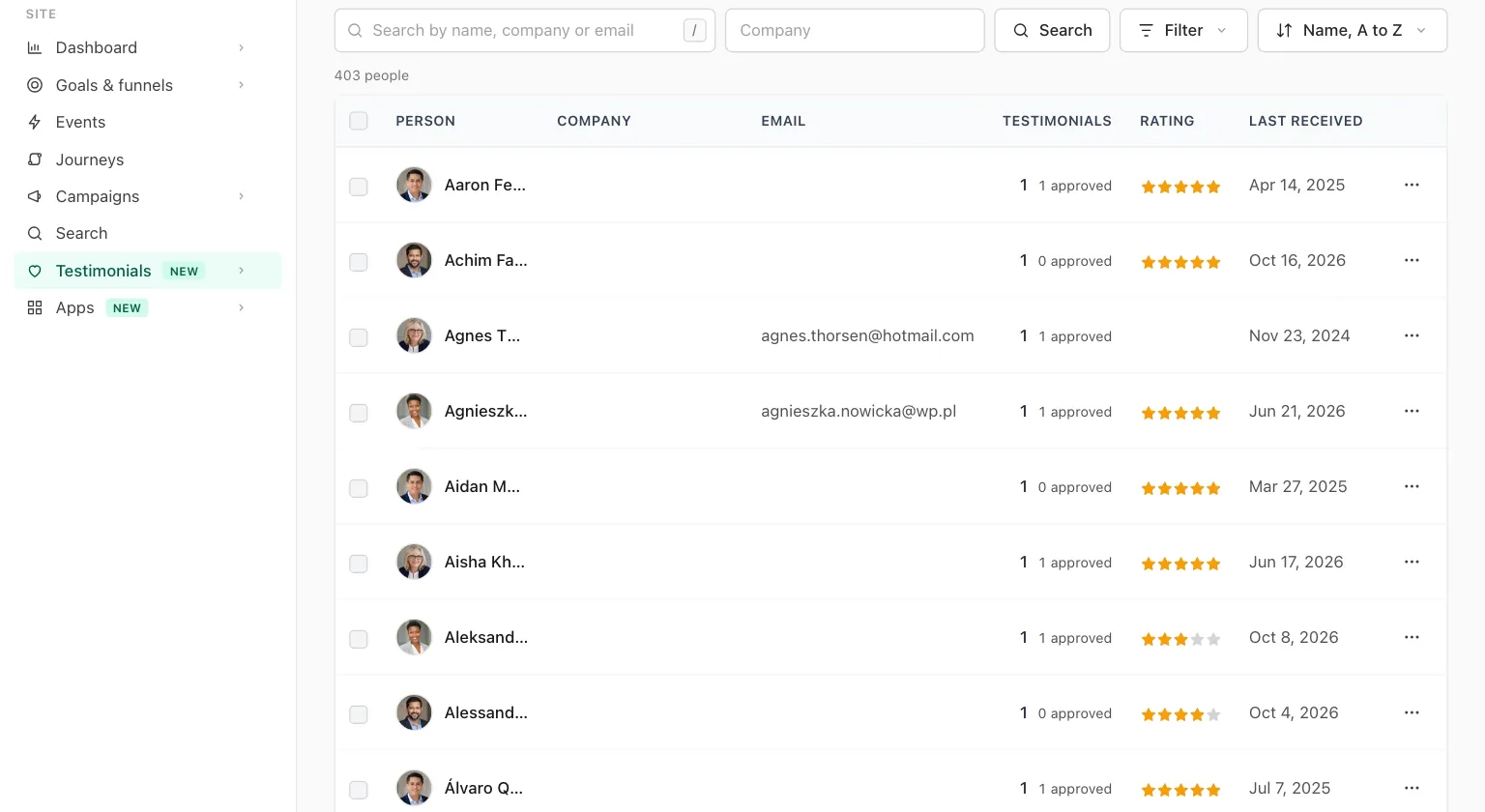
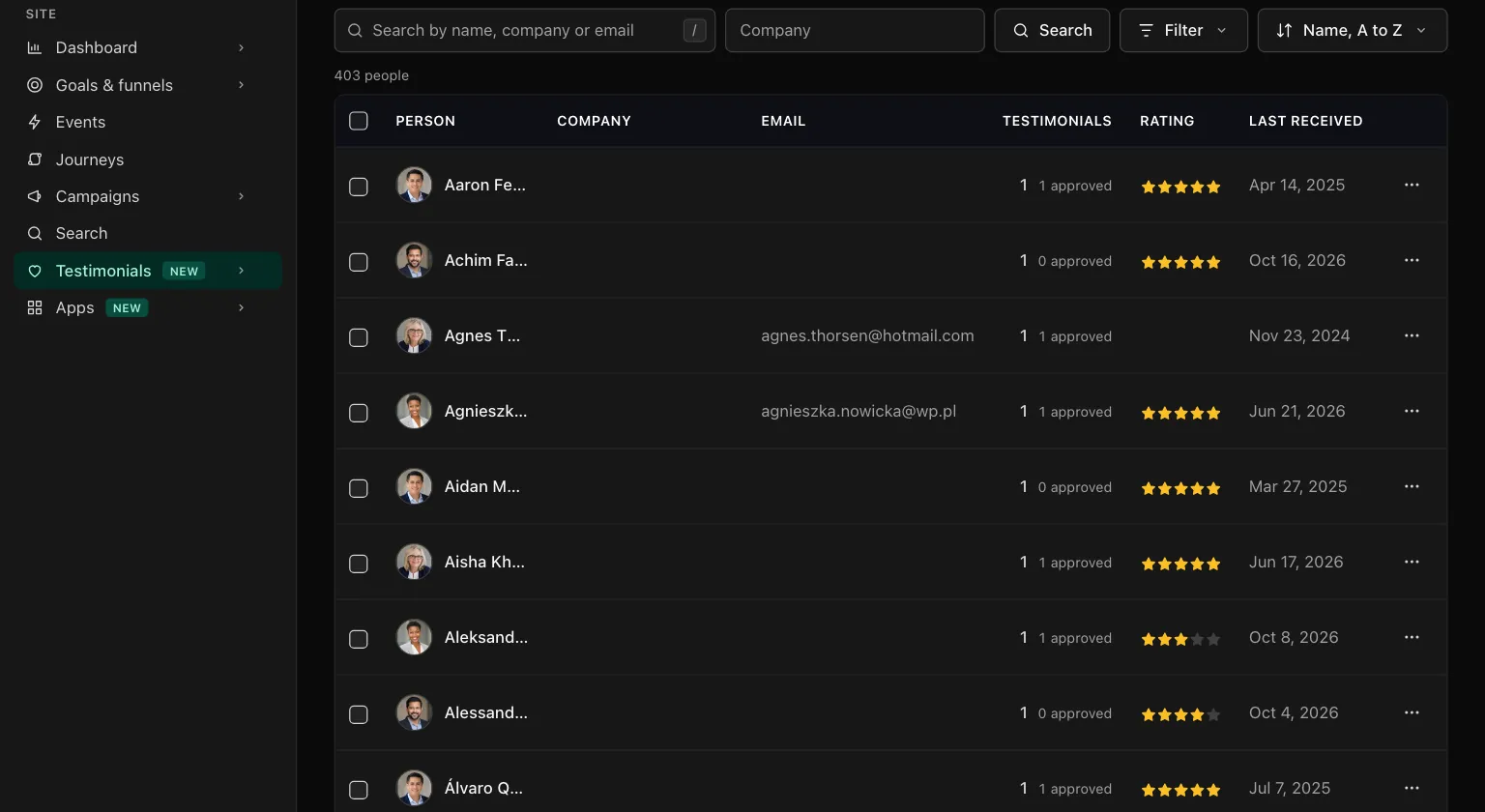
Columns fold away from the right on a narrow screen. The job title and the company then show under the name.
| Control | What it does |
|---|---|
| New person | Opens the form. The N key does the same |
| Search by name, company or email | Keeps people whose name, company or address contains the text |
| Company box | Keeps the people of one company. It suggests the site's 100 companies with the most people |
| Filter, Email | Has an email or No email |
| Filter, Testimonials | Exactly one or Two or more |
| Filter, Asked | Never asked, Asked, no answer yet or Answered an ask |
| Filter, Newest testimonial | Under two years old or Over two years old |
| Filter, Duplicates | Looks like another person |
| Sort menu | Name, A to Z (the default), Most testimonials, Newest testimonial or Asked most recently |
| Row menu | Open, Ask again (when there is an email), Edit and Merge |
| Checkboxes and Merge | Tick two or more people who are one person, then press Merge in the bar that appears |
Filters add up, and each one in use shows as a chip above the list.
A person's fields#
New person and Edit show the same form. A person you add by hand is someone to ask, or someone whose words you are about to add.
| Field | Notes |
|---|---|
| Name | Required, up to 120 characters |
| Job title | Up to 120 characters |
| Company | Up to 120 characters |
| Company website | An http or https address. People with the same website are grouped as one company |
| Never shown publicly. It is used to recognize them next time and to ask again. One person per address on a site | |
| Profile link | An http or https address |
| Photo | An image of up to 10 MB. Remove clears it |
A person's page#
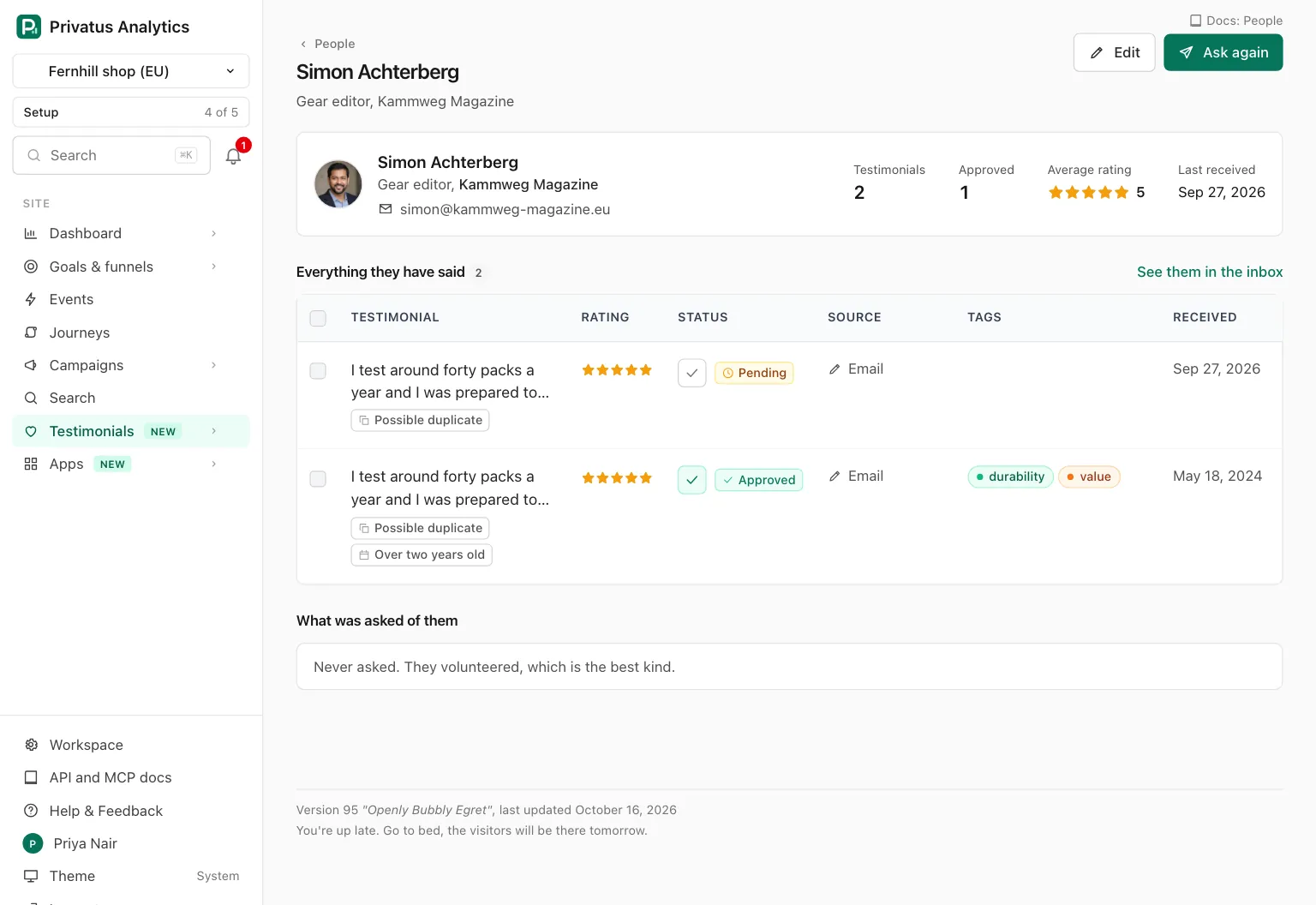
| Block | What it shows |
|---|---|
| Header | Edit (the E key does the same) and Ask again |
| Summary card | Photo, name, job title, company (a link to its company page), email, profile link, and the numbers: Testimonials, Approved, Average rating, Last received |
| Freshness line | Shown when their newest testimonial is over two years old, with Ask again |
| Looks like the same person | People with the same name and company, each with Merge |
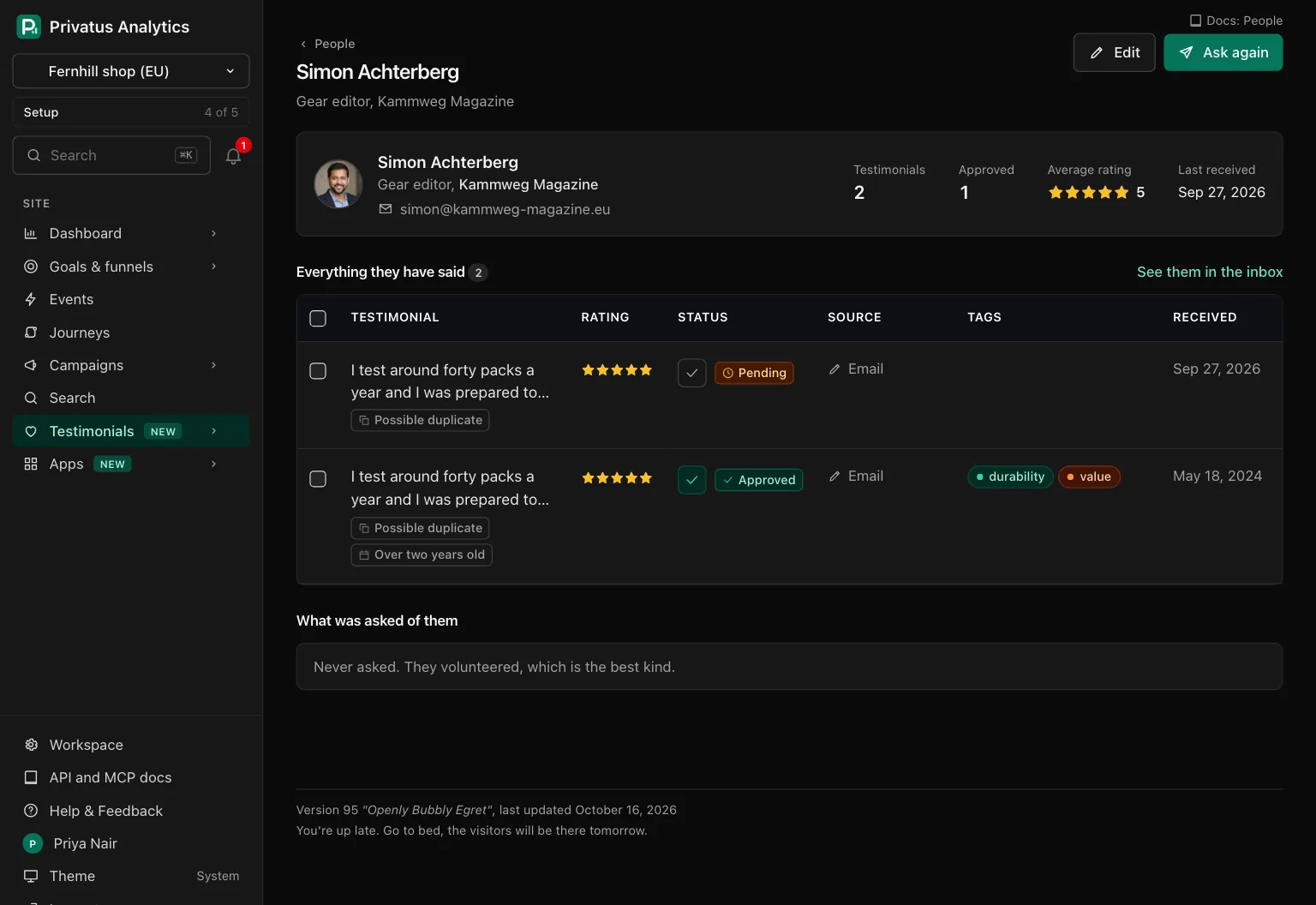
| Everything they have said | Their testimonials outside the trash, newest first, with the inbox's row menu and bulk bar. See them in the inbox opens the inbox filtered to the person |
| What was asked of them | The last 100 asks: the date, the request, the form and the outcome (Scheduled, Sent, Opened, Submitted, Bounced, Unsubscribed, Stopped or Skipped). With none it says "Never asked. They volunteered, which is the best kind." |
| Danger zone | Delete permanently, for members with sites.manage |
Merge#
Merging joins two or more records of one person. Reach the merge page by ticking people on the list, from Merge in a row menu, from the Possible duplicate badge or from Looks like the same person. Opened for one person, it adds the people who look like them.
The page lists the records, the oldest marked Stays (the oldest) and the others Merged in. Under Which values to keep there is one row per field (Name, Job title, Company, Company website, Photo, Email, Profile link), with a choice wherever the records differ.
- The oldest record stays. Its values are preselected.
- A field it has blank is filled from the others, oldest first.
- Everything the others said and every ask sent to them moves to the record that stays. The others are removed.
- One merge takes up to 20 other records.
A merge can be undone for 7 days. A toast with Undo appears on the person's page, and the merge is in the undo list. The undo puts the removed people back with what they said and were asked. What changed since is left alone: a testimonial moved to yet another person stays there, and a field of the kept person edited since keeps its new value.
Ask again#
Ask again starts a request with this person as its only recipient and opens it for editing. Nothing is sent until you send the request.
The request uses the form of their newest testimonial that came through a form, or else the form of the newest request they were part of. A form in the trash is passed over, and when neither is found the site's starter form is used.
If they were asked in the last 30 days, a confirmation says when and asks whether to go ahead. On a person's page the button is disabled, with the reason beside it, when the person cannot be asked:
| Reason on the page | API code |
|---|---|
| "No email address on record." | no_email |
| "Mail to their address bounced." | bounced |
| "They asked not to get requests." | unsubscribed |
The request itself follows the rules of Requests, the site's monthly number of request emails included.
Delete permanently#
For an erasure request. Only a member with sites.manage sees it. You
type the person's name to confirm. It removes:
- everything they said, in the trash or out of it, with the history, the consent records and the files,
- every ask sent to them on this site, found by the person and by their address. The requests themselves stay,
- their photo and its file,
- the person.
It cannot be undone and it leaves no undo record. An earlier merge of people that this person was part of can no longer be undone either, because its undo data held the merged records.
One audit entry is written for the person. It holds their id and two counts (testimonials and asks), and never the name, the address or the words.
Companies#
The Companies sub-tab is at
/sites/<site id>/testimonials/companies. A company is not something
you create. People are grouped by the host of the company website when
there is one, and otherwise by the company name without capitals,
punctuation or a legal suffix, so "Acme, Inc." and "ACME" are one
company. A person with no company is in none.
The list shows each company with its People, Testimonials, Average rating and Last received. The name and website shown are the spelling most of its people have.
| Control | What it does |
|---|---|
| Search by company name or website | Keeps companies whose name or website host contains the text |
| Sort menu | Name, A to Z (the default), Most people, Most testimonials or Newest testimonial |
A company's page has Website and See them in the inbox in its header, four numbers (People, Testimonials, Average rating, Last received), its first 100 people, and Everything they have said. A member who may edit content also gets two corrections:
| Card | What it does |
|---|---|
| Correct the name and website | Changes the Company name and Company website for all of its people at once |
| Merge with another company | For two spellings of one company. Choose the other one under Merge into, and everyone at this company takes its name and website |
A new website or name can move the company to another key. When that is the key of another company, the two become one.
API and MCP#
Every action on these pages is an API operation and an MCP tool. Add
.json to the address of a page, or call the tool. Inputs and response
fields are in the generated reference at /docs/api and
/docs/mcp.
| Action | MCP tool | Permission |
|---|---|---|
| List people | testimonial_people_list |
analytics.read |
| Read one person | testimonial_people_get |
analytics.read |
| Add a person | testimonial_people_create |
content.write |
| Edit a person | testimonial_people_update |
content.write |
| Merge people | testimonial_people_merge |
content.write |
| Ask again | testimonial_people_ask_again |
content.write |
| Delete a person permanently | testimonial_people_delete_permanently |
sites.manage |
| List companies | testimonial_companies_list |
analytics.read |
| Read one company | testimonial_companies_get |
analytics.read |
| Correct a company's name and website | testimonial_companies_update |
content.write |
| Merge two companies | testimonial_companies_merge |
content.write |
testimonial_people_listtakes the list's filters:query,company,has_email(yesorno),testimonials(oneorseveral),asked(never,waitingoranswered),newest(freshorold),duplicate(yes) andsort.- When you edit a person, only the fields you send change, and an empty
value clears a field. The photo is
avatar_media_id, the id of an image already uploaded to the site. - In
testimonial_people_mergethe person in the path stays,duplicate_idsnames 1 to 20 others, andusenames the person whose value wins for a field, for example{"email": "per_..."}. The fields arename,title,company,company_url,photo,emailandsocial_url. The response hasmeta.undo_id, whichtestimonial_undo_records_undotakes for 7 days. testimonial_people_ask_againtakesform_idto pick another form. A person who cannot be asked is a422with the code from the table above.testimonial_people_delete_permanentlyruns nothing as an MCP tool. It responds withhuman_onlyand the address of the person's page, because the delete cannot be undone. The API operation deletes, withconfirmset to the person's name or id.- A company's id is its key: the website host, or the normalized name.
testimonial_companies_updatetakesname,urlor both, and an emptyurlclears it.testimonial_companies_mergetakesinto, the key of the company that is kept. A correction can change the key, and the response carries the new one.
Ask your assistant:
- "Who gave us more than one testimonial and has never been asked?"
- "Merge the two Maya Chen records and keep the work email."
- "List the companies with the most testimonials and their average rating."
Good to know#
- Correcting or merging a company leaves no undo record. Check the spelling you keep.
- Editing a person's company or company website moves them to the matching company page by itself.
- A person's page lists only their testimonials outside the trash, but Delete permanently also removes the ones in the trash.
- Two people who share only the placeholder name "A customer" are never flagged as a possible duplicate.
- A bounce or an unsubscribe recorded for an address blocks Ask again for the person who has it.