Purchase connections
Connect Stripe or Paddle with a read-only key, so buyers of the products you choose are asked for a testimonial some days after they pay. Part of Business.
A purchase connection asks for a testimonial by itself, some days after someone buys. You connect your own Stripe or Paddle account with a read-only key, choose the products, and buyers are added to a request from then on.
It is under Testimonials in the site's sidebar, then Settings,
then Purchase connections. It needs the sites.manage permission
and the Business plan. The emails to buyers are sent through your
own email provider, connected under
Email sending.
The tab#
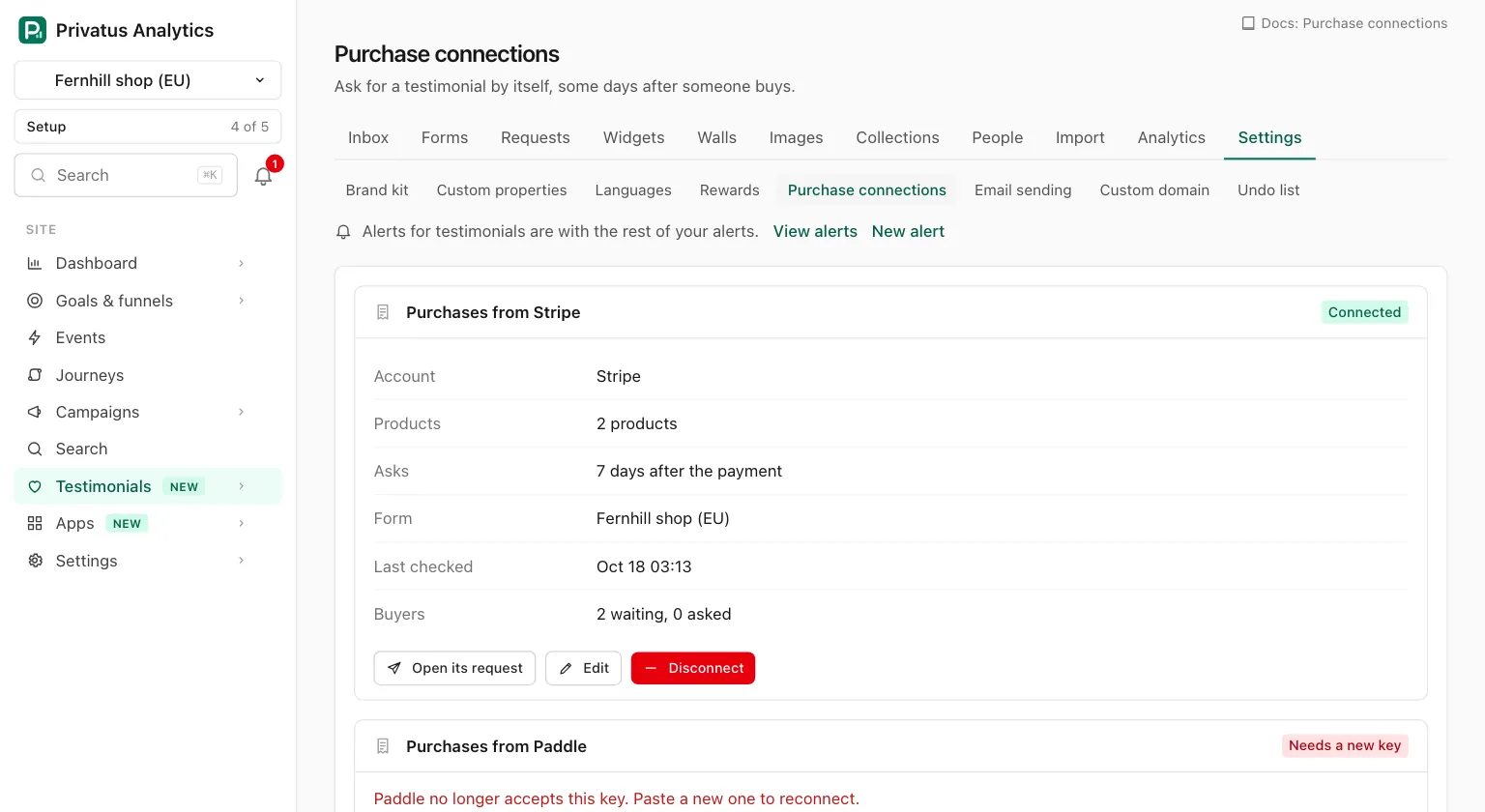
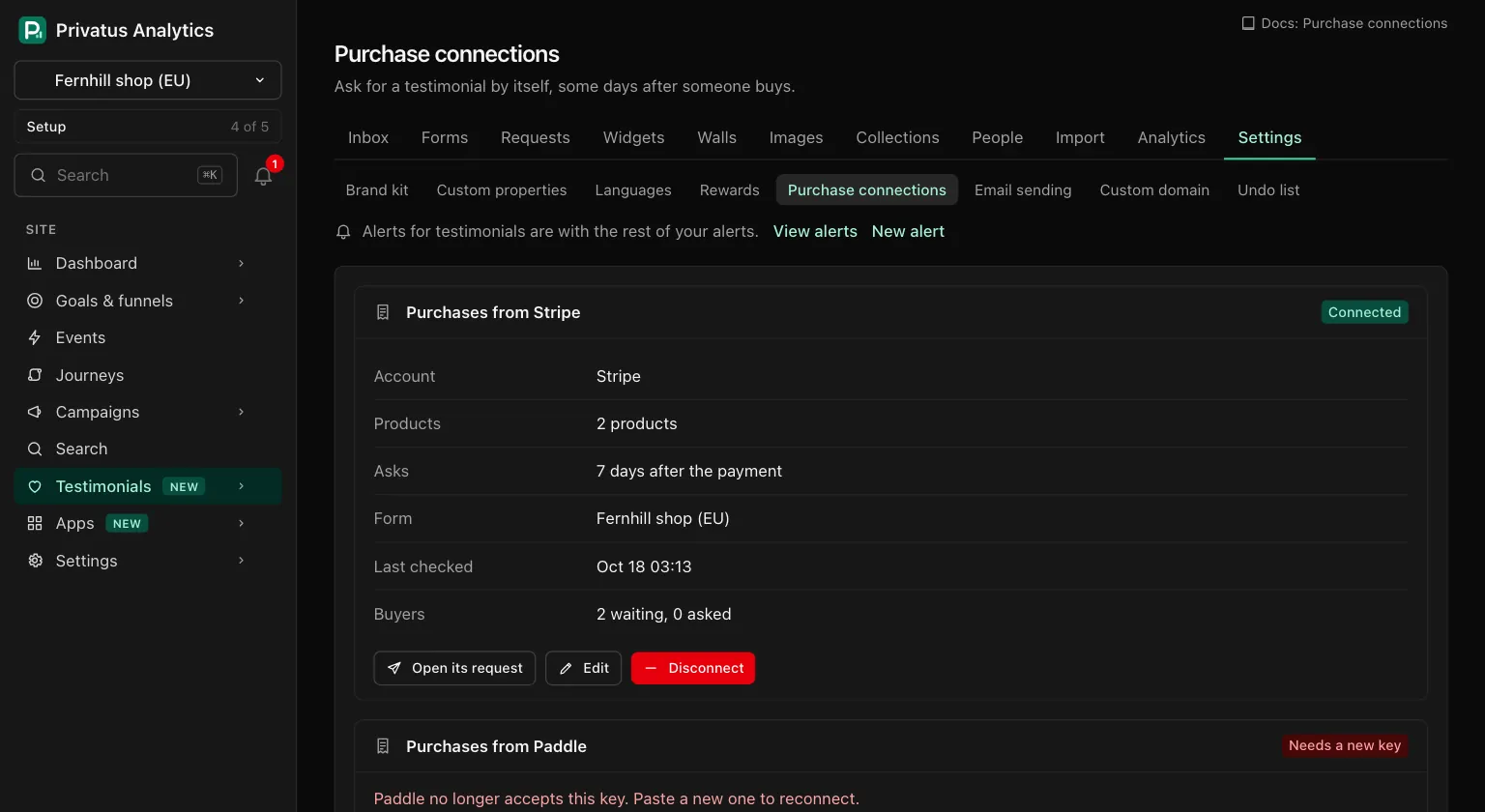
Each connection is listed with:
| Part | What it shows |
|---|---|
| Badge | Connected, Needs a new key or Paused |
| Account | Stripe or Paddle |
| Products | "All products" or the number of chosen products |
| Asks | How many days after the payment the first email goes out |
| Form | The form the email leads to |
| Last checked | When payments were last read |
| Buyers | How many are waiting for their first email and how many were asked |
Open its request goes to the connection's request on the Requests tab. Edit changes the rule or the key, and Disconnect removes the connection. Connect Stripe and Connect Paddle start a new one.
Connect an account#
Connecting takes two steps.
1. Paste the key. Make a key that can only read, paste it and press Check the key.
| Provider | Where | Read access to |
|---|---|---|
| Stripe | Developers, API keys, create a restricted key | Products, Charges, Customers, Invoices, Checkout Sessions |
| Paddle | Developer Tools, Authentication, create an API key | Products, Transactions, Customers |
The key is checked by reading one item of each kind. A key that is refused, or that cannot read one of them, is an error on the form that names what is missing. A full Stripe secret key is not accepted: use a restricted key.
The key is stored encrypted and is used only to read payments. It is never shown again, in the app or through the API. You can revoke it in Stripe or Paddle at any time.
2. Choose what starts an ask.
| Field | What it does |
|---|---|
| Which purchases | Tick products, or All products. The list holds the account's active products, with a search box |
| Days after the payment | 0 to 90. The default is 7. The first email goes out this many days after they pay |
| Form the email leads to | One of the site's forms |
| Name | Also the name of the connection's request. The default is "Purchases from" and the provider |
Connect Stripe (or Connect Paddle) stores the connection. The checked key is held for 30 minutes between the two steps. After that, paste it again.
What happens next#
- Connecting creates one request with a ready-made email and one follow-up after 5 days. It is on the Requests tab with a Purchases label, and you edit, stop and resume it like any other.
- New payments are read every 15 minutes: successful Stripe charges and completed Paddle transactions.
- A payment for a chosen product adds the buyer to the request. Their first email goes out the chosen number of days after they paid.
- Each buyer is asked once per connection, however often they pay.
- Only payments made after you connect count. Older ones are never read.
- Just before the first email, the payment is read again. One that was refunded in full, disputed or charged back is not asked about: the buyer is skipped with "The payment was refunded". If the payment cannot be read at that moment, the email waits and the check runs again later.
- While the request is stopped, nobody is added. Payments made meanwhile are passed over, not saved up.
- Buyers follow the same rules as any request: the month's request emails, the limits and the opt-out list. A buyer who opted out, was asked recently or is already being asked is stored as skipped with the reason.
Of a buyer, Privatus Analytics stores the email address and name, the product, the payment id and the time of the payment. Nothing else from your account.
Change a connection#
Edit opens the rule and the key.
| Part | What it does |
|---|---|
| The rule | The same four fields as when connecting. Change the products reads the account's products again with the stored key. Changing the form also changes the form of the connection's request. Buyers already waiting keep their time |
| New key | Leave it empty to keep the stored key. A new key replaces it and counts as connecting again: payments made before it are not picked up |
When something is wrong#
| What you see | What it means |
|---|---|
| "Stripe no longer accepts this key. Paste a new one to reconnect." | The key was revoked or changed. No payments are read. Buyers already waiting are kept, and are asked once a new key is in |
| "We could not reach Stripe for 3 days. Paste a new key to reconnect." | Short outages are tried again quietly. After 3 days the connection stops and asks for a key |
| Paused | The workspace's plan no longer includes requests after a purchase. See below |
The same messages name Paddle for a Paddle connection. Paste a new key opens the connection to reconnect it.
On a plan below Business#
- With no connection, the tab says "Requests after a purchase are on the Business plan and up." with a link to the plans, and the Connect Stripe and Connect Paddle buttons are switched off.
- Connecting, checking a key and changing a connection open the upgrade
page. Over the API and MCP they respond with
402 plan_limit. - A connection that exists when the workspace moves to a lower plan is kept and marked Paused. No payments are read and nobody is asked, also not the buyers who were waiting, until the plan has it again. Nothing is lost: waiting buyers are asked then.
- The key is kept until you disconnect, which you can do on any plan.
Disconnect#
Disconnect asks first, then deletes the connection and its key. Buyers who were still waiting for their first email are taken off the request and are not asked. Buyers already asked keep their follow-ups, and the request stays on the Requests tab as the record of what was sent.
API and MCP#
Every operation is in the API reference and the MCP reference with its inputs and response fields.
| Action | MCP tool | Permission |
|---|---|---|
| List the connections of a site | testimonial_purchase_connections_list |
sites.manage |
| Disconnect | testimonial_purchase_connections_delete |
sites.manage |
Connecting, checking a key and changing a connection take your Stripe or
Paddle key, so they are in the app only, on the Purchase connections tab:
never over the API or MCP. The key is never returned. paused is true on
a plan without the feature.
Disconnecting is treated with more care through MCP: it deletes the key and drops the buyers still waiting, so the MCP tool runs nothing and points to the Purchase connections tab. The API runs it as usual.
Good to know#
- Buyers are asked with request emails, which are sent through your own email provider. Connect one under Email sending first: until then buyers are collected and wait, and the tab says so.
- Every email to a buyer counts toward the site's monthly number of request emails, like any request email.
- The connection's request never finishes while the connection exists, because buyers keep arriving.
- Subscription metrics is a separate connection. If you also connected Stripe or Paddle for subscription metrics, that is another connection with a key of its own. A purchase connection needs read access to other things (charges or transactions, customers and products), so it asks for its own key, and disconnecting one never touches the other.