All sites dashboard
The all sites dashboard lists every website in your workspace with live visitors, 30-day visitor trends and sparklines. Learn to sort, search and label sites.
All sites lists every site in the workspace that you can access. It is the first page after logging in, unless you chose The last site I viewed in Account settings → Preferences.
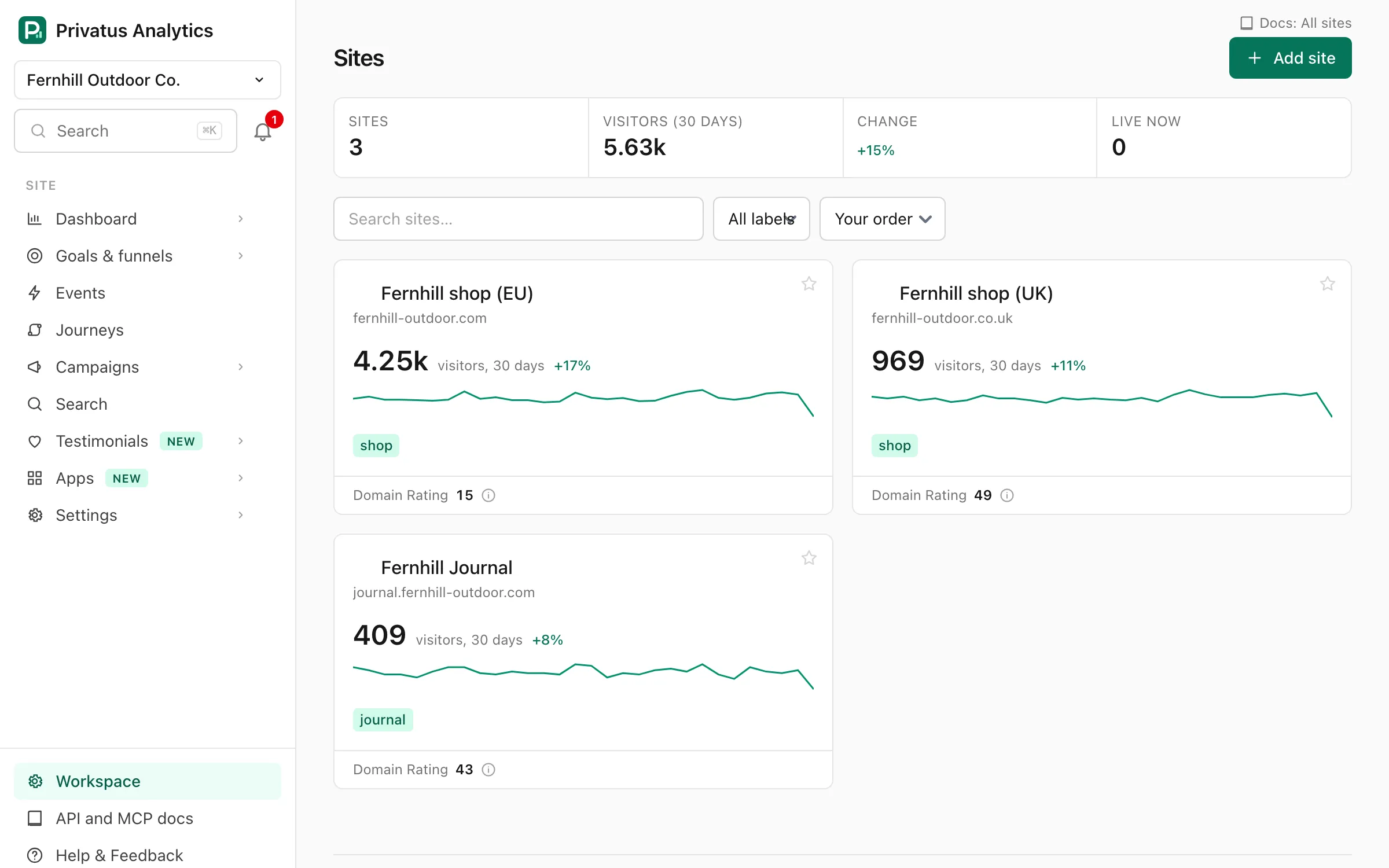
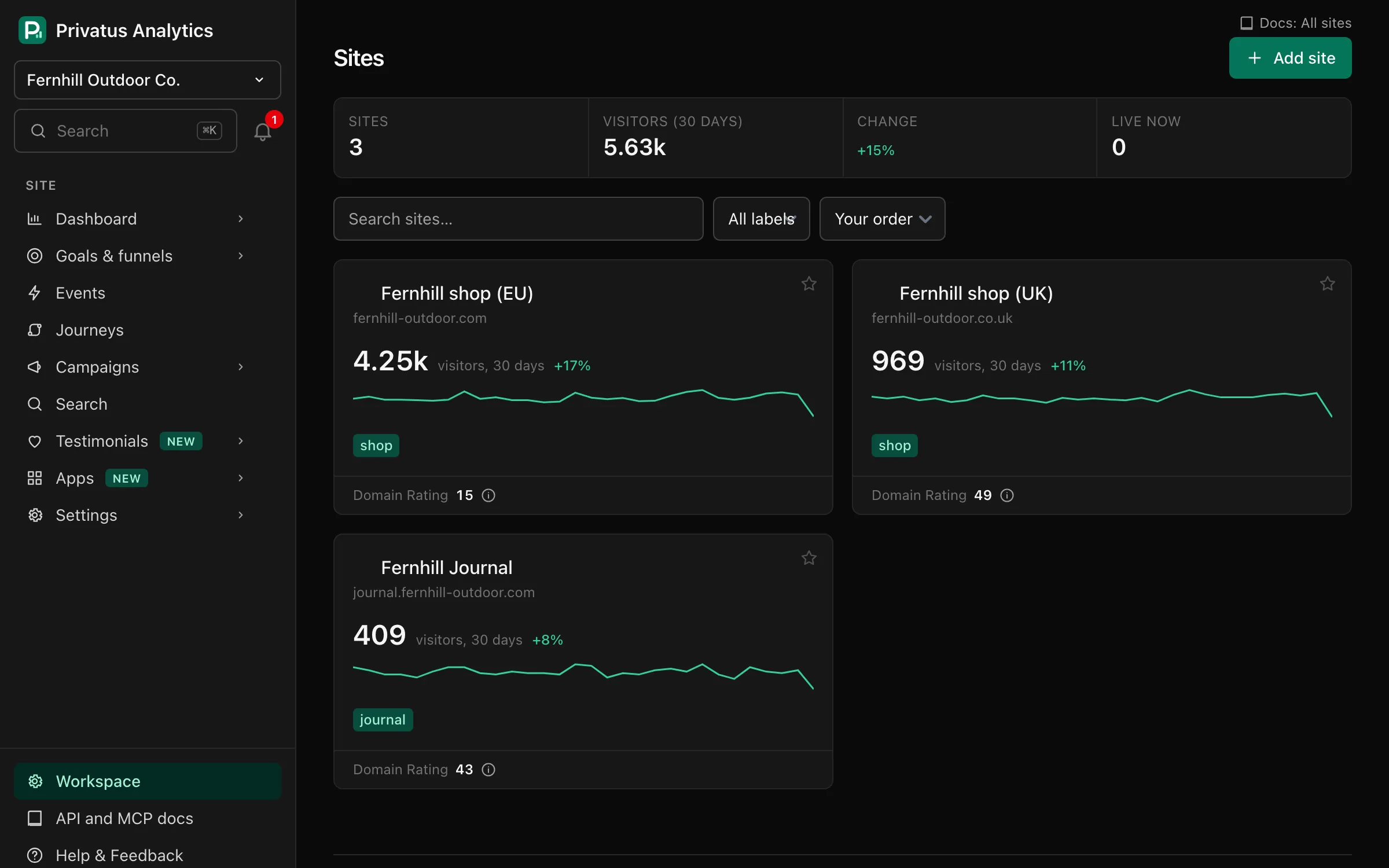
Cards and list#
The Cards and List buttons beside the filters switch the layout. Cards show more about each site. The list shows one short row per site, with up to 100 sites a page (cards show 25), so a workspace with many sites fits on one screen. The list opens by itself once a workspace has more than 9 sites, and the page remembers the layout you pick. On a phone the list keeps each site's name and visitors.
Site tiles#
Each site shows:
- its name and domain, and a star to make it a favorite (your favorites come first, whatever the sort),
- live visitors (visits seen in the last 5 minutes), when there are any,
- visitors in the last 30 days, with the change against the 30 days before,
- a sparkline, one point per day in the site's time zone,
- its labels,
- a Waiting for data badge until the first hit arrives, or No data for 24 hours when nothing has arrived for a day.
Click a tile to open the site's Overview.
A totals strip shows the number of sites, and the visitors, change and live visitors added up across the tiles on the page.
Controls#
| Control | What it does |
|---|---|
| Search | Keeps sites whose name or domain contains the text |
| Label | Keeps sites with that label. Shown once a site has a label (set labels in Site settings → General) |
| Sort: Name | Alphabetical by site name (the default) |
| Sort: Your order | The order the sites were added in |
| Sort: Most visitors | Most visitors in the last 30 days first |
| Add site | Opens the new site form. Needs the sites.manage permission |