Tags and rules
Tags are labels on testimonials. On Business, rules add a tag the moment a matching testimonial arrives, and one click runs them over what you have.
A tag is a label on a testimonial, such as "fast shipping" or "support". Tags are how you find testimonials later, and how a smart collection, a widget or a wall picks what to show. A tag can also carry rules, which add the tag by themselves when a matching testimonial arrives.
Open Testimonials in the site's sidebar, then More in the Inbox
and Tags and rules. The page is at
/sites/<site id>/testimonials/tags.
Tags are on every plan. Auto-tag rules are part of the Business plan. See Auto-tag rules on Free and Pro.
The tags list#
The first row of the card adds a tag: type a name under New tag, pick a Color and press Add tag. A tag is also created when you type a new name while tagging testimonials in the inbox. The code sets no limit on the number of tags.
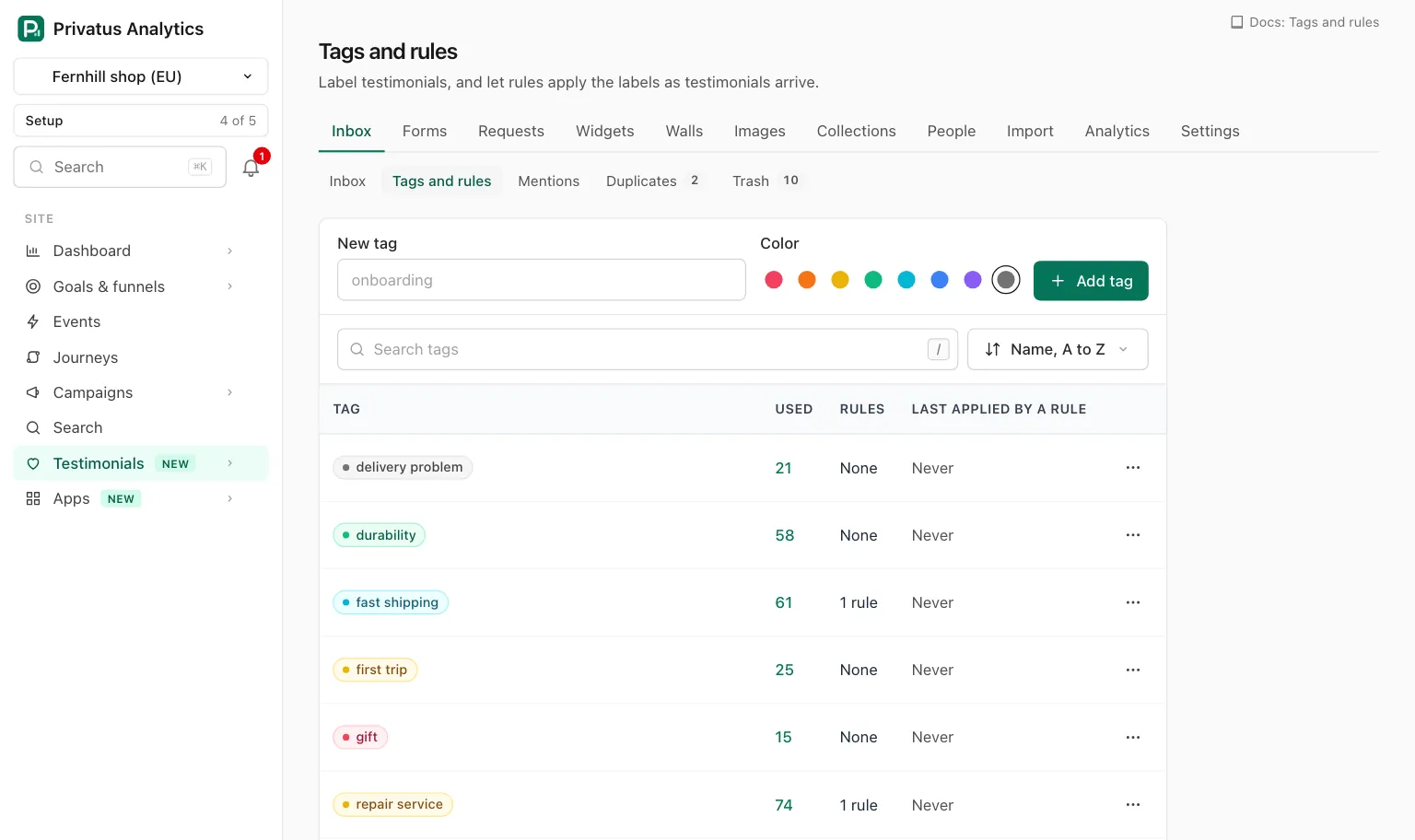
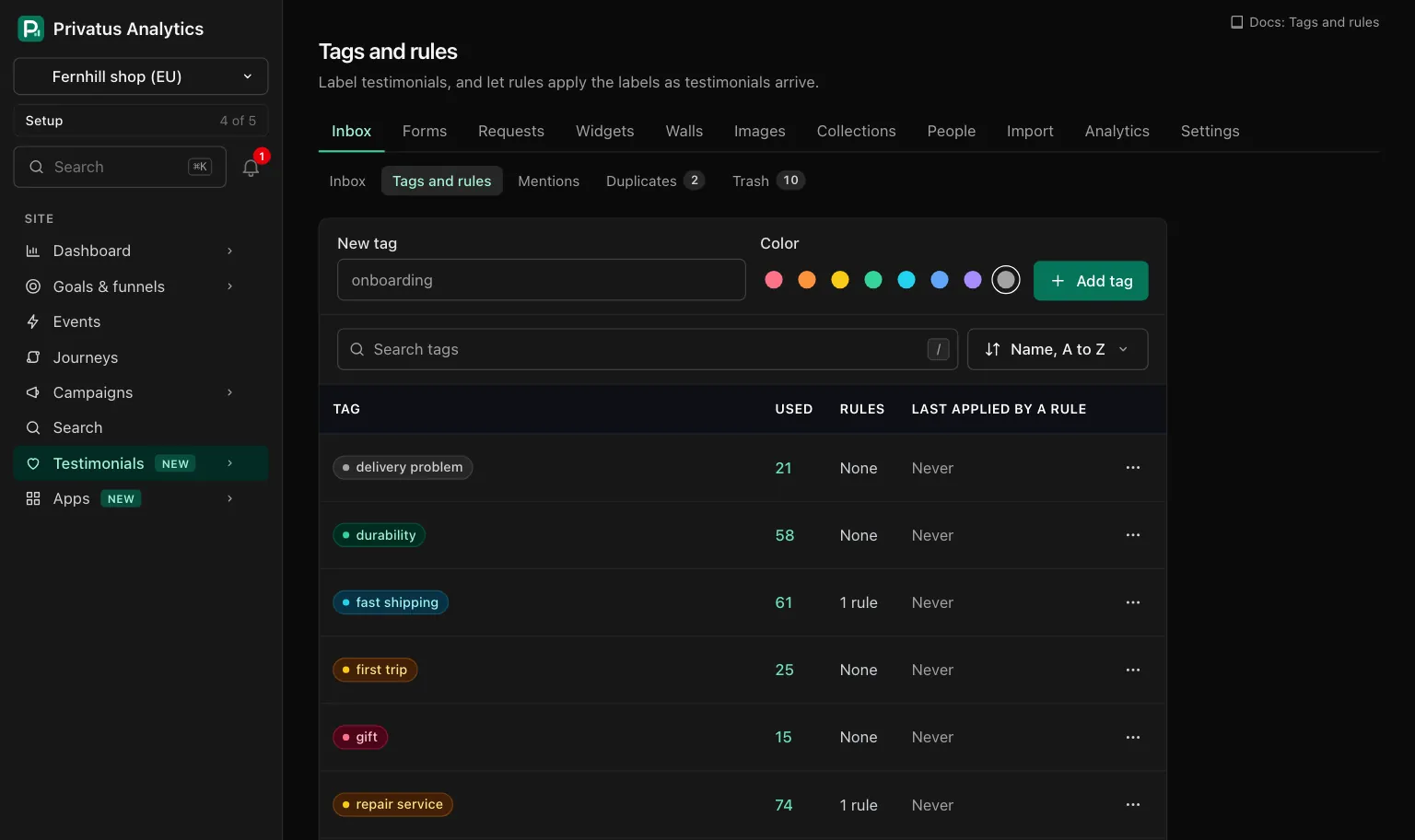
| Column | What it shows |
|---|---|
| Tag | The name in its color. A member who may edit content can click it to open the tag's page |
| Used | How many testimonials carry it, the trash left out. Click the number to open the inbox filtered to the tag |
| Rules | "1 rule", "2 rules", or "None" |
| Last applied by a rule | The day a rule last added this tag, or "Never" |
| Control | What it does |
|---|---|
| Search tags | Narrows the list to names that contain the text |
| Sort menu | Name, A to Z (the default), Most used or Newest |
| Row menu, Edit | Opens the tag's page |
| Row menu, Merge into another tag | Opens the tag's page at the merge card |
| Row menu, Move to trash | Asks to confirm, then moves the tag to the trash |
A member who may only read sees the list without the New tag row, the links on the names and the row menus.
A tag's page#
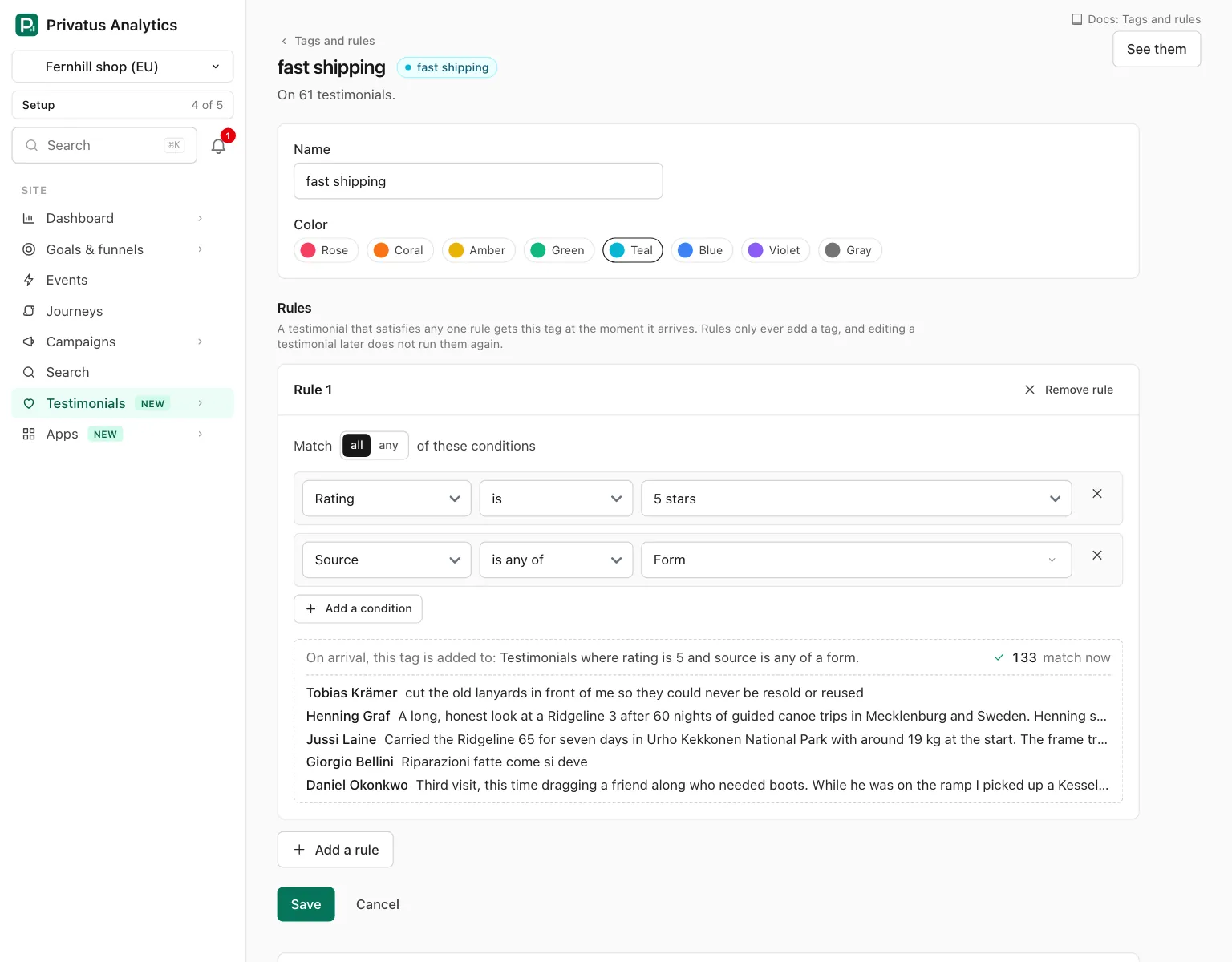
Click a tag to open its page. The header says how many testimonials carry the tag, with See them to open the inbox filtered to it.
| Part | What it is |
|---|---|
| Name | Required. Up to 40 characters. Two tags of a site cannot share a name, whatever the capitals |
| Color | Rose, Coral, Amber, Green, Teal, Blue, Violet or Gray. Gray is the default |
| Rules | Up to 10 rules, each a card with its own conditions |
| Save | Keeps the name, the color and every rule as shown. Cancel goes back to the list |
| Run over existing testimonials | Counts what the saved rules would tag, then tags them. Shown once the tag has a saved rule |
| Merge into another tag | Moves everything onto another tag |
| Move to trash | Takes the tag out of view for 30 days |
Auto-tag rules#
A rule is 1 to 10 conditions, joined by all or any. A tag takes up to 10 rules, and a testimonial that satisfies any one of them gets the tag. A tag with no rules says "No rules. This tag waits to be applied by hand."
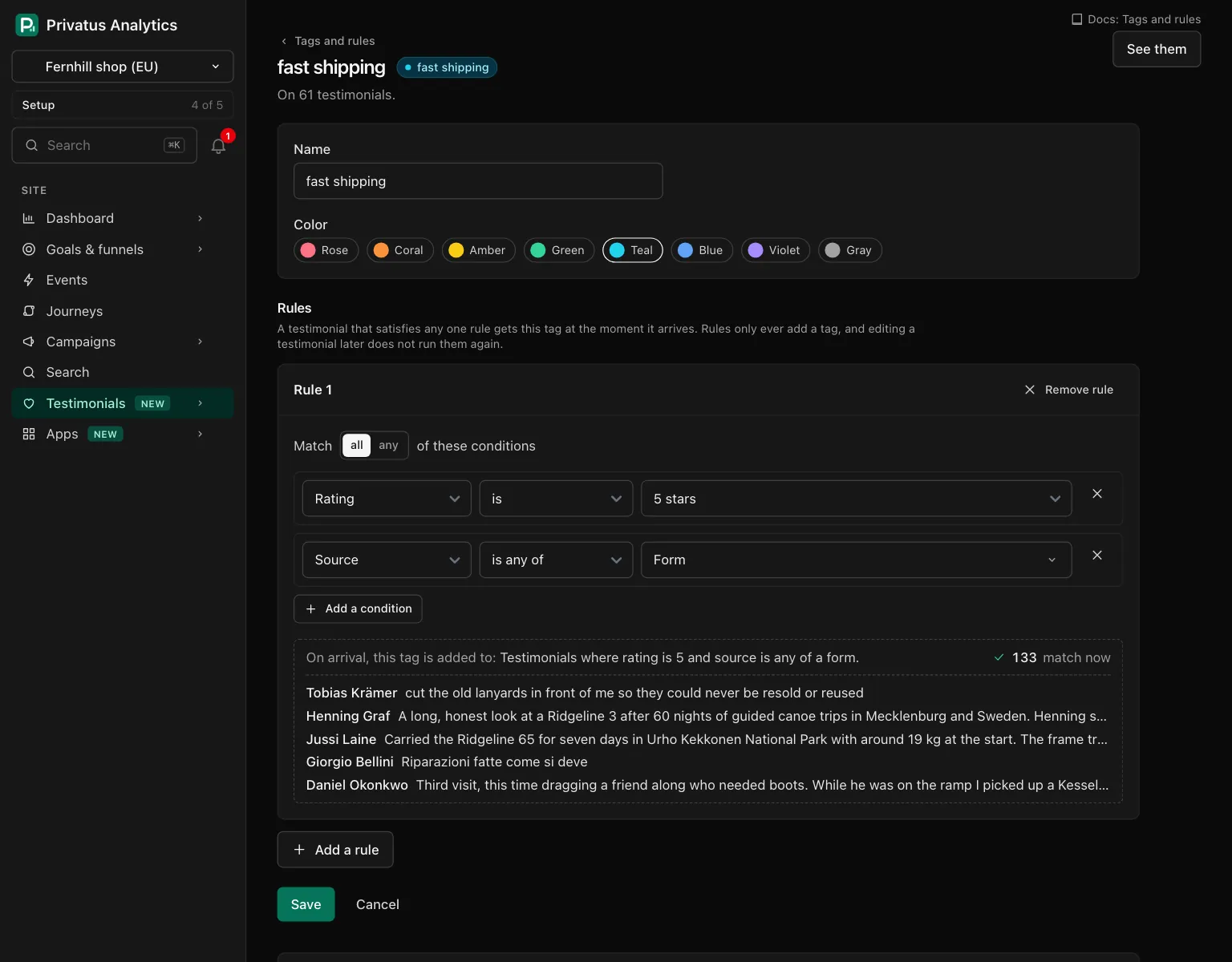
| Button | What it does |
|---|---|
| Add a rule | One more rule card. Once the tag has 10, the page says "A tag takes up to 10 rules." instead |
| Remove rule | Takes the card out |
| Match all / any of these conditions | Whether a testimonial must satisfy every row of the rule, or one of them |
| Add a condition | One more row in that rule |
| Remove this condition | Takes the row out. The last row of a rule stays |
| Update preview | Shown only when JavaScript is off. Redraws the sentence, the count and the examples |
Under its rows each rule shows itself as one sentence, how many stored testimonials match right now, and up to five examples. The sentence starts "On arrival, this tag is added to:". A row that is not finished shows its error on the row.
Nothing is saved until you press Save. With JavaScript off, every other button draws the form again with what you typed.
When rules run#
- Rules run at the moment a testimonial is stored, whatever brought it in: a form, an import, adding by hand or the API.
- Rules only ever add a tag. They never remove one.
- Editing a testimonial later does not run them again.
- Saving a new rule does not touch what is already stored. Use Run over existing testimonials for that.
- The rules of a tag in the trash do not run.
- A rule that names something that is gone, such as a form in the trash, is passed over. It never stops a testimonial from arriving.
Rule fields#
The builder offers these fields, in this order. The second column is
the name the API and MCP use in field, and the third lists the values
of operator.
| Field | field |
Operators | Value |
|---|---|---|---|
| Words | words |
contain, contain_any_of, do_not_contain |
Phrases of up to 200 characters each. In the form, separate them with commas |
| Source | source |
is, is_not, is_any_of, is_none_of |
form, import, manual (shown as "Added by hand"), extension (shown as "Captured from a page"), api, migration |
| Platform | source_name |
is_any_of, is_none_of |
Platform names, such as Trustpilot. The form lists the platforms the site's testimonials came from |
| Form | form |
is_any_of, is_none_of |
Form names or ids |
| Language | language |
is_any_of, is_none_of |
Language codes or names, such as de or German |
| Rating | rating |
is, is_not, is_any_of, is_none_of, is_at_least, is_at_most, has_none |
A whole number from 1 to 5. is_any_of also takes none |
| URL parameter | url_param.<name> |
is, is_not, is_any_of, is_none_of, is_present, is_absent |
The value of the parameter. None for the last two |
| A custom property | property.<key> |
By type | By type |
- With Words,
containneeds every phrase,contain_any_ofneeds one of them, anddo_not_containneeds none of them. Words are matched through the search index, which stems them in the eleven languages Mentions lists, so in English "ship" also finds "shipping". - A URL parameter is one passed to your form in its link, as in
?plan=team. In the form the builder asks for the Parameter name beside the operator. In the API the name is part of the field:url_param.plan. A name is 1 to 40 letters, digits, hyphens and underscores. - A negative operator also matches where the value is missing. "Rating is not 5" includes testimonials with no rating.
- One condition takes up to 100 values.
- A custom property that is not archived is offered with the operators of its type. They are the same as in a smart collection: see Collections.
- A smart collection can test more fields than a tag rule, such as Status and Tag. A tag rule cannot test those.
Running rules over existing testimonials#
The Run over existing testimonials card on a tag's page applies the saved rules to everything already stored.
- The card first counts, and changes nothing: "This would tag 43 of 1,204. 61 already have it."
- See them opens the inbox on exactly the testimonials that would be tagged. With more than one rule, each rule has its own line ("Rule 2: 12 to tag.") and its own link.
- Tag 43 tags them.
The run is one bulk action, whatever the number of rules. A toast with Undo appears, and the run stays in the undo list for 7 days. An undo takes the tag off every testimonial the run tagged and leaves the ones that had it before.
Up to 100 testimonials are tagged at once. More run in the background, and the undo list shows the run when it is done.
When everything that matches already has the tag, the card says "Nothing new to tag." When nothing matches at all, it says "No stored testimonial satisfies these rules yet." When no saved rule can be read, it says "This tag has no rule that can run. Add a rule first."
Merging tags#
Merge into another tag is for two tags that mean the same thing. Choose the tag that stays under Merge into, press Merge and confirm. Then:
- every testimonial that had this tag gets the other one,
- every rule of this tag moves to the other one,
- every smart collection, saved view, widget and wall that named this tag names the other one,
- this tag goes to the trash, empty.
A merge is refused when the two tags would have more than 10 rules together. Remove some rules first.
Moving a tag to the trash#
A tag in the trash leaves every testimonial, filter and picker. It stays in the trash for 30 days, and restoring it puts it back on every testimonial that had it.
A smart collection with a rule that names the tag matches nothing until the tag is restored or the rule is changed. The tag's page names those collections above the Move to trash button.
Auto-tag rules on Free and Pro#
Auto-tag rules are part of the Business plan. Tags themselves, and tagging by hand or in bulk, are on every plan. Rules made on Business are kept after a downgrade and run again after an upgrade. On Free and Pro:
| Where | What happens |
|---|---|
| A testimonial arrives | No rule runs |
| A tag's page | Under Rules it says "Automatic tagging rules are part of the Business plan. The rules below are kept, and none runs on this plan." Each stored rule is shown in words with a lock. There is no rule builder, no Add a rule and no Run over existing testimonials |
| Save on a tag's page | Saves the name and the color. The stored rules stay exactly as they were |
testimonial_tags_create or testimonial_tags_update with rules |
The API responds with 402 and the code plan_limit, and nothing of the call is saved. That includes an empty rules list for a tag that has rules: a stored rule is never removed on these plans |
testimonial_tags_update without rules |
Accepted. The name and the color change, the rules stay |
testimonial_tags_apply_rules, a dry run included |
The API responds with 402 and the code plan_limit |
API and MCP#
Every action on these pages is an API operation and an MCP tool. Add
.json to the address of a page, or call the tool. Inputs and response
fields are in the generated reference at /docs/api and
/docs/mcp.
| Action | MCP tool | Permission |
|---|---|---|
| List the tags | testimonial_tags_list |
analytics.read |
| Create a tag, with rules if you like | testimonial_tags_create |
content.write |
| Change the name, color or rules | testimonial_tags_update |
content.write |
| Merge a tag into another one | testimonial_tags_merge |
content.write |
| Count what the rules would tag, or tag it | testimonial_tags_apply_rules |
content.write |
| Move to trash | testimonial_tags_destroy |
content.write |
A rule is an object with match (all or any, all when left out)
and conditions, a list of rows with field, operator and value:
{
  "tool": "testimonial_tags_create",
  "arguments": {
    "site_id": "pa_4K7QW2MX9A",
    "name": "team plan",
    "color": "teal",
    "rules": [
      {
        "match": "all",
        "conditions": [
          { "field": "form", "operator": "is_any_of", "value": ["Pricing"] },
          { "field": "url_param.plan", "operator": "is", "value": "team" }
        ]
      }
    ]
  }
}
- Sending
rulestotestimonial_tags_updatereplaces every rule of the tag. A rule that stays in its place keeps the time it last applied. testimonial_tags_apply_rulesonly counts unlessdry_runisfalse. Counting also needscontent.write. A run responds withundo_id, whichtestimonials_bulk_undotakes for 7 days.- A problem in a rule is a
422with the codevalidation_failed, and its sentence names the rule and the row ("Rule 1: Row 1:" and what is wrong with it). - Over the API,
testimonial_tags_destroymoves the tag to the trash. An AI assistant cannot delete anything or move anything to the trash: the MCP tool runs nothing and responds withhuman_onlyand the address of the Tags page, and the assistant hands you that link.testimonial_trash_restorebrings a trashed tag back.
Ask your assistant:
- "Tag everything that mentions onboarding, and tell me how many that is before you do it."
- "From now on, tag anything that comes through the Pricing form with plan=team as team plan."
- "We have both shipping and fast shipping. Fold the first into the second."
Good to know#
- A merge leaves no undo record. Check the tag you are keeping before you confirm.
- A new rule tags only what arrives from then on. Nothing stored is tagged until you run the rules over existing testimonials.
- An import runs the rules on each testimonial it stores, the same as a form does.
- The name of a tag in the trash is free to use again.
- Mentions can start a rule for you: Make a rule on a term opens a tag's page with "Words contain" filled in.