Triage
Triage shows one pending testimonial at a time with a key for every decision. How the queue is built, every button and key, and the tally at the end.
Triage is for deciding on many testimonials quickly. It shows one at a
time, large, with a button and a key for every decision. Open it with
Start triage at the top of the Inbox, or
go to /sites/<site id>/testimonials/triage. Triage is not a tab of its
own: it belongs to the Inbox.
The queue#
| Opened from | What is in the queue |
|---|---|
| Start triage at the top of the Inbox, shown while something is pending | Pending testimonials that are not waiting for allowance, oldest received first |
| The Pending number and Approve one in the setup checklist, above the Inbox of a site with few testimonials | The same queue |
| Triage these under the Inbox toolbar, shown when a filter is on | Exactly what the Inbox was showing, in its sort |
The line under the title says which queue it is: "Pending testimonials,
oldest first." or the filter in words. Any Inbox filter works in the
address, for example
/sites/<site id>/testimonials/triage?rating[]=5&has_video=yes.
A testimonial another member decides on in the meantime drops out of the Pending queue.
The screen#
| Part | What it shows |
|---|---|
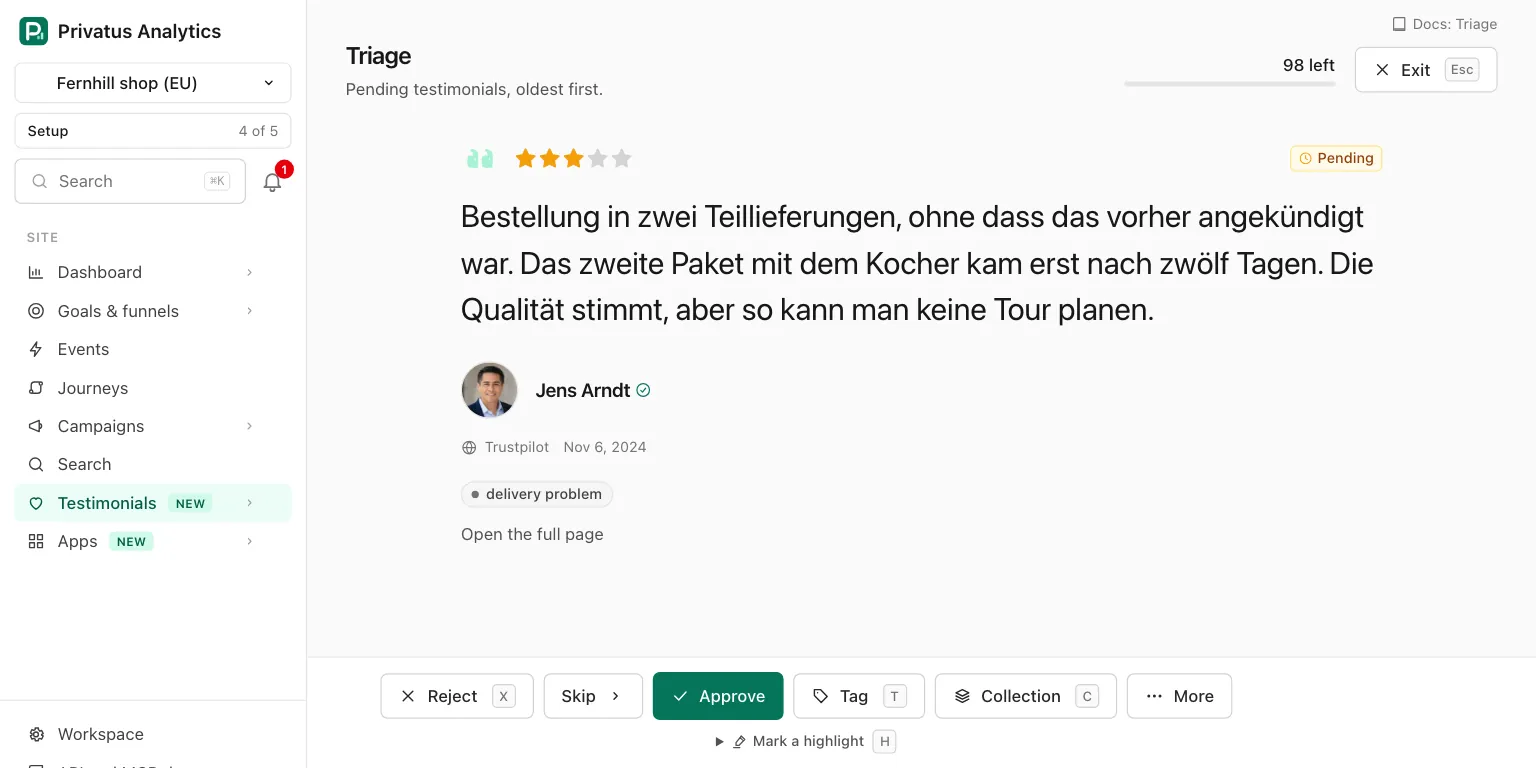
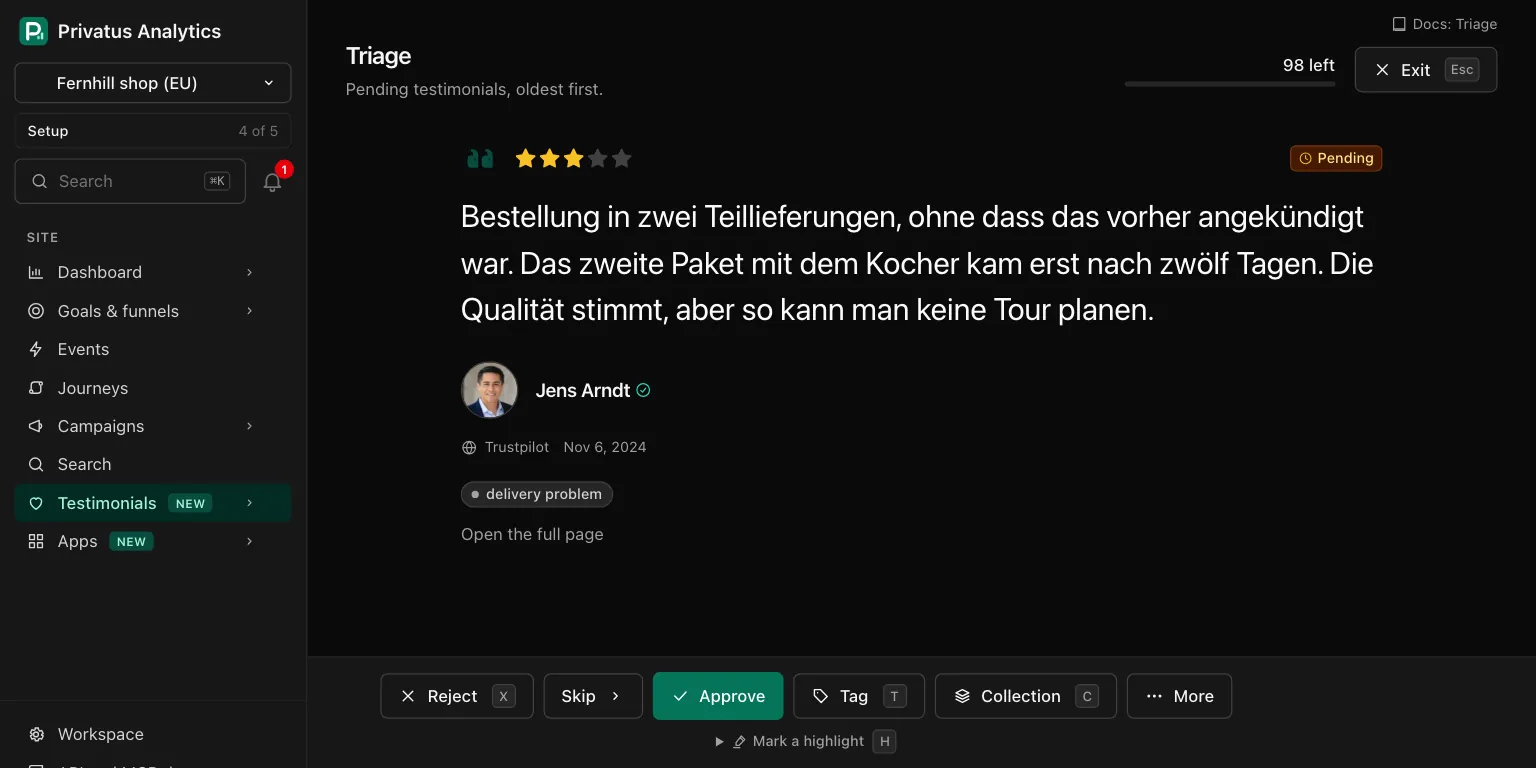
| The top | Triage, the queue in words, a counter such as "17 left" over a thin progress line, and Exit |
| The testimonial | The person, the rating, the title, the words in large type and the player of a video or audio file |
| Under it | Its tags, a link to the person's other testimonials when there are some, "Looks like a duplicate of another." when it is in the duplicates queue, and Open the full page |
| The bar | The decisions. Shown to members who hold content.write |
Every button and key#
The bar holds these, from left to right.
| Button | Key | What it does | Moves on |
|---|---|---|---|
| Back | Left arrow | Shows the one you just handled again. Offered after the first one | |
| Reject | X |
Rejects it | Yes |
| Skip | Right arrow | Leaves it as it is | Yes |
| Approve | L |
Approves it | Yes |
| Tag | T |
Opens Tag names. Separate several with commas, and a new name is created. Add tag saves | No |
| Collection | C |
Opens a menu of the manual collections, with Add to collection. Shown once the site has a manual collection | No |
| Pin or Unpin, under More | P |
Pins it, or unpins it | No |
| Edit, under More | E |
Opens the edit form and comes back here after saving | No |
| Move to trash, under More | Delete |
Moves it to the trash | Yes |
| Mark a highlight, under the bar | H |
Opens the sentences of the words. Pick one and press Mark it. Clear the highlight removes it. Shown when the testimonial has words | No |
| Exit, at the top | Esc |
Back to the Inbox with the same filter. While a menu is open (Tag, Collection, More), Esc closes the menu first, and the next Esc exits |
|
| Undo, on the notice | Z |
Takes the last change back and returns to that testimonial | |
| The space bar | Plays or pauses the video or audio | No |
You can also select any words in the testimonial, open Mark a highlight and press Mark it. The selection becomes the highlight in place of a whole sentence.
After Approve, Reject, a tag or any other change, a notice at the bottom of the screen says what happened and offers Undo for 10 seconds. Every one of those changes also stays in the undo list for 7 days.
Keys work when keyboard shortcuts are on for your account, and never while the cursor is in a field. See Keyboard shortcuts.
The end of the queue#
Triage counts what you approved, rejected and skipped in this run. When the queue is done the page says "Inbox clear" with the tally, for example "31 approved, 4 rejected, 2 skipped." Two buttons follow: Go through the 2 skipped, when you skipped some, and Back to Testimonials.
The tally lives in the address of the page. Nothing is stored about it, and reloading keeps it. A testimonial you moved to the trash is not in the tally.
API and MCP#
| Action | MCP tool | Permission |
|---|---|---|
| Get the next one of a queue | testimonials_triage |
analytics.read |
| Approve, reject | testimonials_approve, testimonials_reject |
content.write |
| Tag | testimonials_update with add_tags |
content.write |
| Add to a collection | testimonial_collections_add_items |
content.write |
| Mark a highlight | testimonials_highlight |
content.write |
| Pin or unpin | testimonials_pin |
content.write |
| Move to trash | testimonials_trash (the API runs it, the MCP tool does not) |
content.write |
An AI assistant cannot delete anything or move anything to the trash.
The MCP tool testimonials_trash runs nothing: it responds with
human_only and the address of the testimonial's page, and the
assistant hands you that link.
testimonials_triage responds with the next testimonial of a queue, so
an assistant can walk it the way the page does. It takes the filter
inputs of testimonials_list or a view_id, and with neither it walks
the default queue. Send after, the id of the one just handled or
skipped, to get the one that follows it. data is null when the queue
is done, and meta.remaining says how many are left. The full inputs
are in the API reference and the
MCP reference.
Ask your assistant:
- "Go through the pending testimonials with me, oldest first."
- "Approve every pending five-star one from a verified person, and show me the rest one by one."
- "Reject this one and tag the next one Pricing."
Good to know#
- A testimonial that is waiting for allowance is never in the default queue. It can appear in a queue you filtered yourself, where its Approve button is switched off and says why.
- A member who holds
analytics.readand notcontent.writecan open triage and read the testimonial at the front of the queue. The bar of decisions is not shown. - Every button is a plain form or link, so the whole queue can be cleared with the mouse or the Tab key when JavaScript is off. The keys, the space bar for the player and a highlight from selected words need JavaScript. A highlight from the list of sentences does not.
- A queue you filtered keeps a testimonial after you decide on it, unless the decision takes it out of the filter. Triage still moves on to the next one.
- Mark it with no sentence picked and nothing selected changes nothing and says "Pick a sentence first, or select some words in the testimonial."
- One run walks up to 20,000 testimonials.