Chart notes and annotations
Annotate analytics charts with notes for launches, campaigns and incidents, and get automatic notes for deploys, downtime, imports and Web Vitals regressions.
A note marks a date on a site's charts. On the Overview, notes in the date range appear as pins under the main chart, in the chart's tooltip and in a list below it. The page detail view lists the notes that mention its path.
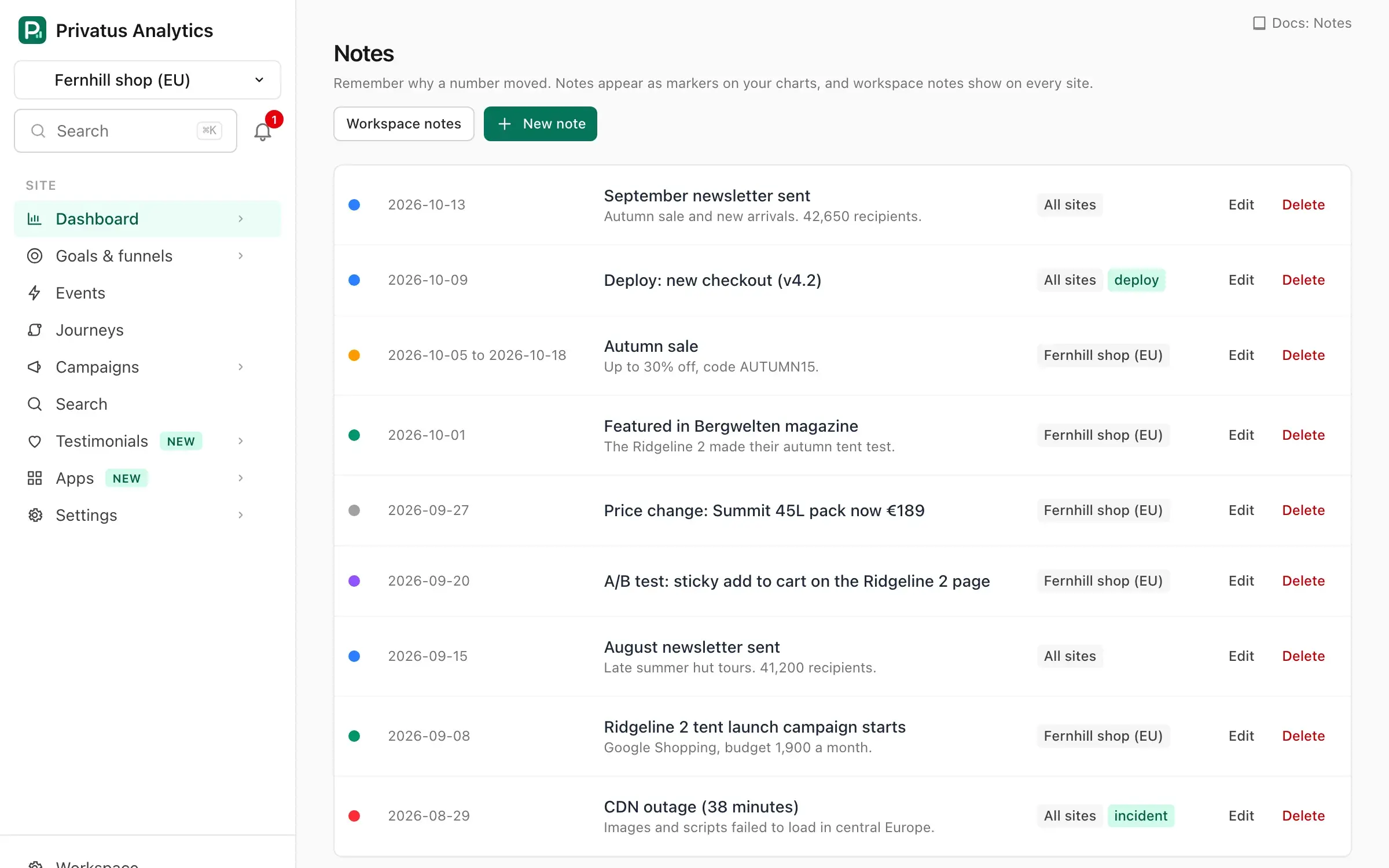
Adding a note#
Open Notes under Dashboard in the menu, or All notes under the
chart, and press New note (N). Site
settings → Notes has the same button. Adding, editing and deleting notes
needs the content.write permission.
| Field | What it does |
|---|---|
| Date | The day the note is pinned to. Required |
| End date | Optional. Makes the note span a range, shown on every chart point in it |
| Title | Shown on the chart. Required, up to 120 characters |
| Details | Optional longer text, shown as plain text in the notes list |
| Link | Optional http or https URL. The title links to it in the notes list |
| Color | Neutral, Brand, Blue, Amber, Red or Violet. The color of the note's dot in lists |
Site notes and workspace notes#
- A note added from a site's Notes page belongs to that site.
- A note added from the workspace's Notes page is shown on the charts of every site in the workspace (labeled All sites). A member limited to some sites can't add or change these.
The workspace Notes page also lists the notes of all sites you can access.
Automatic notes#
| Source | When it is added |
|---|---|
deploy |
When you post a note with source: "deploy" from your CI or deploy script. Without a title it reads "Deployed" plus the version you send, and without a date it is dated today. Site settings → Notes shows a ready-to-copy curl command (it needs an API token with content.write) |
incident |
When an uptime check linked to the site goes down |
import |
When an import finishes, spanning the imported dates |
system |
When the p75 of a Web Vital (LCP, INP, CLS, FCP or TTFB) over the last 7 complete days is more than 20% worse than over the 7 days before, with at least 20 samples in each week. Checked once a day, and added at most once a week per metric |
API#
Site notes are under /sites/<site id>/notes (MCP: notes_list,
notes_get, notes_create, notes_update, notes_delete) and
workspace notes under /workspaces/<workspace id>/notes (MCP:
workspace_notes_list, workspace_notes_create,
workspace_notes_update, workspace_notes_delete).
Creating takes date, end_date, title, body, url, color,
source and version. The list takes from, to, source and query
(searches the title, details and link). See the
API reference.