White label branding for shared reports
Put your own brand name, logo and accent color on shared dashboards and email reports, and remove Privatus Analytics branding from embeds and status pages.
White label puts your own name, logo and accent color on the reports you send to clients, and can remove the Privatus Analytics name from them. You set it once per workspace and it applies to every site in that workspace.
Who can use it#
White label is part of the Business and Enterprise plans. A workspace covered by an approved agency discount also gets it on Pro.
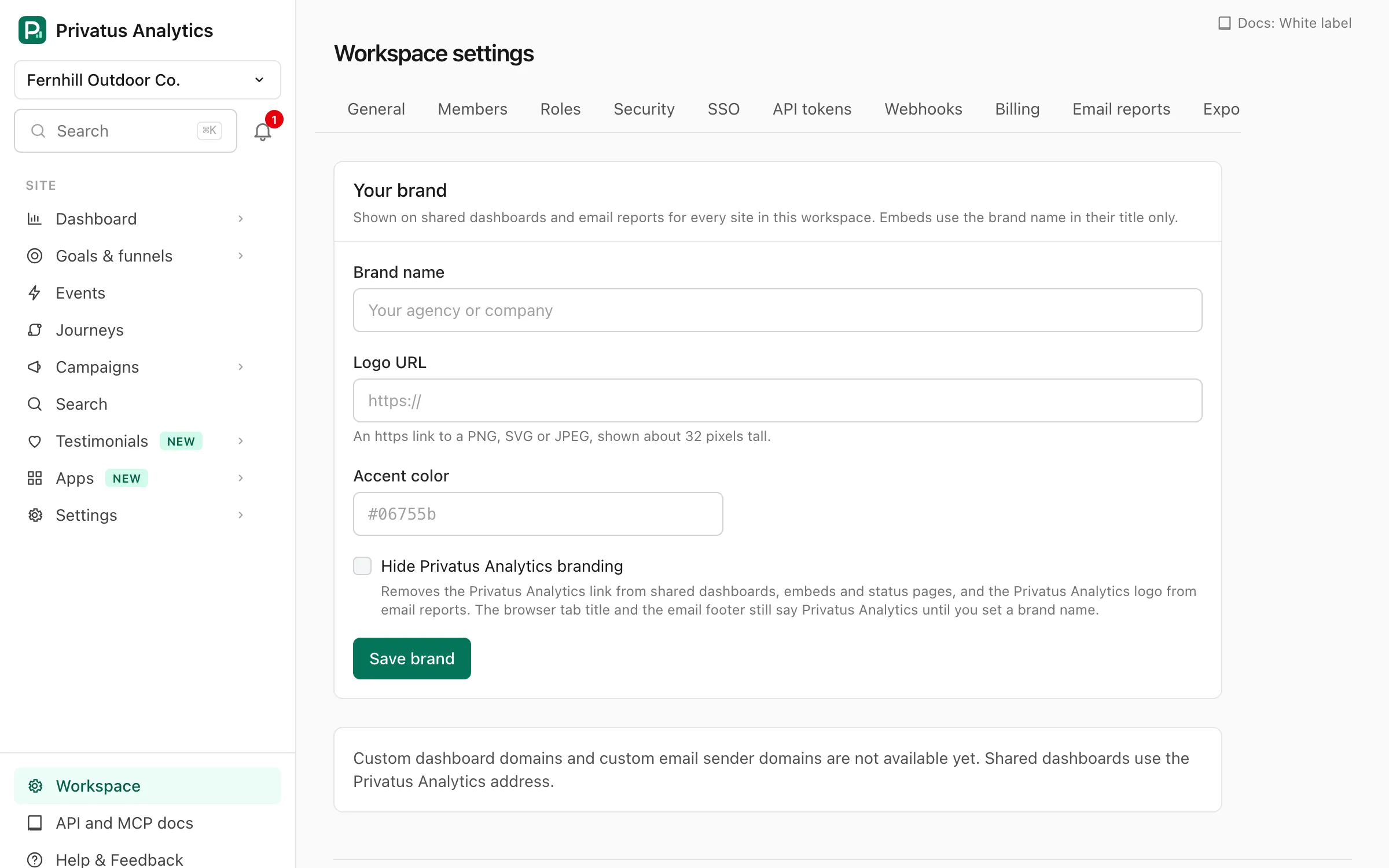
The settings are in Workspace settings → White label. Changing them
needs the workspace.manage permission, which the Owner and Admin
roles have.
Settings#
| Setting | What it does | Rules |
|---|---|---|
| Brand name | Shown in place of Privatus Analytics | Up to 60 characters |
| Logo URL | An image shown next to the brand name | An https:// link to a PNG, SVG or JPEG, with no spaces, up to 500 characters |
| Accent color | The color of the brand name | # and six hex digits, such as #06755b |
| Hide Privatus Analytics branding | Removes the Privatus Analytics name and logo | On or off |
Every setting is optional. Clear a field and save to remove it.
The brand is applied as soon as the workspace has a brand name, a logo or Hide Privatus Analytics branding turned on. An accent color on its own changes nothing, because it colors the brand name.
Note: The logo is loaded from your URL each time, so replacing the file there updates every dashboard and email at once. Keep it online at that address. It is shown about 32 pixels tall on shared dashboards and 28 pixels tall in emails.
Where your brand appears#
| Place | Brand name, logo and color | Hide Privatus Analytics branding |
|---|---|---|
| Shared dashboards, including the password prompt | Your logo and brand name at the top of the page, and your brand name in the browser tab title | Removes the Privatus Analytics link at the bottom of the page |
| Embeds | Your brand name in the title of the embedded frame. The embed shows no logo | Removes the Privatus Analytics link under the chart |
| Email reports | Your logo and brand name at the top of the email in place of the Privatus Analytics logo, and your brand name in the footer line | Removes the Privatus Analytics logo from the top of the email, even with no brand name or logo |
| Status pages | Each status page has its own logo and color | Removes the "Powered by Privatus Analytics" link |
Tip: The footer line of a report email says who sent the report. It names Privatus Analytics until you set a brand name, even when Hide Privatus Analytics branding is on.
Good to know#
- Addresses. Shared dashboards and embeds are served from
privatusanalytics.com, and report emails come from the Privatus Analytics sending address, so they work with nothing to set up on your domain. A status page can have its own custom domain. - Colors. The accent color is for your brand name. Charts and buttons use the standard colors, which are tuned for light and dark mode.
- Status page emails use the status page's own name and color.
- Your team's view. White label covers what your clients see: shared dashboards, embeds, email reports and status pages. Members who sign in work in the Privatus Analytics app, and the PDF attachment, account emails, the TV wallboard and the visitor counter badge carry the Privatus Analytics name.
Plans#
White label is included in the Business and Enterprise plans, and in Pro for agencies in the discount program. On other plans the page previews the form with a link to the plans.
Your brand settings are always kept. If the workspace changes plan they are saved, and they apply again with nothing to re-enter as soon as it is on a plan with white label.
API#
White label is a REST resource at
/workspaces/<workspace id>/white_label (GET to read, PATCH to
change) and the MCP tools white_label_get and white_label_update. An
update changes only the fields you send (brand_name, brand_logo_url,
brand_color, hide_branding), and a blank value removes a field. The
response adds available (the plan includes white label) and active
(the brand is being applied now). The API reference lists
every input.