We switched in an afternoon. The Saturday queue is shorter and nobody has asked where their order went since.

Dana Whitfield
Cookieless analytics for your site. Free for 10k events a month.
Start free nowTestimonial widget
Put a customer's words next to your price, your signup button or your checkout, in a widget that looks like the rest of your site. Paste one snippet, and new testimonials show up without you touching the site again.
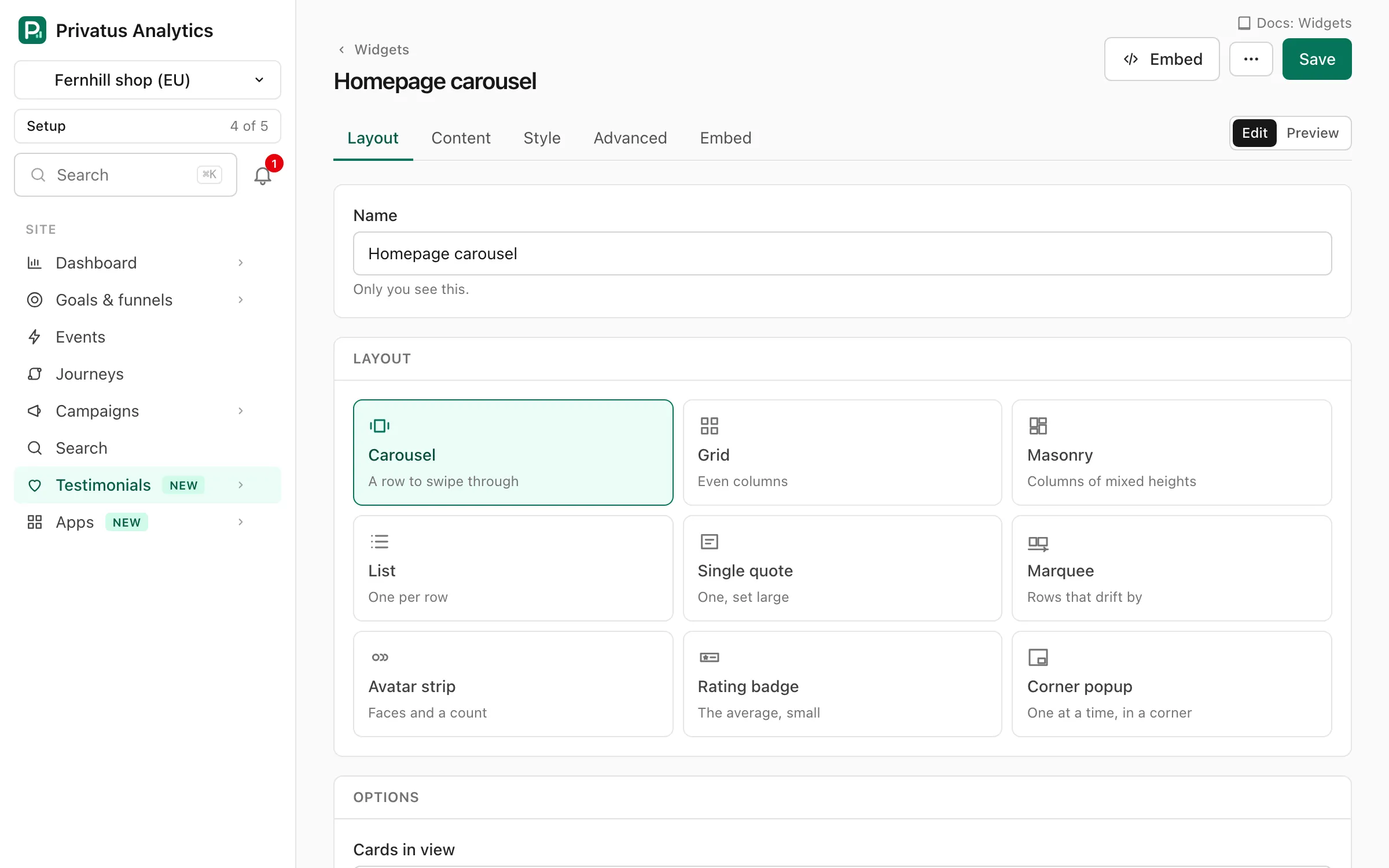
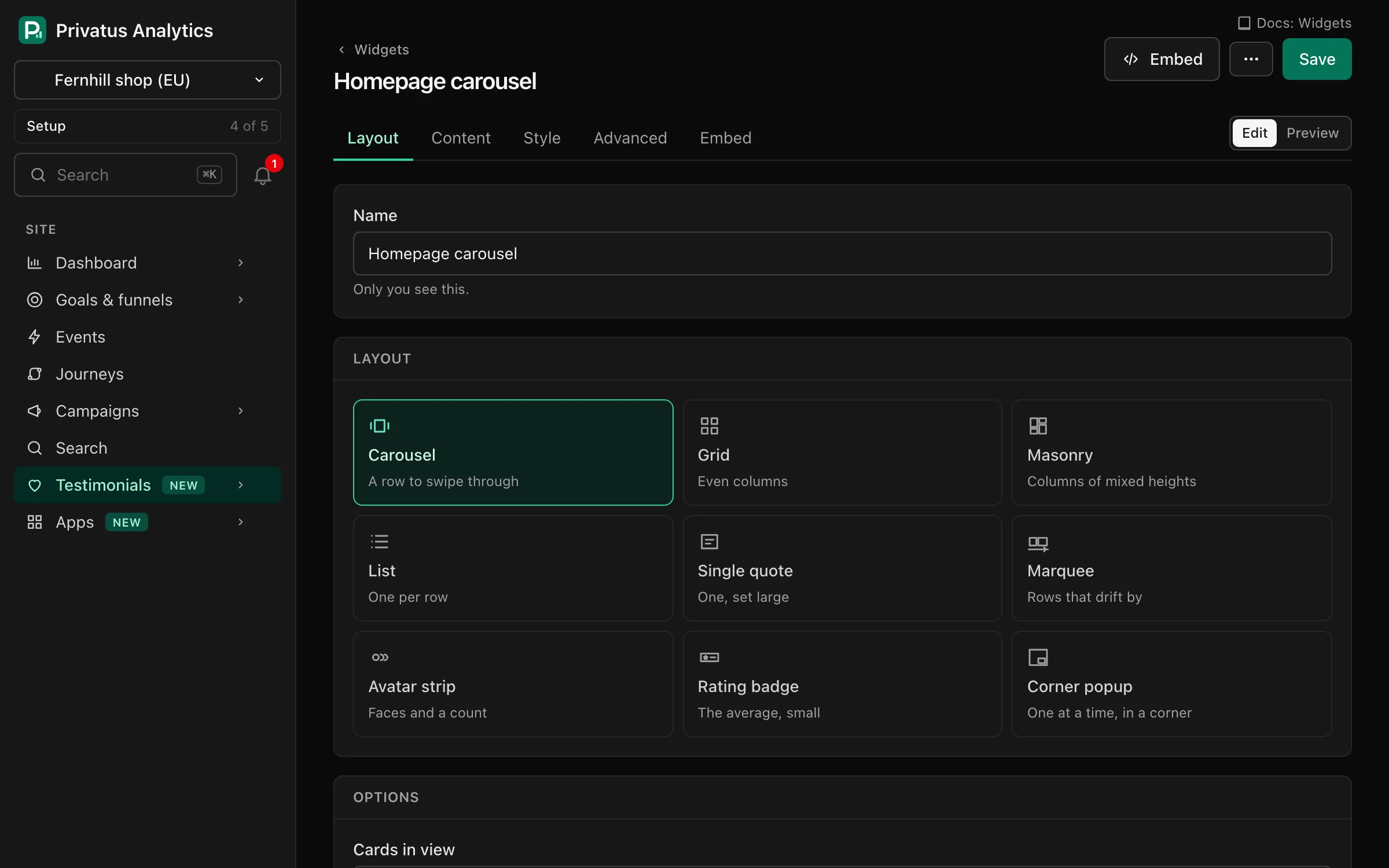
Copy the snippet from the widget editor and paste it where the testimonials should go. Any page or site builder that accepts HTML will do.
Colors, fonts, corner radius, stars or hearts, how many lines to show and which details appear. Every setting has a live preview.
The widget script is small, loads without holding up your page and sets no cookies on your visitors' devices.
Sample widget
We switched in an afternoon. The Saturday queue is shorter and nobody has asked where their order went since.
I expected a month of setup. It took two days, and the support team answered every question in plain English.

Does one thing and does it well. I would like more colors, but everything I rely on has worked every single day for a year.

My students picked it up without a single lesson. That has never happened with anything else I have tried in the classroom, and I have tried a lot.

Clear, quick and honest about what it cannot do. We recommended it to two other clinics the same week.

Good value. Took me a little while to find the settings I wanted, and after that it just got out of the way.
We switched in an afternoon. The Saturday queue is shorter and nobody has asked where their order went since.
I expected a month of setup. It took two days, and the support team answered every question in plain English.
Does one thing and does it well. I would like more colors, but everything I rely on has worked every single day for a year.
My students picked it up without a single lesson. That has never happened with anything else I have tried in the classroom, and I have tried a lot.
Clear, quick and honest about what it cannot do. We recommended it to two other clinics the same week.
Good value. Took me a little while to find the settings I wanted, and after that it just got out of the way.
We switched in an afternoon. The Saturday queue is shorter and nobody has asked where their order went since.
I expected a month of setup. It took two days, and the support team answered every question in plain English.
Does one thing and does it well. I would like more colors, but everything I rely on has worked every single day for a year.
My students picked it up without a single lesson. That has never happened with anything else I have tried in the classroom, and I have tried a lot.
Clear, quick and honest about what it cannot do. We recommended it to two other clinics the same week.
Good value. Took me a little while to find the settings I wanted, and after that it just got out of the way.
We switched in an afternoon. The Saturday queue is shorter and nobody has asked where their order went since.
I expected a month of setup. It took two days, and the support team answered every question in plain English.
Does one thing and does it well. I would like more colors, but everything I rely on has worked every single day for a year.
My students picked it up without a single lesson. That has never happened with anything else I have tried in the classroom, and I have tried a lot.
Clear, quick and honest about what it cannot do. We recommended it to two other clinics the same week.
Good value. Took me a little while to find the settings I wanted, and after that it just got out of the way.
We switched in an afternoon. The Saturday queue is shorter and nobody has asked where their order went since.
We switched in an afternoon. The Saturday queue is shorter and nobody has asked where their order went since.
These testimonials are made up to show the layouts. They are not from real customers and are not about Privatus Analytics.
<div data-pa-testimonial-widget="wdg_YOURWIDGET" style="min-height:300px"></div>
<script src="https://privatus.page/embed/widget.js" async></script>Use a carousel or a grid on a landing page, a single large quote beside a pricing table, a rating badge in a footer or a small popup in the corner of a checkout page. Each layout has its own options, and every one of them is on every plan.
The snippet is one line of HTML and one small script. If your builder does not accept a script, each widget also has a frame you can link to, and a plain HTML version you can paste. Pasted as HTML, the words are part of your own page, where search engines can read them. Developers can read the same testimonials as JSON.
Set your brand kit once and every new widget starts in your colors and fonts. Then adjust each widget by itself. The widget is drawn in a box of its own, so the styles of your site cannot break it and it cannot break your site. On Business you can add your own CSS.
Feed a widget from a collection, a saved view or a set of tags. When you approve a testimonial that belongs there, the widget on your site shows it within a few minutes. Take an approval back and it disappears the same way.
Each widget counts its views, clicks and video plays as daily totals, so you can see which page shows it most. And because Privatus Analytics is also your site's analytics, you can set a goal for the signup or the purchase, or run an experiment with the widget on one version of the page and not on the other. We do not promise a lift. You can measure it. Nothing is stored about the visitor.
Make a widget, copy its snippet and paste it into your page where the testimonials should appear. That is all.
It works with any builder that lets you paste HTML into a page. For builders that only accept a link or a frame, each widget has a frame address too.
The script is 3.0 KB after compression and loads without blocking your page. Videos load only when someone presses play.
On Business a widget can add review markup to your page. Markup makes a page eligible for rich results. The search engine decides whether to show them.
On Business. On Free and Pro a small "Collected with Privatus Analytics" badge is shown under the widget.
Bring in the reviews you have, send one link and put the first quote on your pricing page this afternoon.
Your first workspace starts with 14 days of Pro, free. After that it moves to the free plan, with 10k events a month, 3 sites and 3 months of history. No card required.