Testimonial forms
A testimonial form that keeps collecting while you work
Most people are glad to say something kind if it takes two minutes. Put one link where your customers already are, leave it open, and the testimonials come to you.
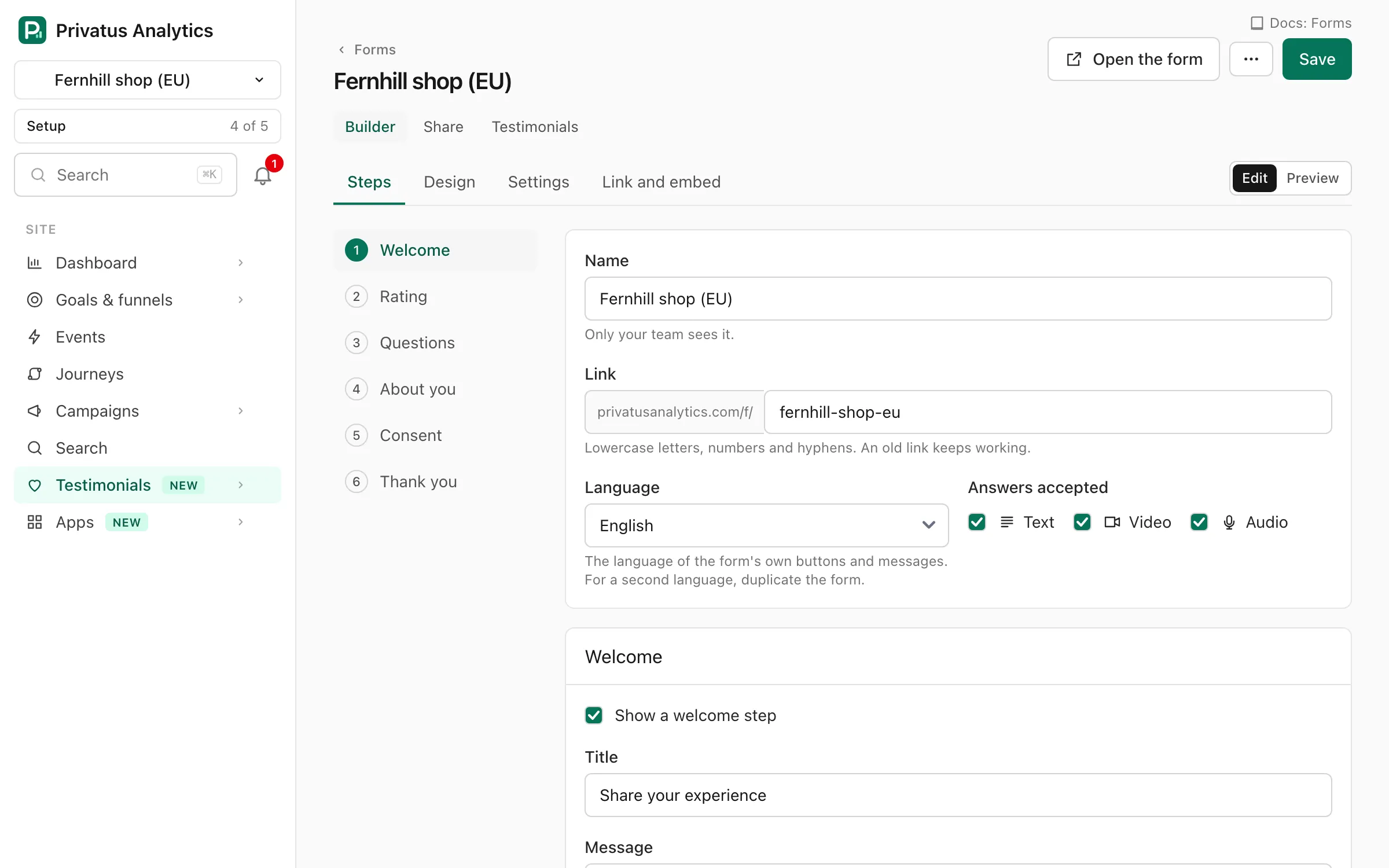
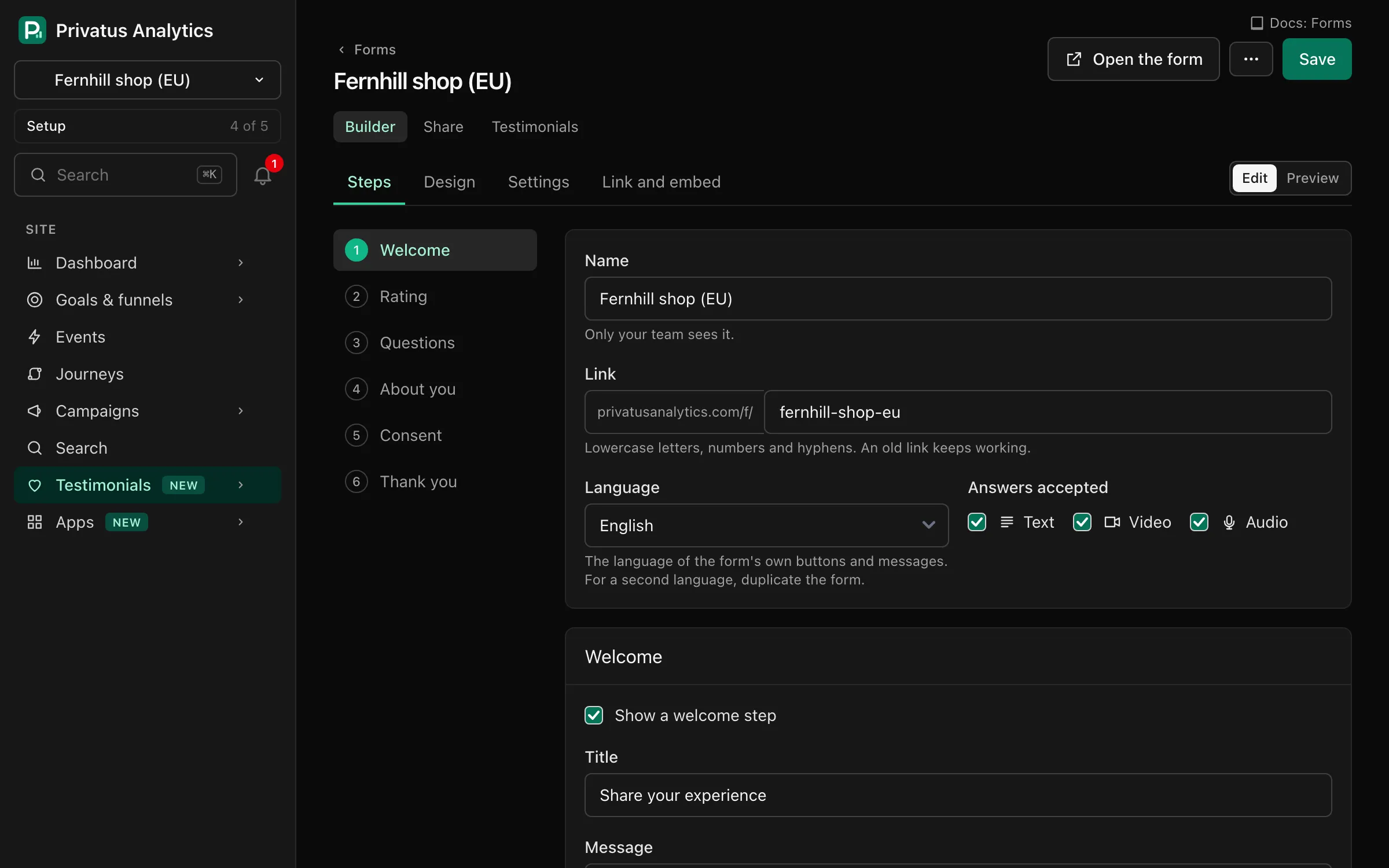
Built in steps
Welcome, rating, your questions, a few details about the person, consent and a thank you. Switch steps on or off and reword anything.
Shared four ways
A link, a QR code to print, a popup on your site or the form placed inside one of your pages.
Consent on record
What each person agreed to is stored with their testimonial, with the date and the wording they saw.
Ready to share in minutes
A new form comes with a good first question and tips that help people say something specific. Change the wording, add questions of your own and choose which are required. Collect a name, a photo, a job title and a company, each optional or required as you choose. The form follows your brand kit.
- Written answers on every plan, video and audio on Pro and Business
- A star or heart rating
- Up to 3 pictures with a testimonial
- Forms in 16 languages
On Business, the ask arrives from you
Connect your own email provider (Amazon SES, Postmark, SendGrid, Mailgun or Resend) under Testimonials, Settings, Email sending, and request emails go out from your own address, not from ours. Paste a list of customers or upload a spreadsheet, write the email in your own words and schedule it. Add up to 3 follow-ups for people who have not answered, each with its own wording and delay. A testimonial that arrives through a personal request link gets a verified mark.
- See who opened, clicked and answered
- Anyone who unsubscribes is never asked again
- Nobody is asked twice within 30 days
Ask after a purchase, automatically
On Business, connect Stripe or Paddle with a read-only key and a request is sent a set number of days after each purchase. You choose the delay and the form.
Send unhappy customers to you, not to your wall
On Business, a low rating can lead to a private feedback form instead of a public testimonial, so you hear about a problem while you can still fix it.
Say thank you
End with your own message, a button back to your site and, if you like, a coupon code you supply as a reward. The consent record notes that a reward was offered.
Questions and answers
How do I ask customers for a testimonial?
Share your form's link wherever you already talk to customers. On Business you can also send request emails from your own address, with follow-ups for people who forget.
What questions should a testimonial form ask?
Ask about the change, not the product. What was it like before, what changed and what would they tell a friend. A new form begins with questions like these.
Can I put the form on my own website?
Yes. Place it inside a page, or open it as a popup from a button or a tab at the side of the screen.
Does the form set cookies?
No. The form sets no cookies and stores nothing in your customer's browser. It uses Cloudflare Turnstile to keep spam out, which you can switch off for a form.
Let your customers do the convincing
Bring in the reviews you have, send one link and put the first quote on your pricing page this afternoon.
Your first workspace starts with 14 days of Pro, free. After that it moves to the free plan, with 10k events a month, 3 sites and 3 months of history. No card required.