API authentication and tokens
Create API tokens for the Privatus Analytics REST API, choose permissions, sites, expiry and IP allowlists, and send them as Bearer tokens in requests.
API tokens#
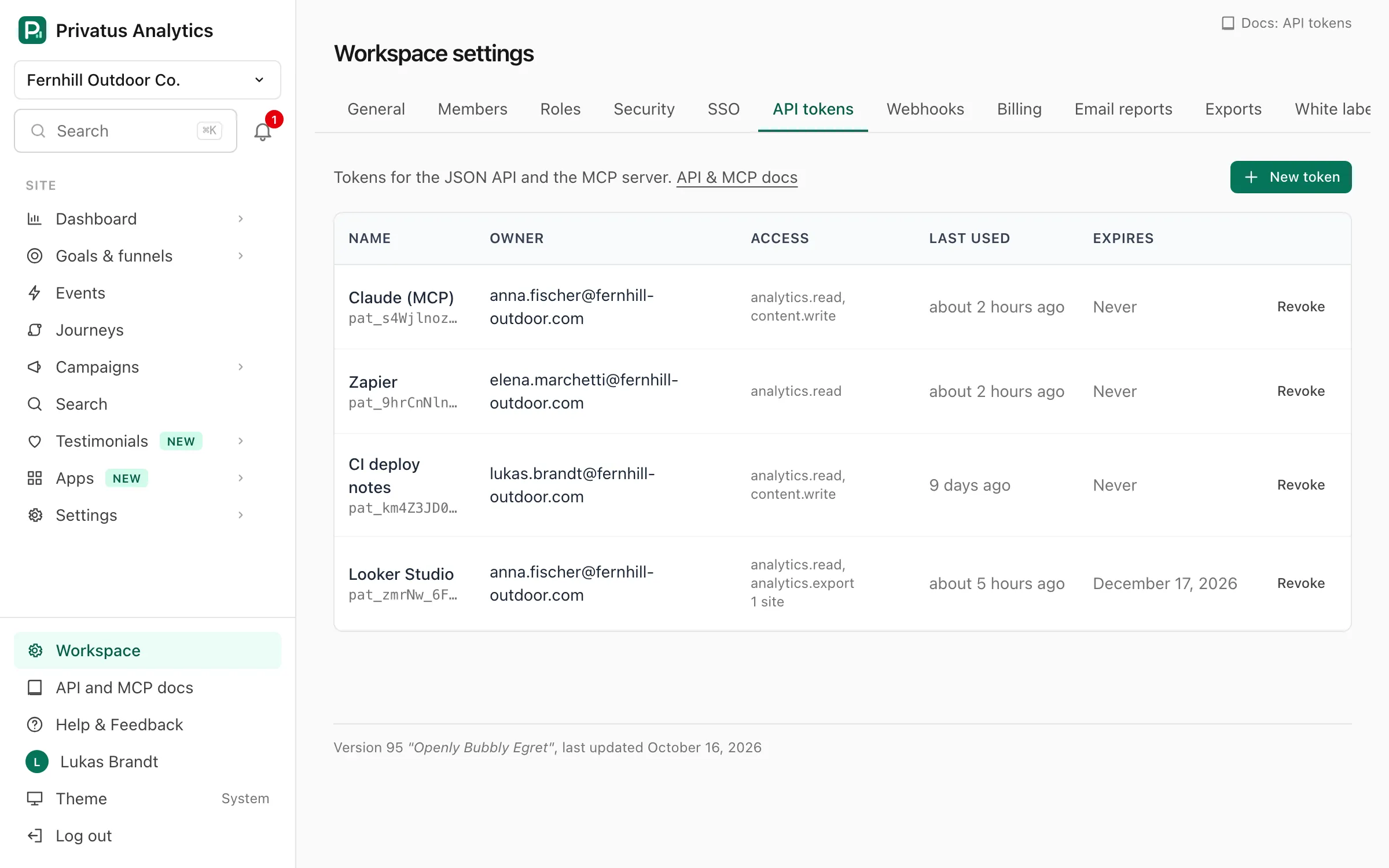
Create a token in Workspace settings → API tokens. The same options
are the inputs of the api_tokens_create operation:
| Option | API input | What it does |
|---|---|---|
| Name | name |
A label for the list, up to 100 characters. Required |
| Permissions | permissions |
Any subset of your own (for example only analytics.read for a dashboard integration). At least one. Over the API, leaving it out gives the token all of your permissions |
| Sites | site_ids |
Every site you can access (an empty list), or Only selected sites (a list of pa_… ids you can access) |
| Expires | expires_at |
In the app: in 30 days, in 90 days (the default), in 1 year, or never. Over the API: any time in the future, up to 3 years ahead, or left out for a token that never expires |
| Allowed IPs | allowed_ips |
Optional IPv4/IPv6 addresses or CIDR ranges. Requests from any other address get 403. Empty means any address |
The token (pat_…) is shown once. We store only a SHA-256 digest and
a short prefix so you can recognize it in the list.
Any member can create tokens for themselves in the app. A token can only
create or revoke tokens when it has the tokens.manage permission, and
revoking another member's token needs tokens.manage too.
In a workspace that requires two-factor authentication, you need two-factor authentication on your own account to create a token.
Authorization: Bearer pat_…
Requests with a token don't use cookies or CSRF tokens.
What a token can do#
A token acts as the member who created it, narrowed by its settings:
- permissions = the member's role ∩ the token's permissions,
- sites = the member's site access ∩ the token's sites.
If the member loses access, so does the token. See the permission matrix. Each operation in the reference names the permission it needs.
A narrowed token stays narrowed:
- A token created by a token that is limited to some sites keeps those
sites when you send no
site_ids. It can never cover more. - A token limited to some sites works on those sites. Operations on the
workspace as a whole (its settings, security, single sign-on and SCIM,
webhooks, the audit log, white label, billing and invoices, adding a
site, workspace notes and checks, deleting it) return
403for it, whatever its permissions. The same goes for a member whose access is limited to some sites. - Things that several sites share follow the same limit. A notification
channel that another site's alert reports to, a status page that shows
another site's check, a role or an invitation that gives access to other
sites, and a member or token that reaches more sites are not listed for
such a token, and changing them returns
403or422. On a shared dashboard, a card of another site comes back as{"type": "...", "status": "no_access"}. Send it back as it is to keep it. It can't be changed, and the last card of such a site can't be removed. - A thing attached to no site at all (a channel no alert uses, a role nobody holds, a status page with no checks, a dashboard with no cards) belongs to the workspace, so it is out of reach for such a token too, unless the same token created it.
- Under a site, the list of TV links leaves out a link that also shows a site outside the token's list, and the site's access list names only the members whose sites are all within it.
- Leaving the workspace and transferring its ownership act on your whole
membership, so they need a token with all of your permissions and no
site limit (or a signed-in browser). Any other token gets
403.
A token belongs to one workspace. Using it on another workspace's
resources returns 403.
Errors#
| Status | Code | Meaning |
|---|---|---|
| 401 | unauthorized |
Missing, invalid, revoked or expired token |
| 403 | forbidden |
The token's IP allowlist doesn't include your IP, the token lacks the permission or site, the token belongs to another workspace, or its member's account is suspended |
Revoking#
Revoke a token in the token list (or with api_tokens_delete). Over MCP
the tools that create and revoke tokens only return a link to the token
list, see Actions for a person. Removing
a member from a workspace revokes their tokens for it. The list shows
when each token was last used (updated at most once a minute).
Public endpoints#
A few operations need no token: the docs (including /docs/*.json),
/openapi.json, and the collection endpoint the tracking script posts to
(/api/event). AI crawler log uploads (POST /api/logs) use the site's
crawler log key, not an API token.
OAuth#
MCP clients can connect with OAuth 2.1 instead of a pasted token: see MCP authentication. OAuth-issued tokens are ordinary API tokens you can see and revoke in your token list.
The mobile app is the one exception. It
logs in through the same OAuth server as a client of our own, and gets
read-only tokens that last a day and are renewed with a refresh token
that changes at every renewal. Those tokens can only send GET
requests, are not in the token list or the audit log, and have their
own rate limit. You sign a device out under
Account → Security → Mobile app. Other clients can't use this
login: it only returns to the app itself.