Site settings reference
A guide to every site settings tab: domains, tracking snippet, privacy, traffic and bot rules, goals, channels, alerts, sharing, integrations and deletion.
Settings at the end of the menu opens the
site's settings, split into 16 tabs. Opening them needs the
sites.manage permission (Owner, Admin and Editor). Most settings are
also API operations with the same permission.
| Tab | What's there |
|---|---|
| General | Name, primary domain, additional domains (combined or separate), timezone, currency, labels, site id |
| Tracking | Snippet generator, platform guides, Verify installation, crawler log key, Web Vitals sample rate |
| Privacy | DNT/GPC handling, query parameter allowlist, path masking rules, PII scrubber and custom rules, redaction log (counts only), data retention |
| Traffic rules | Seven lists (hostnames, paths, referrers, countries, IP ranges, user agents and events), each set to block matches or to allow only matches, with a test box. See Traffic rules |
| Bots | Bot filtering on or off, a 30-day summary of filtered bot hits by reason and country, and how many visits had no input seen. Block a spam referrer with a traffic rule. See Bot rules |
| Goals | The site's active goals (up to 20 listed), links to create and manage them, and what conversion rates are measured against |
| Funnels | The site's funnels (up to 20 listed), with links to create and manage them |
| Events & properties | Links to manage events (rename, merge, hide, delete) and property settings. See Events explorer |
| Channels | Custom channel rules with a preview |
| Notes | Recent notes and a ready-to-copy deploy note command |
| Alerts | This site's alert rules and where they're sent |
| Sharing | The public dashboard switch, share links (public, password, members only, embed), embed code and the badge, and a link to wallboard links |
| Integrations | Search Console and Bing and subscription metrics connection status, plus links to webhooks, notification channels (Slack, Teams and more), API tokens, warehouse export, AI crawlers and uptime checks |
| Imports | Recent GA4 and CSV imports and a link to start one |
| Site audit | The site audit switches: on or off, subdomains, external link checks, excluded paths, ignored parameters and extra start URLs |
| Access | Which members can see this site |
| Danger zone | Transfer the site to another workspace, reset data for a date range, delete the site |
On a phone the tabs are a row across the top. On a wide screen they are a list beside the form.
General#
The site's identity and the defaults its reports use. One Save button stores the whole tab.
| Field | What it does |
|---|---|
| Name | The name shown in the sidebar, on All sites and in reports. Up to 100 characters |
| Primary domain | The site's main hostname, for example example.com. A pasted URL is reduced to its lowercase hostname. A domain can belong to only one active site |
| Timezone | The timezone that days and date ranges are counted in. Changing it regroups all history at once. See Timezones |
| Currency | A three-letter code such as USD. Revenue sent in another currency is converted to it. A new site starts with the workspace's timezone and currency |
| Additional domains | Other hostnames that send data to this site, one per line or separated by commas. Each must be a valid hostname. A pasted URL is reduced to its hostname |
| Multiple domains | Combined (the default): one visit can span all the domains, and reports show them together. Separate: each domain starts its own visits, and you compare them with a hostname filter |
| Labels | Comma separated tags. Filter sites by label on the All sites page |
| Site id | The pa_… id used in the snippet's data-site and in API paths, with a Copy button. It never changes |
Hits are accepted only from the primary domain, the additional domains
and any of their subdomains (www., shop. and so on). Hits from other
hostnames are dropped. Cross-domain and subdomains
explains when to combine domains and when to create separate sites.
Through the API, these are the name, domain, timezone, currency,
extra_domains, multi_domain_mode (combined or
separate) and labels fields of PATCH /sites/<site id> (MCP:
sites_update). Only the fields you send are changed.
Tracking#
Everything needed to get data in: the snippet, install help, a check that it works and Web Vitals sampling, plus the key for AI crawler log uploads.
Snippet generator#
Choose options and the snippet below them updates. Paste it into the
<head> of every page. Each option becomes one attribute of the script
tag:
| Option | Attribute | Effect |
|---|---|---|
| Modules | data-modules |
engage (time on page and scroll depth), auto (outbound links, file downloads, form submits and 404s, which count as events), vitals (Core Web Vitals, sampled) and clicks (aggregate element click counts). All four are ticked by default, so every report has data. Untick the ones you don't want. The attribute is left out when only engage is ticked. See Modules |
| Single-page apps | data-spa |
Automatic (history and hash, the default), History API only, Hash routing (keeps the #fragment) or Off. See Single-page apps |
| Manual pageviews only | data-manual |
The script sends no pageview by itself. See Manual mode |
| Only track on hostnames | data-domains |
Runs the tracker only on the hostnames you list, separated by commas |
| Exclude paths | data-exclude |
Skips matching paths, for example /admin/*, /preview/* |
| Keep query parameters | data-params |
Sends the listed query parameters with page URLs, for example page, ref. They are stored only when the Privacy tab allows them too |
| Mask paths | data-mask |
Rewrites paths in the browser, for example /u/*->/u/:id |
The last four are covered in Exclusions and masking, and Script attributes lists every attribute.
Note: The generator only builds a snippet. Its choices are not saved with the site, so the form is back on the defaults the next time you open the tab. What counts is the snippet on your pages.
Platform guides#
Short steps and ready code (already holding your site id) for HTML, WordPress, Shopify, Webflow, Next.js, Nuxt, Google Tag Manager, Ghost, Squarespace, Wix and Framer. The install guides cover platforms in detail.
Verify installation#
Enter a page URL (the homepage is filled in) and click Verify. We
fetch the page and report whether the script is there, whether it carries
this site's id, and whether a Content-Security-Policy or Referrer-Policy
header gets in the way. The URL must be http or https and on the
site's primary domain, an additional domain or one of their subdomains.
When the script is found with this site's id, the site is marked as
verified, and the section shows when that last happened.
See Verify your installation.
Crawler log key#
The secret key for uploading server or CDN logs to POST /api/logs, for
the AI crawlers report.
The tracking script doesn't use it.
- Create key shows the key once. We store only a hash of it, and afterward the tab shows just the key's prefix.
- Rotate key replaces it after a confirmation. The old key stops working immediately.
- Revoke removes it after a confirmation. A site has at most one key.
See Crawler log keys.
Web Vitals sampling#
Sample rate (%) is the share of page loads that report Core Web
Vitals when the vitals module is on, from 0 to 100. A new site is set
to 100. Free: up to 10%. Paid plans: any rate up to 100%. If the workspace moves to a plan with a lower maximum,
that maximum applies without editing the site. Web Vitals don't count
toward your event allowance. See
Performance.
Through the API: GET /sites/<site id>/tracking/snippet
(tracking_snippet), POST /sites/<site id>/tracking/verify
(tracking_verify), POST and DELETE /sites/<site id>/tracking/ingest_key
(tracking_ingest_key_rotate, tracking_ingest_key_revoke), and the
vitals_sample_rate field of sites_update. Over MCP the two key
tools only return a link to this tab, see
Actions for a person.
Privacy#
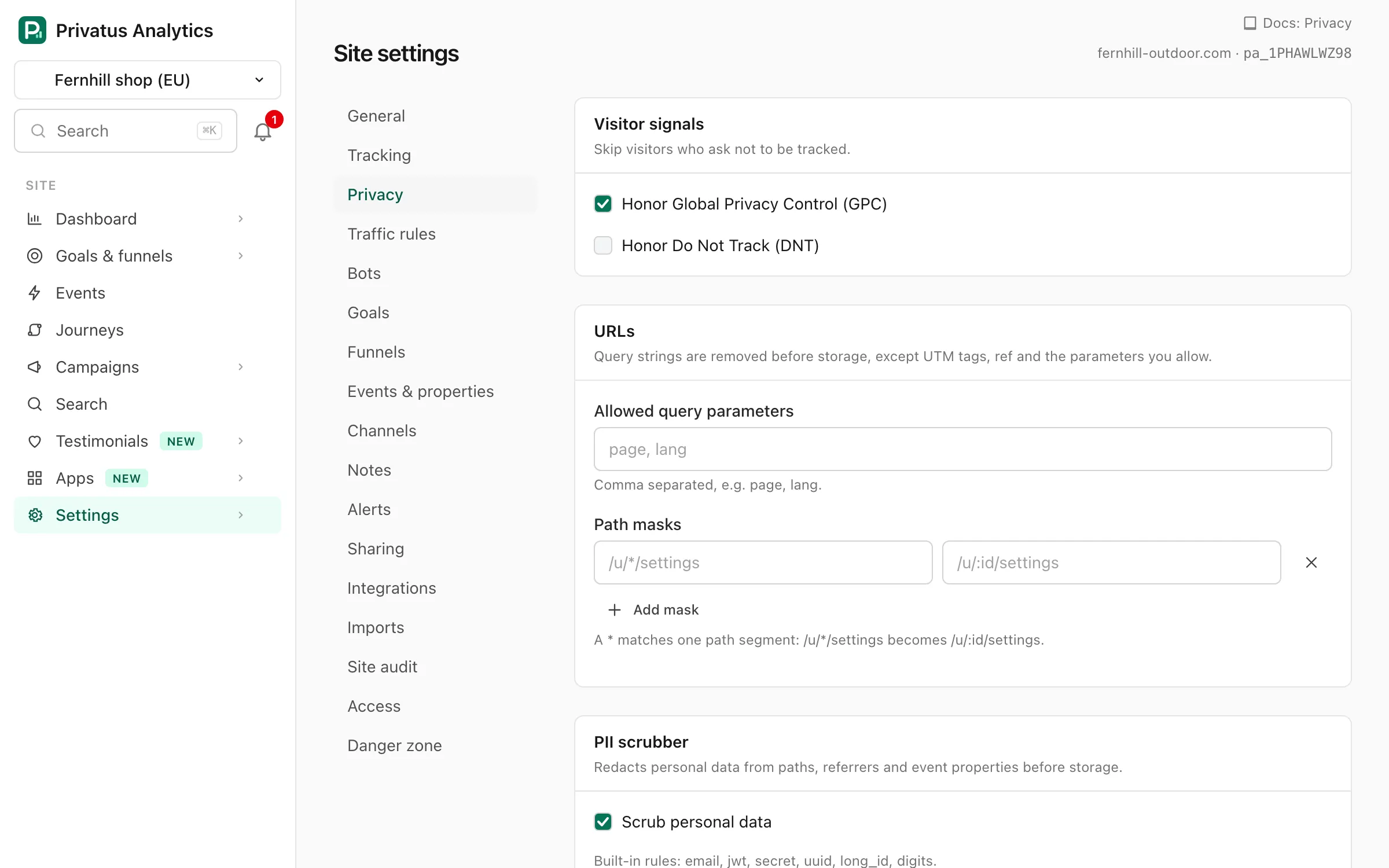
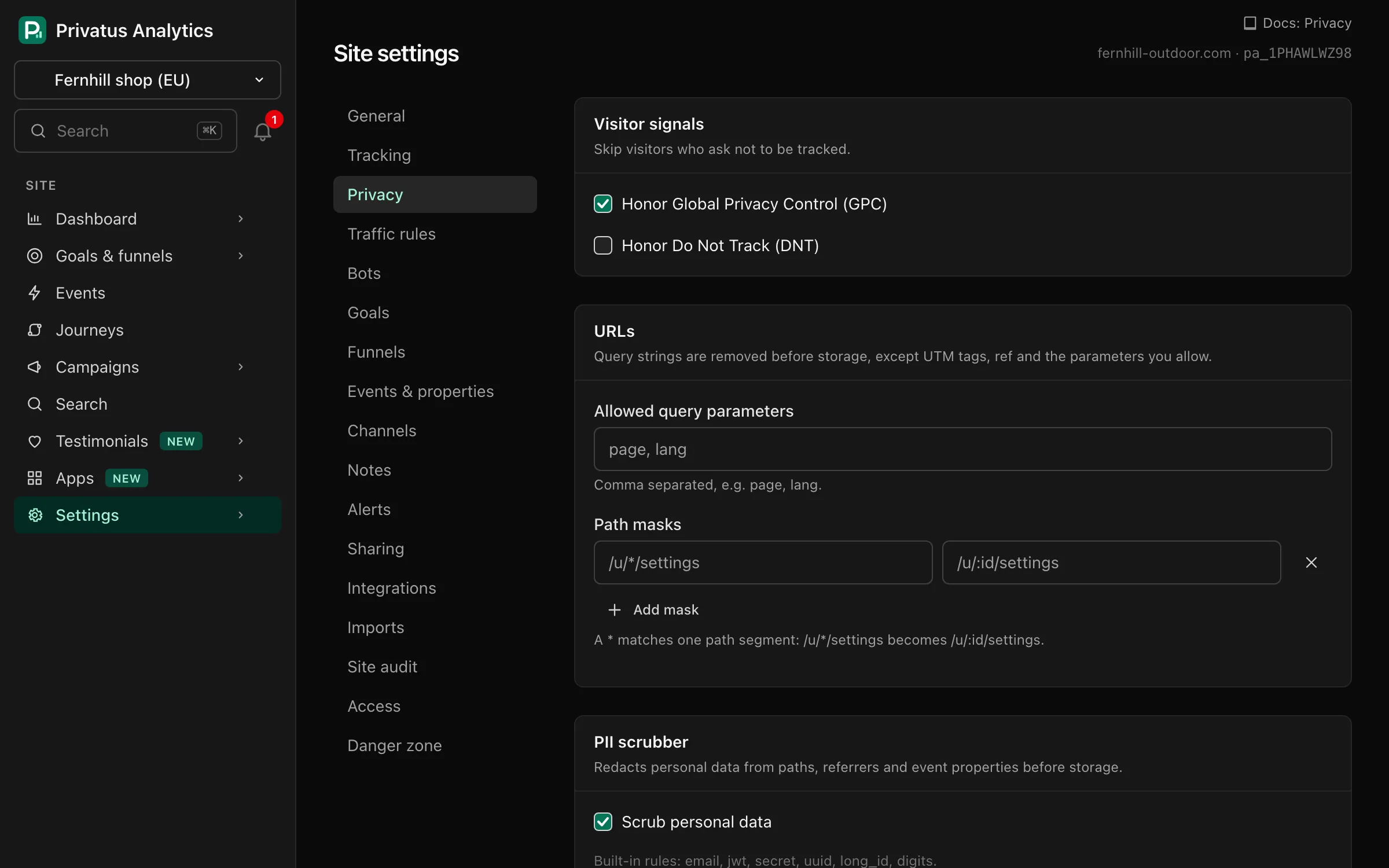
What is dropped, shortened or redacted before anything is stored, and how long data is kept. The first four sections are one form with a single Save button. Signals, URL rules and the scrubber apply to hits received after you save. Stored data is not rewritten.
Visitor signals#
| Setting | Default | Effect |
|---|---|---|
| Honor Global Privacy Control (GPC) | On | Hits from browsers that send GPC are dropped |
| Honor Do Not Track (DNT) | Off | Hits from browsers that send DNT are dropped |
See DNT and GPC.
URLs#
- Allowed query parameters: comma separated, for example
page, lang. Query strings are removed from stored paths, except the parameters you allow here. UTM tags andref(orvia,source) are read into their own campaign fields and are not kept on the path. The tracker also removes other parameters in the browser, so list the same names in the snippet'sdata-params. - Path masks: rows of a pattern and a replacement. A
*matches exactly one path segment, so the pattern/u/*/settingswith the replacement/u/:id/settingsstores every user's settings page as one path. A pattern must match the whole path. The first mask that matches a path is used. Add mask adds a row, the cross removes one, and a row with an empty pattern is ignored.
Path masks are applied on our servers. The snippet's data-mask does
the same in the browser, before the path is sent.
PII scrubber#
Scrub personal data (on by default) redacts personal data from paths, referrers and event properties before storage. The tab lists the built-in rules, which PII scrubbing describes one by one.
Custom redaction rules add your own: a rule name and a regular
expression per row, for example order_id and ORD-\d{6}. Matches are
replaced with [redacted]. A row with an empty pattern is ignored. A
pattern that is not a valid regular expression, is longer than 200
characters or uses a backreference (such as \1) is refused when you
save, and a site can have up to 20 rules. The
PII scrubbing page says what
happens to a value a rule can't check in time.
Data retention#
Data older than the chosen age is deleted automatically, once a day.
| Choice | Meaning |
|---|---|
| Plan default | Keep data as long as the plan allows |
| 3, 6, 12, 13, 24, 36 or 60 months | Delete this site's data sooner than the plan would |
Only ages within the plan's limit are offered. Free: 3 months. Paid plans keep data without a limit, so every choice is available. The age in force is always the shorter of this setting and the plan's limit. Deleted data can't be restored.
Redaction log#
How often each scrubber rule redacted something in the last 30 days. The redacted values themselves are never stored.
Through the API, the privacy settings are the honor_gpc, honor_dnt,
allowed_params, path_masks, pii_scrubber, redaction_rules and
retention_months fields of sites_update.
Integrations#
This tab has nothing to save. It shows what the site is connected to and links to the tools that work with it.
Search Console and Bing lists Google Search Console and Bing Webmaster Tools, each with the connected property or "Not connected". Connect (or Open) goes to the site's Search page for that provider. See Search Console and Bing.
Subscription metrics lists Stripe, Paddle, Lemon Squeezy, Chargebee and Polar, each "Connected" or "Not connected". Connect (or Open) goes to the site's Subscriptions page. See Subscription metrics.
More integrations links to:
| Link | What it is | Guide |
|---|---|---|
| Webhooks | Send workspace events to your own endpoint | Webhooks |
| Notification channels | Email, Slack, Teams, Discord and more, used by alerts | Alerts |
| API tokens and MCP | For the JSON API and AI agents | Authentication, MCP |
| Warehouse export (Business) | Daily export to S3, BigQuery, Snowflake or Azure Blob Storage | Exports |
| AI crawlers | Server log uploads for AI crawler visits | AI crawlers |
| Uptime checks | Monitor this site and its SSL certificate | Uptime |
The first four open workspace pages, which need their own permissions. The last two open pages of this site. Plugins for WordPress, Shopify, Cloudflare, Google Tag Manager and more are in the install guides.
Access#
Who can see this site, member by member. Using it needs the
members.manage permission (Owner and Admin). Without it, the tab shows
a message instead of the list.
| Column | Shows |
|---|---|
| Member | Name and email |
| Role | The member's role, with "all sites" when they see every site |
| Can see this site | A checkbox, or Always for owners and admins |
- Owners and admins see every site. Their access can't be removed here.
- Other members see either all sites or only the sites granted to them.
- Ticking or clearing a checkbox saves at once.
- Ticking it for a member with a site list adds this site to their list.
- Clearing it for a member with "all sites" switches them to a list of the workspace's other sites. From then on, new sites are not added to their list automatically.
- You can't change a member who holds permissions you don't have, or one who can see sites that you can't.
A member without access to a site can't see it anywhere, including in lists, exports and the API. See Roles and permissions and Teams.
Through the API: GET and PATCH /sites/<site id>/access (MCP:
sites_access_list, sites_access_update). Over MCP
sites_access_update only returns a link to this tab, see
Actions for a person.
Settings on other tabs#
The other tabs manage things that have their own guides. Five settings on them are stored with the site:
| Tab | Setting | What it does |
|---|---|---|
| Traffic rules | Block matches or Allow only matches, per list | Block (the default) drops hits that match a rule in the list. Allow drops hits that match none of them. An empty list filters nothing in either mode. Choosing one saves at once. See Traffic rules |
| Bots | Filter bot traffic | On by default. Known bots, headless browsers, data-center traffic and referrer spam are dropped before counting. Turn it off only to diagnose. See Bot rules |
| Goals | Conversion rate over | Visits (the default) or Unique visitors: what a goal's conversions are divided by on the Goals pages |
| Sharing | Make the dashboard public | Off by default. When on, anyone with the address shown under the checkbox can see the site's stats without signing in. Saves at once |
| Sharing | Let search engines index the public page | Shown only while the dashboard is public, and off by default. See Sharing |
Through the API these are the traffic_rule_modes (an object such as
{"paths": "allow"}), bot_filtering, conversion_denominator
(visits or visitors), public_dashboard and public_indexable fields
of sites_update.
Danger zone#
Three actions, each needing the sites.manage permission.
Transfer site#
Moves the site, with its id, settings and all data, to another workspace. The snippet on your pages doesn't change.
- Enter the recipient email and click Send transfer link. We email a link that is valid for 7 days.
- The recipient signs in with that email address and chooses one of
their workspaces where they have the
sites.managepermission. The workspace must have room for another site on its plan, and no site for the same domain already. - On acceptance the site moves. Its share links move with it, and the per-member access from the old workspace is removed.
The site's alert rules move with it too, of every kind, with their history. They no longer point at any notification channel, because channels belong to the workspace the site left: until a member of the new workspace picks channels, a rule still records its history. A rule that watched one uptime check of the old workspace itself watches all of the site's checks. Rules about the whole workspace (usage, the month's testimonials) stay with the old workspace.
While a transfer is waiting, the tab shows who it was sent to and until
when, with Cancel transfer. Sending a new link cancels the earlier
one. Through the API: POST and DELETE /sites/<site id>/transfer (MCP:
sites_transfer_start, sites_transfer_cancel).
Over MCP the tools of this tab (transfer, reset data and delete site) change nothing and only return a link to it, see Actions for a person.
Reset data#
Permanently deletes all visits and events between two dates. Settings, goals and links are kept. It can't be undone.
| Field | What it does |
|---|---|
| From and To | The first and last day to delete, both included, counted in the site's timezone. To can't be before From |
| Type the domain to confirm | Must be the site's primary domain |
The deletion runs in the background and can take a few minutes. Through
the API: POST /sites/<site id>/data_reset with from, to and
confirm (MCP: sites_reset_data).
Delete site#
Type the site's primary domain to confirm. Collection stops at once and
the site disappears from the app. The site and its data are permanently
deleted after 7 days. A pending transfer is canceled. Through the API:
DELETE /sites/<site id> with confirm (MCP: sites_delete).