Collections
A collection is a named set of testimonials that feeds widgets and walls. Order one by hand on any plan, or let rules keep it current on Business.
A collection is a named set of testimonials, and it is what a widget or a wall shows. You can pick the testimonials yourself and put them in order, or write a few rules and let the collection keep itself current as testimonials arrive and change.
Open Testimonials in the site's sidebar, then the Collections
tab. The page is at /sites/<site id>/testimonials/collections.
Manual and smart#
A collection is one of two kinds. You choose the kind when you create it, and it never changes afterward.
| Kind | Who chooses the testimonials | Order | Plan |
|---|---|---|---|
| Manual | You do, one by one or many at once from the inbox | The order you put them in | Every plan |
| Smart | Its rules do. A testimonial is in the collection while it matches | The sort you pick under Served in this order | Business |
Nothing is copied into a smart collection. Change a rating, a tag or a status, and the testimonial joins or leaves by itself.
A collection can hold testimonials that are pending or rejected. Widgets and walls show only the approved ones, and the collection's page says so when some are not approved.
The Collections page#
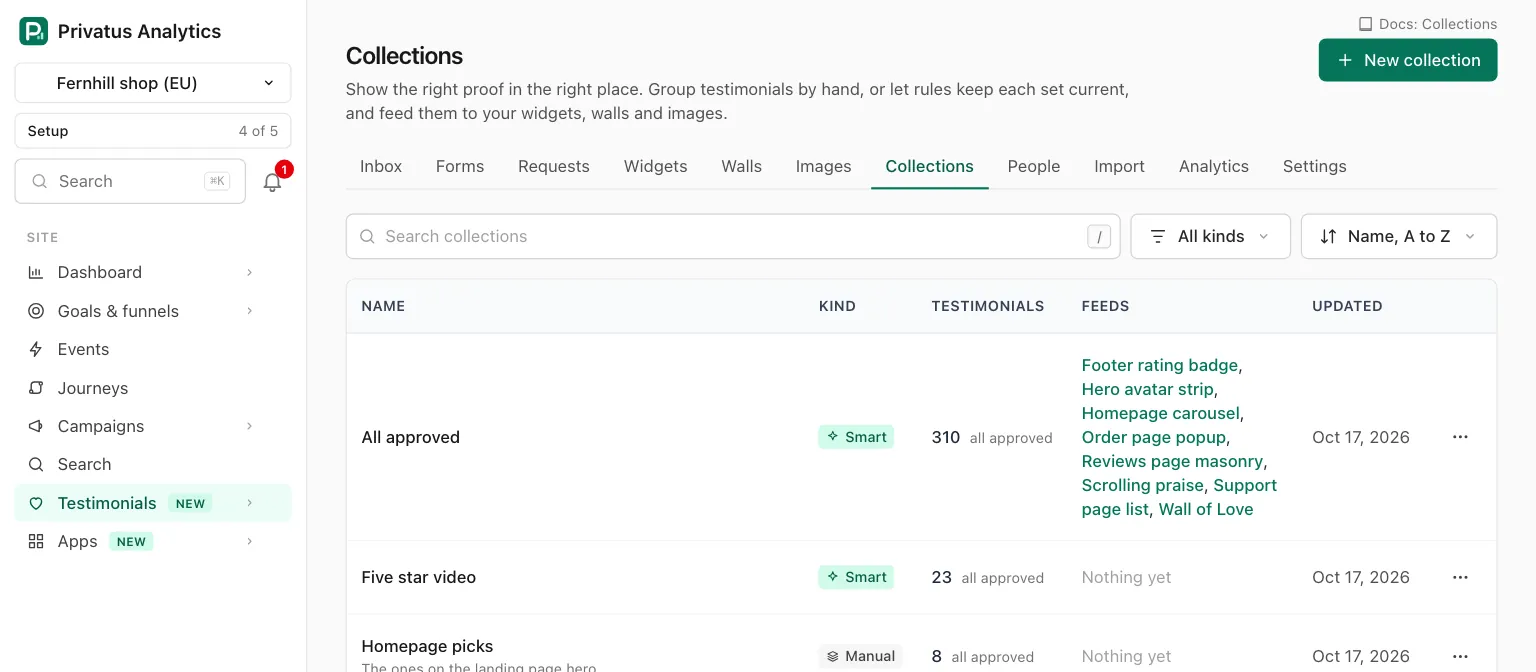
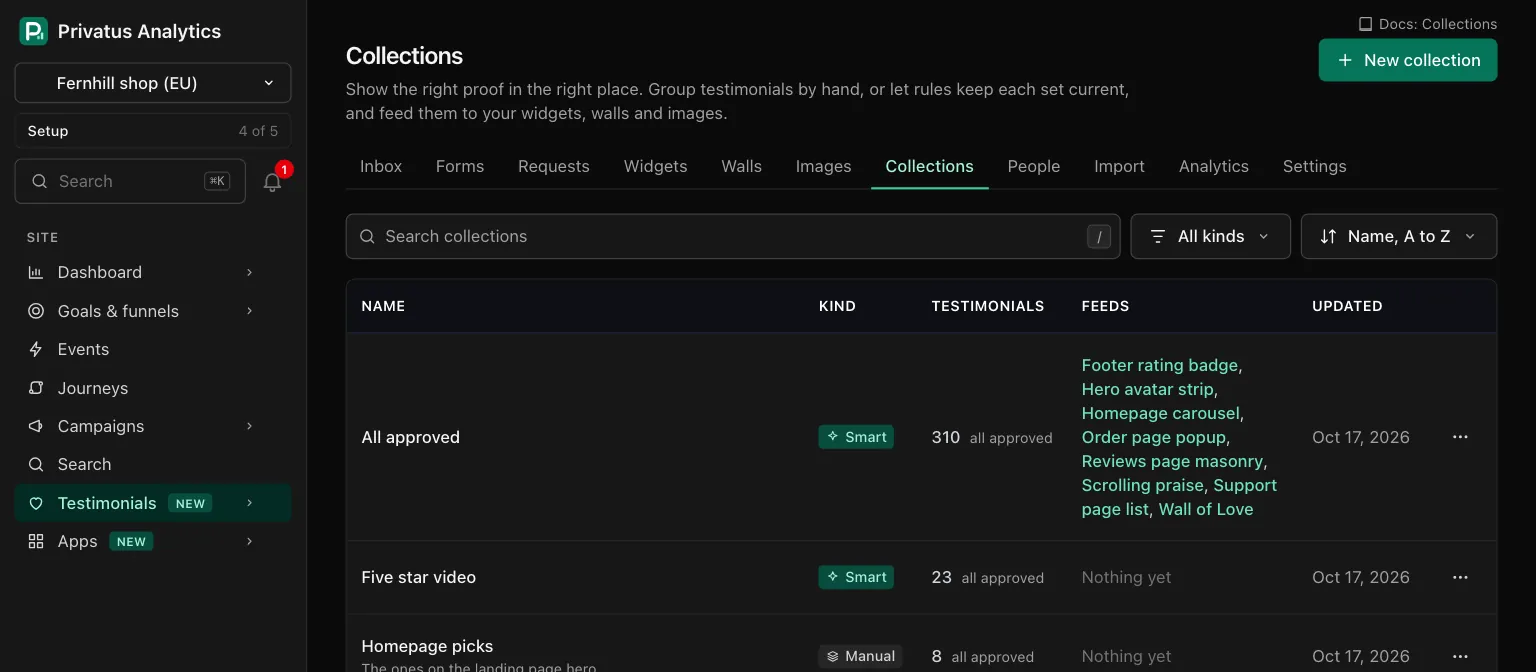
| Column | What it shows |
|---|---|
| Name | The name, with the description under it. Click it to open the collection |
| Kind | Manual or Smart |
| Testimonials | How many it holds right now, then "all approved" or how many are approved. Testimonials in the trash are not counted |
| Feeds | The widgets and walls that take their testimonials from it, or "Nothing yet" |
| Updated | The day it last changed |
| Control | What it does |
|---|---|
| New collection | Opens the form. The N key does the same |
| Search collections | Narrows the list to names and descriptions that contain the text |
| Kind menu | All kinds, Manual or Smart |
| Sort menu | Name, A to Z (the default), Recently changed or Most testimonials |
| Row menu, Edit | Opens the form of that collection |
| Row menu, Move to trash | Asks to confirm, then moves it to the trash |
A member who may only read sees the list and each collection, without the buttons and menus that change anything.
Creating a collection#
| Field | What it is |
|---|---|
| Name | Required. Up to 80 characters. Two collections of a site cannot share a name, whatever the capitals |
| Description | Optional, up to 280 characters. For your team. It is never shown to visitors |
| Type | Manual or Smart. It cannot change after the collection is created |
| Rules | Smart only. 1 to 20 conditions, joined by all or any. See The rule builder |
| Served in this order | Smart only. The order widgets and walls receive the testimonials in |
A new smart collection starts with one condition, "Status is Approved". Remove it if yours should hold other statuses too.
Served in this order takes one of these:
| Choice | Order |
|---|---|
| Newest received (the default), Oldest received | By the day the testimonial was received |
| Newest added, Oldest added | By the day it was stored on the site, which for an import is the day of the import |
| Highest rating, Lowest rating | By the rating |
| Person, A to Z | By the person's name |
| Longest, Shortest | By the length of the words |
| Most used, Least used | By the number of places that show it |
A manual collection starts empty. Add testimonials from the inbox:
select some and press C, or use a row's menu. New ones join at the
bottom.
A collection's page#
The header has Edit (the E key does the same) and Use in a
widget, which opens a new widget fed by
this collection.
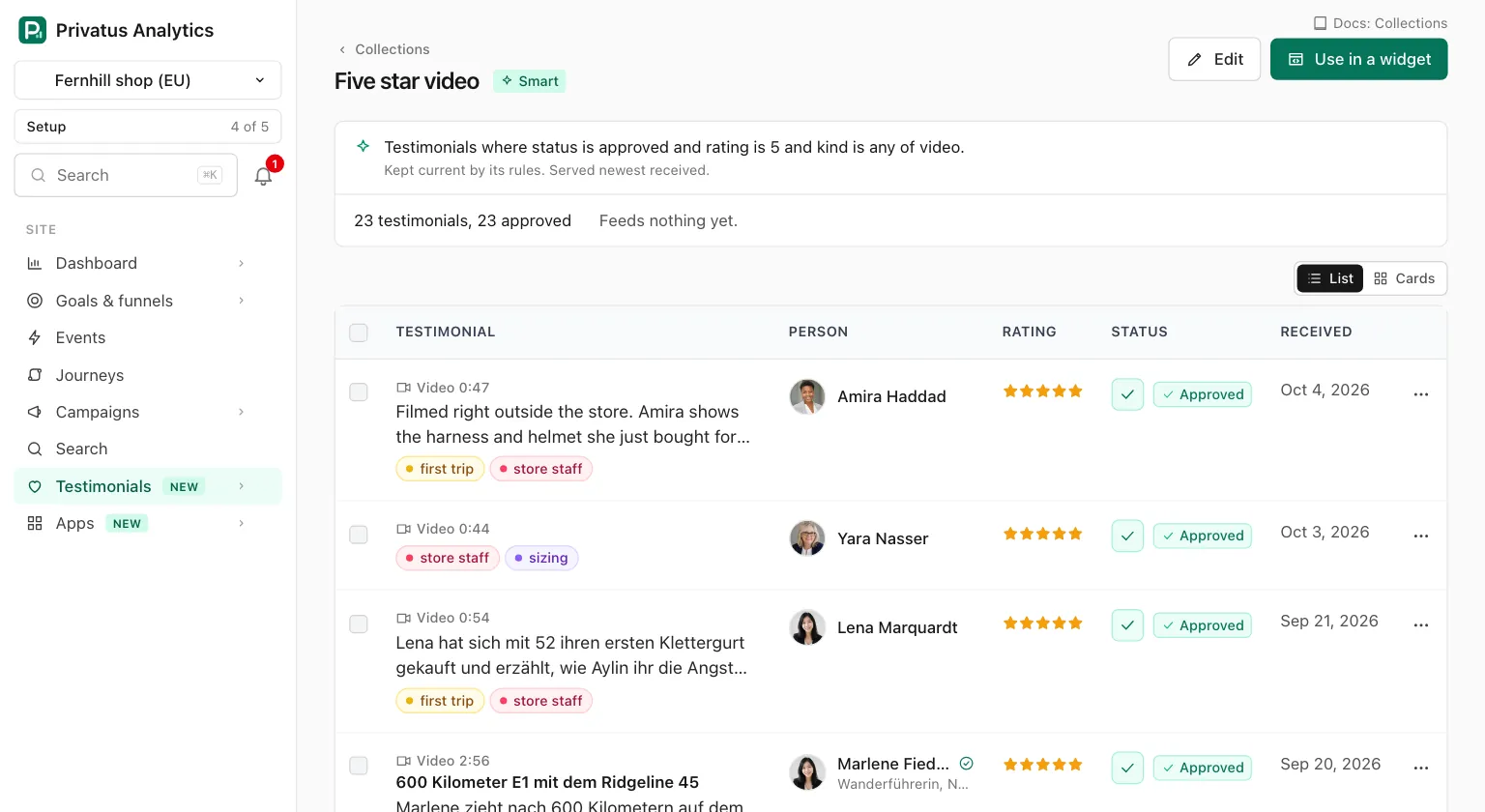
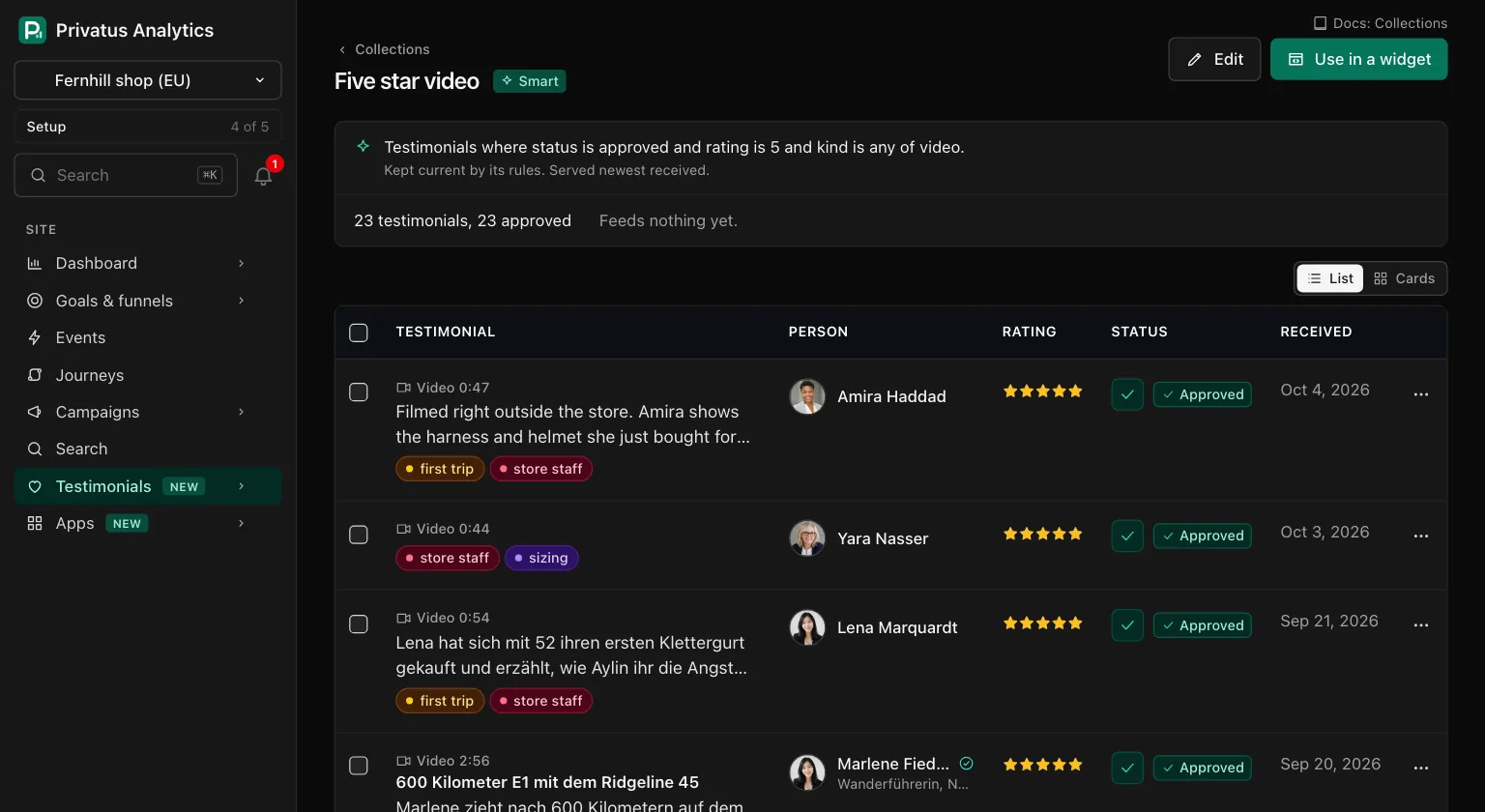
The card under it shows, for a smart collection, its rules as one sentence, "Kept current by its rules." and the order it is served in. For every collection it shows the counts ("86 testimonials, 80 approved") and what it feeds.
Below that are its testimonials, in the order they are served. The switch at the top right of the list draws them as rows or as cards. Each row has the inbox's own menu, and ticking rows opens the inbox's bulk bar. In a manual collection the bar offers Remove from collection. In a smart one it offers Add to collection, for putting the selection in a manual collection.
| What you see | When |
|---|---|
| "Only approved testimonials are shown by widgets and walls." | Some of its testimonials are pending or rejected |
| "Nothing in here yet" | A manual collection with no testimonials |
| "No testimonial matches these rules yet" | A smart collection that matches nothing. The rules keep watching |
| "These rules no longer read, so the collection matches nothing. Edit them to bring it back." | A rule names something that is gone, such as a tag in the trash. The reason is listed under it |
| "This smart collection is locked" | The plan does not include smart collections. See Smart collections on Free and Pro |
Manual order#
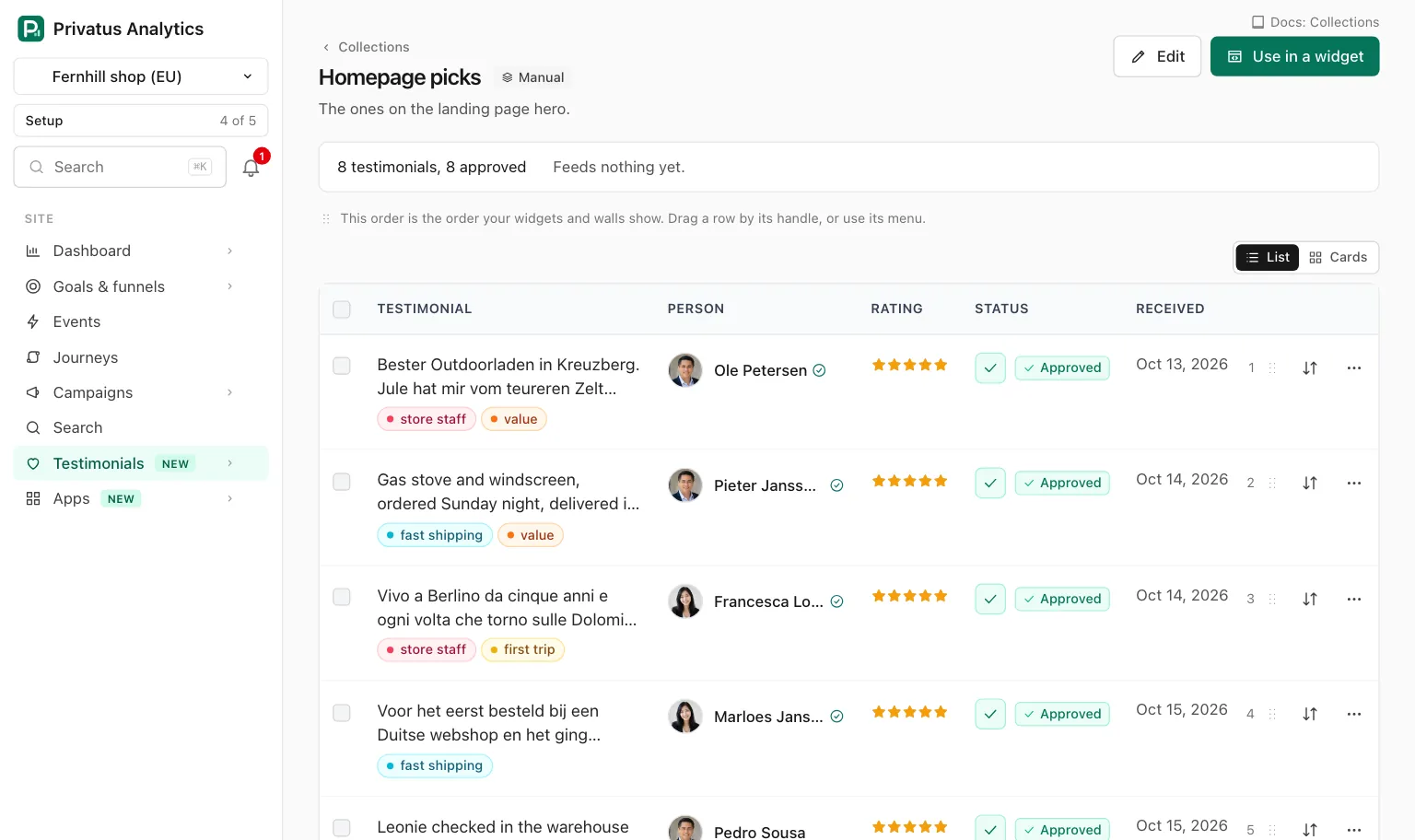
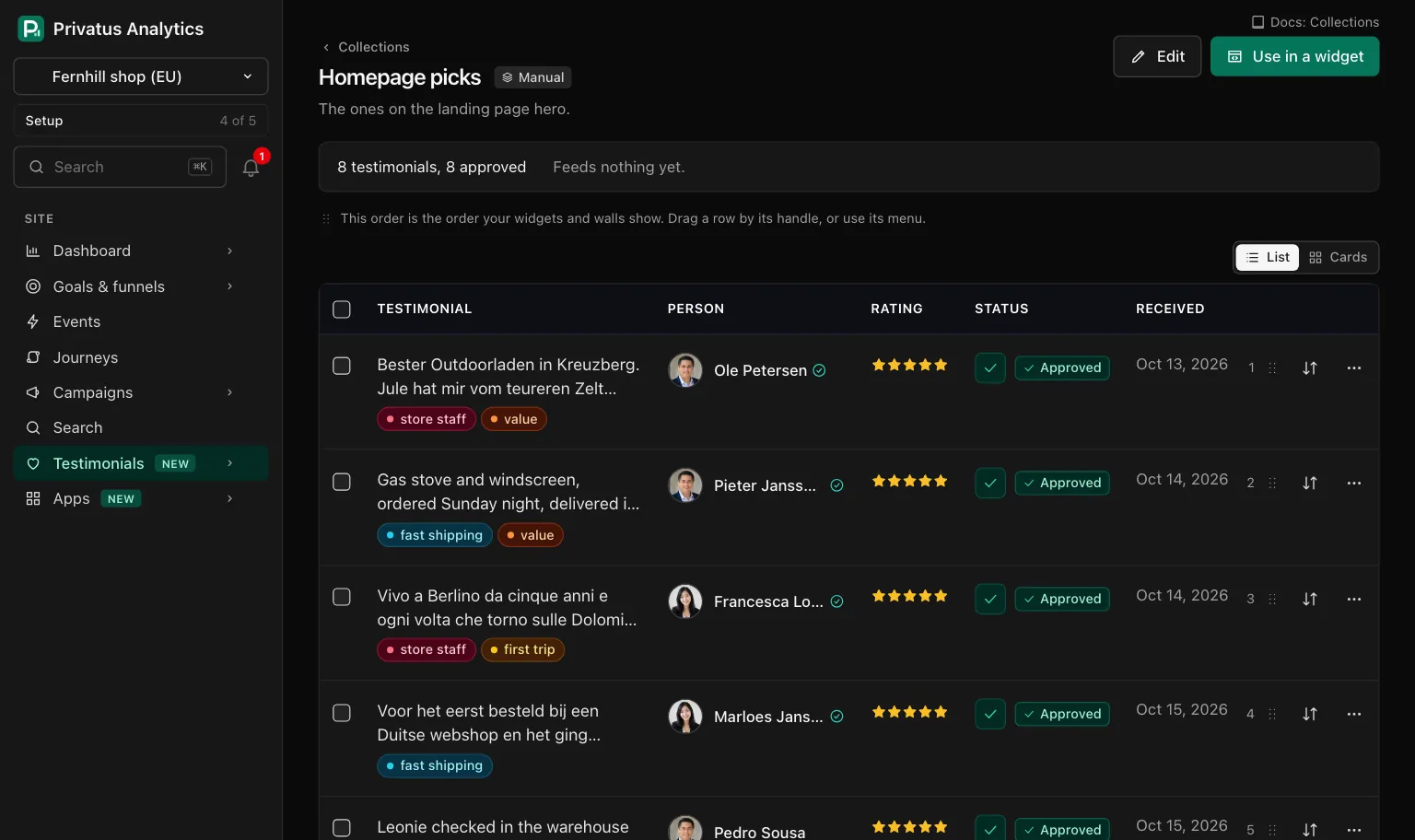
The order of a manual collection is the order every widget and wall it feeds will show. In the rows layout each row carries its position number, a drag handle and an order menu.
| Control | What it does |
|---|---|
| Drag handle | Drag a row by its handle and drop it between two others |
| Move up, Move down | One place at a time |
| Move to top | Straight to position 1 |
| Move to position | Type a number and press Move |
| Remove from collection | Takes the testimonial out. The testimonial itself is not changed |
The order menu works with a keyboard, on a phone and with JavaScript turned off. On a narrow screen the drag handle is not shown, so the menu is the way to reorder. The cards layout is for reading and has no order controls.
Adding and removing can be undone for 7 days. A toast with Undo appears after each one, and the change is in the undo list. An undo of a removal puts the testimonial back at the position it had. Reordering has no undo: move the row back.
A smart collection cannot be added to or reordered by hand.
The rule builder#
A smart collection's rules are rows of a field, an operator and a value. Above the rows you choose whether a testimonial must match all of the conditions or any of them. Each field offers only the operators that fit it. A fixed set of values is a menu or a checklist, and a checklist of more than 8 values has a box that narrows it.
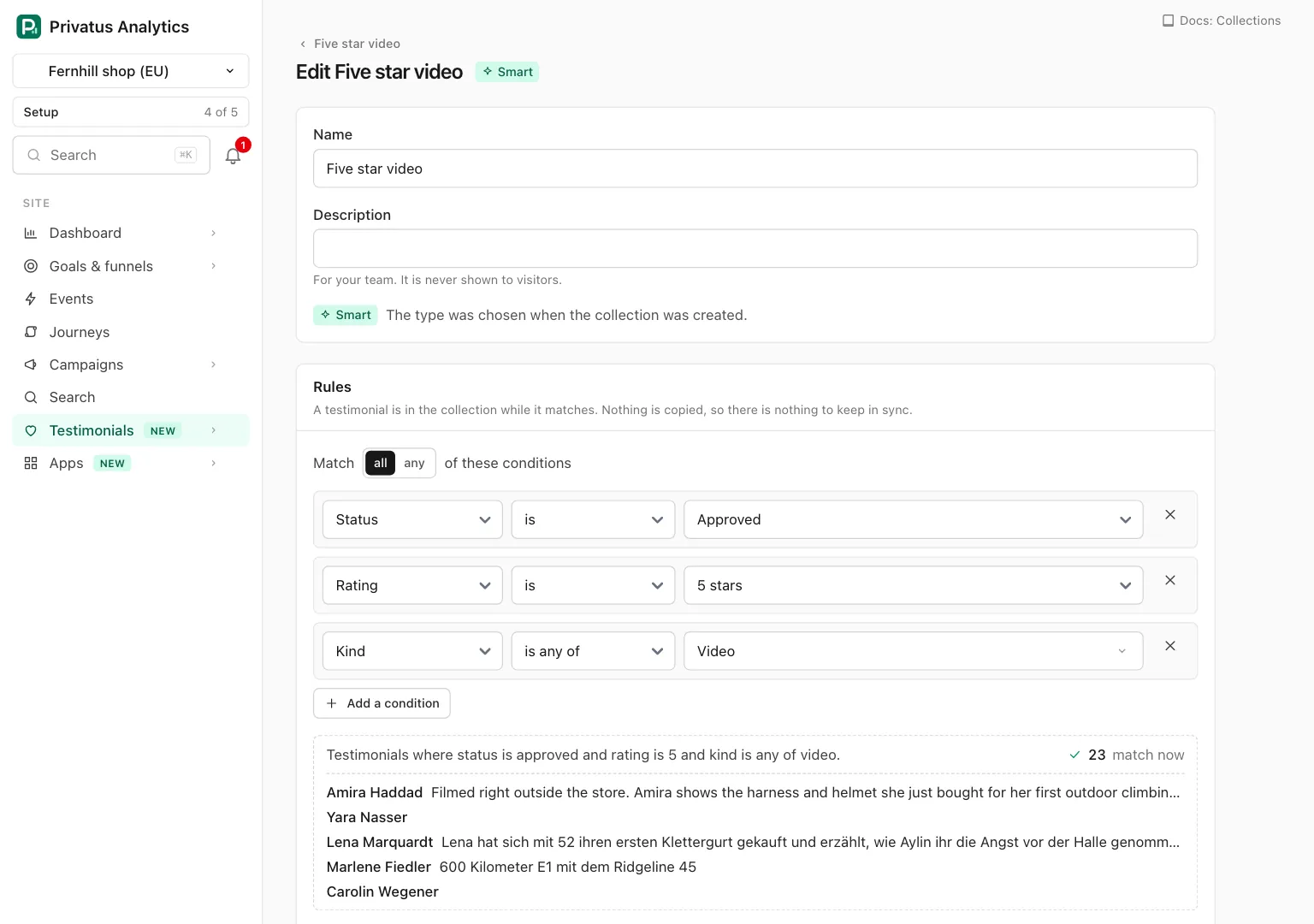
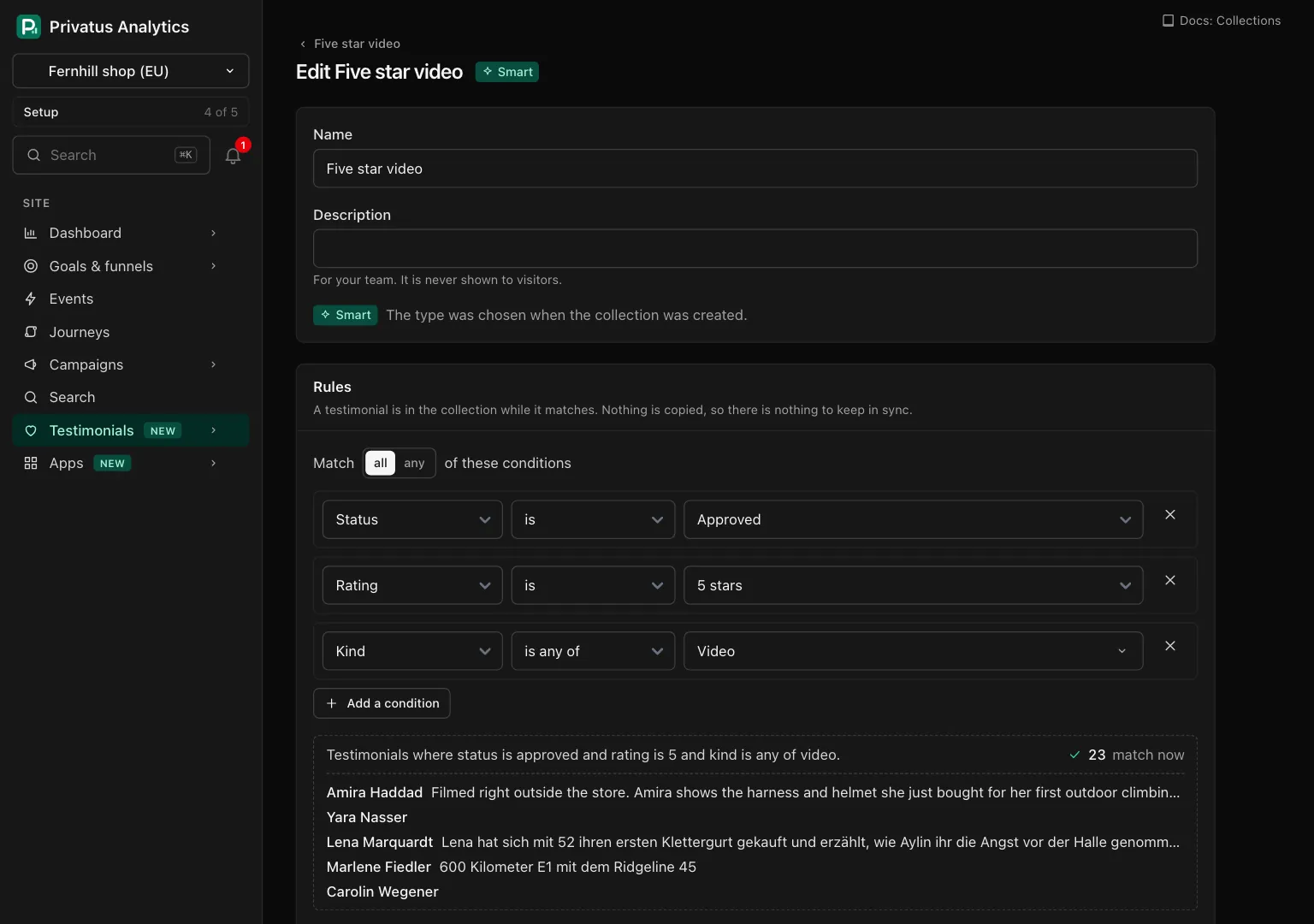
Under the rows the builder shows the rules as one sentence, how many testimonials match right now, and up to five examples. A row that is not finished shows its error on the row.
| Button | What it does |
|---|---|
| Add a condition | One more row |
| Remove this condition | Takes the row out. The last row stays |
| Update preview | Shown only when JavaScript is off. Redraws the sentence, the count and the examples |
Nothing is saved until you press Save. With JavaScript off, each of these three buttons draws the form again with what you typed.
Rule fields#
These are the fields a smart collection can test, in the order the
builder lists them. The second column is the name the API and MCP use
in field, and the third lists the values of operator.
| Field | field |
Operators | Value |
|---|---|---|---|
| Status | status |
is, is_not, is_any_of, is_none_of |
pending, approved, rejected |
| Kind | kind |
is, is_not, is_any_of, is_none_of |
text, video, audio |
| Rating | rating |
is, is_not, is_any_of, is_none_of, is_at_least, is_at_most, has_none |
A whole number from 1 to 5. is_any_of also takes none |
| Source | source |
is, is_not, is_any_of, is_none_of |
form, import, manual (shown as "Added by hand"), extension (shown as "Captured from a page"), api, migration |
| Platform | source_name |
is_any_of, is_none_of |
Platform names, such as Trustpilot. The form lists the platforms the site's testimonials came from |
| Form | form |
is_any_of, is_none_of |
Form names or ids |
| Language | language |
is_any_of, is_none_of |
Language codes or names, such as de or German |
| Tag | tag |
has_any_of, has_all_of, has_none_of, has_no_tags |
Tag names or ids |
| Words | words |
contain, contain_any_of, do_not_contain |
Phrases of up to 200 characters each. In the form, separate them with commas |
| Has photo | has_photo |
is_yes, is_no |
None. Yes when the person has a photo |
| Has video | has_video |
is_yes, is_no |
None |
| Has a highlight | has_highlight |
is_yes, is_no |
None |
| Verified | verified |
is_yes, is_no |
None |
| Pinned | pinned |
is_yes, is_no |
None |
| Consent | consent |
is_on_record, is_source_only, includes, does_not_include |
For the last two: show_name, show_photo, show_video, marketing |
| Received | received |
in_the_last, before, after, on_or_before, on_or_after, between |
A number of days for in_the_last. A date such as 2026-03-31 for the others. Two dates for between |
| Person | person |
is_any_of, is_none_of |
In the form, type names. The API takes person ids |
| Company | company |
is_any_of, is_none_of |
Company names |
| Usage | usage |
is_used_nowhere, is_used_somewhere, is_used_in, is_used_in_at_least, is_used_in_at_most |
A number of places for the last three |
| A custom property | property.<key> |
By type, see below | By type |
What the operators mean:
- With Words,
containneeds every phrase,contain_any_ofneeds one of them, anddo_not_containneeds none of them. Words are matched through the search index, which stems them in the eleven languages Mentions lists, so in English "ship" also finds "shipping". - With Tag,
has_any_ofneeds one of the tags,has_all_ofneeds every one,has_none_ofneeds none of them, andhas_no_tagsmatches a testimonial with no tag at all. - With Consent,
is_on_recordmeans the person gave consent, andis_source_onlymeans only the source of the testimonial is on record.includesneeds consent on record with every permission you tick. - Dates are days on the site's own clock.
- A negative operator also matches where the value is missing. "Rating is not 5" includes testimonials with no rating.
- One condition takes up to 100 values. A checklist in the form offers up to 200 tags, forms, platforms or languages.
Custom properties offer operators by their type:
| Property type | Operators |
|---|---|
| Text | is_any_of, is_none_of, contains, does_not_contain, is_filled, is_empty |
| Choice | is_any_of, is_none_of, is_filled, is_empty |
| Number | is, is_not, is_at_least, is_at_most, between, is_filled, is_empty |
| Yes or no | is_yes, is_no, is_filled, is_empty |
An archived property is not offered. A smart collection cannot test whether a testimonial is in another collection.
Moving a collection to the trash#
Move to trash is in the row menu of the list and at the foot of the edit page. The collection stays in the trash for 30 days and can be restored exactly as it was. Its testimonials are not touched.
If the collection feeds a widget or a wall, the confirmation names each one. They show nothing from it until it is restored.
Smart collections on Free and Pro#
Smart collections are part of the Business plan. Manual collections are on every plan. On Free and Pro:
| Where | What happens |
|---|---|
| New collection | The type Smart is shown locked, with "Smart collections are part of the Business plan." and the link to the plans. A manual collection is created as usual |
testimonial_collections_create with kind: smart |
The API responds with 402 and the code plan_limit |
testimonial_collections_preview |
The API responds with 402 and the code plan_limit |
A smart collection made on Business is kept after a downgrade, and it is locked:
- Its page says "This smart collection is locked" with the date, and
the line "Kept current by its rules." is gone. The API returns it
with
locked: true. - It still reads its rules, but only over testimonials received on or before the day the plan changed. Nothing received later joins. A testimonial from before that day still joins or leaves when it starts or stops matching, for example when it is rejected.
- Widgets and walls that show it keep showing its approved testimonials.
- Its rules and its served order cannot be changed.
testimonial_collections_updatewithconditions,matchorsortresponds with402 plan_limit, and with onlynameordescriptionit saves. The edit page shows the rules in words with a lock and sends none, so renaming it or changing its description there saves. - It can be moved to the trash and restored.
- It is up to date again as soon as the plan includes smart collections. Nothing has to be rebuilt.
API and MCP#
Every action on these pages is an API operation and an MCP tool. Add
.json to the address of a page, or call the tool. Inputs and response
fields are in the generated reference at /docs/api and
/docs/mcp.
| Action | MCP tool | Permission |
|---|---|---|
| List the collections | testimonial_collections_list |
analytics.read |
| Read one | testimonial_collections_get |
analytics.read |
| Create | testimonial_collections_create |
content.write |
| Change the name, description, rules or served order | testimonial_collections_update |
content.write |
| Try rules without saving | testimonial_collections_preview |
analytics.read |
| Add testimonials to a manual collection | testimonial_collections_add_items |
content.write |
| Take testimonials out of a manual collection | testimonial_collections_remove_items |
content.write |
| Move one testimonial to another place | testimonial_collections_reorder |
content.write |
| Move to trash | testimonial_collections_destroy |
content.write |
Rules are sent as match (all or any) and conditions, a list of
rows with field, operator and value:
{
  "tool": "testimonial_collections_create",
  "arguments": {
    "site_id": "pa_4K7QW2MX9A",
    "name": "Five star video",
    "kind": "smart",
    "sort": "rating_desc",
    "conditions": [
      { "field": "status", "operator": "is", "value": "approved" },
      { "field": "rating", "operator": "is", "value": 5 },
      { "field": "has_video", "operator": "is_yes" }
    ]
  }
}
- To read a collection's testimonials, call
testimonials_listwithcollection_id. testimonial_collections_createtakes up to 100testimonial_idsto start a manual collection filled, in that order.testimonial_collections_add_itemsand_remove_itemstake up to 100 ids. Adding puts new ones at the bottom, or at the top withposition: top. One that is already in the collection stays where it is. When something changed, the response hasmeta.undo_id, whichtestimonials_bulk_undotakes for 7 days.testimonial_collections_reordertakes exactly one ofposition(counted from 1),before_idandafter_id.testimonial_collections_previewwithuse: tagchecks the rows as an auto-tag rule, which tests a shorter list of fields. Withexplain: truea row that does not read is listed inproblemsinstead of being an error.- A row that does not read is a
422whose sentence names the row ("Row 2: Choose a field and an operator."). An id that is not a testimonial of the site has the codeunknown_ids, and more than 100 ids the codetoo_many. - An AI assistant cannot delete anything or move anything to the trash.
The MCP tool
testimonial_collections_destroyruns nothing: it responds withhuman_onlyand the address of the collection's page, and the assistant hands you that link. The API call runs as usual. Taking testimonials out of a manual collection deletes nothing, sotestimonial_collections_remove_itemsruns over MCP.
Ask your assistant:
- "Make a collection of our approved five-star video testimonials, best rated first."
- "Put the three newest approved testimonials about delivery at the top of Homepage picks."
- "Move the Daniel Okonkwo quote to second place in the Sales deck collection."
Good to know#
- The counts of a smart collection are kept for up to 10 minutes. A change to a testimonial, a tag or a collection of the site refreshes them at once. Rules that read the clock, such as "Received in the last 30 days", can lag by up to those 10 minutes.
- A smart collection whose rule names a tag in the trash matches nothing until the tag is restored or the rule is changed.
- A testimonial in the trash is in no collection. Restoring it puts it back in the manual collections it was in, at its place.
- Reordering a manual collection leaves no undo record.
- A collection in the trash feeds nothing. Its widgets and walls show nothing from it until it is restored.