Trash and permanent delete
How a testimonial moves to the trash, how long it stays, how to restore it exactly as it was, and what deleting it permanently removes.
Removing a testimonial has two steps on purpose. The trash can be undone.
Deleting permanently cannot. The Trash page lists what is waiting
between the two: open Testimonials in the site's sidebar, then
More at the top of the Inbox, then
Trash. Its address is /sites/<site id>/testimonials/trash.
Move to trash#
Move to trash is in the menu of every row and card, in the Danger
zone of a testimonial's page, in triage
and in the bulk bar. It needs
content.write.
A trashed testimonial keeps everything it had and is shown nowhere: not in a widget, a wall, an image, an export or a public page. It leaves the Inbox and is listed on the Trash page. On your site it is gone from new visits within about ten seconds, and from a browser that already loaded the widget within 5 minutes.
It stays in the trash for 30 days. After 30 full days it is deleted permanently by itself, by a job that runs once a day. The page of a trashed testimonial shows the date.
Moving to the trash can be undone like any other change: with Undo on the notice for 10 seconds, then from the undo list for 7 days.
The Trash page#
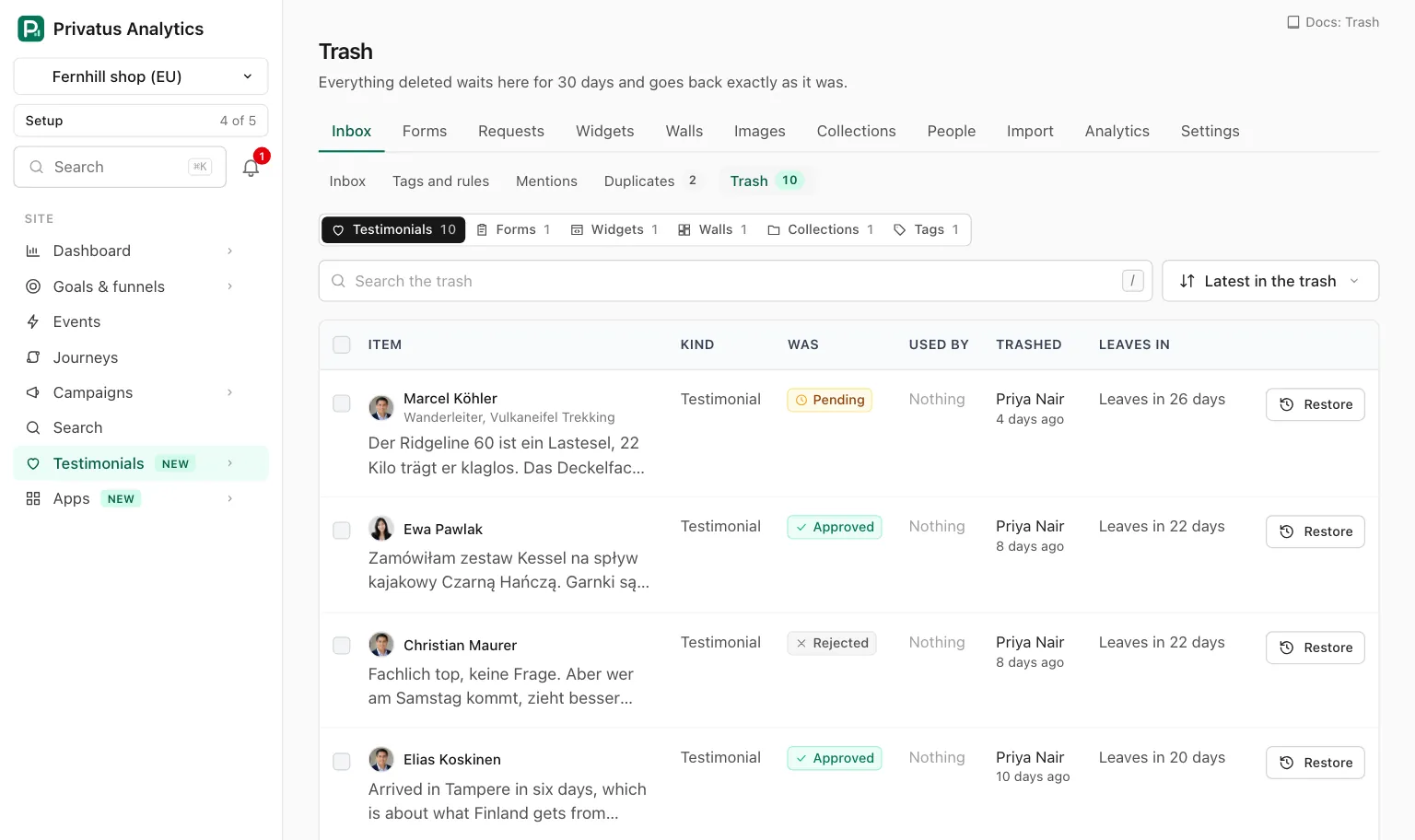
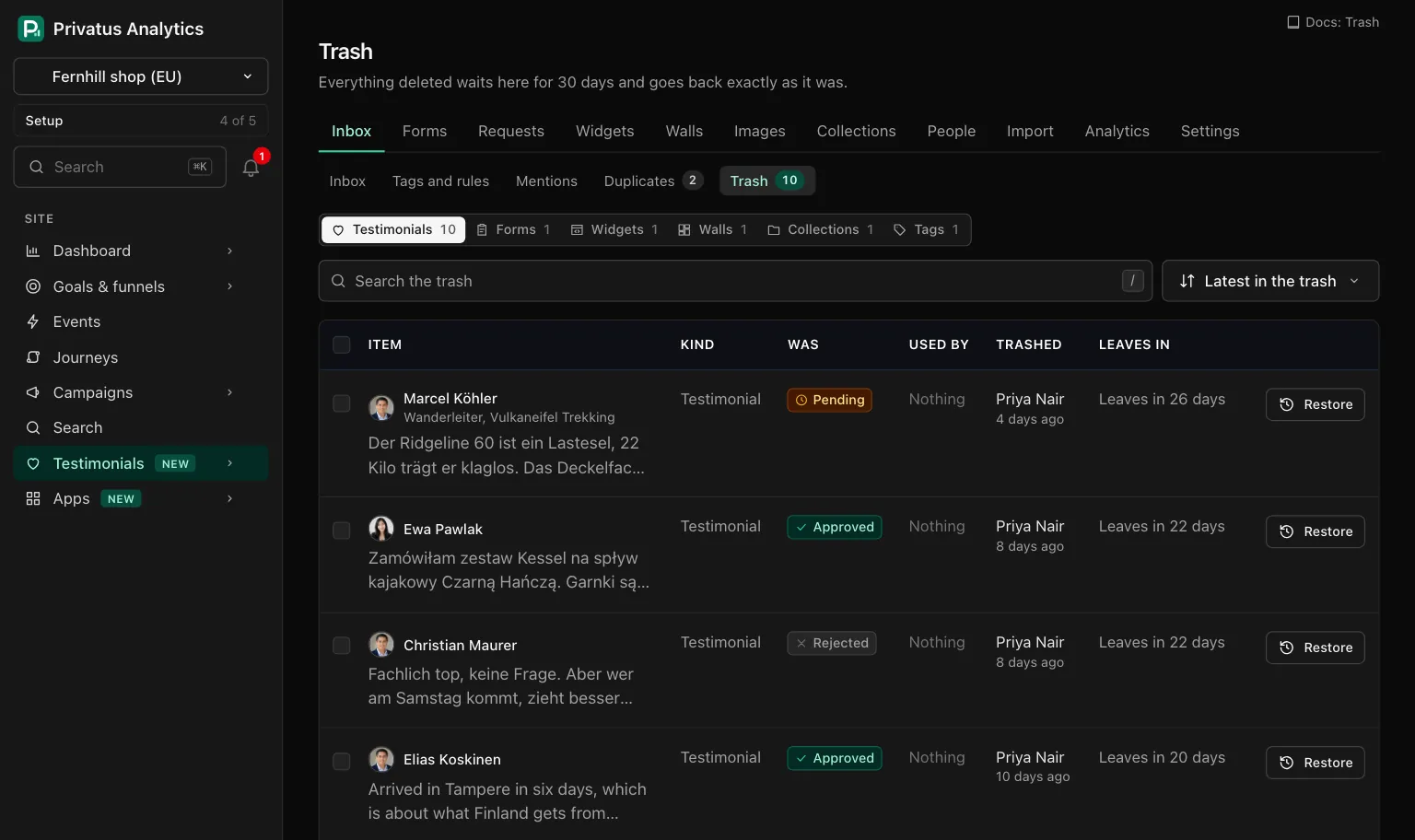
Forms, widgets, walls, collections and tags use the same trash, so the page has one tab for each kind, with its count: Testimonials, Forms, Widgets, Walls, Collections and Tags.
| Control | What it does |
|---|---|
| Search the trash | Finds items of the open tab by name. For a testimonial: by the person's name, the title or the words |
| The sort menu | Latest in the trash (the default) or Leaving first |
| Empty trash | Deletes everything in the trash for good, after a confirmation. Shown to members who hold sites.manage |
| Column | What it shows |
|---|---|
| Item | The person and the start of the words, or the name of the form, widget, wall, collection or tag |
| Kind | Testimonial, Form, Widget, Wall, Collection or Tag |
| Was | What it returns to on restore: the status of a testimonial, "Installed" or "Not installed yet" for a widget, "Manual collection" or "Smart collection", how many testimonials a tag was on |
| Used by | The widgets and walls that showed it, or "Nothing" |
| Trashed | Who moved it there and how long ago |
| Leaves in | The days left, such as "Leaves in 12 days". It turns red with a warning mark at 7 days or fewer |
Each row has Restore, and a menu with Delete permanently. Tick rows to restore or delete several at once, up to 100 of one kind.
Restore#
Restore puts a trashed item back exactly as it was. A testimonial
returns to its status, its tags, its collections and the places that
showed it. A restore never counts as a new testimonial. It needs
content.write, and it is also at the top of a trashed testimonial's own
page.
Restoring testimonials can itself be undone for 7 days. Restoring a tag or a collection is refused when another one took its name meanwhile. Rename that one first.
Delete permanently#
Delete permanently is for members who may manage the site
(sites.manage). It is in three places.
| Where | What you type to confirm |
|---|---|
| The Danger zone of a testimonial's page, in the trash or not | The name of the person, or the id of the testimonial |
| The menu of a row on the Trash page, or the bar after ticking rows | For one item: its name or its id. For several: the name of the site |
| Empty trash | The name of the site |
From the Trash page the confirmation is a page of its own. It is headed "This cannot be undone", names what will be deleted (the first ten, then "and 12 more") and has the field to type in. Capitals do not matter. A wrong text brings the page back with what you typed.
Deleting a testimonial removes the words, the edit history, the consent record, the translations, the tags and collection places, and every stored file: the recording, its poster, images and rendered pictures. The files are deleted from storage and from the content delivery network. The audit log keeps one line with the id of the testimonial, its kind, the name of its source and how many files were removed, and never the words or the person's name.
There is no undo, and nothing is kept in a backup you can restore from the app.
API and MCP#
| Action | MCP tool | Permission |
|---|---|---|
| Move one testimonial to the trash | testimonials_trash |
content.write |
| Restore one testimonial | testimonials_restore |
content.write |
| Delete one testimonial permanently | testimonials_delete |
sites.manage |
| List the trash, one kind at a time | testimonial_trash_list |
analytics.read |
| Restore a selection of the trash | testimonial_trash_restore |
content.write |
| Delete a selection of the trash permanently | testimonial_trash_delete_permanently |
sites.manage |
| Empty the trash | testimonial_trash_empty |
sites.manage |
The inputs are in the API reference and the MCP reference.
An AI assistant cannot delete anything or move anything to the
trash. The MCP tools testimonials_trash, testimonials_delete,
testimonial_trash_delete_permanently and testimonial_trash_empty run
nothing: each responds with human_only and the address of the page
where a person does it, and the assistant hands you that link. The
trash and delete_permanently bulk actions are refused over MCP the
same way. An assistant can list the trash and restore from it. The API
runs every one of them.
Over HTTP, DELETE /sites/<site id>/testimonials/<id>/permanent.json
needs confirm: the person's name or the testimonial's id. The trash
operations take ids, up to 100 of one kind, and deleting needs
confirm as in the table above. A selection that cannot be used is
refused with too_many, unknown_ids or mixed_kinds, and deleting
something that is not in the trash with not_in_trash.
Good to know#
- The 30 days start when the item is moved to the trash. Restoring it and trashing it again starts them over.
- A small trash is emptied at once. With more than 100 items Empty trash works in the background, and the page says how many are on their way out.
- Something another record still needs is left in the trash and counted, with "1 was left because something still uses it."
- A copy that was merged as a duplicate is in the trash too. Restoring it undoes the merge for that copy.
- A saved view that filters on a trashed tag or collection still opens, without that filter, and says so.
- Deleting permanently sends the
testimonial.deletedwebhook with the id only.